QUESTIONS about the Cubicity Asset Library

Forum Archive QUESTIONS about the Cubicity Asset Library

Viewing 14 posts - 16 through 29 (of 29 total)
  • Author
    Posts
  • #76182
    Kent Trammell
    Participant

      @koala I apologize – I’m very behind with the update to the Cubicity asset library. Since I haven’t seen many submissions, I kept delaying an update until I had a handful to assimilate. At this point I have a enough waiting to be graded and assimilated to warrant an update. I will do it as soon as I get a moment!

      PS: I look very forward to seeing your submission!

      #76183
      Antonio Vazquez
      Participant

        I set the asset library and I can drag and drop assets and materials into my meshes, but the dropped material is always black. For example, I drop a cubicity_tree-leaves material into a sphere, but the sphere never is green. What I’m doing wrong? I’m using Blender 3.6 with Eevee and AO enabled.

        #76184
        Omar Domenech
        Participant

          It probably has to do with the material node tree. I believe the material uses attributes very dependent on the name in the node matching the name in the color attribute. So in your case since the names aren’t matching it is returning a black result. So go into the material, search for the node with the attribute name and copy paste that name into the slot in the color attribute.

          #76185
          Naiyah Osipitan
          Participant

            Do these assets work in cycles?

            #76186
            Naiyah Osipitan
            Participant

              How do I turn on the lights inside the buildings?

              #76187
              Omar Domenech
              Participant

                Yes, they should work in cycles.

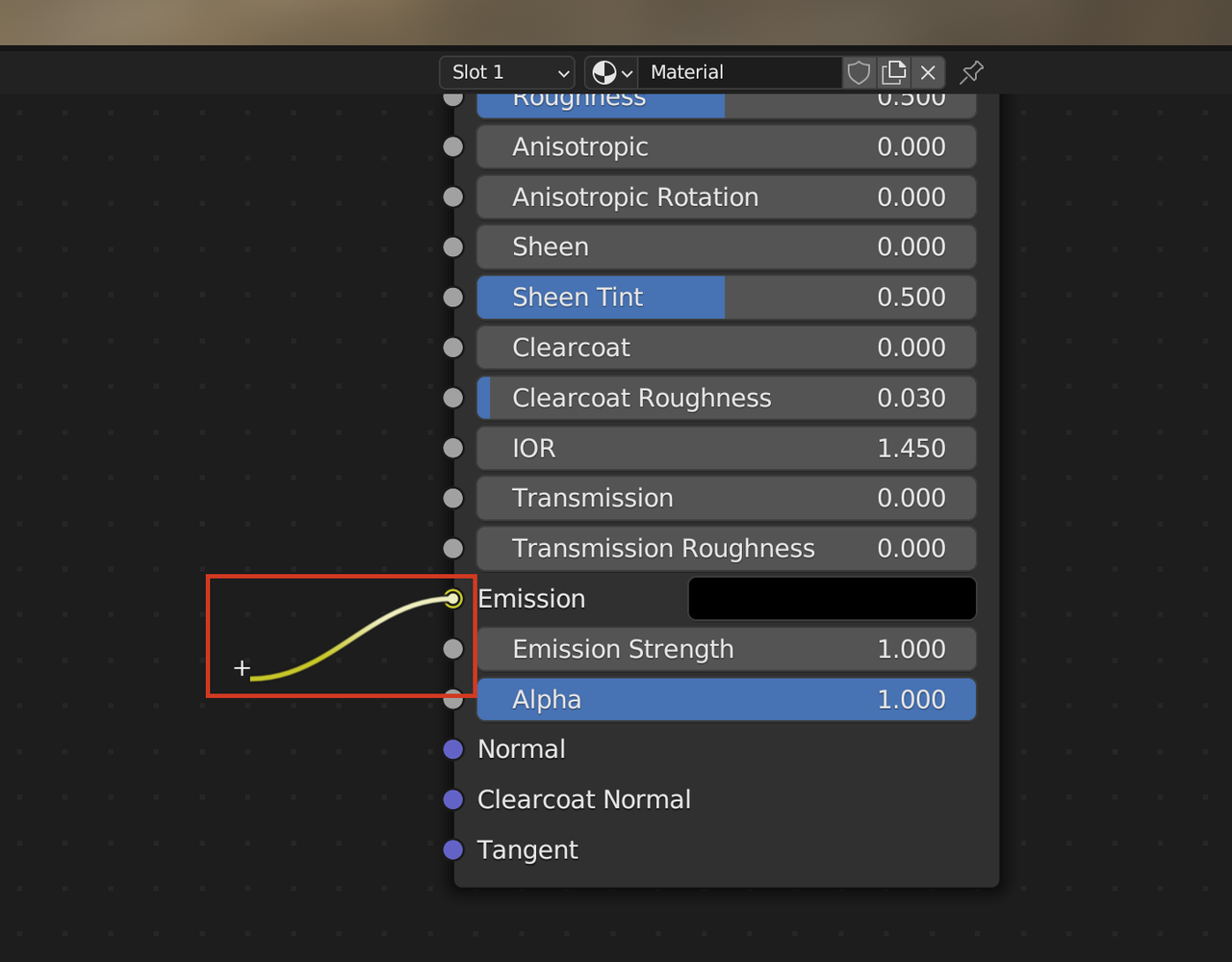
                To turn on the lights, you have to select a building that has the emission material and in the shader node change the value for the emission socket.

                Emission.png

                #76188
                Naiyah Osipitan
                Participant

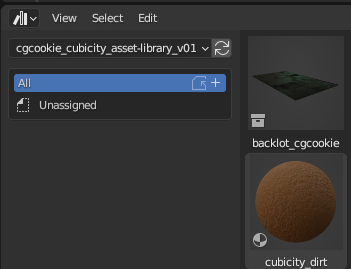
                  When I download the file, the categories do not show up

                  023-07-24 214430.png

                  But I know exactly how to fix it. You have to include “TXT” File in the zip file. This file contains the category set up.

                  023-07-24 215208.png

                  And then it should be fixed.

                  #76189
                  mak mcman
                  Participant

                    I am trying to bounce the assets for the roads as glb so I can import to a three js project, this doesnt seam to carry any colours or textures over. I have spent some time trying to resolve, any ideas?

                    #76190
                    Omar Domenech
                    Participant

                      I have no experience with exporting or importing with those files, but it is possible that vertex colors just don’t go along with the ride. There’s always baking everything into image textures and plugging them though, it’s practically universal.

                      #76191
                      Adrian Bellworthy
                      Participant

                        Yeah, like Omar said, unwrap the UV.s and bake the materials onto textures is the way to export and import models into other programs.

                        #76192
                        lunahak
                        Participant

                          How can I export this assets to Unity?

                          #76193
                          Martin Bergwerf
                          Participant

                            Hi @lunahak ,

                            These models are made for Blender, using a lot of Blender-specific ‘tricks’ (most notably Geometry Nodes). They cannot directly be Exported, they will have to be heavily ‘adapted’, aside from the Unwrapping and Baking the Materials and this is not something that I can explain in a thread like this.

                            It’s probably better to find assets elsewhere, or (and this is really fun!) learn how to make your own (Export-friendly) models.

                            #76194
                            Omar Domenech
                            Participant

                              Maybe the Treads course will shed a little bit of light to the process? 

                              https://cgcookie.com/courses/tread-hard-surface-asset-creation-for-video-games

                              #76195
                              Trent Pecker
                              Participant

                                Here’s my submission! I submitted it on Jan 5th, and mediafire only allows 14 days of hosting for free. So On january 19th, it’s going to self destruct.

                                https://www.mediafire.com/file/1ckje13ur1fndzj/cubitity_asset-contribution_Trent.zip/file

                                Looking forward to seeing the updated asset library

                              Viewing 14 posts - 16 through 29 (of 29 total)
                              • The topic ‘QUESTIONS about the Cubicity Asset Library’ is closed to new replies.