Problems with Retopoflow

Forum Archive Problems with Retopoflow

Viewing 4 posts - 1 through 4 (of 4 total)
  • Author
    Posts
  • #16687
    Javier Pineda
    Participant

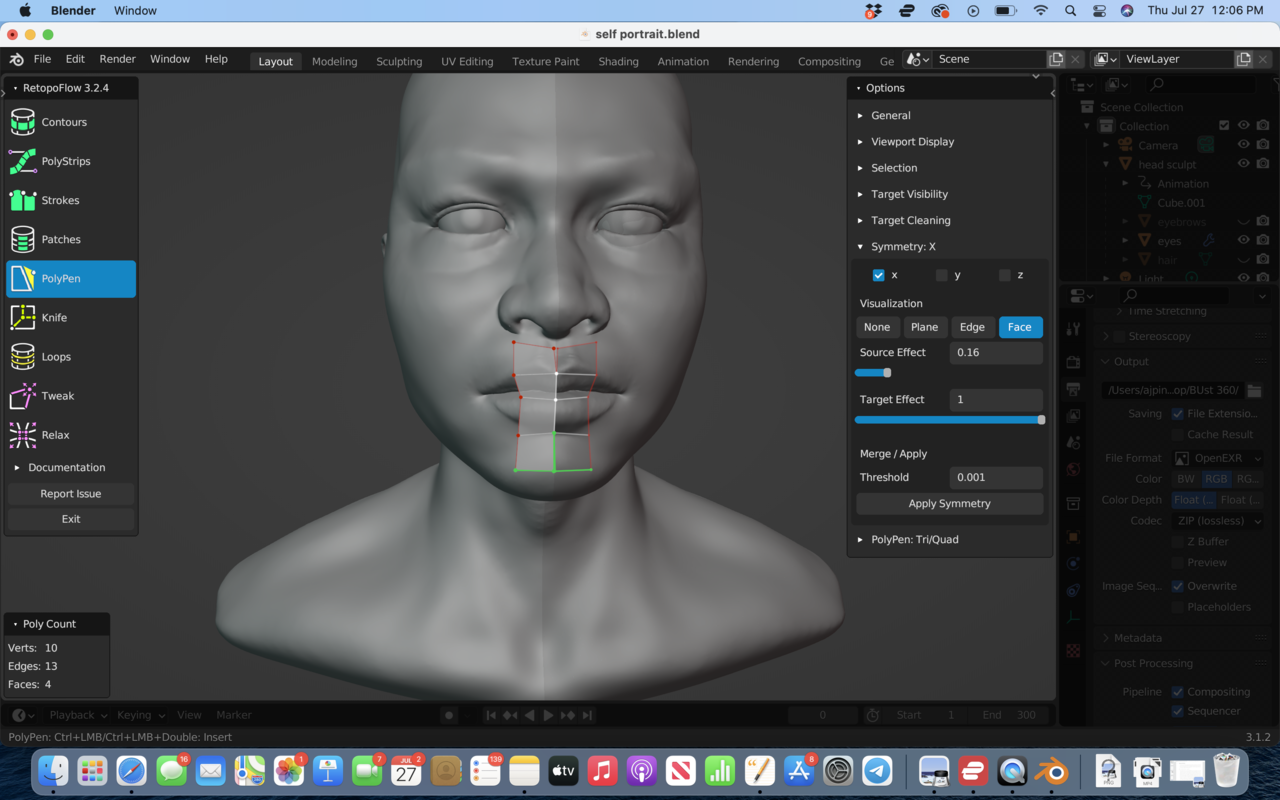
      Wondering why the vents are showing up as Red on my model. Also, wondering why symmetry on X is showing up on the left rather than the right side of my model.

      Any assistance would be greatly appreciated!

      7 at 12.06.18 PM.png

      #80516
      Javier Pineda
      Participant

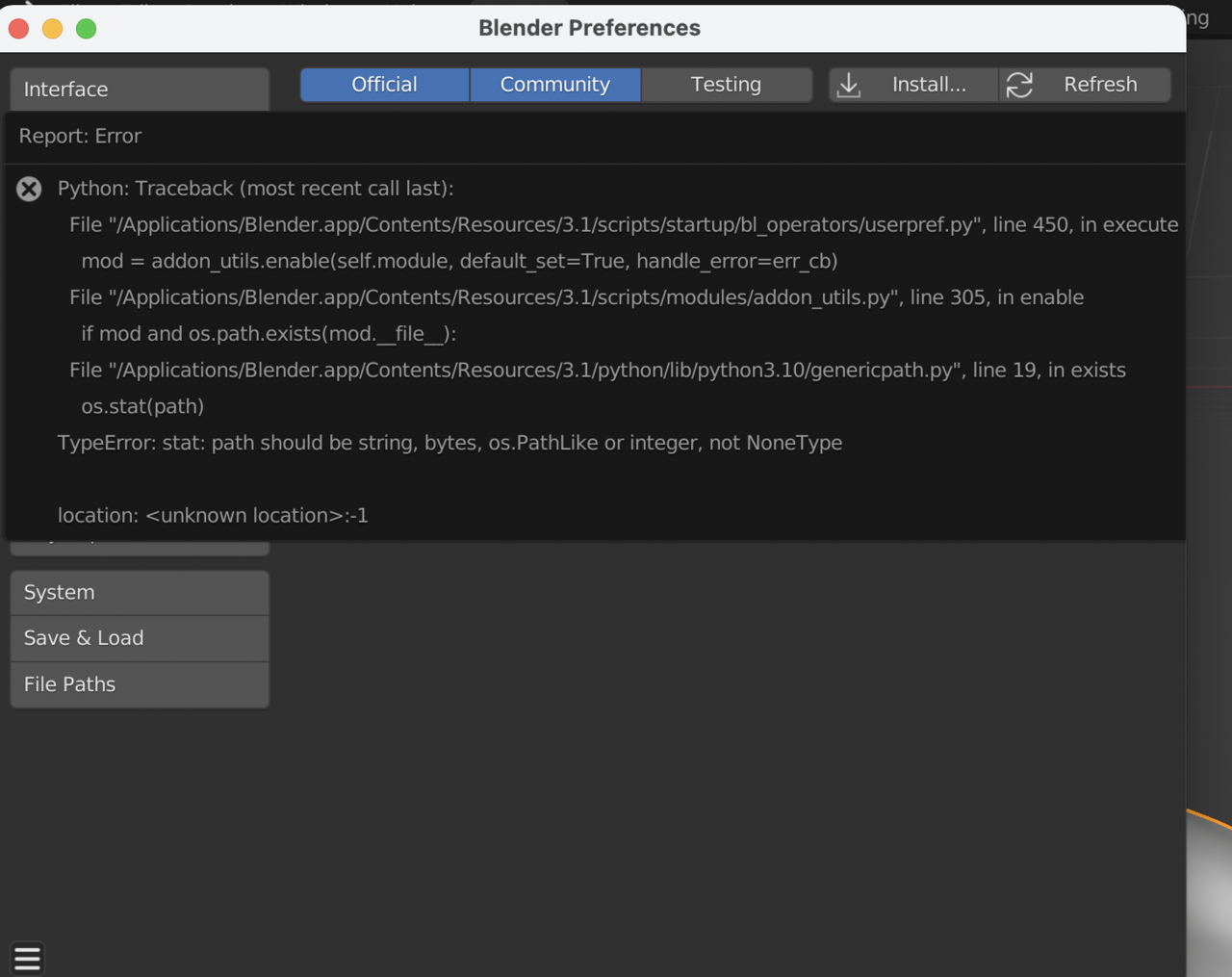
        Update: I’m now having issues with Retopoflow install after trying to update my version of Retopoflow.

        I am operating on Blender version 3.1.2 and downloaded software version 3.3.0 as per documentation.

        7 at 12.33.01 PM.png

        #80517
        Jonathan Lampel
        Participant

          Hi! I believe the following should solve all your questions: 

          Red vertices just show the borders of your mesh, so you can tell where a hole is. You can turn this off in Viewport Display / Non-manifold Outline. 

          Symmetry is on the left either because your model is rotated or its orientation is backwards.
          More on that here: https://cgcookie.com/lessons/working-with-symmetry 

          For the install issue, try using RetopoFlow 3.2.9 and let me know if that works! I’ll update the documentation if it’s mistaken. 

          #80518
          Javier Pineda
          Participant

            Thank you Jonathan! I really appreciate the help. 3.2.9 worked!

          Viewing 4 posts - 1 through 4 (of 4 total)
          • The topic ‘Problems with Retopoflow’ is closed to new replies.