The root problem is you have a keying set activated.
Keying sets are a collection of animated properties that are used to animate and keyframe multiple properties at the same time. For example, using keying sets you can press I in the 3D Viewport, Blender will add keyframes for all the properties in the active keying set.
However, if the object you are trying key doesn’t have the supported properties or conditions to add the keyframe it will push out that error.
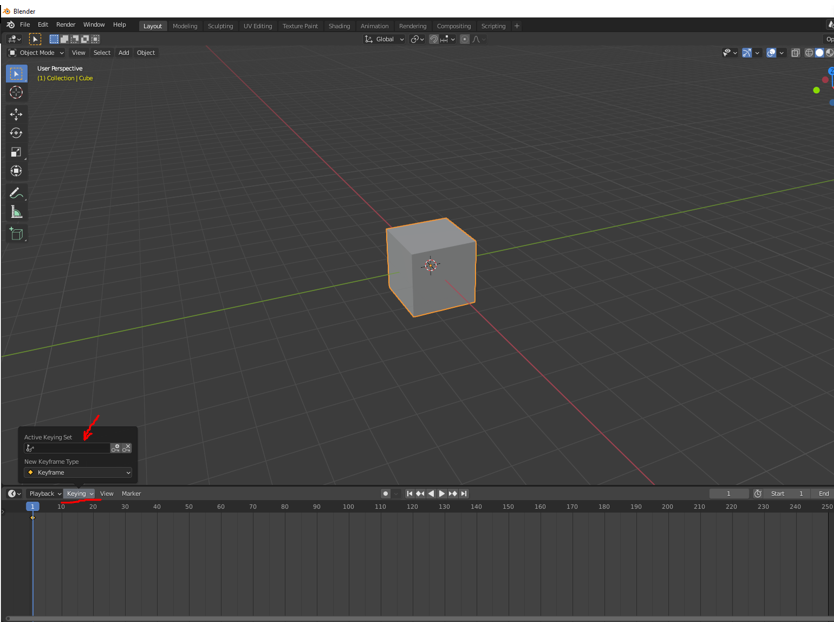
You can access keysets in the upper left of the timeline. There is a drop down called “Keying”. Remove the keyset and you should be good to go. However if its still going on, keep us updated.
The frustration is real, I know it all too well. A major part of learning CG is being able to trouble shoot. Understanding the key terms to google, getting to know the community forums, reading the manual…learning how to post screen shots ;). Just because you are subscribed to a website, does not put those people on retainer for you. Good luck, happy Blending.

.


