
Precise modeling & Architecture workflows?
Forum Archive › Precise modeling & Architecture workflows?
- This topic has 10 replies, 5 voices, and was last updated 1 year, 9 months ago by
dennis charles.
-
AuthorPosts
-
November 10, 2024 at 11:38 pm #19119
What workflow would work best with Blender 4.1/4.2 Precise modeling & Architecture workflows? From modeling furniture, and landscapes? I see edge length under mesh tool, Im also use to imperial and fractions. also, does Blender 4 have a master-view (no visible tools) keyboard shortcut in you main viewport?
November 11, 2024 at 2:19 am #90945Hi Dennis,
Under Get Extensions in your Preferences, you can search for cad and there is (among other Addons) the tiny CAD Mesh Tools (haven’t used it myself).
For shortcuts: T toggles the left side Toolbar, N hides the right side N-Panel and CTRL+SPACE toggles the Area where your Mouse is to Maximized and CTRL+ALT+SPACE makes the Area Fullscreen.
Another handy one might be CTRL+ALT+Q over the Viewport to toggle Quad View.
You can hide the Header, by right-clicking the top of the Viewport in the grey area, for instance over the word Object and then un-check Header > Show Header…
You can also make a new Workspace that looks exactly how you want it, for a ‘Master View’, so you can switch to it easily.
November 11, 2024 at 2:37 am #90946You can adjust the units under the scene properties and switch from metric to imperial there. You can also type in fractions, but they will be converted to decimal. For example you can enter 3/4in and after you hit enter Blender will show it a 0.75″.
Edge length is just one of the many tools for precision modeling. Most of the standard tools can be used with very high precision for all things like Arch-viz, furniture and complex cabinetry. There are a few videos on those topics on my YT, that should give you a good start.
For a clean view you can additionally turn off the overlays.November 11, 2024 at 7:22 am #90947You can also go to the Blender Market:
You’ll find lots of addons and tools that add lots of CAD functions to Blender.
November 11, 2024 at 9:48 am #90948lots of info here, thanks guys. ill get yall an update soon…
November 11, 2024 at 9:50 am #90949Properties editor scene tab units panel. You can change from metric to imperial and you can check separate units so that feet and inches are separated. In fields you can enter fractions and do math. Also blender can do conversion for you. For example if you’re set to metric you can type 3′ 2″ or 3ft 2in inside the field and blender will convert it to meters(the default setting). If you have it set to imperial and you want to enter metric like 1m 4cm 5mm blender will convert to feet(default imperial length. If you change it to inches or something else blender will convert it to that). When using the G hot key you will need to press = to switch to advanced mode if you want to enter fractions or do math. Same with R and S. Side note: pi (must be lowercase) gives you mathematical pi(π).
November 11, 2024 at 1:31 pm #90950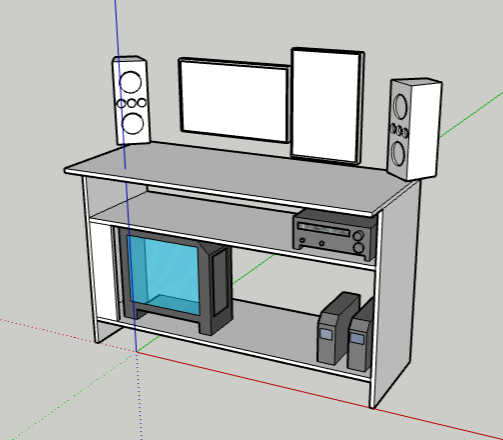
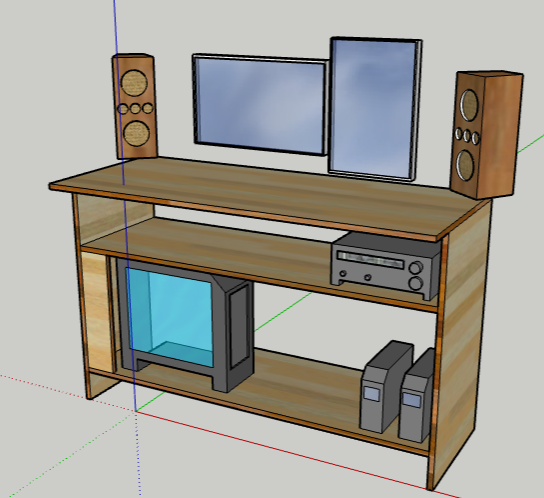
Rough mockup in sketchup, which is almost all garbage now lol..
Ill be relearning Blender, starting with 4.1/4.2, along with learning my first coding with Phython. My Blender focuses will be Architecture, furniture, mechanical, then model/animation rigging. My long term goal will be to have my own independent game development studio. After relearning Blender basics again, im looking at do freelance work for other companies just doing simple projects/contracts, not just to build my client base but to learn more, and anything that can help me network, and that would help me towards my own company one day and still do work for other companies. BTW, I go by Shane’
November 11, 2024 at 3:29 pm #90951Just FYI. If you’re main goal is game development then when you start learning to rig remember that game rigging is much simpler than rigging for animation. Often times deformation bones will also be the control bones. That may not make sense now, but it will when you start rigging. Also when building materials and textures build for the game engine. All render engines are different. Each game engine uses it’s own render engine and blender has 2. So, always build for the engine you plan to use. Don’t expect them to look the same. This will save you a lot of headaches.
November 11, 2024 at 3:58 pm #90952On a side note, what brand of monitors/TV yall use?
November 12, 2024 at 7:16 am #90953I don’t even know, I have a super cheap one. I think it’s an AOC maybe? But monitors are important for sure, you gotta have that image fidelity when working. I once had an Ultrawide screen one, it was so freaking good for productivity, that extra long side ways real state surely makes a difference.
November 12, 2024 at 11:43 am #90954Anyone great with lighting in Blender and UE5?
-
AuthorPosts


- The topic ‘Precise modeling & Architecture workflows?’ is closed to new replies.