Possible to have two different Matcap colors one for High one for Low?

Forum Archive Possible to have two different Matcap colors one for High one for Low?

Viewing 12 posts - 1 through 12 (of 12 total)
  • Author
    Posts
  • #17356
    wrongwright
    Participant

      Just wondering.  It looks like the video has a different color but how is this done?  Can it be done.  Am I imaging another color?

      #83462
      Omar Domenech
      Participant

        Can you provide a time stamp? You can’t have two matcaps, you can only put one and it will be displayed over the whole viewport.

        #83463
        wrongwright
        Participant

          I am thinking it’s color with material now?  I’m seeing 5:48

          #83464
          Chunck Trafagander
          Participant

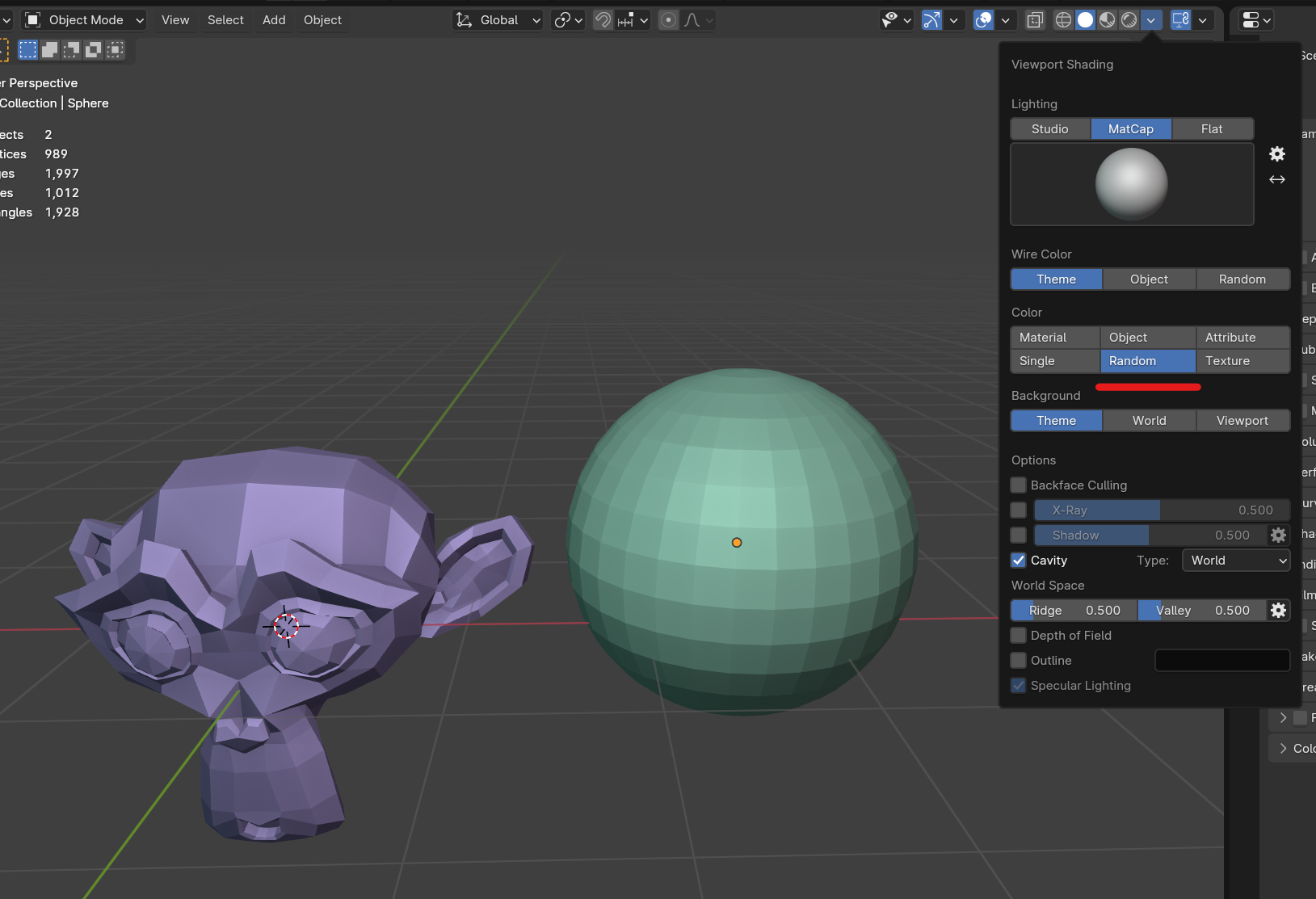
            Hey @wrongwright, would you be referring to “Random Color” in the viewport shading options? This will shade all of your models with different colour matcaps in your scene, and is what I used throughout the course. 🙂

            #83465
            wrongwright
            Participant

              ah!  “Random Color”!  right up my alley….this is new to me.  ok…this must be what’s going on.  My eyes are crossing with same colors.  Thank you for the help.  I’ll check this out now.

              #83466
              wrongwright
              Participant

                That’s the ticket…same colors..not so random!  I was expecting purple and burnt orange.  (edit) when I say “same colors” I mean same as in the video.  🙂

                #83467
                Omar Domenech
                Participant

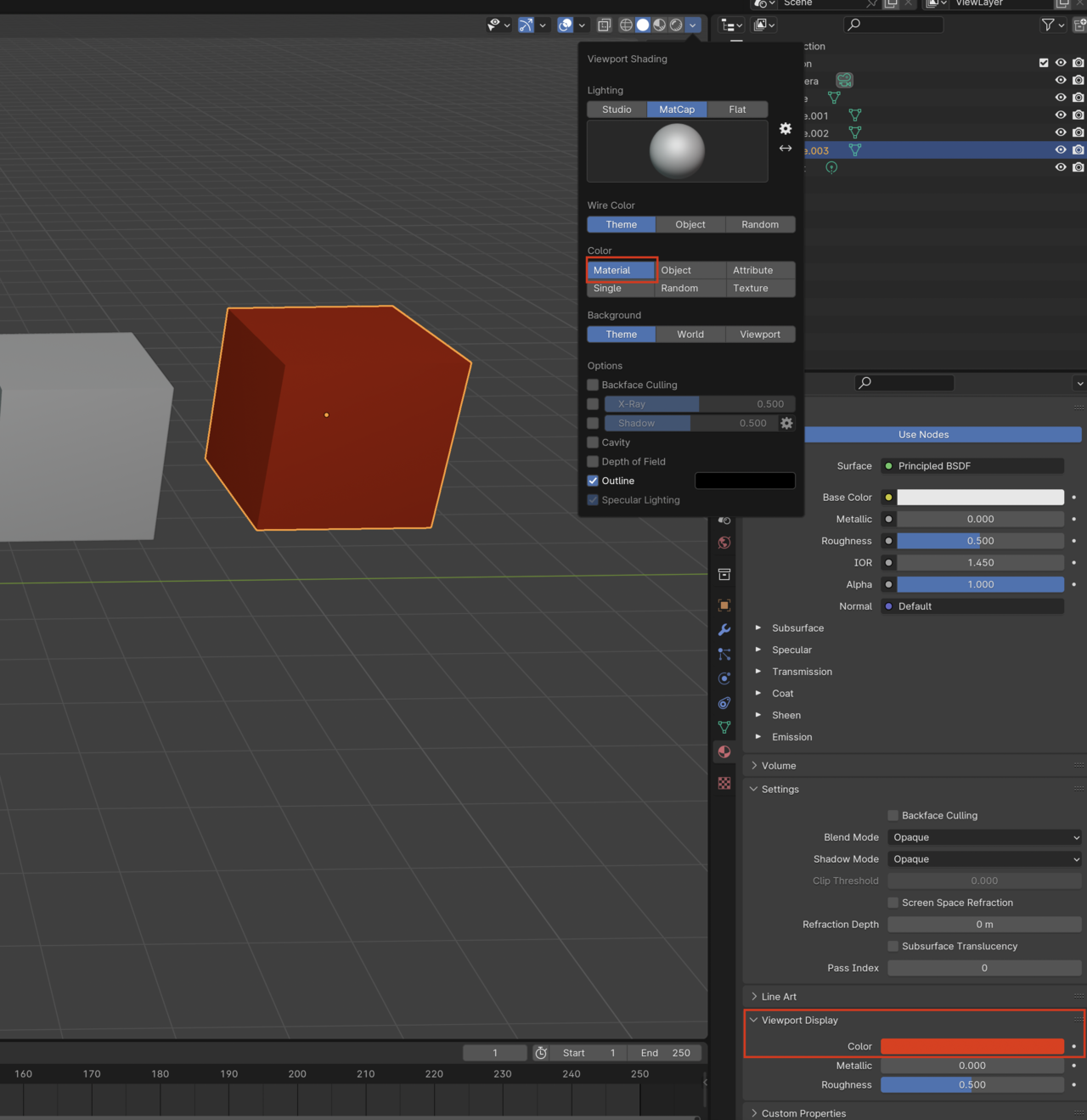
                  The random will put a random color overlay over your matcap, if you want finer control of the display color of your object you can set it to Material and assign a color to your material display

                  Viewport-Color.png

                  #83468
                  Martin Bergwerf
                  Participant

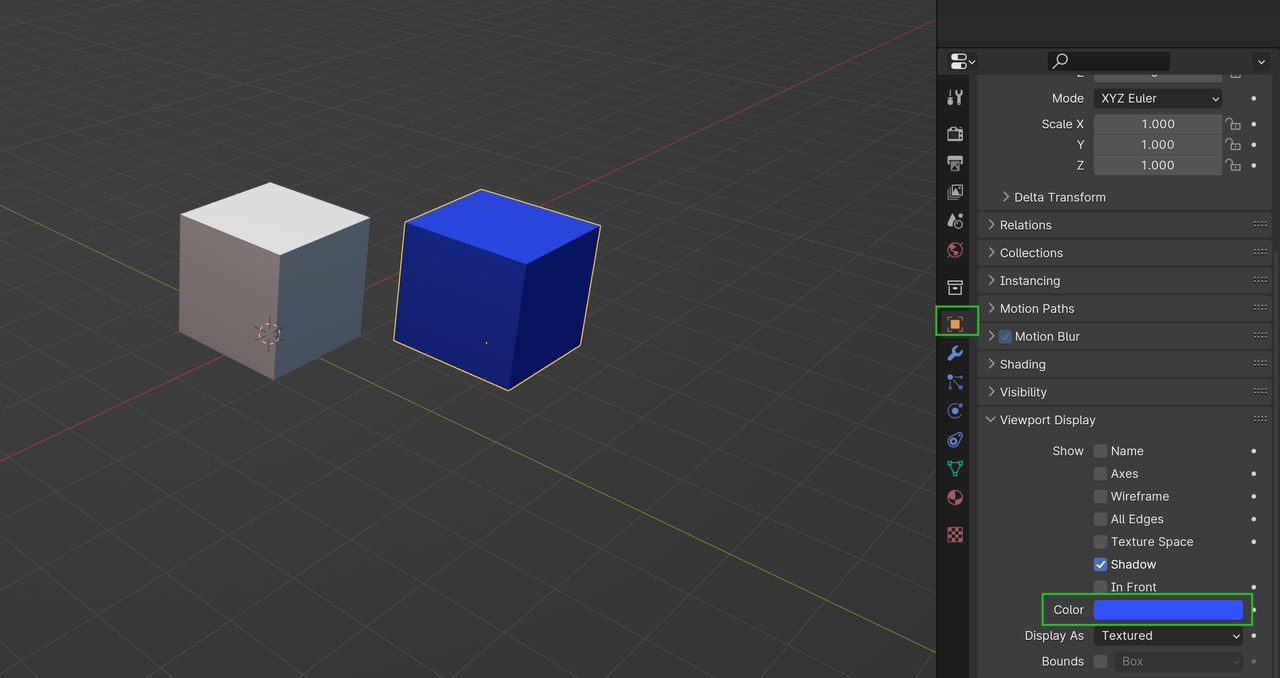
                    …and for completeness, you can also set it to Object, instead of Material and change the Object Viewport Display Color:

                    Color.png

                    …so many options 😉

                    #83469
                    wrongwright
                    Participant

                      Awesome.  I’ll copy this to my journal as well.  Thank you.

                      #83470
                      Dwayne Savage
                      Participant

                        I know it’s called random, but the colors are chosen based on the object’s name. Just to add to the list of options there is an addon that comes with blender(F4/edit->preferences or Ctrl+comma in 4.0+. Then Click addons) called object color rules. This lets you assign rules for how colors are assigned. I don’t remember if you need to be set to object or random for the rules to apply. It’s a panel in the object tab of the properties editor. 

                        #83471
                        Martin Bergwerf
                        Participant

                          Oh, that is so cool to know Dwayne (that it’s based on the Object’s name)!

                          Random is never really random in computers (the closest is probably when it is based of the time the computer is on, or so…and pseudo random is mostly a lot more useful, because it’s repeatable..), but I didn’t know this one.

                          #83472
                          Dwayne Savage
                          Participant

                            Yes sir @spikeyxxx. It’s kind of fun to play around with. In default scene turn on random. If you change the object name to Cube1 it changes shade a little. Cube2 is a greenish color. Cube is kind of a cyan. It’s also case sensitive so you get a different color for cube or Cube or CUBE. box is a purple color but Box is a medium blue or slightly darker than the cyan of Cube. If I remember correctly it was Pablo on Blender Today that mentioned it.

                          Viewing 12 posts - 1 through 12 (of 12 total)
                          • The topic ‘Possible to have two different Matcap colors one for High one for Low?’ is closed to new replies.