Pokeball Lesson – Modelling the shell question

Forum Archive Pokeball Lesson – Modelling the shell question

Viewing 4 posts - 1 through 4 (of 4 total)
  • Author
    Posts
  • #18296
    Timothy Lavelle
    Participant

      Hi everyone,

      I’m working through the Pokeball lesson and noticed that in my shell is not looking like the instructors shell. I’ve gone and attempted the Shell twice, and I get the same result and I’m not sure where I might be going wrong. 

      In the Chapter 2, Lesson 1 – Modeling the Pokéball Shell (8:12), the instructors edges are nice sharp. 
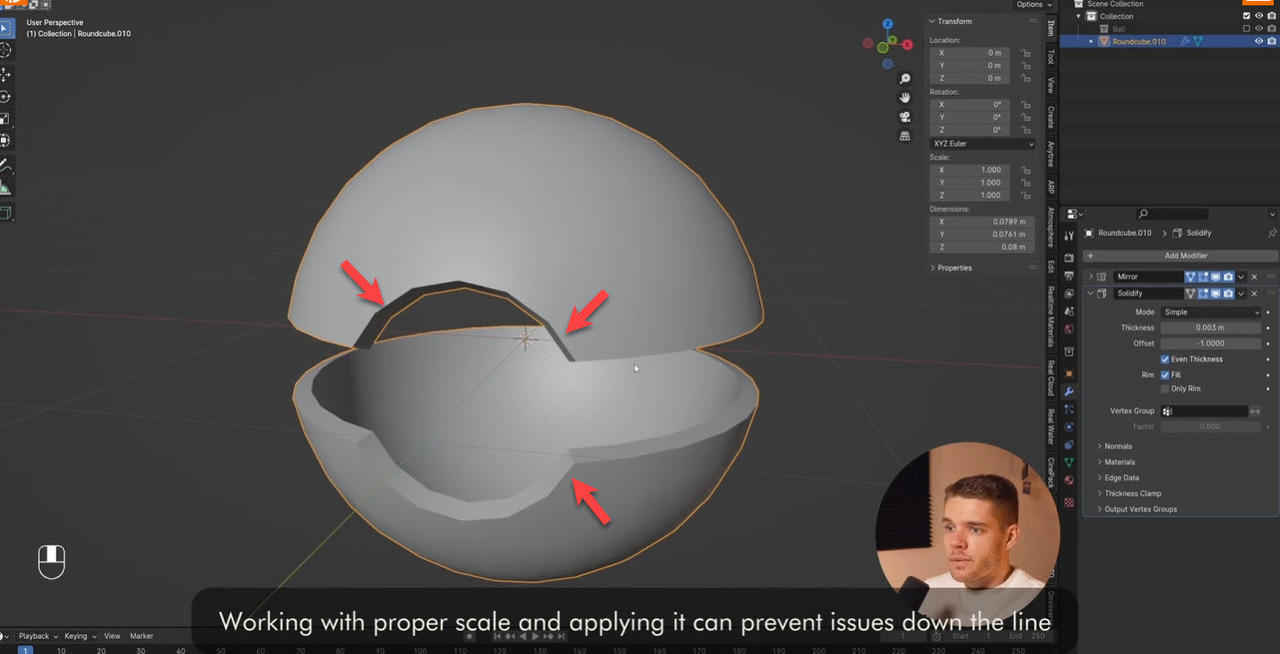
      stion-Instructor.jpg

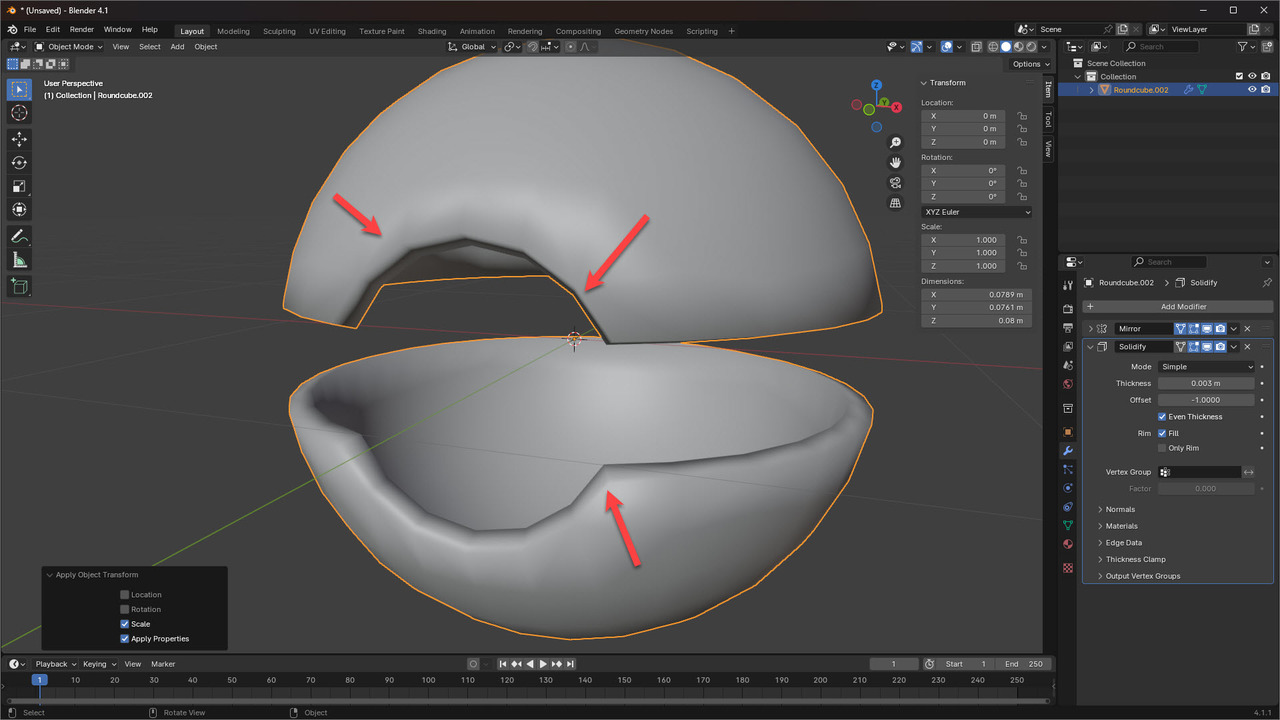
      But in mine, they’re soft and curvy

      ll-Question-Mine.jpg

      In the beginning, I did noticed that I am on 4.1.1 and he is on 4.0 and later 4.1 and a difference I had to Google was I needed to apply “Shade Auto Smooth” but I read in 4.1 and up, this is now called “Shade Smooth by Angle”. Reading online Shade Smooth by Angle is apparently the same as Auto Smooth, but I am seeing a difference in my model. 

      The only other area I think I may not be doing correctly is the “To Sphere” tool where at this part of the lesson (5:36), after we’ve edited the mesh a bit, we need to ensure it’s back to a sphere again. I applied this, or attempted to, but couldn’t really see if it was working correctly or not. 

      Anyway, I’m going to try it from scratch again and see if I can spot anything wrong on my side. 

      Any ideas or suggestions are most welcome! 

      Cheers
      Tim

      #87394
      Omar Domenech
      Participant

        Yes, it’s because of the Smooth by angle. Here’s the great Martin explaining it:

        Smooth.png

        #87395
        Timothy Lavelle
        Participant

          Ahh right, so it was that part! Thanks Omar!

          #87396
          Timothy Lavelle
          Participant

            Got it looking like it does in the video, but took a few tries to figure it out. 

            When I did “Object > Shade Smooth” and then a “Modifier > Smooth by Angle” and followed on with the rest of the lesson, when i got to the point in question, it was still the curvy object. 

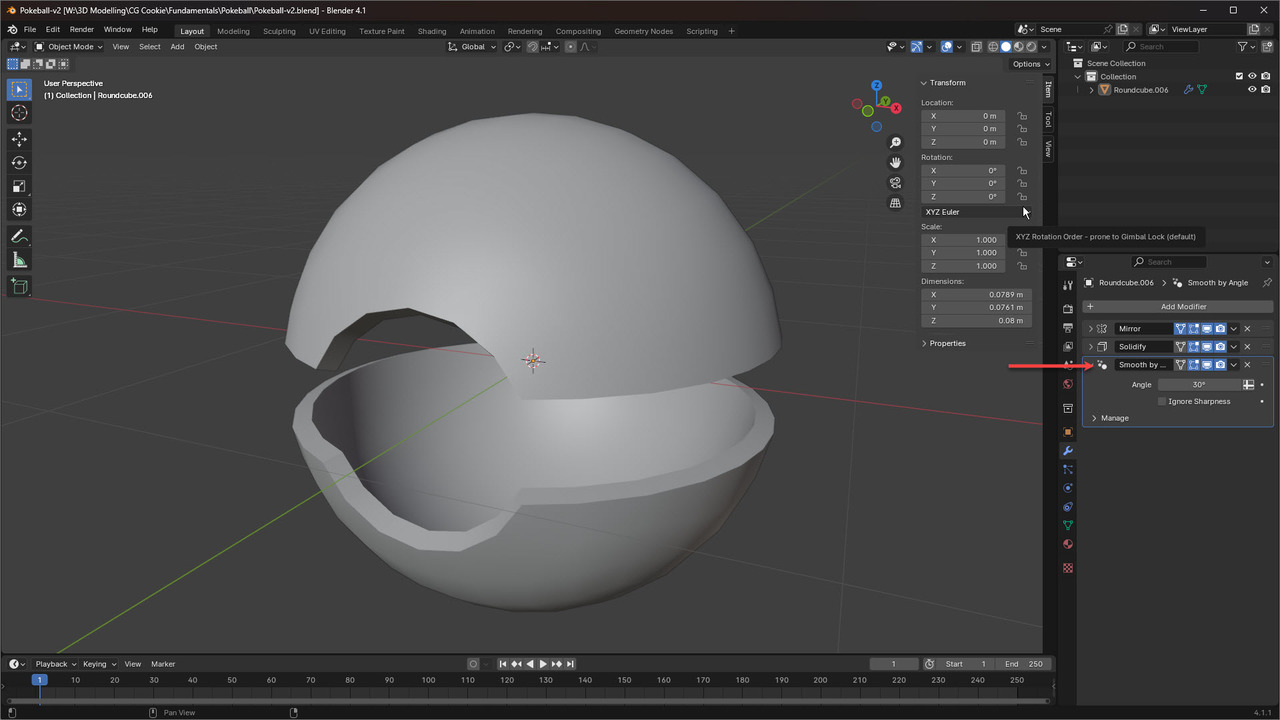
            After another attempt, I applied the “Object > Shade Smooth”, followed the lesson up until the point where it had the unwanted curves, and at this point I applied a “Modifier > Smooth by Angle” which sits below the previous Mirror and Solidify modifiers, it then looked like it did on the lesson. 

            Question-Mine-v5.jpg

            Hopefully this helps someone else in the future.

          Viewing 4 posts - 1 through 4 (of 4 total)
          • The topic ‘Pokeball Lesson – Modelling the shell question’ is closed to new replies.