PNG to height for print

Forum Archive PNG to height for print

Viewing 7 posts - 1 through 7 (of 7 total)
  • Author
    Posts
  • #17645
    David Crocker
    Participant

      I’m trying to modify the height of a plane (or a rectangular solid) with subdivisions based on a .png file.  My goal is to print out the final product and then hand color or paint it using raised topology as a guide, so it is necessary to modify the mesh, not just apply a, say, bitmap.

      I’ve tried several tutorials on the internet without success.  Ideally, I would like to use just Blender, but I have access to GIMP as well.  And I would like to avoid a single use tool, but eventually I’ll give in and do it if I have to.

      I’ve seen references to converting an image to Grease Pencil and then to Bezier Curves, but I couldn’t get it to create a Grease Pencil object.

      I tried using a texture to modify a subdivision surface, but nothing seemed to happen.

      I’d be happy to use geometry nodes, as well.

      But what I need is a very simple, efficient workflow to use a PNG or JPG with a smattering of dots into raised bumps on a flat mesh.

      Here are 2 very simple images to illustrate what I’m trying to do.

       mpleImageForPost.png

      Figure 1: Simplified PNG image

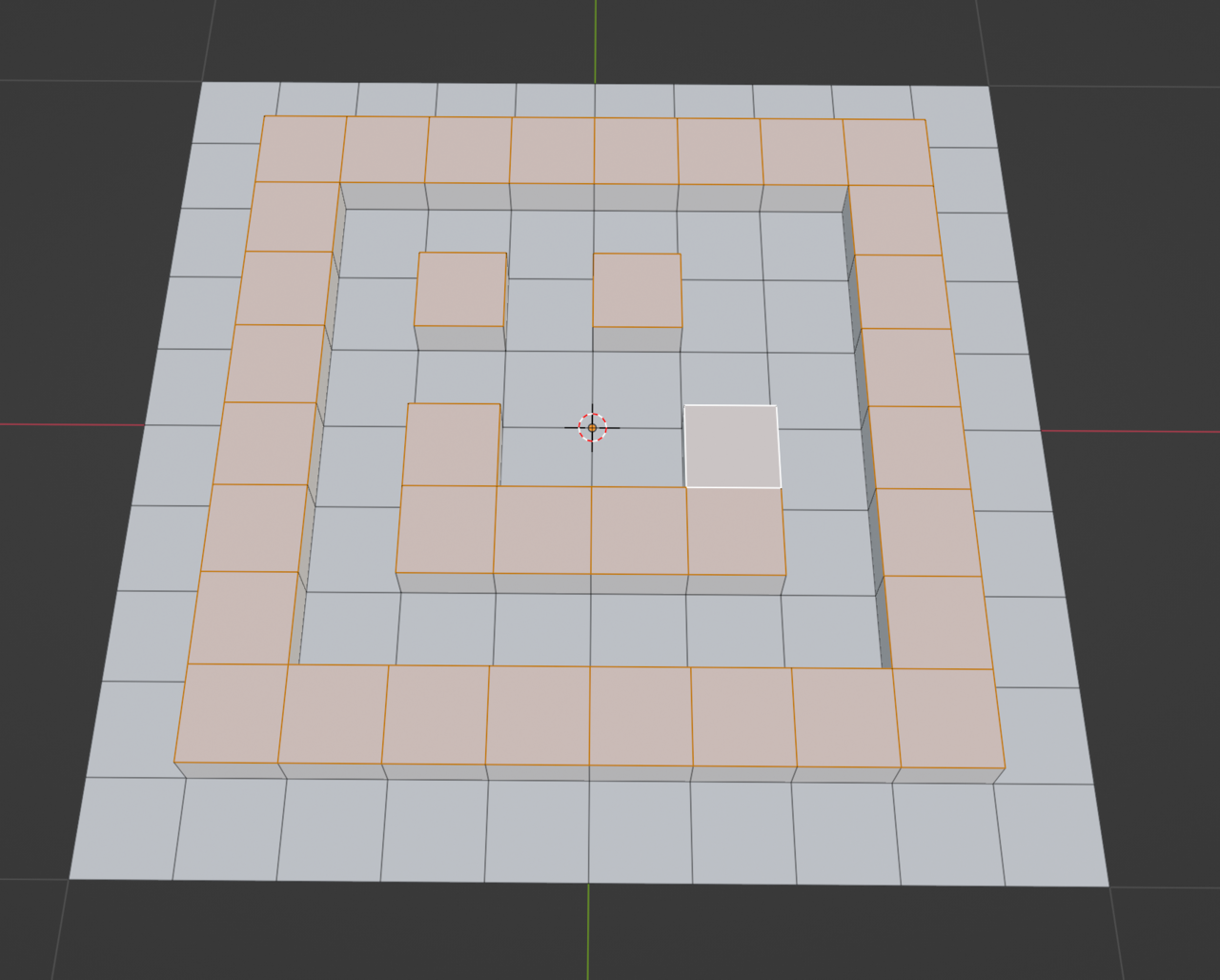
      I would like to either directly modify the mesh below or use a Boolean operation to add it to the mesh.
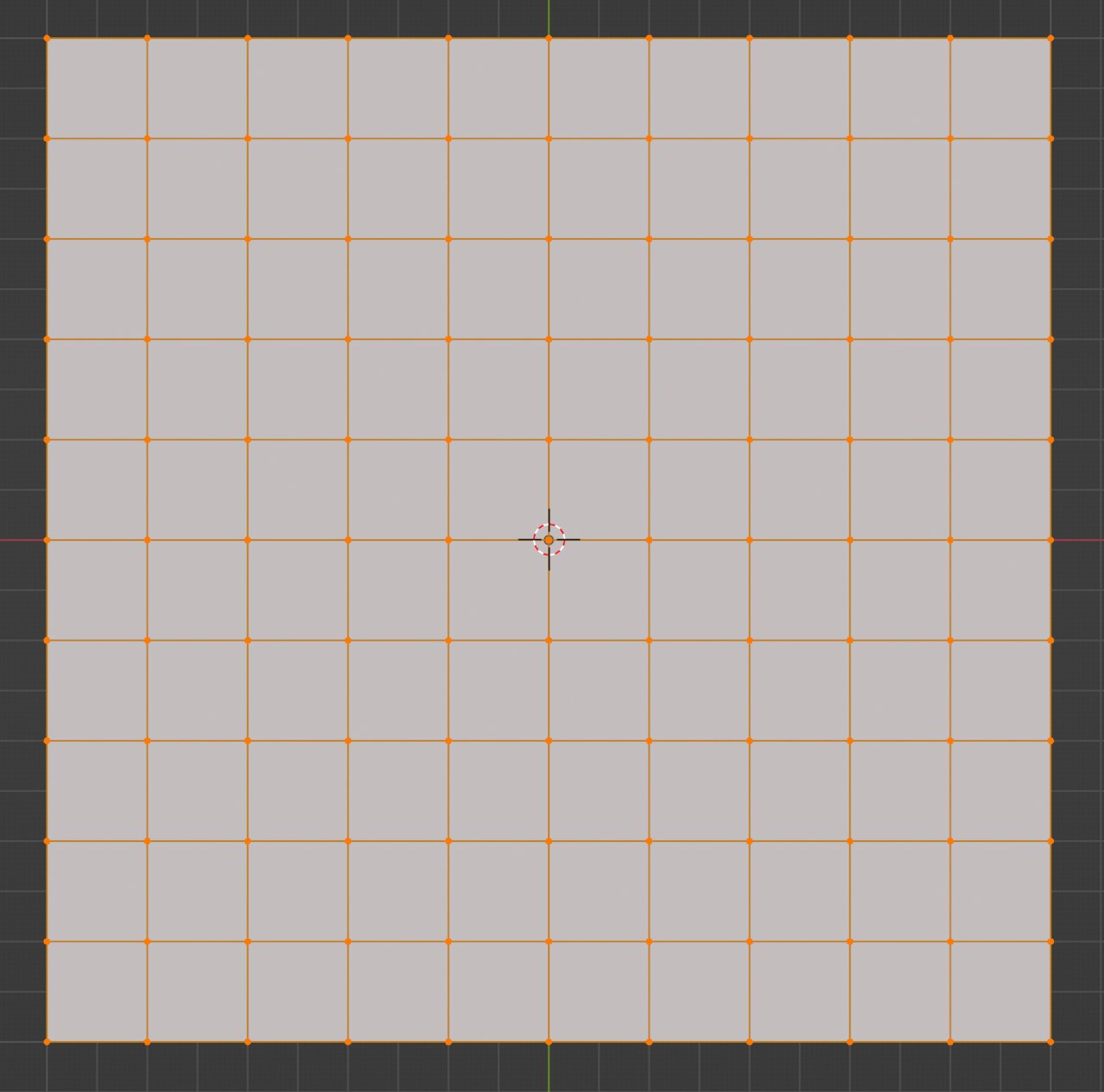
      024-03-05 102902.png

      Figure 2: Simple mesh

      PixelHeight.png

      Figure 3: Simplified outcome, showing perpendicular extrusion

      1. I drew a low resolution image using GIMP
      2. I imported the PNG using Add > Image > Images as Planes [needs config]
      3. I subdivided by 100 using Edit Mode >  A > Edge > Subdivide > Number of Cuts: 10 , Repeat
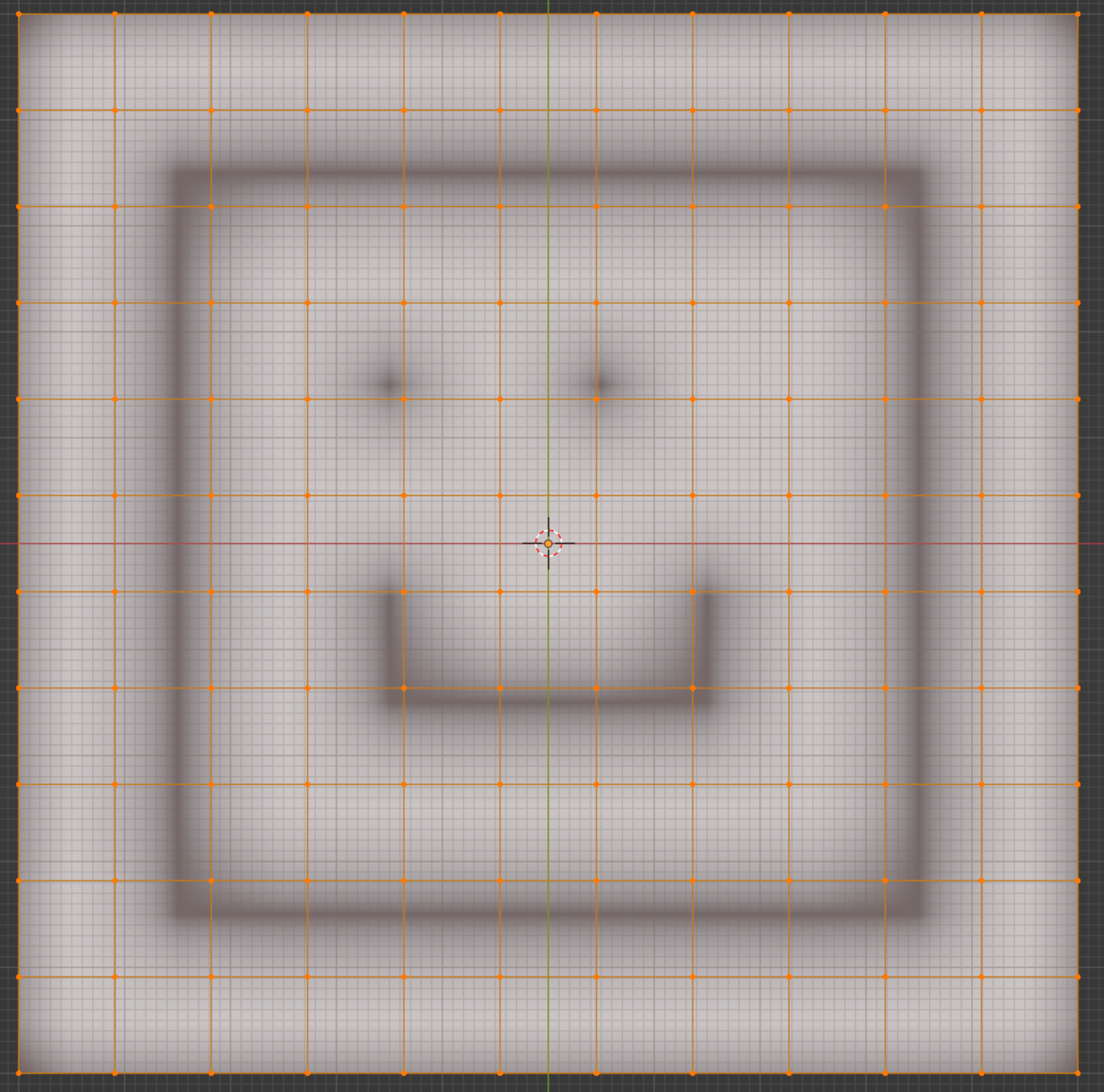
      024-03-07 141913.png

      Figure 4: Subdividing the Plane ( at 10 x 10)

      1. I added a Displace: Modifiers > Deform > Displace
      2. Built a texture with the image: Texture > Open 
      3. Set the displace texture
      4. Set displace strength to -0.2

      And it mocks me.
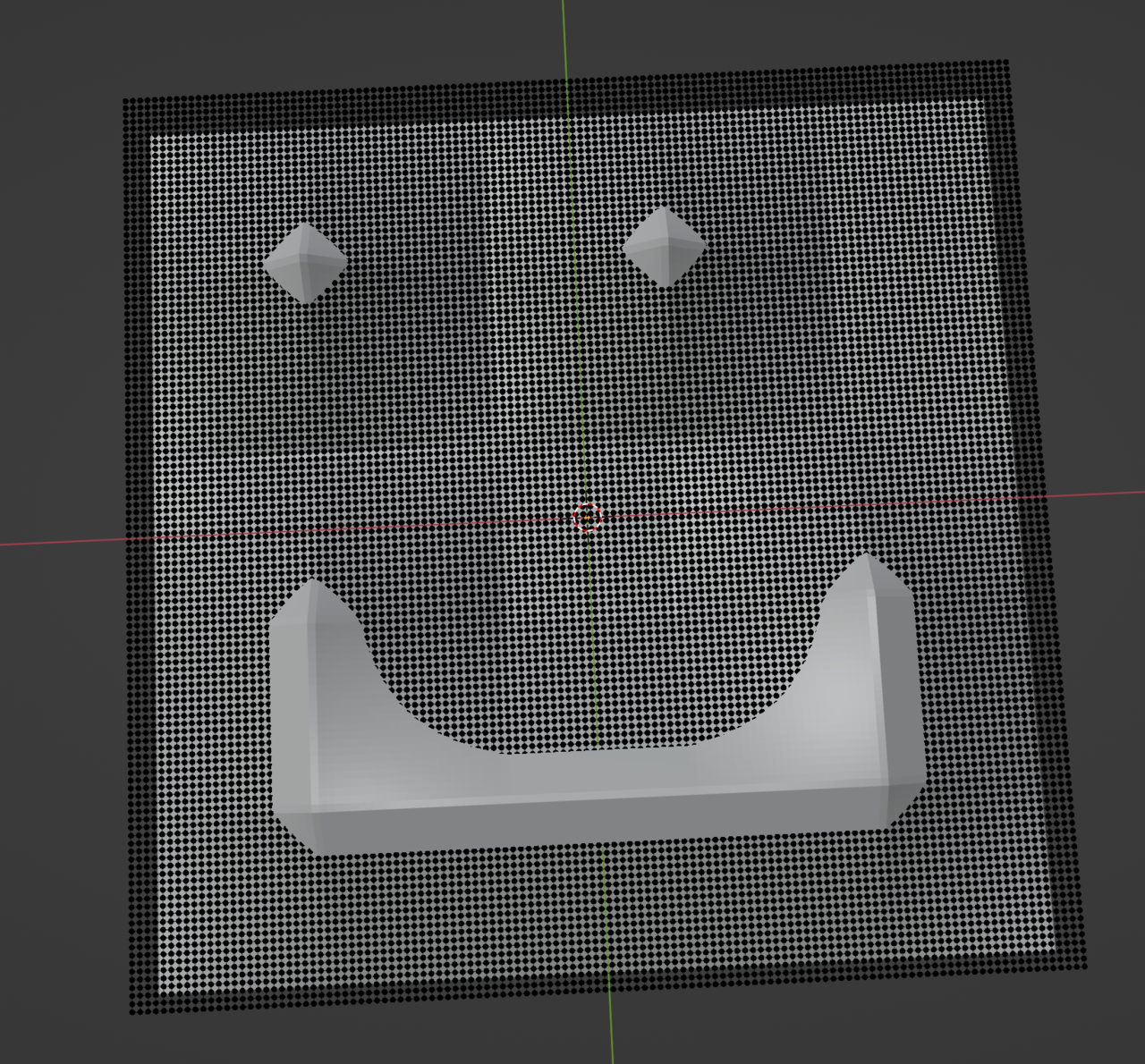
      024-03-07 150305.png

      Figure 5: Clearly, I need another approach

      Next up, Geometry Nodes!

      #84696
      Omar Domenech
      Participant

        Well, what you’re asking is an entire workflow, out of the scope of what a single forum post should aim for. We can point you towards a couple of tutorials that go into it, but you’ve said you have seen a few already.

        Do you have a specific issue when you’re trying to use an image texture with subdivision modifier? That should work, it’s the best approach to achieve what you’re after. You can use micro displacement and displacement modifiers with lots of geometry. Walk us through your set up, post some screenshots, we can spot any mistakes and get it working.

        #84697
        Martin Bergwerf
        Participant

          Hi David @RavenMenace ,

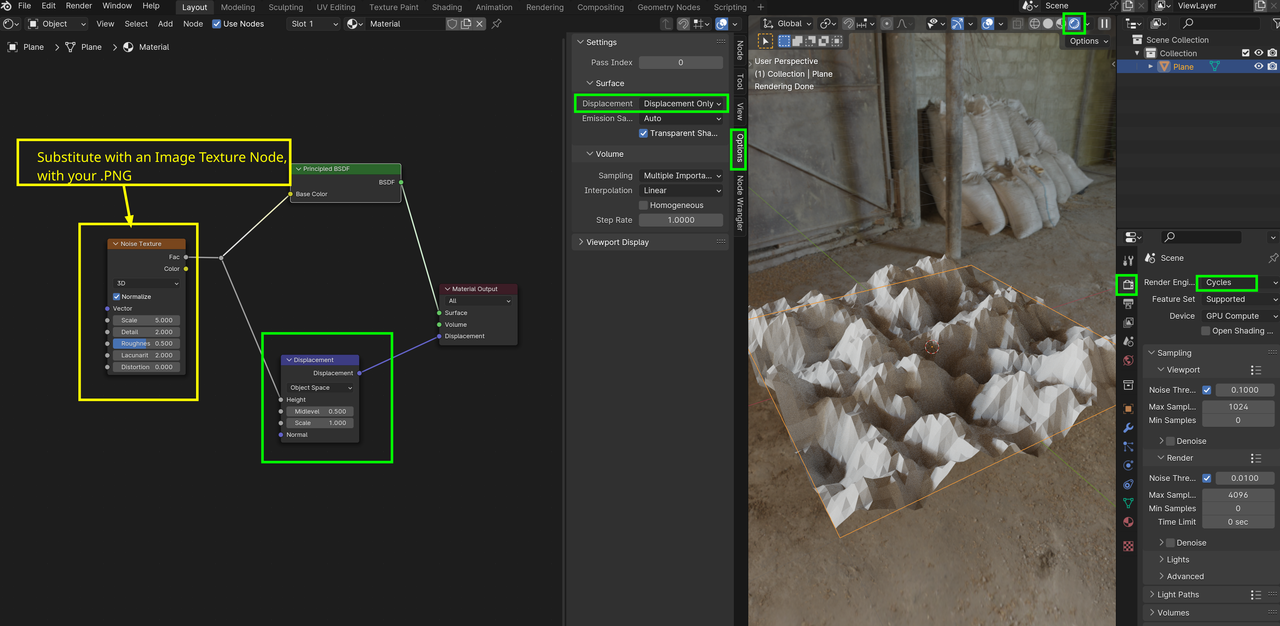
          Do you mean something like this (I highlighted the important parts):

          Displacement_01.png

          #84698
          Martin Bergwerf
          Participant

            Oh, I see what you mean now (the images didn’t show before…)

            #84699
            Omar Domenech
            Participant

              Yeah you can achieve that with image textures and displacements. You said you tried it and didn’t work. What exactly happened?

              #84700
              Martin Bergwerf
              Participant

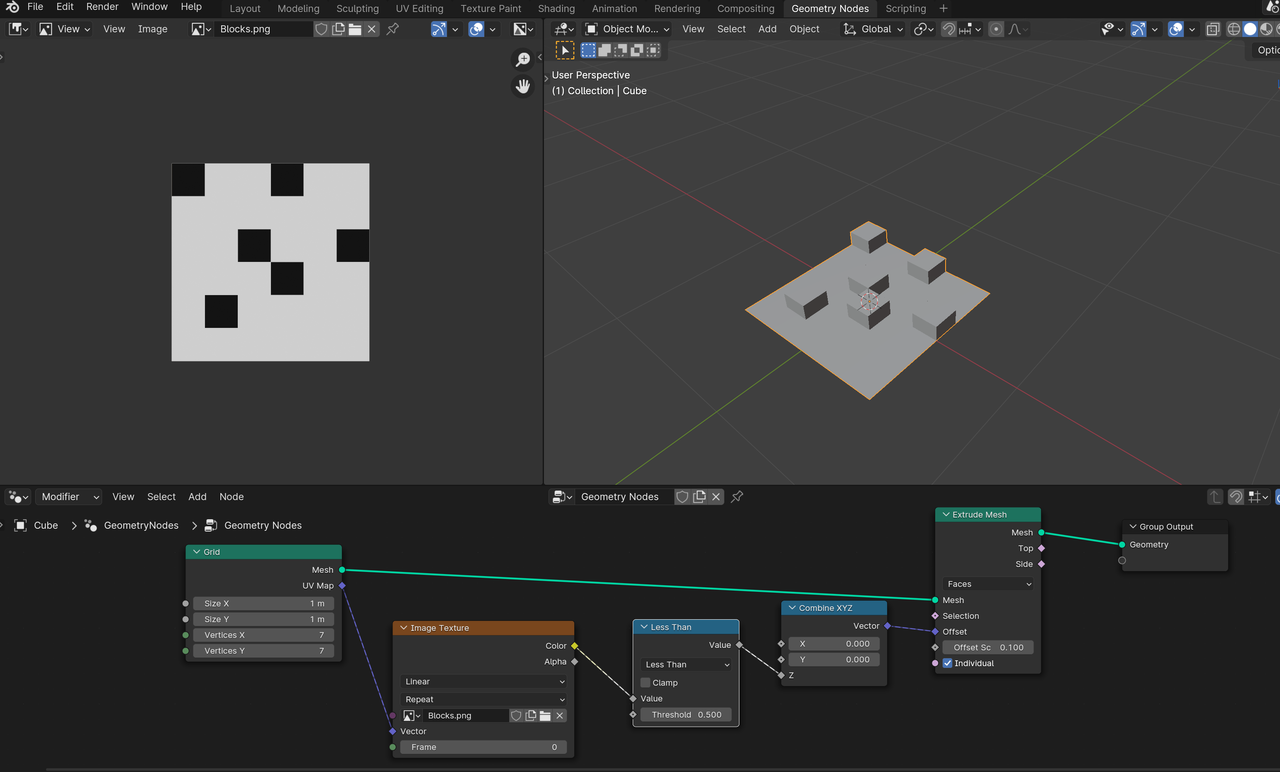
                You could use GN for this (this is probably not the best GN Tree for this, but it works):

                Displacement_02.png

                #84701
                David Crocker
                Participant

                  Cool, Martin Bergwerf!  I think the geometry nodes approach is what I’m looking for.  I am not familiar with GN at all, so I’ll take a step back and go through some coursework to get the basics down, and then try this approach.

                  Thanks!  And thanks, Omar Domenech!

                Viewing 7 posts - 1 through 7 (of 7 total)
                • The topic ‘PNG to height for print’ is closed to new replies.