@glenng910 You can add an image to your picture frame like this:
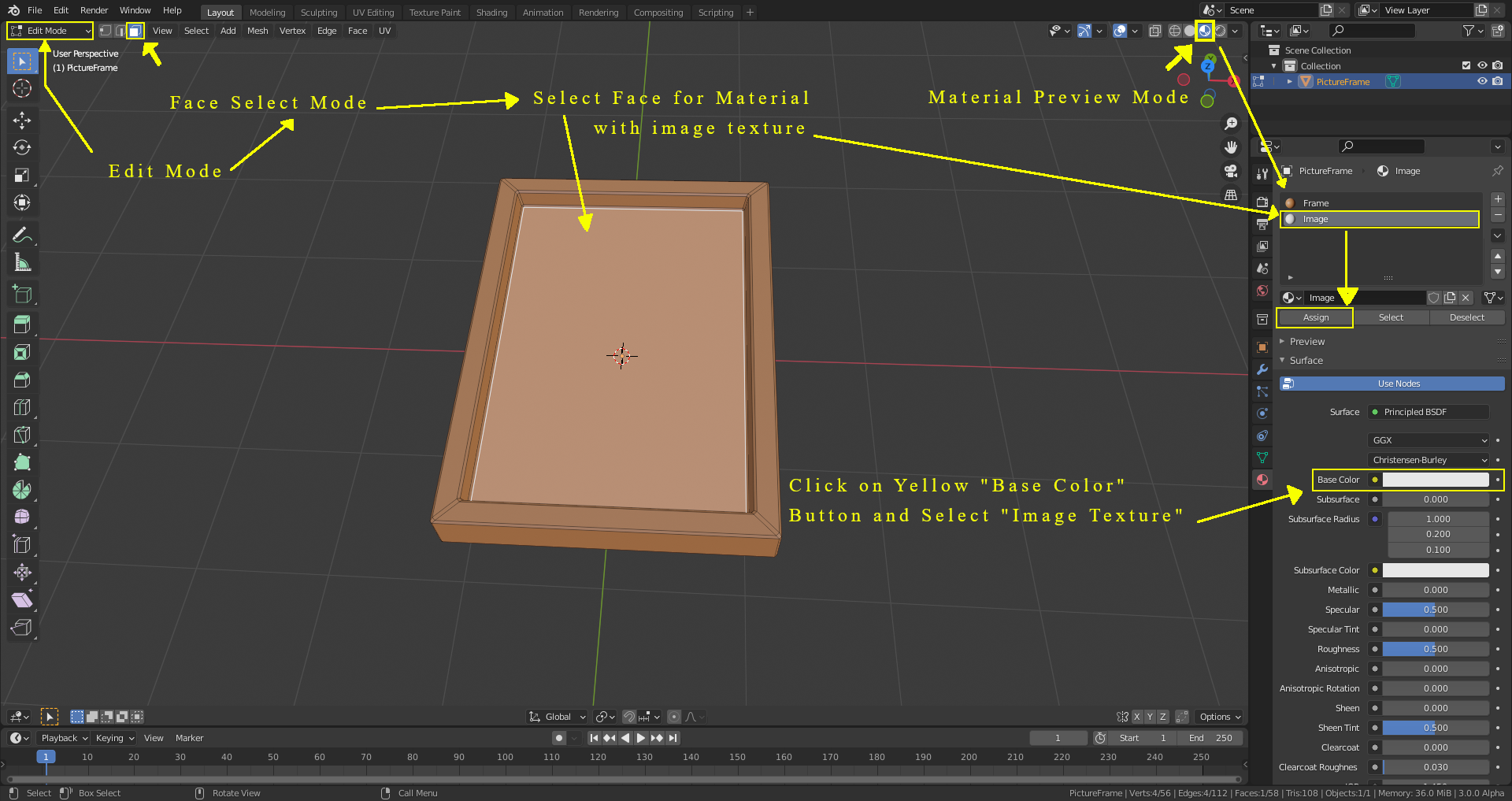
1) On your “Frame” object, create 2 materials: First one for the frame (which gives the whole object that color (here brown)) and one for the image. Make sure that “Material Preview Mode” is selected so that you can see the material colors.
2) In “Edit Mode” select the face for the material which will get the image texture.
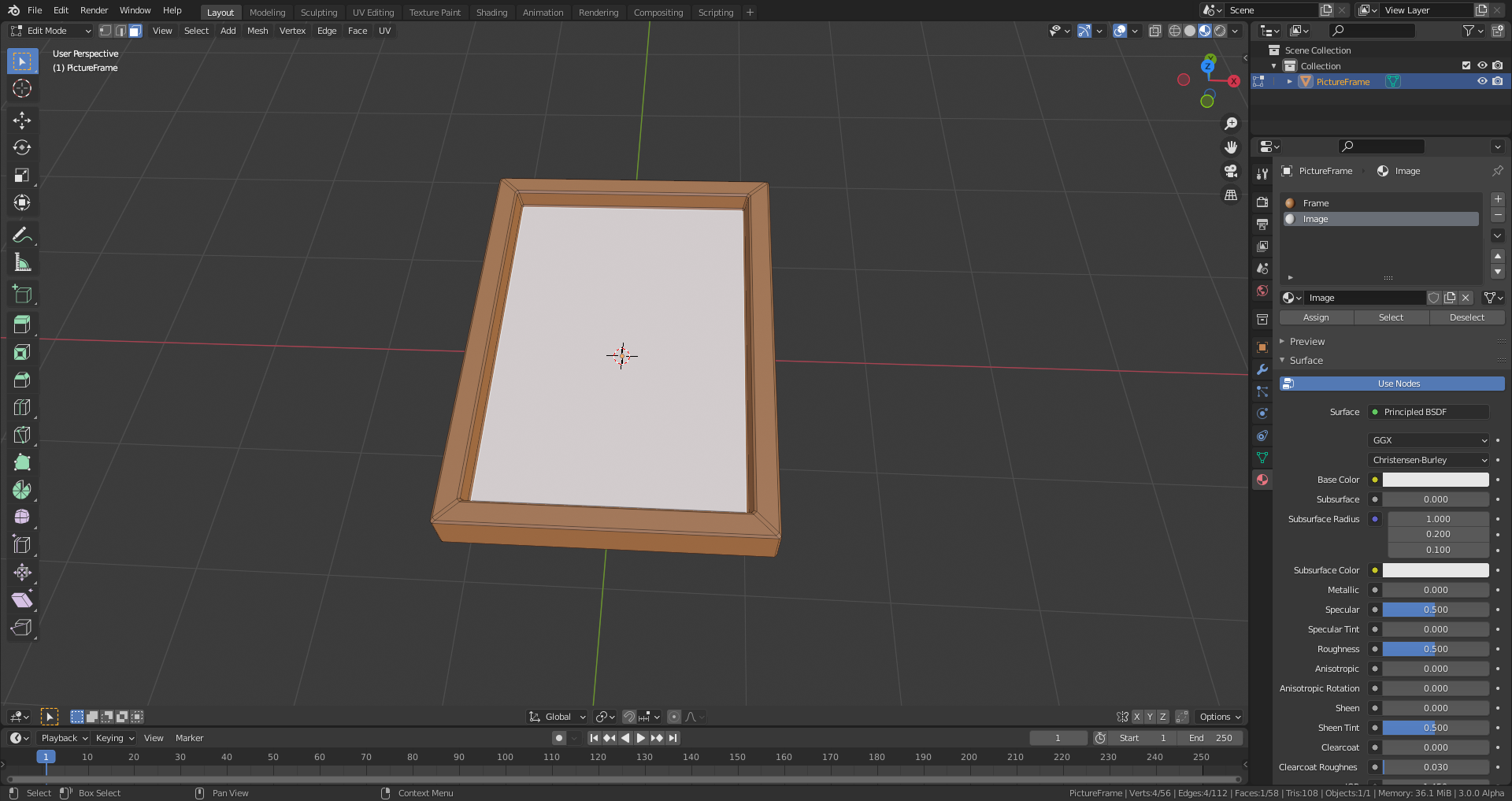
3) In the “Material” tab of the “Properties Editor” select the material which will get the image texture and click on “Assign”: The selected face of your object gets the color of the selected material (white per default unless you’ve changed it):
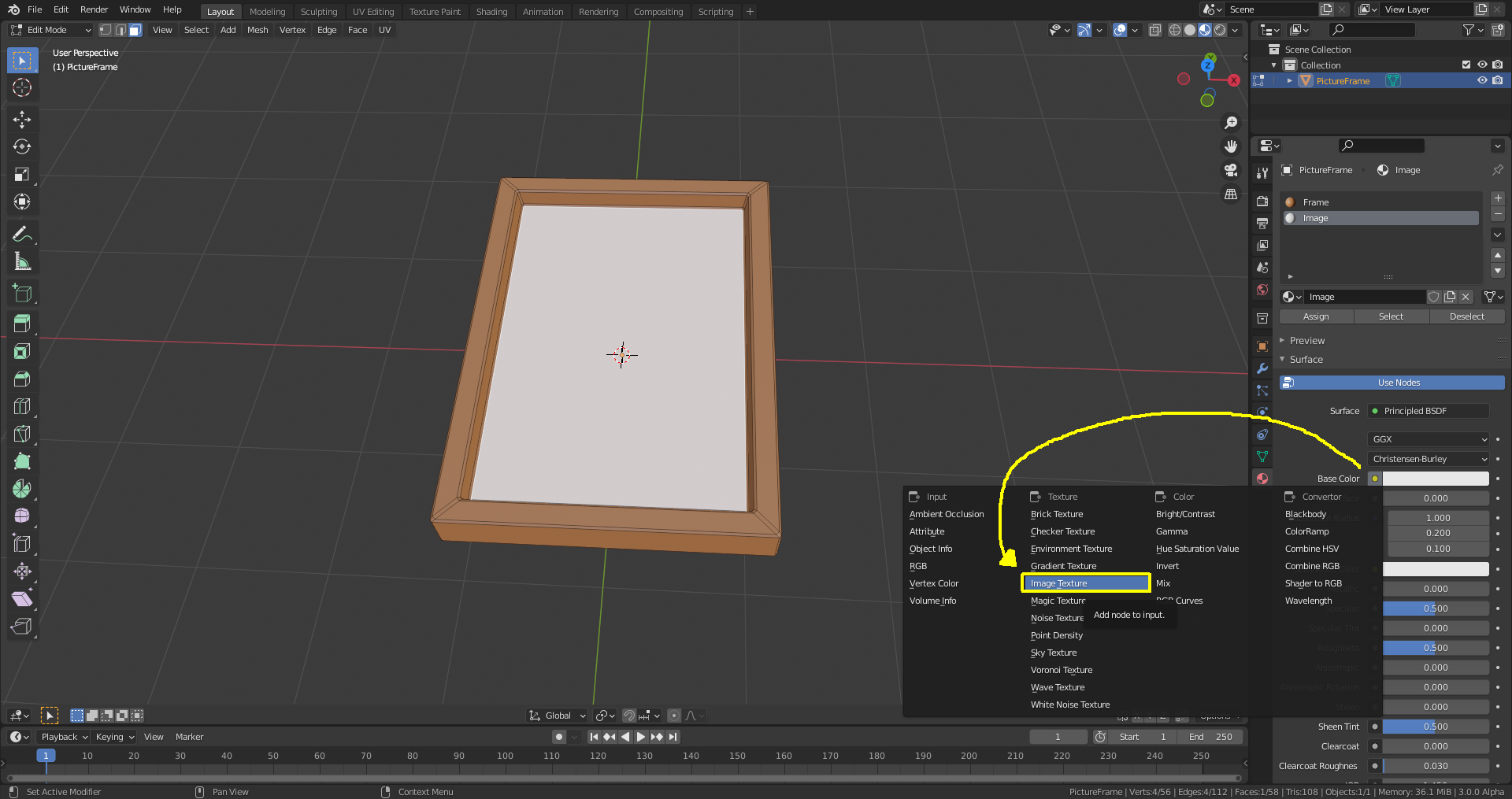
Click on the yellow dot of the “Base Color” field in the (default) “Principled BSDF” shader and select “Image Texture”:
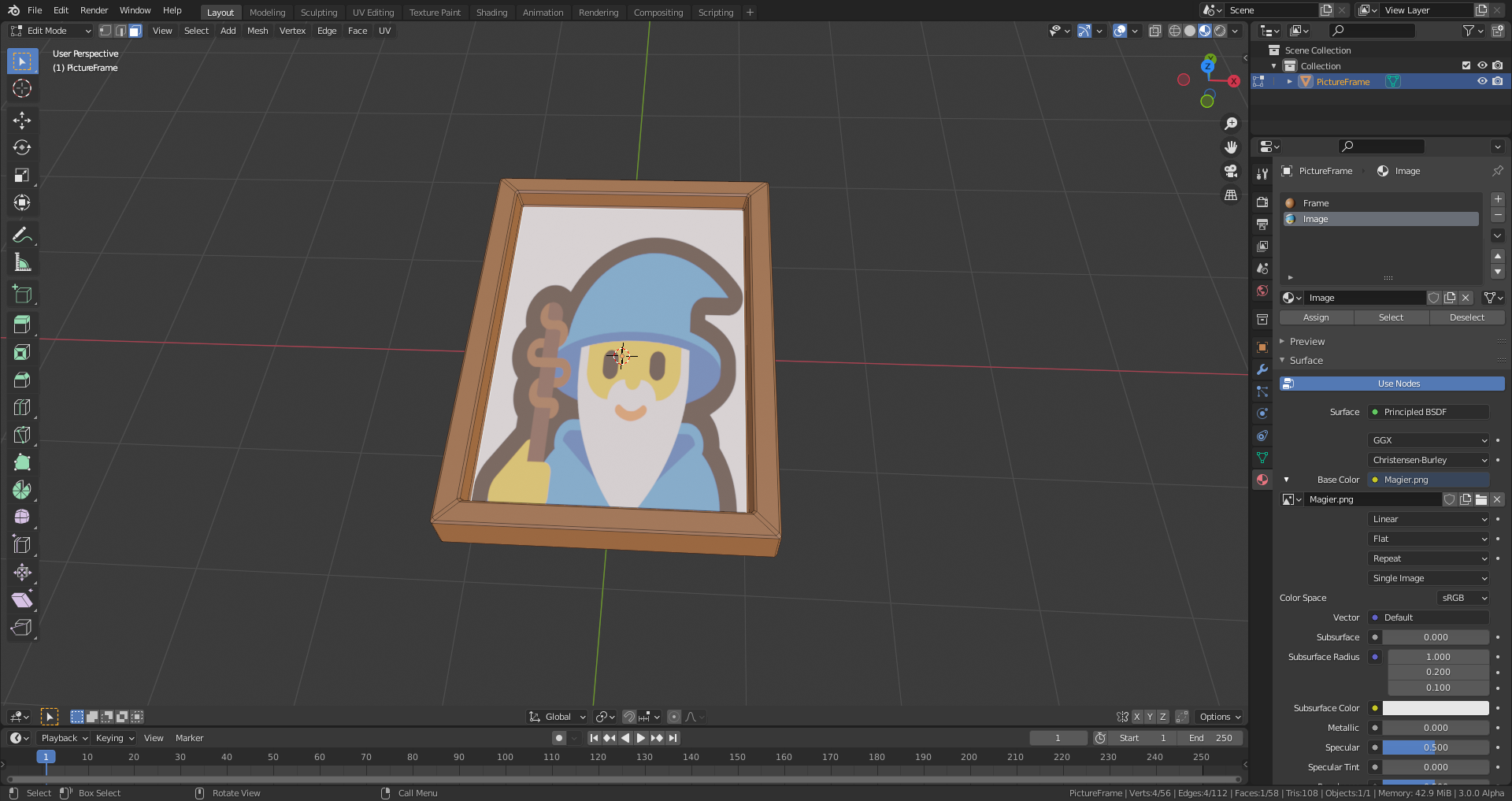
Two new buttons appear: One labeled “New” if you want to create an image texture from scratch and one labeled “Open” for using a premade image texture which I’ve chosen in the example below. Navigate through your folder structure and select an image texture which you open by clicking on “Open Image”:

Now you should see your image in the picture frame:

.

