Overlapping Inconsistency in Grease Pencil on Mesh Object

Forum Archive Overlapping Inconsistency in Grease Pencil on Mesh Object

Viewing 3 posts - 1 through 3 (of 3 total)
  • Author
    Posts
  • #16232
    violetcrystal
    Participant

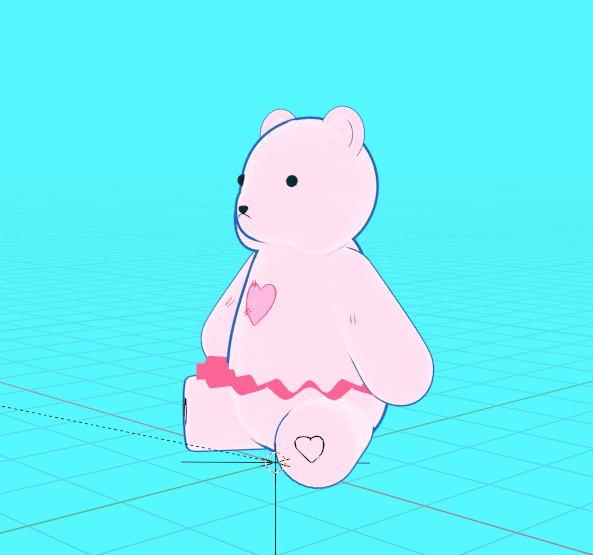
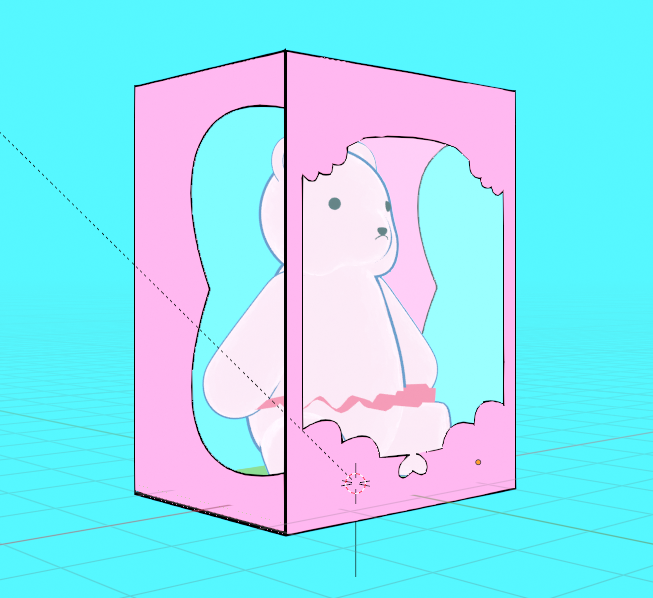
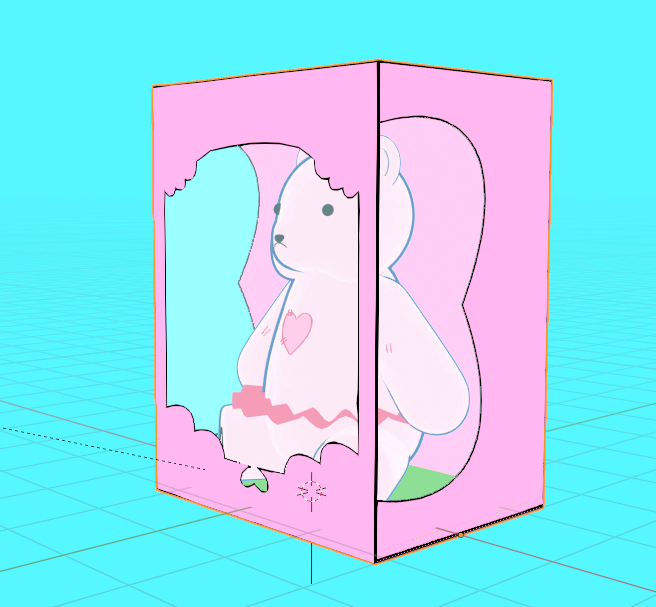
      Hello, I was trying to render my scene and I noticed that the bear details don’t always show when following the camera. I turned on Layer Properties > Data > Passes > Z but that didn’t fix the issue. Why do the details not always show? The bottom image doesn’t show the details even though with other views of the model you can see them through the box. The details and the box are made in grease pencil while the bear itself is made of mesh objects.

      Thanks!

      023-04-18 202313.png023-04-18 202339.png023-04-18 202352.png

      #78670
      Omar Domenech
      Participant

        I don’t know enough about grease pencil, but I’ve had my share of issues like that where things overlapped or one thing got in front of the other and the perspective was wrong, a total mess. I got various things resolved by watching Paul’s course, there was a nugget of info here and there and I was like oh, this would solve this problem. Here’s the link, perhaps watching it would do the same for you:

        https://cgcookie.com/courses/panels-create-a-comic-book-with-grease-pencil-in-blender

        Also his livestreams are full of great info.

        https://cgcookie.com/live-streams

        #78671
        violetcrystal
        Participant

          Thanks, I’ll check it out.

        Viewing 3 posts - 1 through 3 (of 3 total)
        • The topic ‘Overlapping Inconsistency in Grease Pencil on Mesh Object’ is closed to new replies.