Not seeing loops, just mug as a whole

Forum Archive Not seeing loops, just mug as a whole

Viewing 7 posts - 1 through 7 (of 7 total)
  • Author
    Posts
  • #18859
    rafael marcus
    Participant

      I am in material preview mode and see the colors, but the loops (or any lines edges/faces) don’t show. 

      I would upload a screenshot but don’t see an option to upload…

      #89913
      mkelly108
      Participant

        You can upload a screenshot but clicking the picture icon on the top of the message window. 

        It’s the icon that looks like a mountain in a box, 4th from the right. Between the chain link and the film icon.

        29 at 2.53.52 PM.png

        #89914
        Leo
        Participant

          maybe you have the overlay off. Press SHIFT + ALT + Z or go to the icon here. If it is blue, it is active and you should see Edges and Faces 

          An easy method to upload images here is also if you work with the Windows SnippingTool. You press WindowsKey+SHIFT+S then simply “frame” the area you want to screenshot and then just press CTRL+V in the text field at CGCookie to paste. At least that’s how I do it. 

          #89915
          Omar Domenech
          Participant

            Yes as Leo says, you may have Overlays turned off. For uploading the image, there is a hiccup on the website where if you are the first to post, the tools for uploading images and whatnot don’t show up, so you have to upload your image on the second post or just edit the first one after you have posted. That error seems to have been for far too long and it hasn’t been patch, so we just live with it until the time comes it gets corrected. 

            #89916
            Dwayne Savage
            Participant

              There’s a known bug where you can’t attach an image when you post under a video. You can do Leo’s method or just do a reply to your initial post inwhich case you can then attach an image. 

              #89917
              Shun Saiki
              Participant

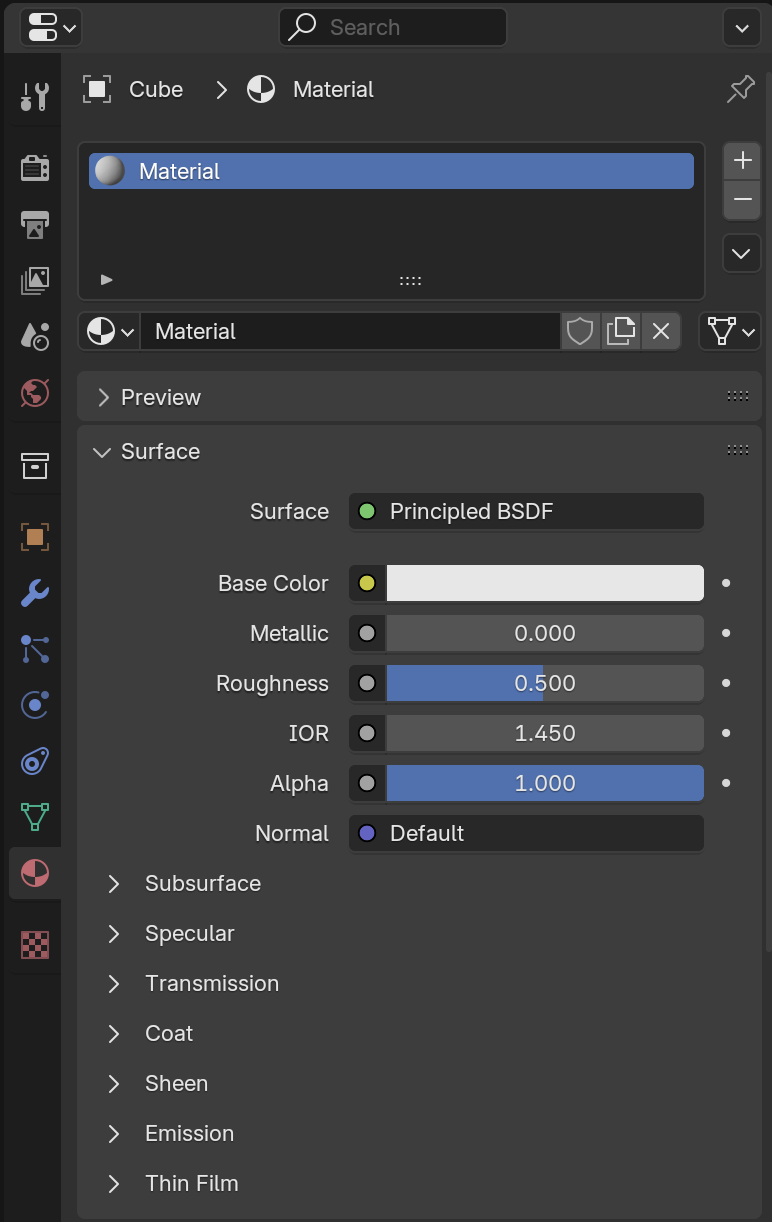
                Henlow to anyone concerned! It seems like there is no color-code on the mug cup! Please see the overlay, material pane and the Material Preview!

                (Unfortunately, I get Access Blocked when I try to upload a screenshot directly, so I have uploaded to Imgur.)

                https://imgur.com/a/5wEEcVb

                #89918
                Omar Domenech
                Participant

                  Hello Shun. I’m not sure I understand, you mean you want to change the surface options so you get access to the color? If so you have to display it by clicking on the surface arrow:

                  Color-Surface.png

                Viewing 7 posts - 1 through 7 (of 7 total)
                • The topic ‘Not seeing loops, just mug as a whole’ is closed to new replies.