node setup question

Forum Archive node setup question

Viewing 8 posts - 1 through 8 (of 8 total)
  • Author
    Posts
  • #11920
    yukino hatake
    Participant

      Hey guys,

      I am working with my node’s but have a question.

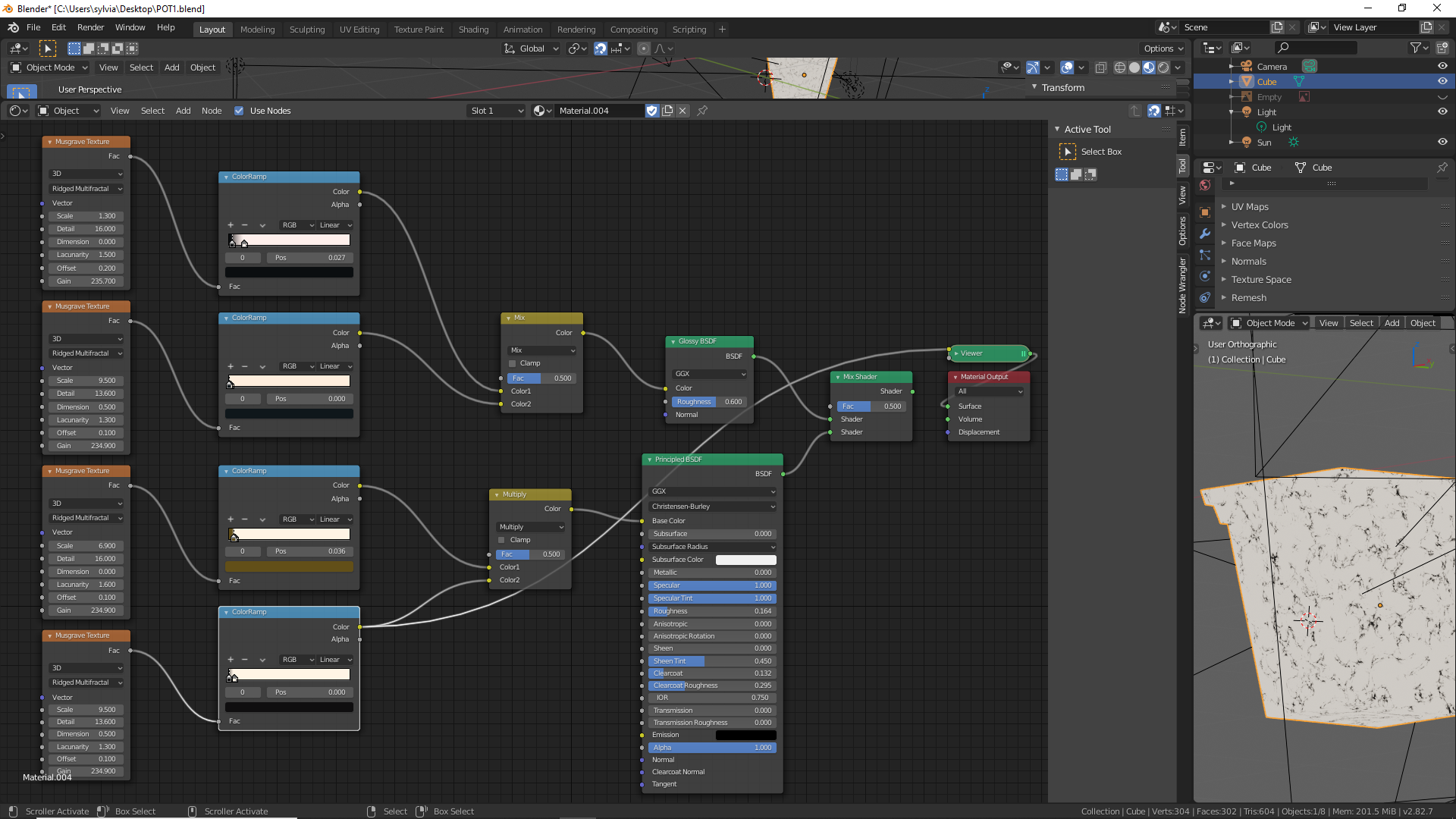
      now i use different patterns to create a marble effect.

      but with the mix shader of course both are half the opacity what gives a different effect i was hoping for.

      is there a way to say take the black value of that node and that and put them on top of each other instead of mixing ?
      since now i lose collor effect with the mix node 

      this is how i have it now

      #56398
      spikeyxxx
      Participant

        Hey Yuki, I am not sure what effect you are hoping for, but – only considering the bottom two Colorramps, that are not for the Glossy _ I would say that you’ve got it right; you are multiplying the top Colorramp (with the color) with the bottom one that has values between 0 and 1. Suppose for a moment that you set the Factor of the Multiply to 1, then, where the bottom Musgrave is black (meaning 0), the result of the multiplication will be 0, meaning black. Where the bottom one is white (meaning 1), the result will will be unchanged.

        So the effect will be that you make some black (and grey) marks on the colored Musgrave, without changing that color!

        If you put the Factor of the Multiplication to 0.5, then, instead of making black marks, you’ll be making grey marks, but the color from the top Colorramp will still be unchanged…

        #56399
        yukino hatake
        Participant

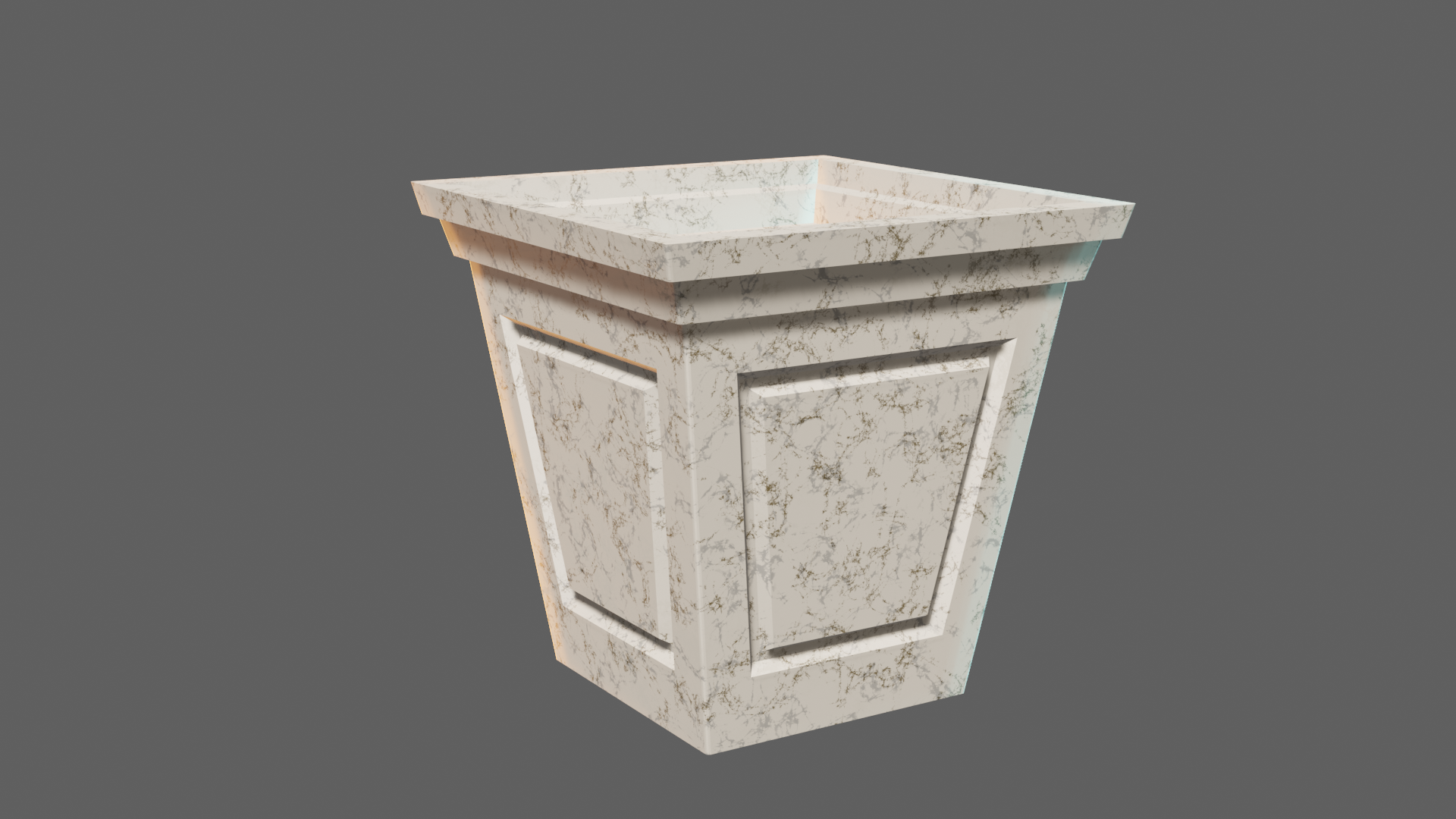
          well when looking at this render it might be clearer what i mean. 

          the black marking of the viewer up in the previous picture is here grey .

          of course normal since i put a mix of the 2.

          at this point i have a goldish and black collor. 

          what i would like is that the black stay black and the gold would be a layer above it. but only the gold not the white.

          perhaps its easier if i show it on twich during a stream ?

          #56400
          spikeyxxx
          Participant

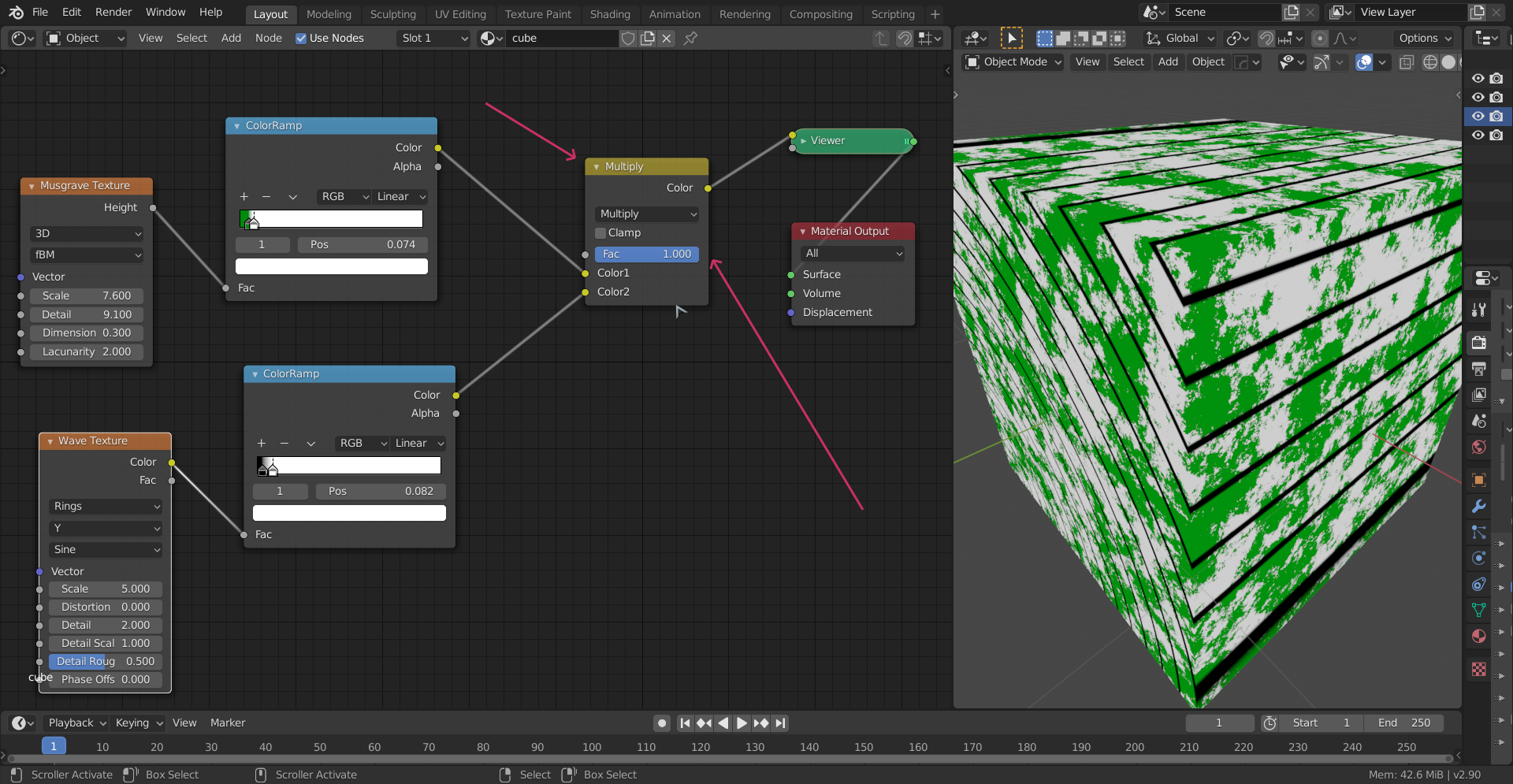
            To have the black stay black you need to set the Factor of the Multiply Node to 1.

            #56401
            spikeyxxx
            Participant

              So you’d get something like this (different textures, but: black stays black and color stays color!):

              #56402
              yukino hatake
              Participant

                @spikeyxxx  so actually the top one will always be unchanged but the lower one will be diffrent depending on the 0 or 1 value

                #56403
                spikeyxxx
                Participant

                  Well, if the Factor of the MixRGB > Multiply Node is set to 1, then, (in your case) where the bottom one is black (0), the result is black and where it is white (1) the result is the original(top) color. 

                  With a Factor of 1, you can swap the top and bottom colorramps, because a times b is the same as b times a.

                  #56404
                  yukino hatake
                  Participant

                    Thank you @spikeyxxx for the explanation and been patient with me 

                    Finally understand how it works 😀

                  Viewing 8 posts - 1 through 8 (of 8 total)
                  • The topic ‘node setup question’ is closed to new replies.