
no result on displacement map
Forum Archive › no result on displacement map
- This topic has 46 replies, 7 voices, and was last updated 1 year, 7 months ago by
Omar Domenech.
-
AuthorPosts
-
January 14, 2023 at 10:28 pm #77156
This things it’s totally a bug. Maybe it can be reported to the bug tracker.
January 15, 2023 at 6:00 am #77157@morganemgl thanks for your input, unfortunately 4106px doesn’t work for me either
January 15, 2023 at 6:28 am #77158Still didn’t get it to work yet.
But I noticed that when I create an Image Texture with 4096 x 4096 in 3.4 (or 3.5), Save the File and Open it in 3.3 (or earlier), the said Image Texture suddenly has a resolution of 1024 x 1024. (That was what threw me off in my early answer, when I thought the Baking worked in 3.3)
This doesn’t happen when I create the Texture in 3.3 (or earlier) and Open it in any other Version.
January 15, 2023 at 6:32 am #77159yes i noticed that too, when i open the file ive uploaded to dropbox it appears as 1024. i dont think there is a solution i havent tried, did nothing apart from trying to solve this since yesterday. hard to tell without having any errors!
also a side question, the normal map when baked and introduced to the model to replace the multires, it just doesn’t work. and i have done this previously too……
January 15, 2023 at 7:25 am #77160A Normal Map only has information about the direction the Normals (vectors, perpendicular to the surface) are facing, not how far a Vertex is displaced. That is totally different information and neither can be used as a substitute for the other.
However, I did manage to get some result;
I appended the Head in 3.3 and used Kent’s trick to rebuild the Subdivisions and then was able to Bake a 4096 x 4096 (32 Bit) Texture:
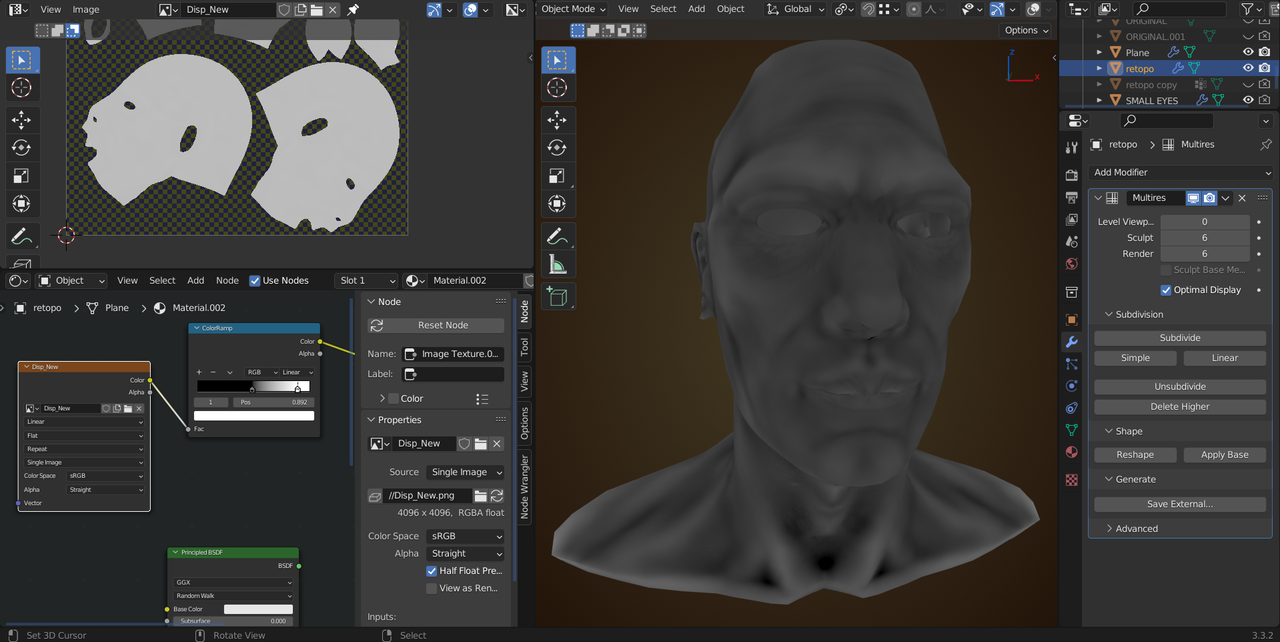
Some problems: the level 0 head is not the same as the original (because the Rebuild only ‘un-subdivides’), but that shouldn’t really be an issue. The other thing is, that some Multires Data got corrupted and needs to be fixed (exploding Verts) from Level 1 up to Level 6, one after the other.. And you lost your Shapekeys (had to delete them, in order to be able to Apply the Multires).
As you can see, I also made a mistake, when Saving the Image, I used Half Float Precision, with the 32 bit texture, it is better to Save it as Full Float.
But all in all, I think it’s at least a partial success.
January 15, 2023 at 7:30 am #77161My guess is, that the whole problem comes from the fact that you might have switched to 3.4 from an earlier version during the Course.
This is normally not a problem, but in this case it was (I think).
January 15, 2023 at 7:51 am #77162I have actually started the entire course on 3.4.1 an have not tried any other version until I was suggested to try the 3.3. so it can’t be it
January 15, 2023 at 7:56 am #77163I have tried Kent’s trick in 3.4 with no success, I don’t mind losing the shape keys as those can be re applied. I will try in 3.3, what do you suggest for fixing the exploding verts please?
or shall I do the trick in 3.3, bake the map, then use that map on my original mesh instead of processing with 3.3? if all I’m missing is the displacement map I believe this should work same time keeping the shape keys etc, only using 3.3 map.
reg the normal map, this was for further animation etc, as I can’t see animating with multires on?
January 15, 2023 at 8:11 am #77164@spikeyxxx I’m a little confused, the trick doesn’t work in 3.3.2 do i need the 3.3 for this?
also your map in the right corner looks wrong, it’s missing the displacements? it looks clear to me.
i have tried baking non 32 and 32 bit, the 32 bit has an extra white film over it, with no displacements just like in your screenshot
 January 15, 2023 at 9:28 am #77165
Okay, the confusion is completely understandable.
So, I opened your file in 3.3.2.
Shapekeys > down arrow > New Shape from Mix.
Delete the Shapekeys one by one, the New Shape last.
Set all subdivision levels to 6 in the Multires and Apply it.
Add new Multires and Generate > Rebuild Subdivisions.
Bake the Displacement.
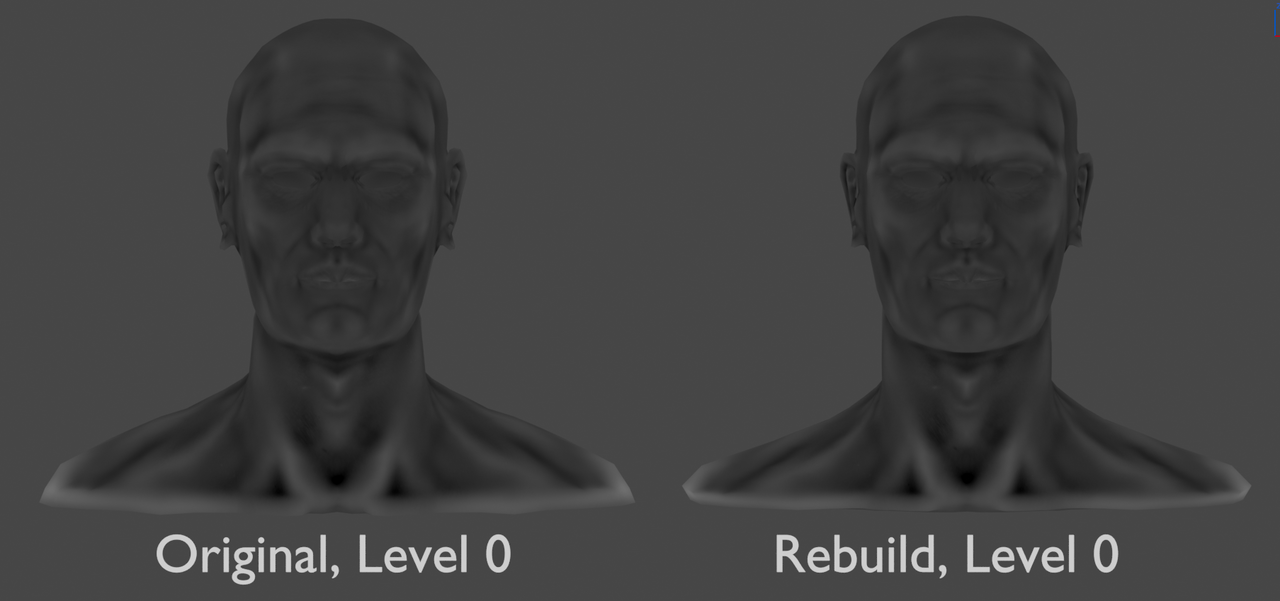
Here is the comparison of the two heads, both using the same Image Texture (the displacement is of course calculated according to the rebuild head, which is slightly different from your original):
 January 15, 2023 at 9:38 am #77166
As for the exploding Verts, go up, one Level at the time and, in Sculpt Mode, try to Smooth out the ‘peaks’:
 January 15, 2023 at 9:57 am #77167
@spikeyxxx and everyone else that joined, thanks for all your inputs.
3.3.2 doesn’t work for me at all, i have applied shape keys and multires as well as rebuilt it with the exact same result; none.
i have now tried multires on a sphere, adding all types of wrinkles, bumps, creases etc. in 3.4.1 and it all baked perfectly on all resolutions too.
althought it makes no logical sense, i have now agreed with myself that this mesh is only causing issues, and most likely will remain problematic even if the 3.3.2 worked for me.
i am about to finish the course, and i have learned a lot. this mesh will remain as the course head that has never gone further than that and that’s fine, i will jump onto another one with the knowledge i have now.
it is too time consuming to continue finding a solution for this, spending an hour on smoothing verts is not a solution at all. also the 3.3.2 displacement maps look really bad compared to any other / my newly baked ones.
it is a shame that nobody knows the issue or solution however, and it is really hard to believe that this is a bug since all other items work. it’s even more annoying to me as i wouldn’t call myself a beginner either!
i will keep on checking this thread from time to time as they say ‘hope dies last’
x
January 15, 2023 at 10:21 am #77168what i meant regarding the 3.3.2 displacements is that they don’t look like carrying data over rather just distribute really black areas in comparison to the one below I baked in 3.4.1 on Kent’s file
 January 16, 2023 at 12:12 pm #77169
Sorry I’m catching up late to this conversation. I’ve spent the past hour troubleshooting these issues. First I can confirm what you both are experiencing with regards to odd bakes (dark spots that are obviously wrong) and plain gray bakes at resolutions above 1024×1024.
First, I think I can offer a solution to the odd baking. I kept getting a large black spot on the shoulder, no explanation why. Face normals were fine, no visible issue with the mesh itself. But a reliable method I use for “resetting a mesh” that’s acting funny: Export as .OBJ and then import. Exporting as a new mesh format and bringing it back into the scene serves to reset or refresh the mesh in my experience. Here’s how to do it:
- Select your object and set multires viewport level to highest (max detail).
- File > Export > Wavefront (.obj) and check “selection only” in the include section, make sure “apply modifiers” and “include UVs” are checked in the geometry section.
- Export your model (this will take several minutes for million-poly meshes; 2 GB file in your model’s case)
- Import your model (this will also take several minutes; blender will appear to be frozen). You can import into a fresh blender scene (for baking maps only) or into the same scene you exported from.
- Once import finishes, add a multires modifier and rebuild subdivisions (this will also take several minutes).
- Now you’re ready to setup baking again. Bakes were much better for me after export/import.
HOWEVER I cannot get your model to bake at 4K resolution and I have no idea why. It bakes great at 1024×1024 but nothing above that (not even 1050×1050). I’ve tried in Blende 3.4, 3.3 and even 2.93. I’ve never seen this before and I’m baffled…hard not to think it’s a glitch of some kind…
May 18, 2023 at 4:22 am #77170I can confirm after much suffering that Kent’s solution works, just be patient with the waiting times.
A mistake I made was adding subdivisions to the new multires instead of “Rebuild Subdivisions”. Just an FYI for anyone who has blonde moments.
-
AuthorPosts


- The topic ‘no result on displacement map’ is closed to new replies.