No blue only Red normal faces in 4.5.0

Forum Archive No blue only Red normal faces in 4.5.0

Viewing 5 posts - 1 through 5 (of 5 total)
  • Author
    Posts
  • #20561
    Berry Basket
    Participant

      In the tut, It shows the option for face orientation enabled, which shows blue for front face and red for the back face. When I turn it on, it only shows red for the back face of a mesh, but doesn’t change the front face to blue. Should i be exactly worried? or does it just not matter.

      #96327
      Dwayne Savage
      Participant

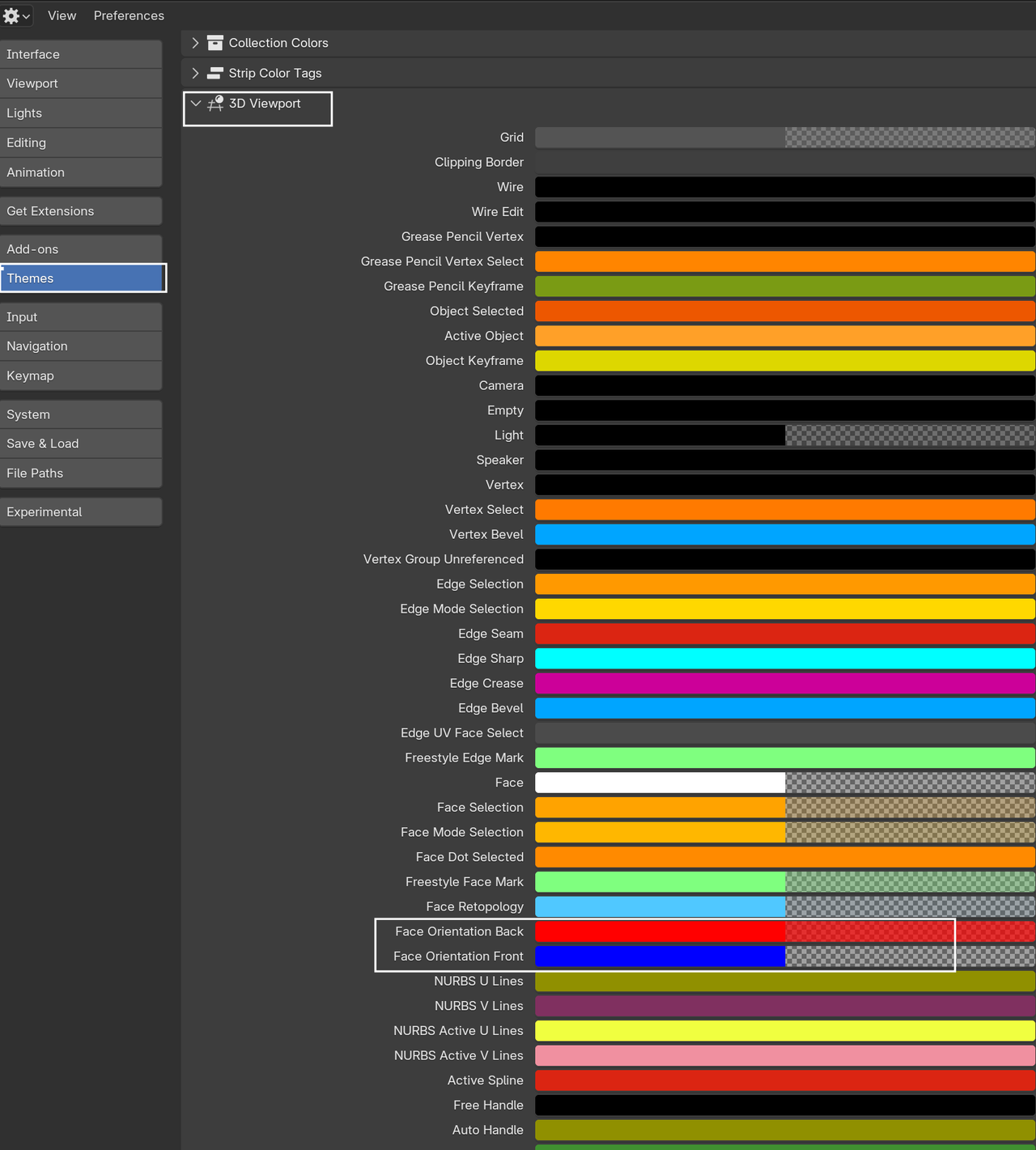
        It doesn’t matter. The thing you’re looking for is the red anyways. All they did was change the theme so that Blue has an alpha of 0. You can go to preferences->theme->3D viewport->look for face orientation. On the blue one,  click the color and increase the alpha if you want the old way. 

        #96328
        Martin Bergwerf
        Participant

          It’s easier on the eyes, when you want to leave the Face Orientation on, while modeling; now you only get a ‘warning’ if faces are ‘wrong’.

          Like Dwayne says, you can (and could also before) change those colors to whatever you want:

          Face Normals.png

          #96329
          Omar Domenech
          Participant

            It’s better how it’s now if you ask me. Just showing the red makes it less cluttered, now one cares about the blue right? Although sometimes I do miss seeing all the blue and feeling like a hero. 

            #96330
            Berry Basket
            Participant

              Ok . Thank you all. Just wanted to make sure, in case maybe I messed with my settings somehow and screwed stuff up. 

            Viewing 5 posts - 1 through 5 (of 5 total)
            • The topic ‘No blue only Red normal faces in 4.5.0’ is closed to new replies.