Newbie suggestion using Face Select tool..

Forum Archive Newbie suggestion using Face Select tool..

Viewing 3 posts - 1 through 3 (of 3 total)
  • Author
    Posts
  • #14114
    alskimenai
    Participant

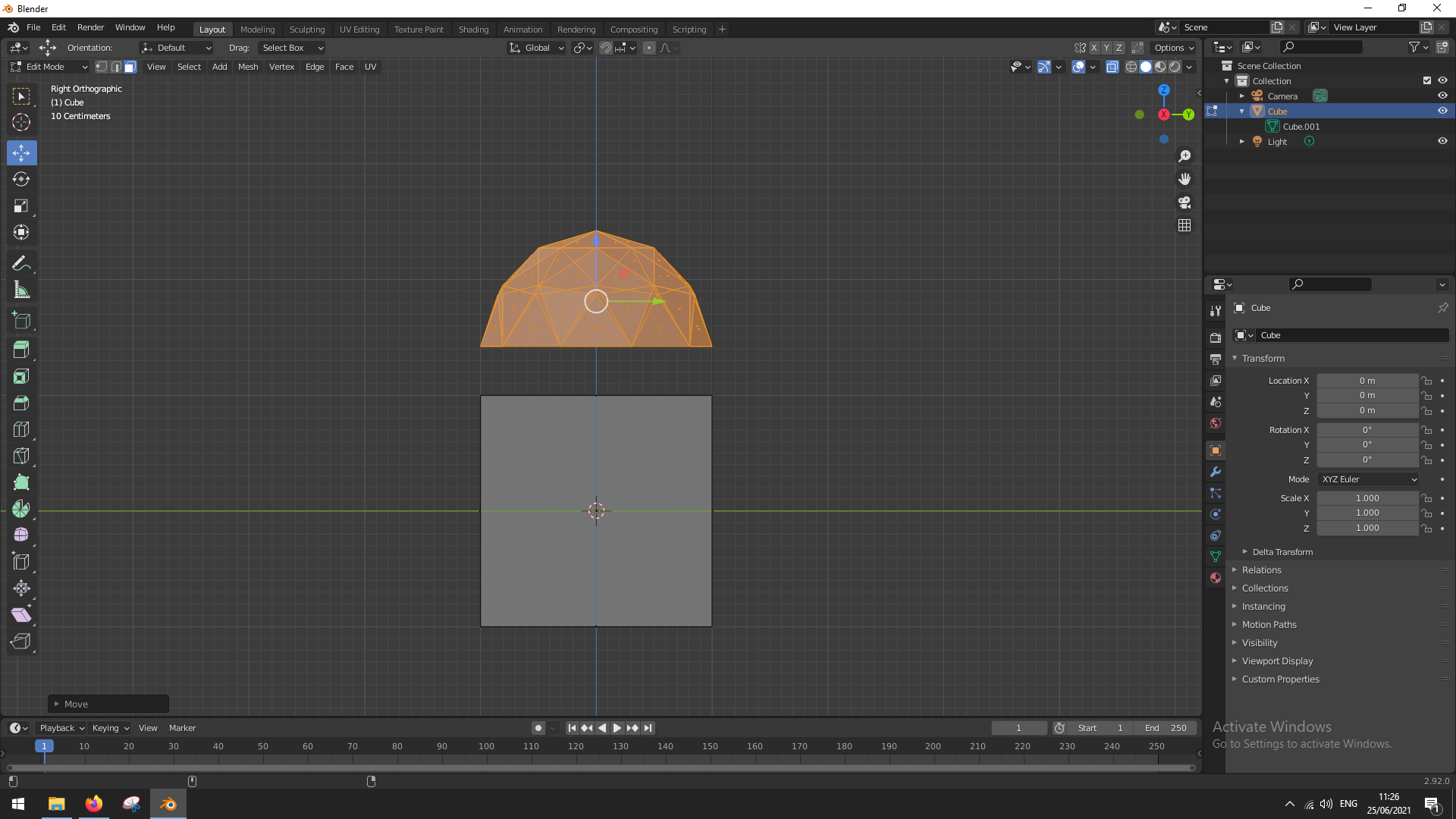
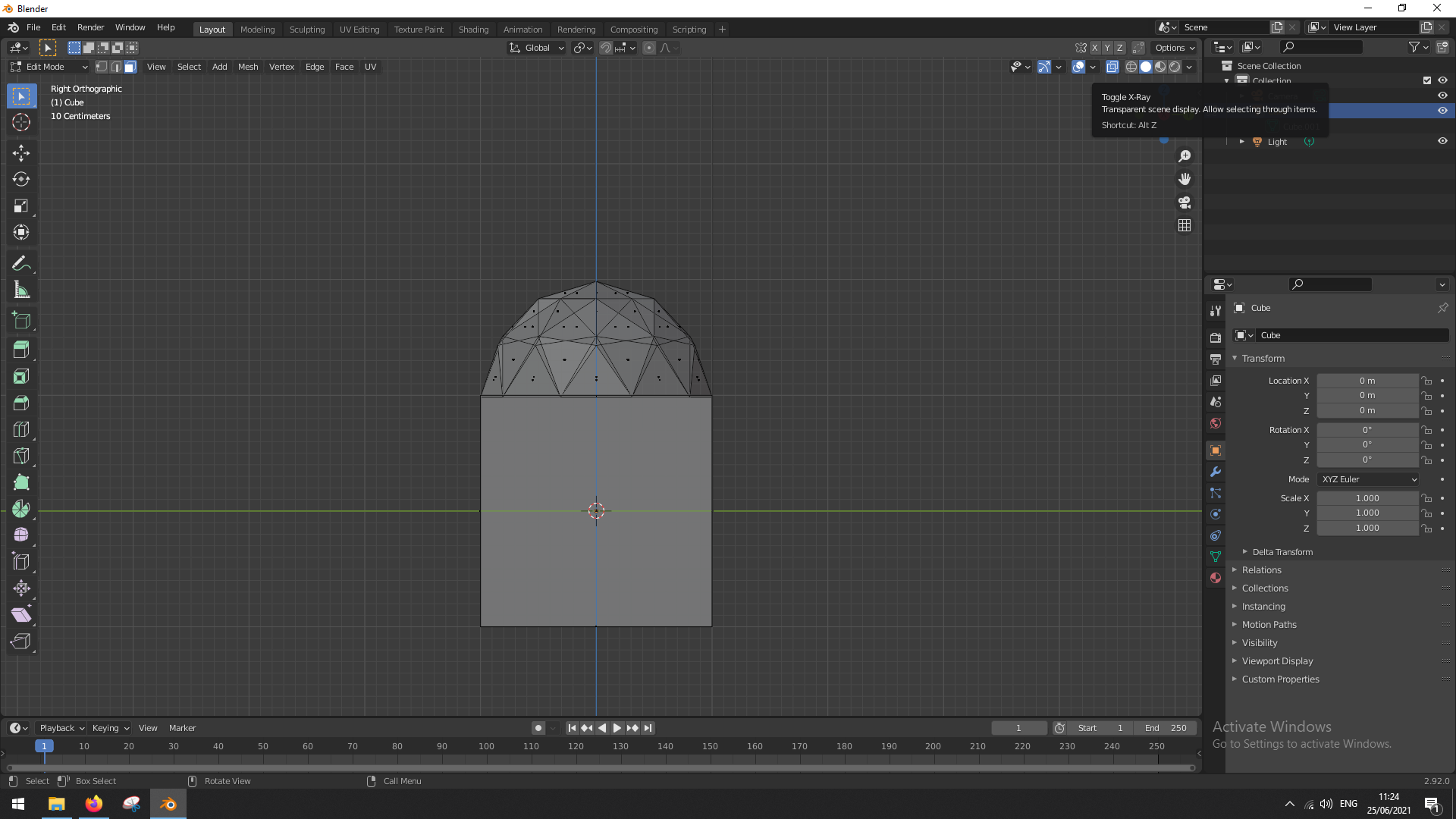
      So I messed around a bit and found out that if you have added another (perhaps more complex) object in Edit Mode and you want to select and move it independently from the original object, you should use the Face Select, instead of Vertex/Edge Select, to properly select the new object (make sure Toggle X-Ray or Alt + Z is on so you select all the faces behind what you can see aswell). 

      The pictures will make more sense. My Blender version is 2.92.0.

      Toggle X-Ray on in upper righthand corner of viewport (used to be called Selection to Visible) > Select the faces you want > Transform the object

      #69280
      spikeyxxx
      Participant

        Here’s another way (usually easier, because you do not have to be exact while selecting):

        hover with your mouse pointer over the new mesh (over a Vertex, when in Vertex Select Mode, and so on..)and press L. This selects everything that is connected to that Vertex( or Edge, or Face…).

        Or select one Vertex, Edge or Face (or just any part) of that new Mesh and then pres CTRL+L.

        #69281
        alskimenai
        Participant

          Very helpful and insightful, thank you so much!

        Viewing 3 posts - 1 through 3 (of 3 total)
        • The topic ‘Newbie suggestion using Face Select tool..’ is closed to new replies.