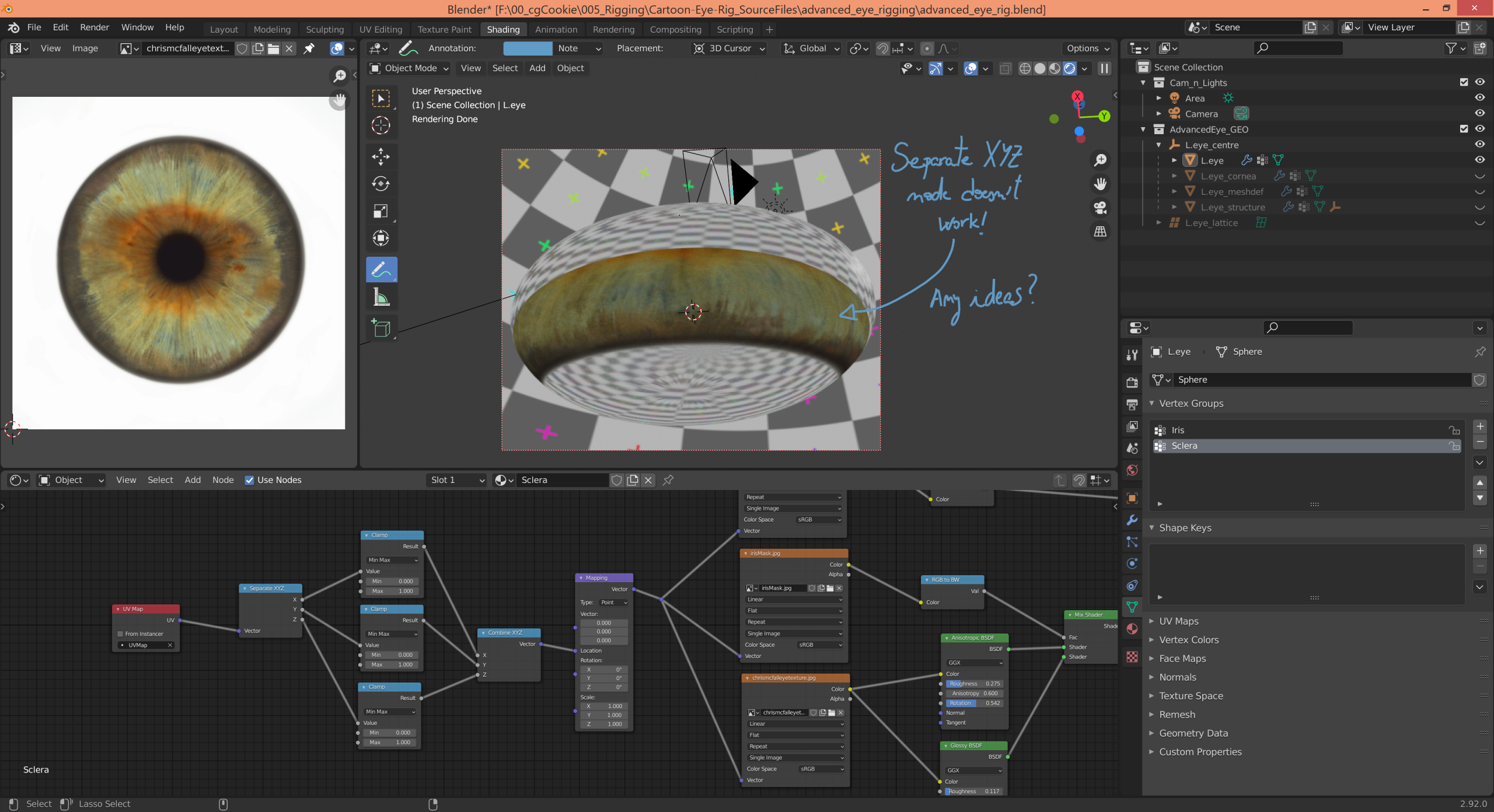
My texture keeps duplicating itself eventhough I used a Separate XYZ to map it’s location.

Forum Archive My texture keeps duplicating itself eventhough I used a Separate XYZ to map it’s location.

Viewing 3 posts - 1 through 3 (of 3 total)
  • Author
    Posts
  • #13975
    Monica Freire
    Participant

      Does anyone know how to fix this? I’d like to know what am I doing wrong. Thanks in advance!

      #68655
      spikeyxxx
      Participant

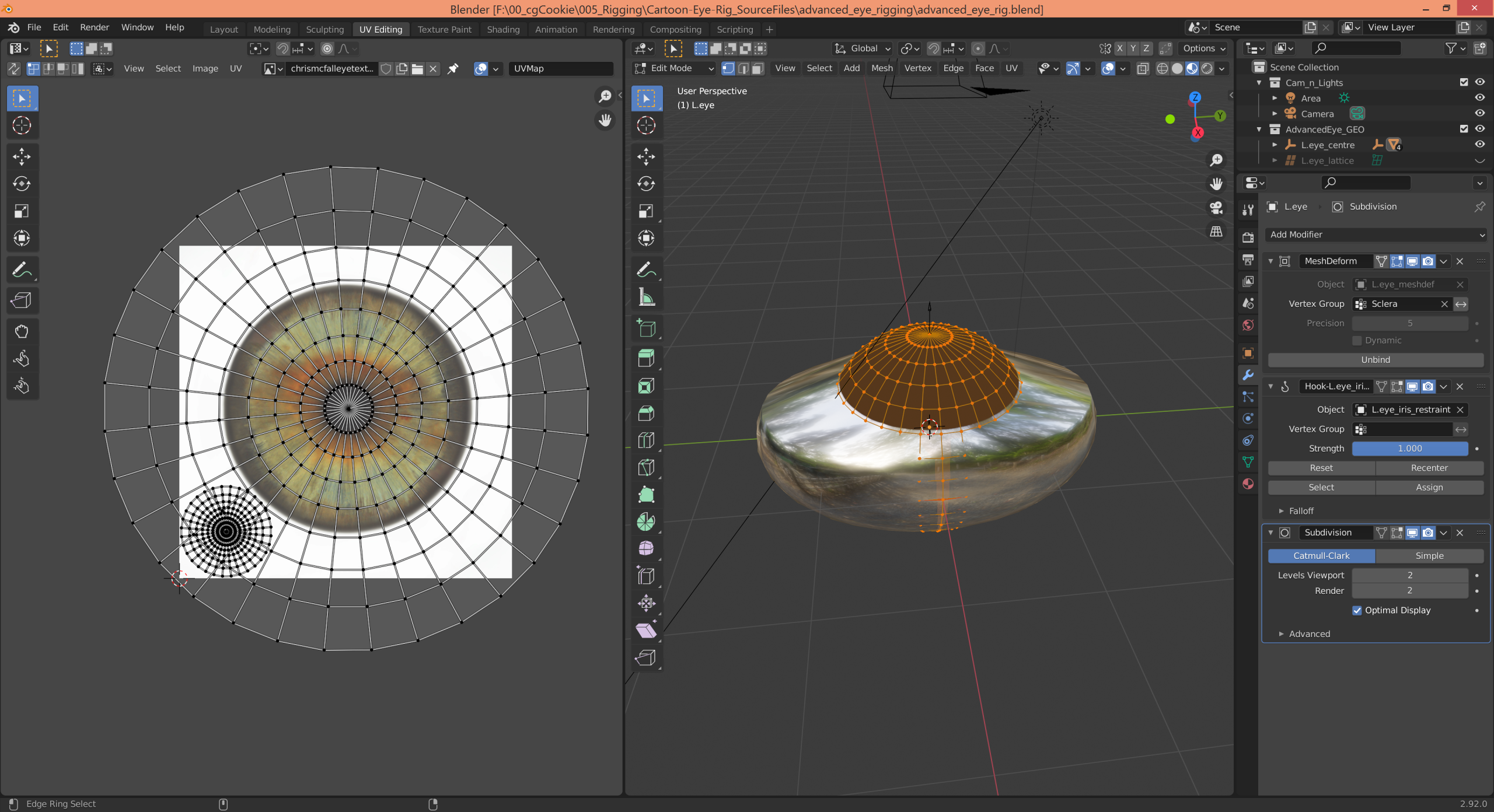
        Hi Monica, I am not sure, but it looks like the problem lies within the UV Map…

        Did you unwrap the sphere like it was shown in the video? 

        The modern-day UV-Sphere comes with an unwrap by default, but that is completely different from unwrapping it manually…

        The only strange thing in your Node Tree is, that you plug the Texture Coordinates (in your case UV) into the Location of the Mapping Node, instead of in the Vector socket of the Mapping Node, but that is not what is causing your issue.

        (And you don’t need to connect the Z through a Clamp Node, because UV’s do not have a Z component…)

        If unwrapping doesn’t help, please provide us with a link to your .blend file (through Dropbox, GoogleDrive, or so), so we can troubleshoot 🙂

        #68656
        Monica Freire
        Participant

          Thank you very much @spikeyxxx you were right on point! The problem was my UV Map. In the video lesson it just unwraps part of the eye and that caused me problems. I made up my mind and unwrapped this way and it was solved. Besides I connected the socket to Vector in my Mapping node and got rid of the Z clamp 🙂

        Viewing 3 posts - 1 through 3 (of 3 total)
        • The topic ‘My texture keeps duplicating itself eventhough I used a Separate XYZ to map it’s location.’ is closed to new replies.