My first attempt at Press Start

Forum Archive My first attempt at Press Start

Viewing 15 posts - 1 through 15 (of 17 total)
  • Author
    Posts
  • #21632
    yehochanan
    Participant

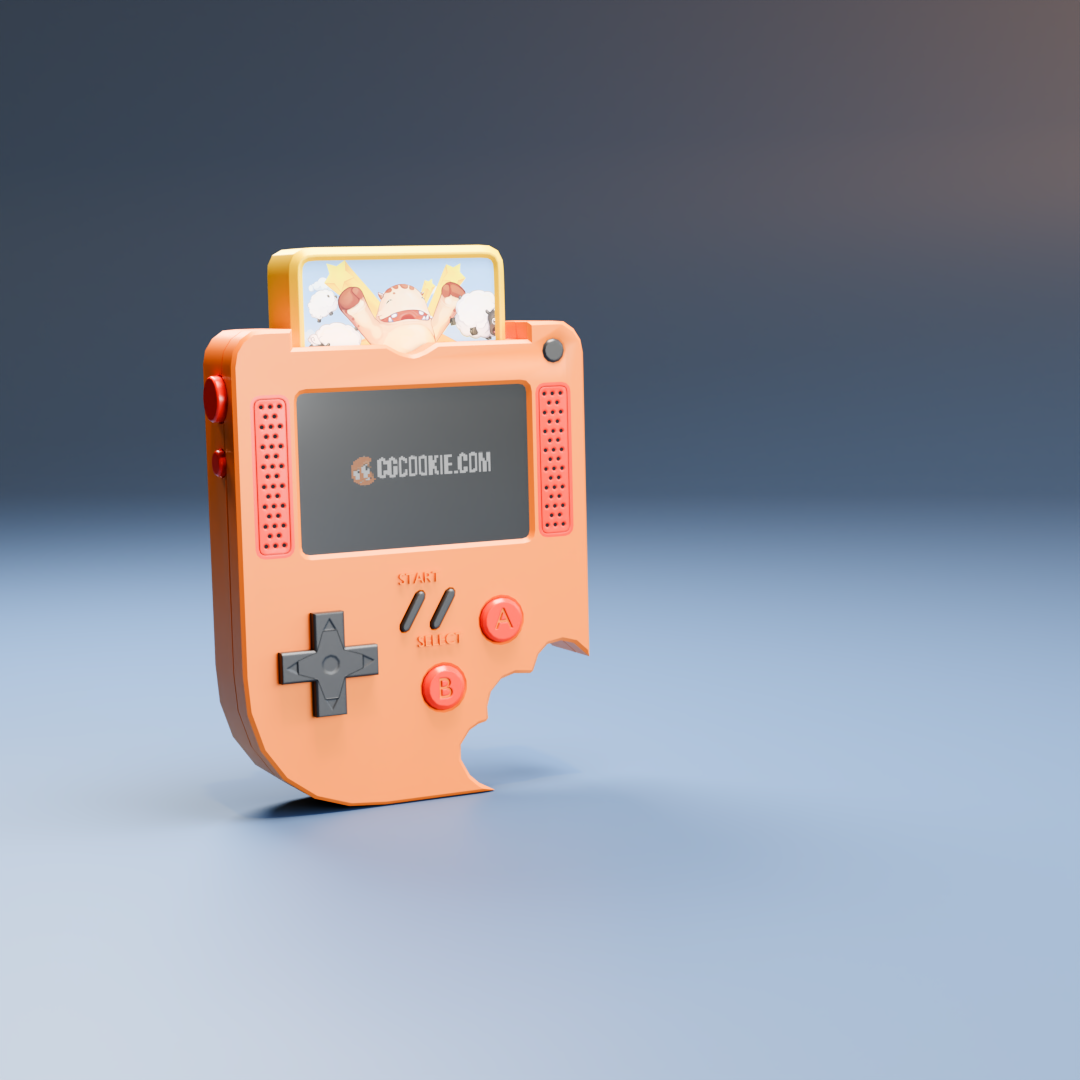
      pressStart1.png

      This was my first try at this project. My biggest problem that I am aware of is that I could not get the screen material to work right. No matter what I could not produce glare.

      #100619
      yehochanan
      Participant

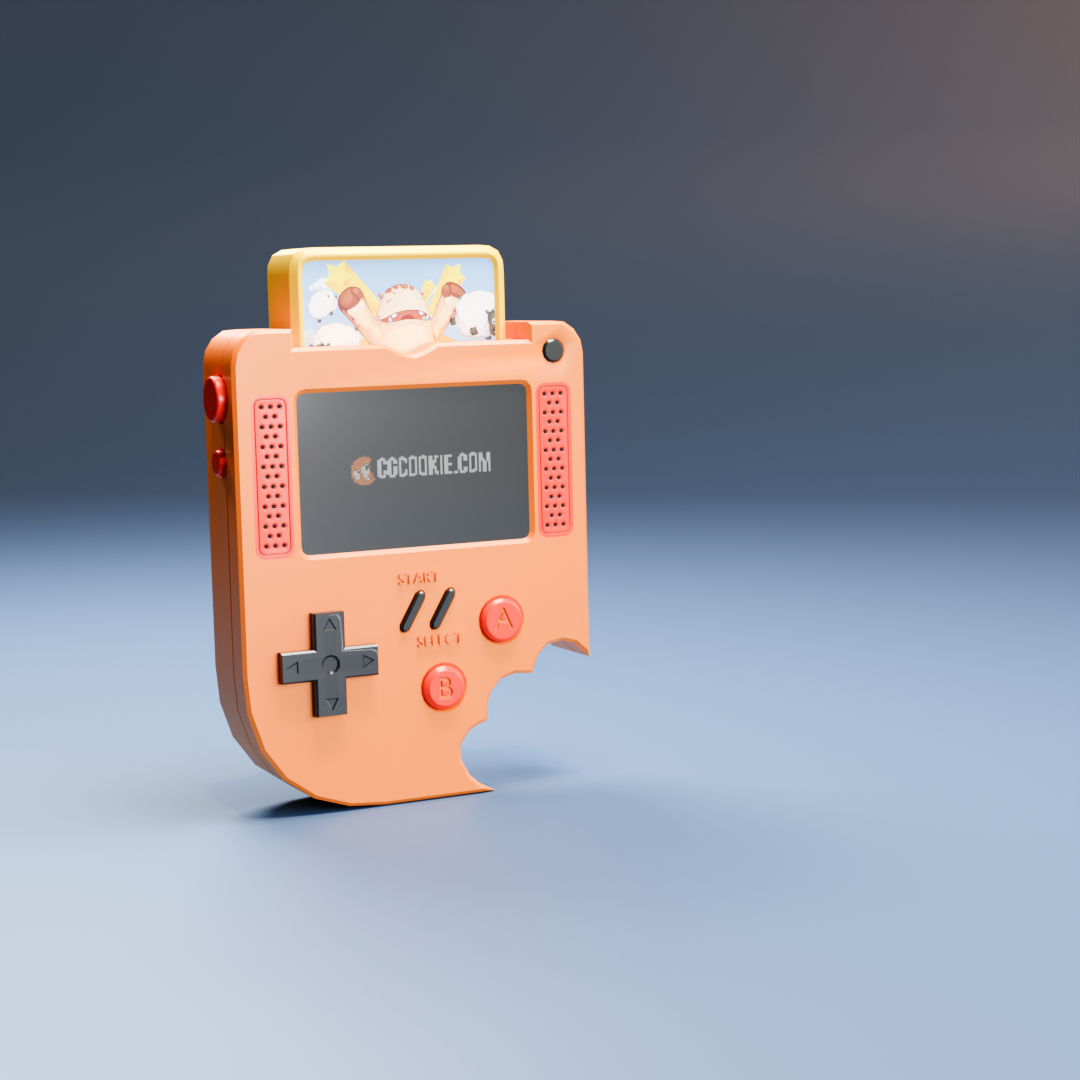
        I just forgot to connect a node. This is a rerender
        pressStart2.png

        #100620
        Grady Pruitt
        Participant

          Good thing you rerendered because I was going ot mention the crease around the power button on the first one, but looks like that got cleaned up in the second 😀 Looks great!

          #100621
          Grady Pruitt
          Participant

            Looking at the direction buttons, might check the creases on those.. the outer edge and around each of the indentations.  That might help with the shading around them.

            #100622
            Martin Bergwerf
            Participant

              Playing with the Angle of the Smooth By Angle Modifier will probably help with the Shading of those Creases.

              But overall a really good result! There are a lot of pitfalls in this Course (especially if you’re a beginner).

              #100623
              yehochanan
              Participant

                Nothing I try gets rid of those creases without destroying the d-pad. I don’t know why they’re there

                #100624
                Martin Bergwerf
                Participant

                  Could be a lot of things. I’d just leave it, as it’s already a good result.

                  If you really want, you could upload the .blend file (go to File > External Data > Pack Resources. Then Svae that and upload it to Dropbox, Googledrive, or so and post a Link here), for us to troubleshoot.

                  #100625
                  yehochanan
                  Participant

                    Managed to fix it. I just changed which texture was active in the node editor and it got rid of the edges. Not perfect but definitely better.
                    pressStart3.png

                    #100626
                    Sascha Feider
                    Participant

                      Looks good. Still some weirdness going on there. Like Martin said, if you want to upload the blend we can point you in the right direction.
                      That little thing aside it’s a great result.

                      #100627
                      yehochanan
                      Participant

                        How do I upload?

                        #100628
                        Grady Pruitt
                        Participant

                          Just above the text box, the one after the one that looks like a chain is for pictures and will let you embed in the post. If it’s a blend file, you can use the one like a chain to link to it.

                          #100629
                          yehochanan
                          Participant

                            Please let me know if you have trouble downloading the link
                            yehochanan_press_start

                            #100630
                            Grady Pruitt
                            Participant

                              I got a “you need access” message.

                              #100631
                              yehochanan
                              Participant

                                How about now?

                                #100632
                                Martin Bergwerf
                                Participant

                                  Hi @yehochanan ,

                                  Working now, thank you!

                                  So, your Faces aren’t completely flat:
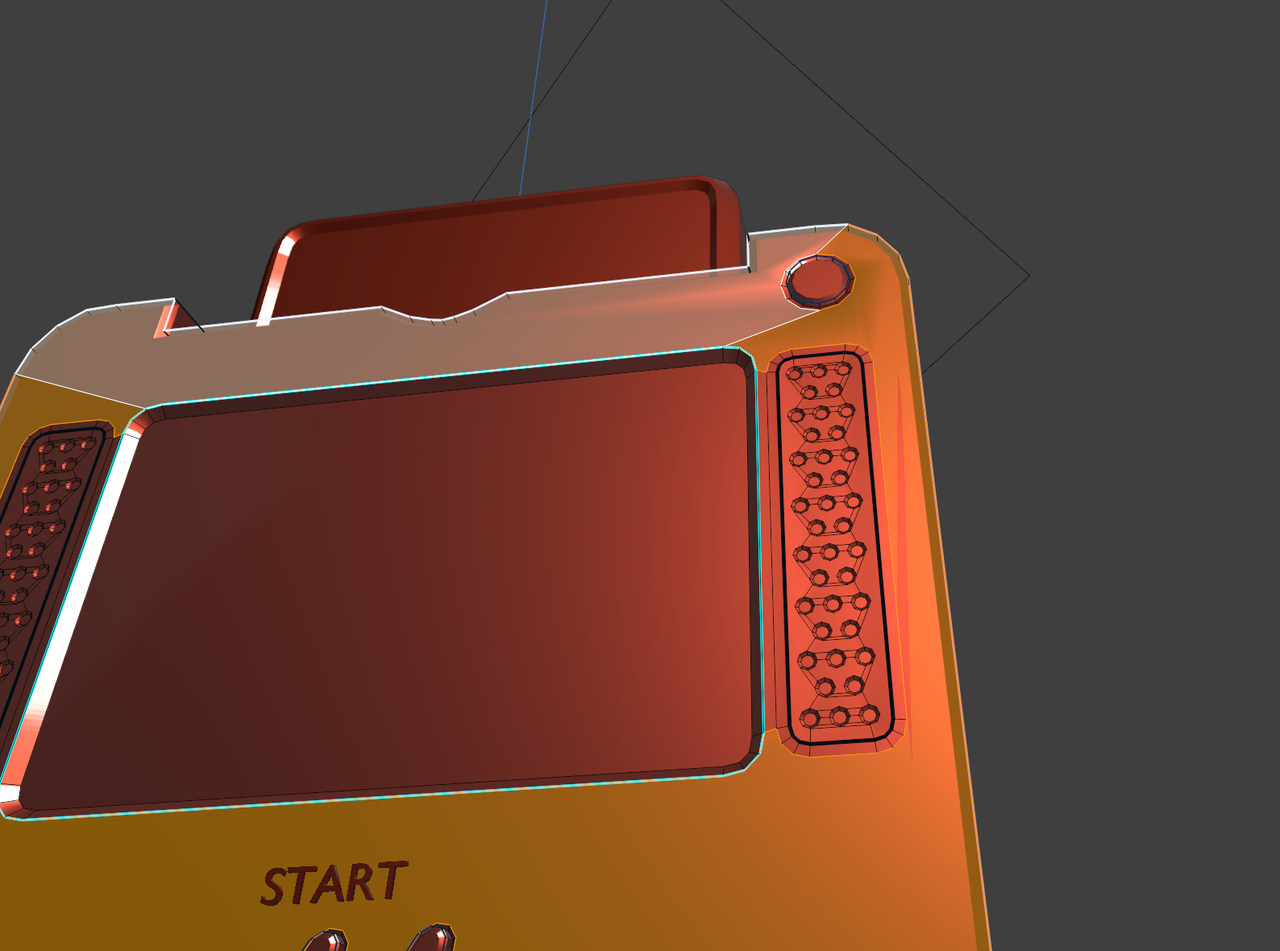
                                  Start_00.png

                                  Select the top Faces and S, Z, Z, 0 (Scale them on the Object’s Local Z-Axis to 0). Then force them to be Flat Shaded with CTRL+F > Shade Flat:
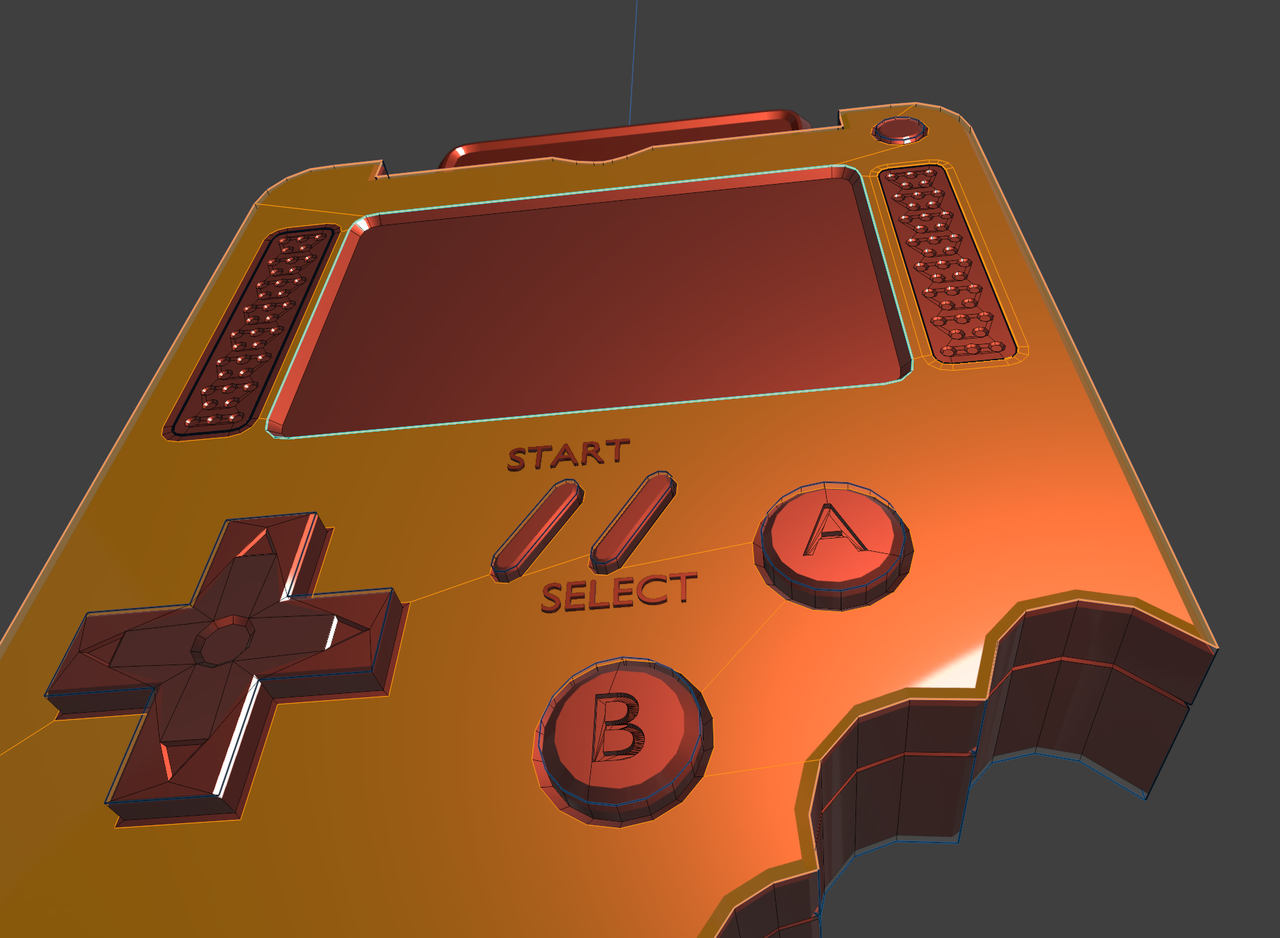
                                  Start_01.png

                                  Now there is the weird Shading on the D-Pad. That’s because of inconsistent Normals:
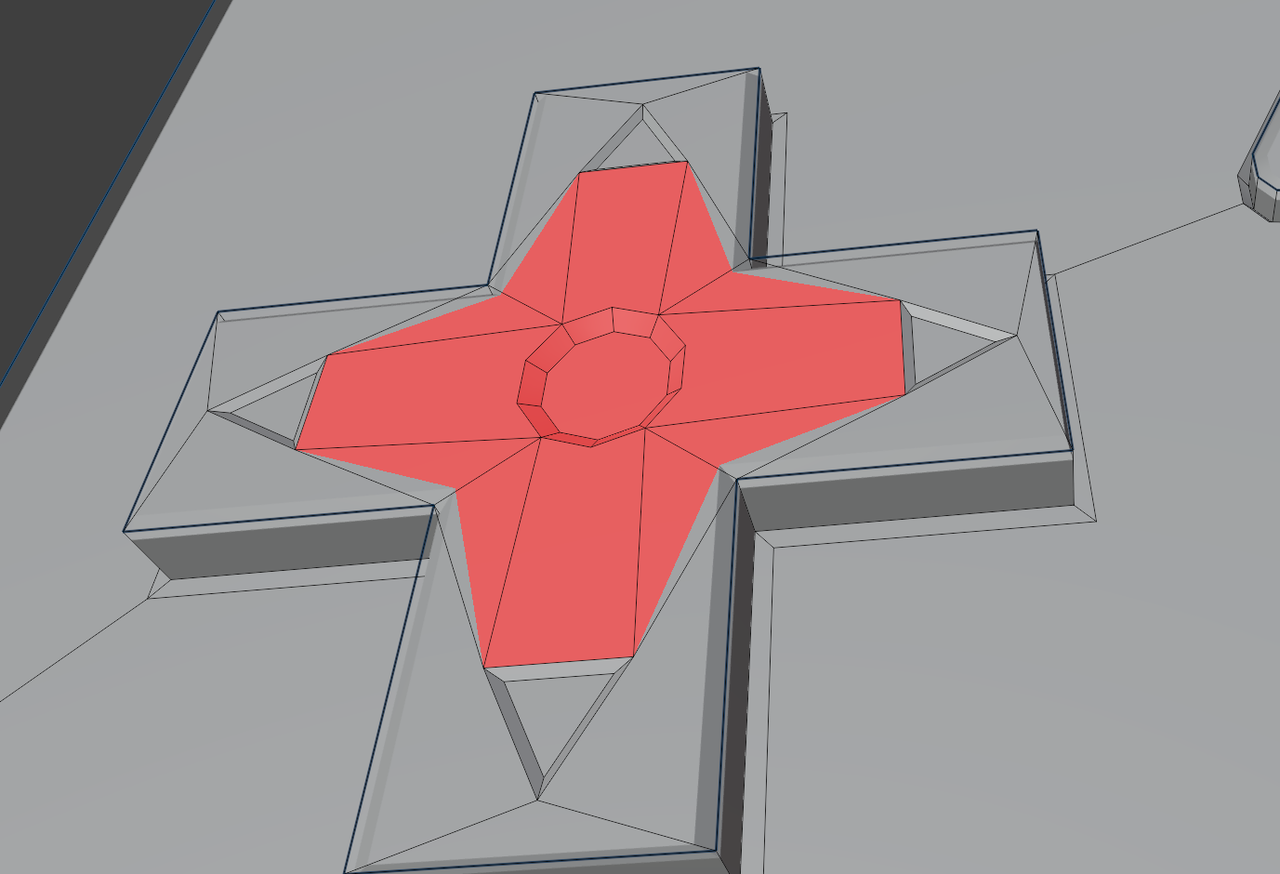
                                  Start_02.png

                                  Select everything with A and then SHIFT+N. That should fix it.

                                  Did I forget anything?

                                Viewing 15 posts - 1 through 15 (of 17 total)
                                • The topic ‘My first attempt at Press Start’ is closed to new replies.