My Colors Seem Off

Forum Archive My Colors Seem Off

Viewing 4 posts - 1 through 4 (of 4 total)
  • Author
    Posts
  • #16407
    Rako
    Participant

      Hello, 

      Great tutorial so far!

      I have a small, but distracting, problem. 

      I’m using Blender 3.5. And I have also removed the camera and lights.

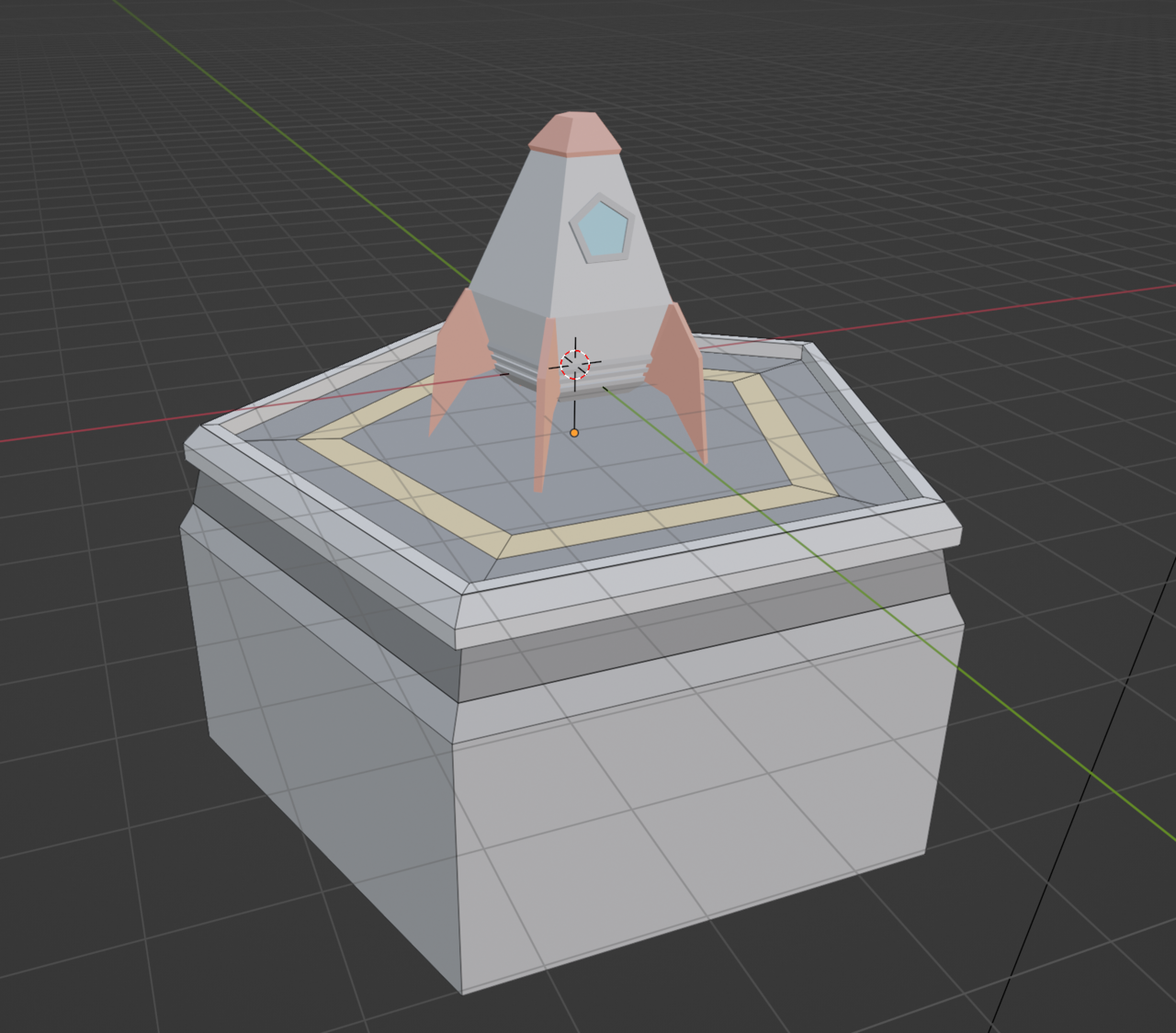
      My colors seem off, but I used the exact color numbers as in the tutorial, and I am in the Material Preview mode, which I think is the same as Look Dev mode, but I’m not sure now. colors seem off.png

      #79376
      Omar Domenech
      Participant

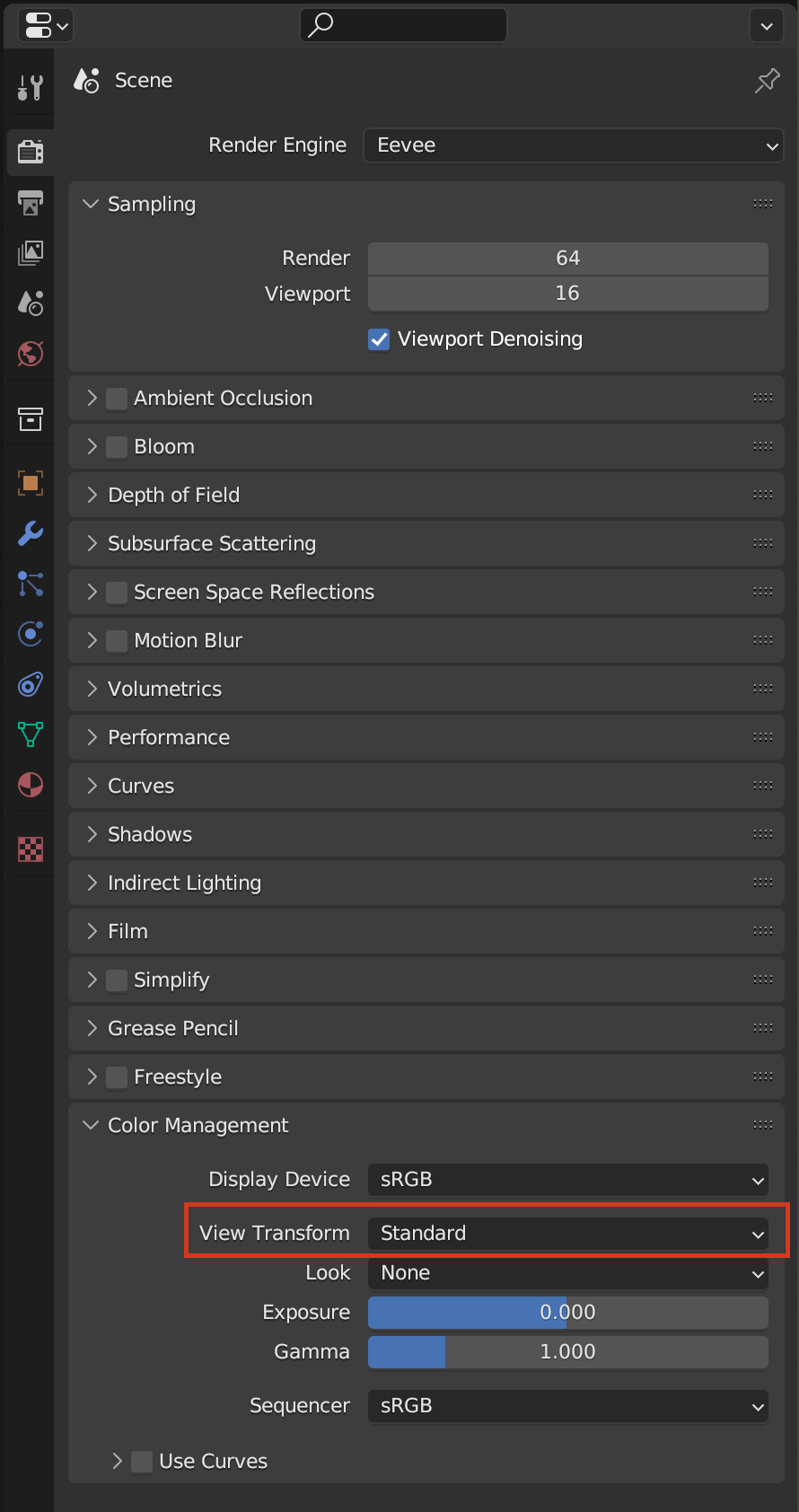
        If the color values are the same, then it has to do with the visualization itself. Maybe the viewport, maybe the color management.Try changing the color management from Filmic to Standard of vice versa.

        Color Management.png

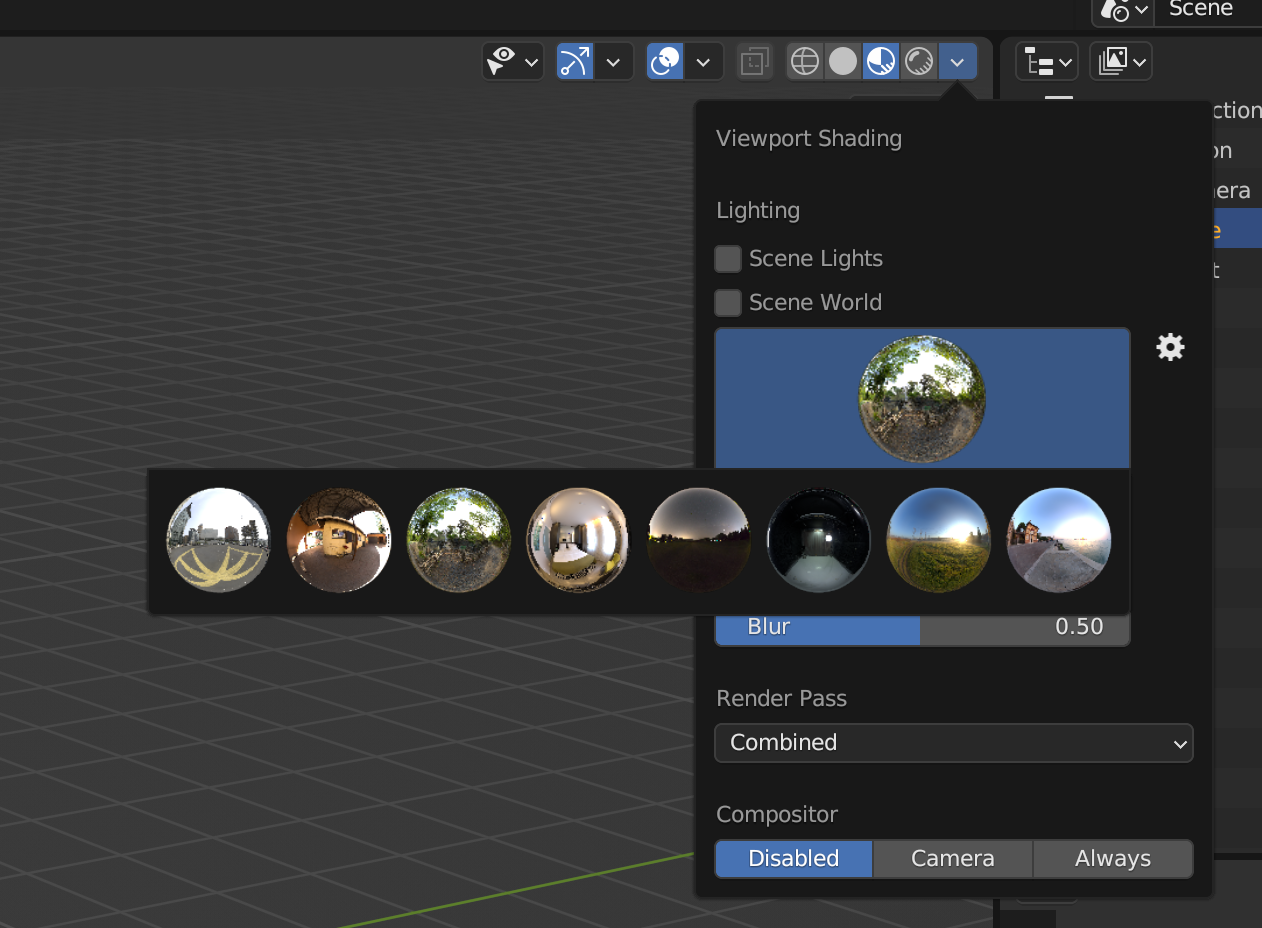
        You can also have a different scene world doing the lighting for you. Try changing it.

        Scene World.png

        But in the end, you don’t need to have the exact same result, things like that will vary and it’s ok. The important thing is to learn the tool so you can create your own content. Sheers 🤟🏼

        #79377
        Martin Bergwerf
        Participant

          Hi @trial1010101010999 ,
          Please have a look at this post:

          https://cgcookie.com/community/11017-colors-are-looking-really-wrong 

          #79378
          Rako
          Participant

            Thanks so much for the answers! 

            I switched the View Transform, under Color Management, to Standard and that got it close enough. 

            I agree that I don’t need to get the exact values in a tutorial, but alarm bells were ringing when I was using exact values and the results weren’t similar. If I set Blender up improperly, then I would like to make sure to get that fixed before I end up learning the wrong way of doing things. 

            Thanks again!

          Viewing 4 posts - 1 through 4 (of 4 total)
          • The topic ‘My Colors Seem Off’ is closed to new replies.