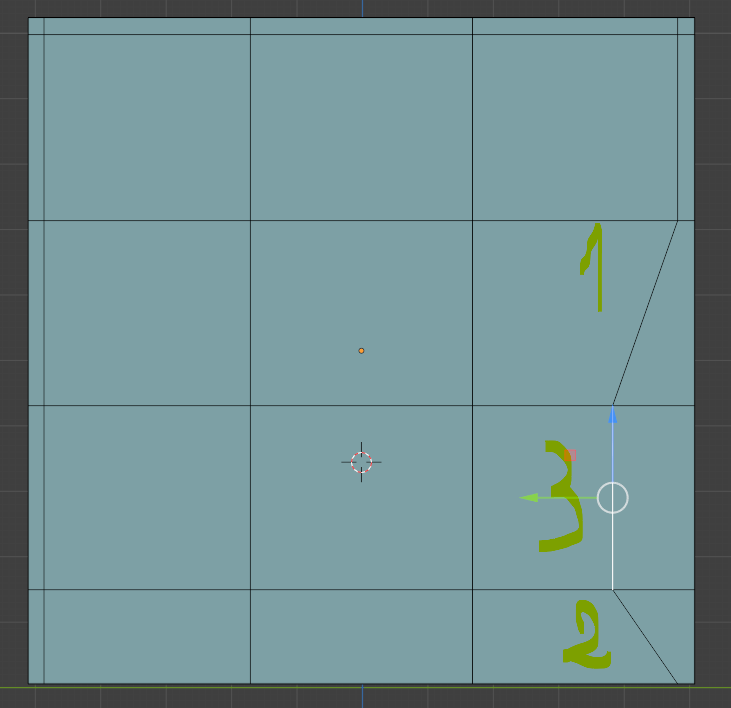
You can’t do that like that; Edge 1 shares a Vertex with Edge 3 and when you Move that Vertex (by Moving Edge 2), Edge 1 goes with it. Same with Edge 2.
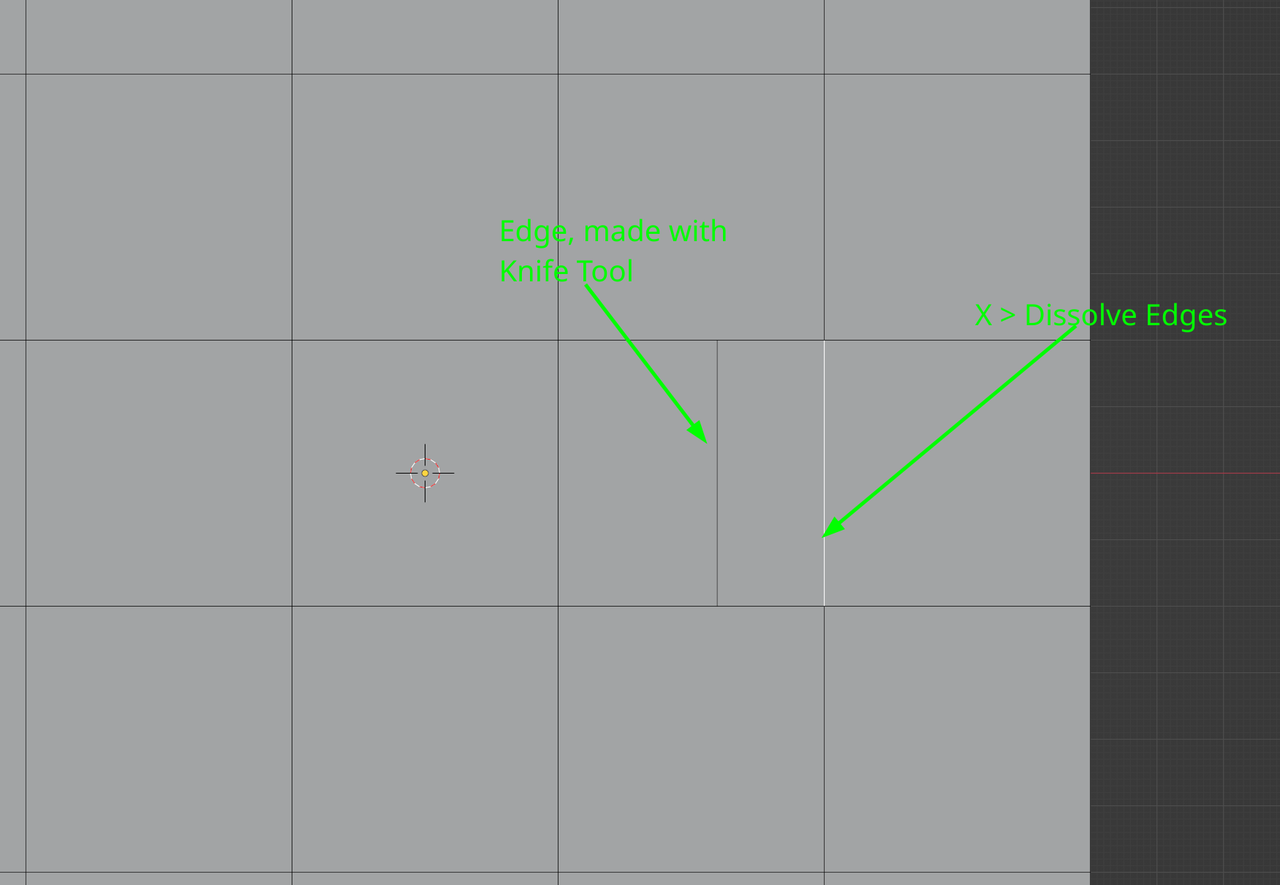
Don’t Move Edge 3, but maybe make an new Edge (Knife Tool). Then Dissolve the Edge you don’t want:
Either way any of that is bad practice, meshes follow some topology rules that wont let you exactly do what you want because if you do then it all becomes a mess and it’s hard to control your loops and so on. So just because you can do it doesn’t mean you should. You need to know all the rules first before you can break them and you need a very good reason to do so.
Author
Posts
Viewing 4 posts - 1 through 4 (of 4 total)
The topic ‘moving edges’ is closed to new replies.

.