
missing pngs
Forum Archive › missing pngs
- This topic has 9 replies, 5 voices, and was last updated 2 years ago by
sheila5.
-
AuthorPosts
-
August 9, 2024 at 4:49 am #18427
I redownloaded the coursefiles, but there are some icons missing from the zipped file
Path ‘J:\AppData\Local\Temp\Brush Icons\Pencil_Red.png’ not found
Path ‘J:\AppData\Local\Temp\Brush Icons\Pencil_Grey.png’ not found
Path ‘J:\AppData\Local\Temp\Brush Icons\Pencil_Grey.png’ not found
Path ‘J:\Documents\Dropbox\texture library\brushes\GP Brushes\GP Icons\gp_brush_chisel.png’ not found
Path ‘J:\Dropbox\texture library\brushes\GP Brushes\GP Icons\HT20pc_Marker.png’ not found
Path ‘J:\Dropbox\texture library\brushes\GP Brushes\GP Icons\HT50pc_Marker.png’ not found
Path ‘J:\Dropbox\texture library\brushes\GP Brushes\GP Icons\HT90pc_Marker.png’ not found
Path ‘J:\oefen\cgcookie\Brushes\Textures\Charcoal01.png’ not found
Path ‘J:\Documents\Dropbox\texture library\paper\Gabrielle Paper\Gabrielle Paper (19).png’ not found
Path ‘J:\Documents\Dropbox\texture library\brushes\GP Brushes\GP_Textures\Graphite2.png’ not found
Path ‘J:\AppData\Local\Temp\Brush Icons\Pencil_Red.png’ not found
Path ‘J:\AppData\Local\Temp\Brush Icons\Pencil_Grey.png’ not found
Path ‘J:\AppData\Local\Temp\Brush Icons\Pencil_Grey.png’ not found
Path ‘J:\Documents\Dropbox\texture library\brushes\GP Brushes\GP Icons\gp_brush_chisel.png’ not found
Path ‘J:\Dropbox\texture library\brushes\GP Brushes\GP Icons\HT20pc_Marker.png’ not found
Path ‘J:\Dropbox\texture library\brushes\GP Brushes\GP Icons\HT50pc_Marker.png’ not found
Path ‘J:\Dropbox\texture library\brushes\GP Brushes\GP Icons\HT90pc_Marker.png’ not found
Path ‘J:\oefen\cgcookie\Brushes\Textures\Charcoal01.png’ not found
Path ‘J:\Documents\Dropbox\texture library\paper\Gabrielle Paper\Gabrielle Paper (19).png’ not found
Path ‘J:\Documents\Dropbox\texture library\brushes\GP Brushes\GP_Textures\Graphite2.png’ not foundAugust 9, 2024 at 5:36 am #87977Hm, Paul will know better, but the Icons show up for me, for instance:
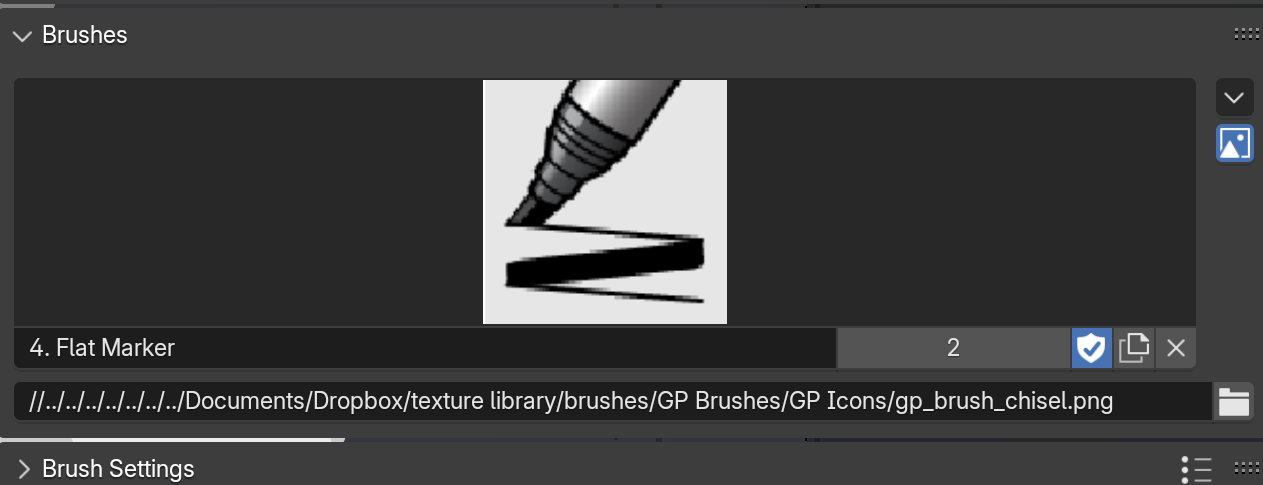
As you can see, it even changed the backslashes that Windows uses to forward slashes for me…
(It appears to look at absolute paths in your file, but it should be relative paths…something like that, I don’t know…)
August 9, 2024 at 6:04 am #87978when I do ‘make paths relative’ it sais total files 30, changed 0, failed 0. and still not found. But the thing is I do see an icon of the pencil_red in red, same for the HT50pc_Marker
well it’s probably not important. Thanks for looking into it Martin
August 9, 2024 at 6:14 am #87979Maybe you can try File > External Data > Find Missing Files?
August 9, 2024 at 7:14 am #87980At least it’s functional if it’s just the icons but the brushes work. In any case it would be great to have the icons. So yeah probably Paul will know when he wakes up tomorrow yesterday and sees this tomorrow now.
August 9, 2024 at 1:48 pm #87981Files such as HT90pc_Marker.png are not on my pc Martin.
August 9, 2024 at 2:11 pm #87982Hey Sheila, can’t help you…let’s wait for Paul…he is very wise…I get it just fine:
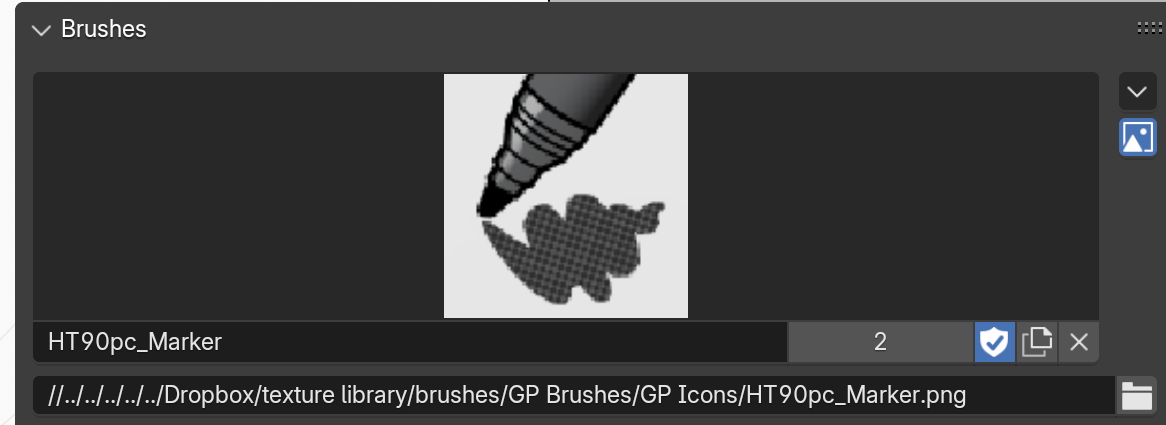 August 9, 2024 at 2:32 pm #87983
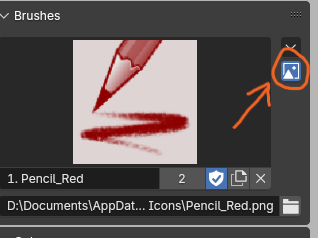
Heya Sheila! This can be a sneaky one and this may or may not be a solution. Make sure the teeny box to the right of the icon window, the one that looks like a mountain and a sun, enabled (blue).
 August 9, 2024 at 5:14 pm #87984
Hi Sheila! Brushes have been tricky with Grease Pencil. I’ll check the extras folder for the course files and if necessary, place the texture files and icons in there with notes on how to use them. In the mean time, here are the missing PNGs you can download, save and assign locally.


I am keeping an eye on Grease Pencil 3.0 as it develops. I am hoping its brush/icon system will be added to how sculpting brushes are stored.
August 10, 2024 at 4:29 am #87985 -
AuthorPosts


- The topic ‘missing pngs’ is closed to new replies.