
Mirrored linked objects flip in Edit mode vs Object mode
Forum Archive › Mirrored linked objects flip in Edit mode vs Object mode
- This topic has 9 replies, 4 voices, and was last updated 6 years, 10 months ago by
sheila5.
-
AuthorPosts
-
July 31, 2019 at 7:53 pm #10500
Confusing title, I know… I apologize in advance, as a Blender noob I may not have the right terminology but I have been following the Modeling, Texturing and Shading a Treasure Chest in Blender 2.8 course and I’m stuck on the Modeling Wood Details part, specifically where it comes to sharing object data with the wooden planks and applying the duplicate modifier to the linked objects.
I follow these steps in Object mode:
- I remove the backside planks
- select all 4 of the front planks
- ctrl+l and link object data.
- I then select the top plank, and add a mirror modifier on the Y axis and it properly mirrors to the back side of the chest after I use the ‘dropper’ to choose the rim.
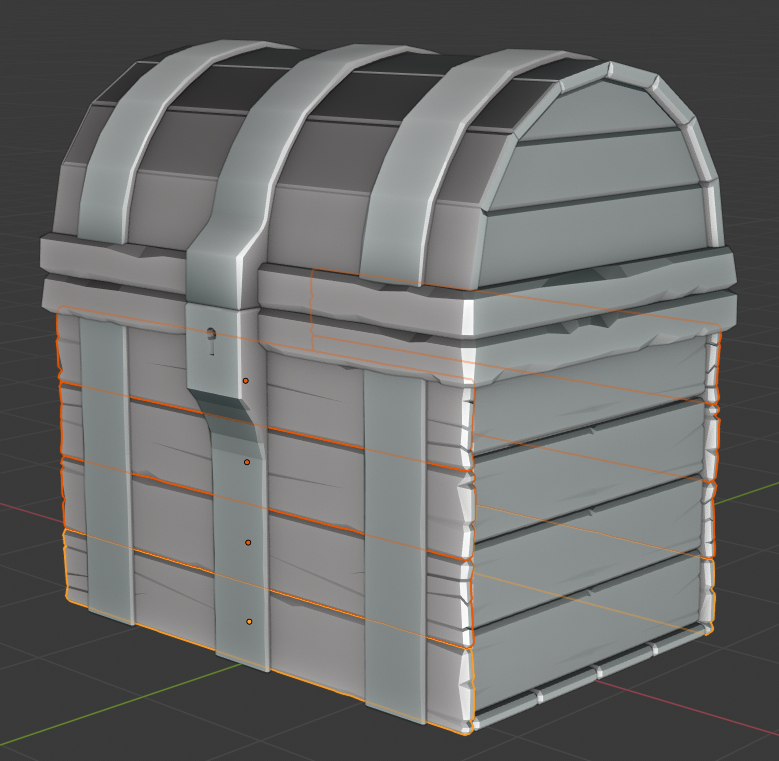
- I then hit ctrl+l to link the modifiers, and all planks appear on the backside (screenshot 1)
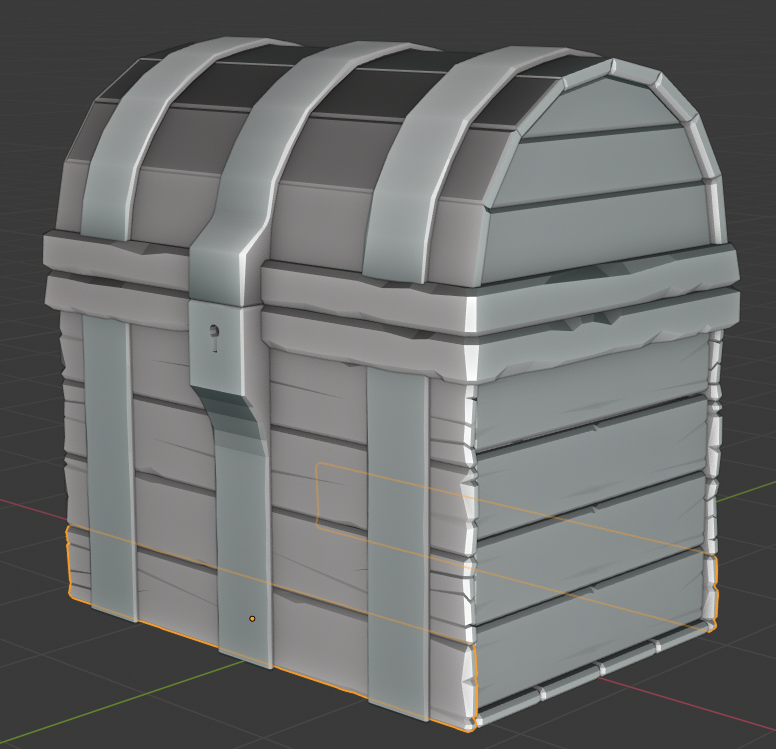
- I select the bottom plank (screenshot 2)
- I hit tab to enter Edit mode
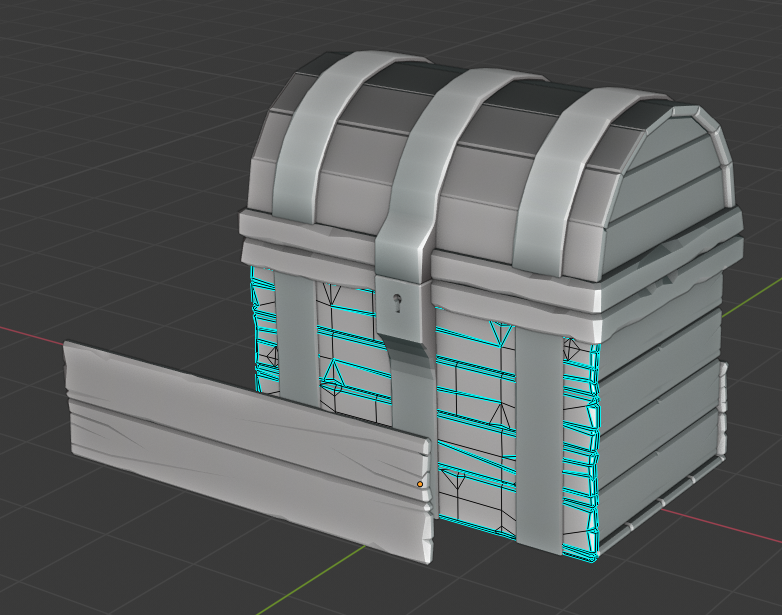
As you can see, for some reason while in Edit mode, the other 3 mirrored planks appear on the wrong side of the chest, but they appear in the correct place while in object mode. This is disconcerting (to say the least) as I am afraid to progress further suspecting I have done something horribly wrong.
I’ve tried restarting Blender several times (as well as restarted my machine, in case anything got whacky).
I’ve also tried unlinking all the planks and starting fresh, but to no avail. This phenomena only occurs after the mirror modifier has been applied.
Any help is appreciated. Thanks for your patience!
Screenshot 1
Screenshot 2
Screenshot 3 (weird nonsense)
 August 1, 2019 at 12:18 am #49273
Make all the planks on the front ‘Single User’. (Search, or Object > Relations > Make Single User > Object & Data). If you use the Search, you will also have to check Object Data on the little pop-up on the bottom left of the 3D Viewport.
Now apply the rotation of all those planks; select all the planks on the front and then press CTRL A > Apply Rotation.
Re-establish the links.
That should solve your problem. (Hopefully…)
August 1, 2019 at 9:24 am #49274Hey @spikeyxxx thanks for the reply! One mistake I was making was the Single User — I was doing a search for Unlink Connection (which obviously wasn’t working).
However, I’m still running into the same issue. I selected all the front planks and made them single user, selecting Object & Object Data. Selected the front planks and applied rotation, linked them (and they all reverted to the same rotation). I applied a mirror modifier to the linked planks and applied the modifier link.
Then as soon as I start rotating any of the front planks on the X or Z axis and go into edit mode, the same behavior crops up. Here are some screenshot showing the steps:
Unlinked (Single Users) and applying the rotation transform
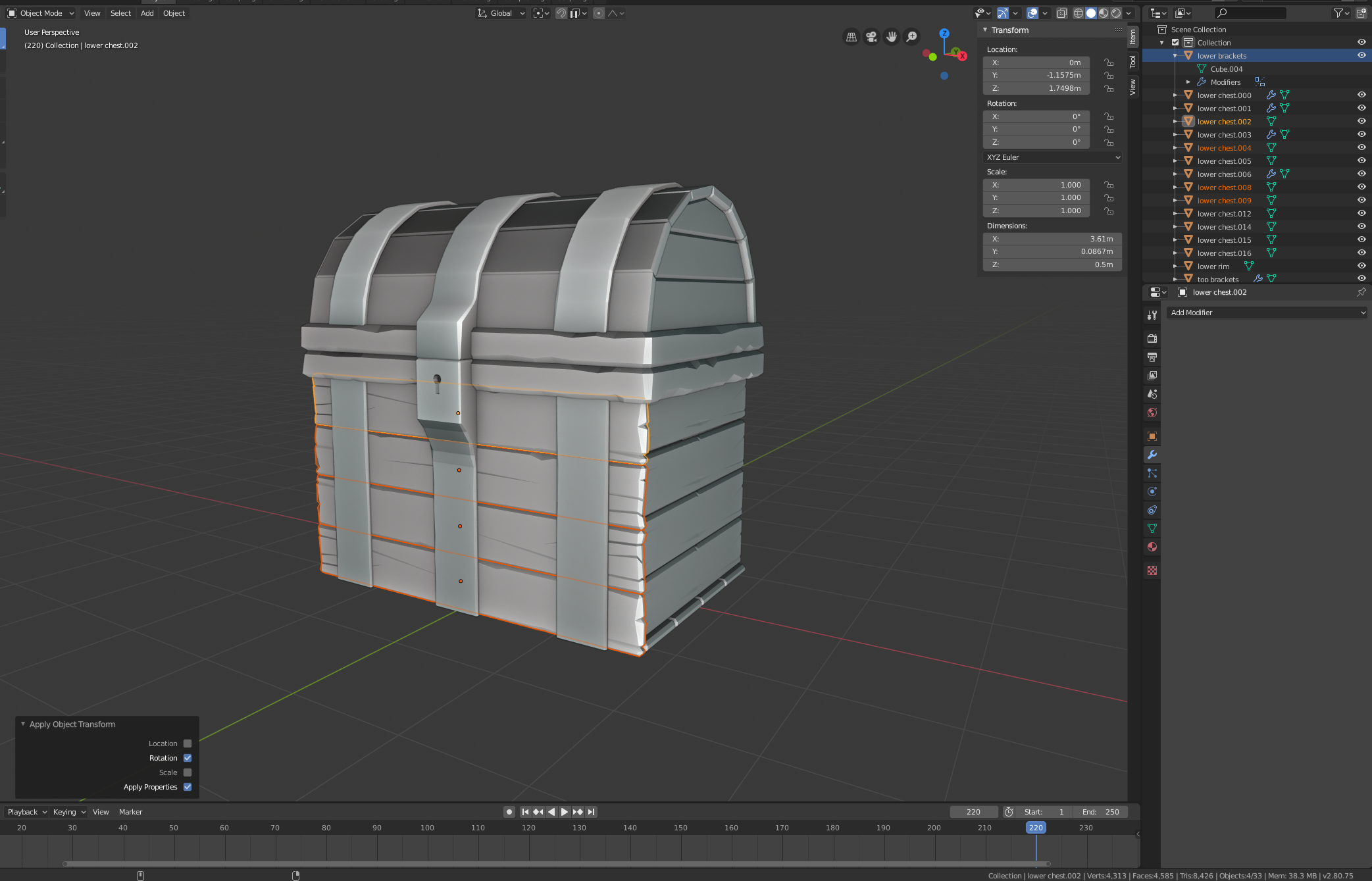
Linking Object data (rotations clear)
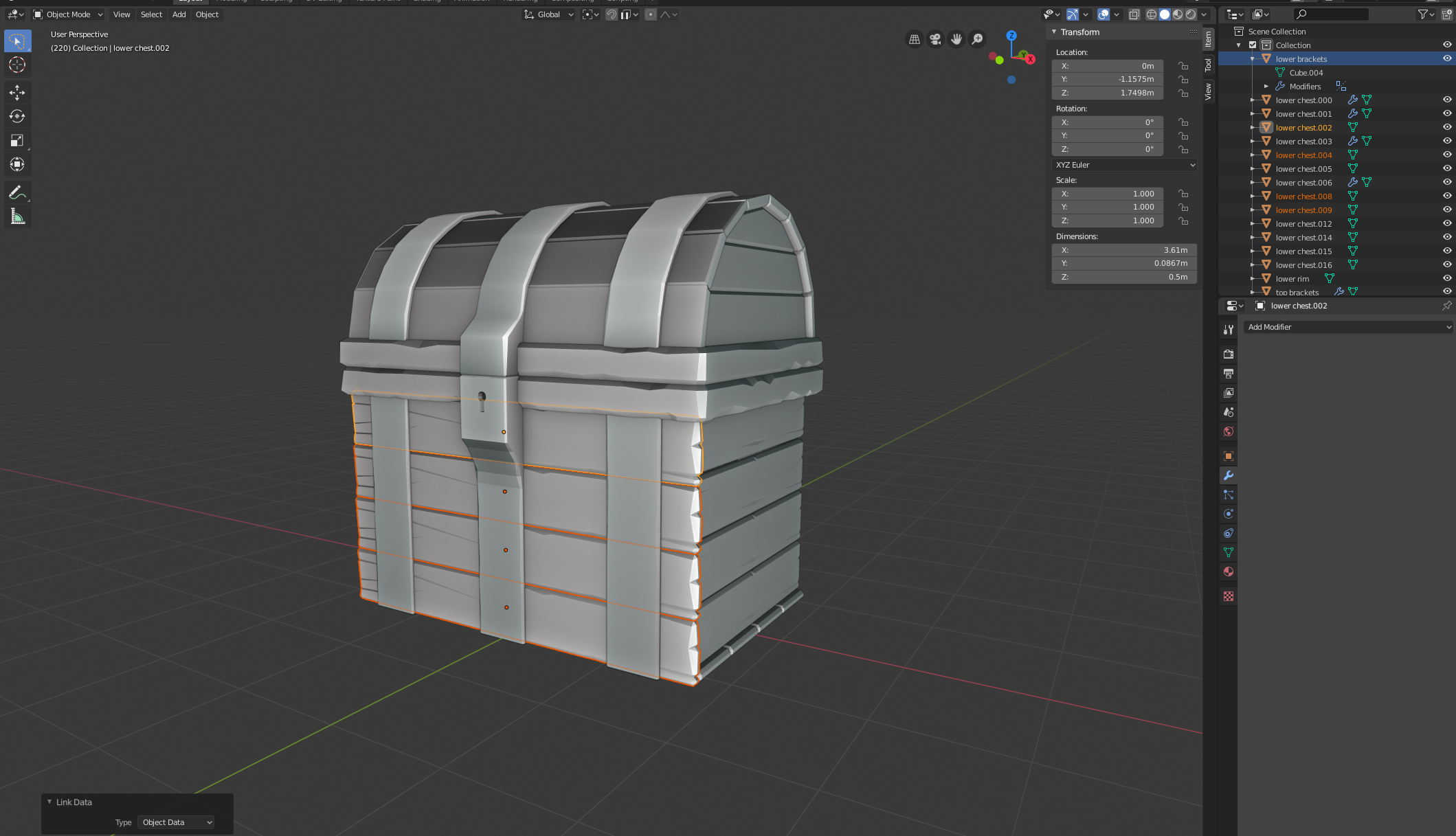
Linking Object Data and applying a mirror modifier to the top plank
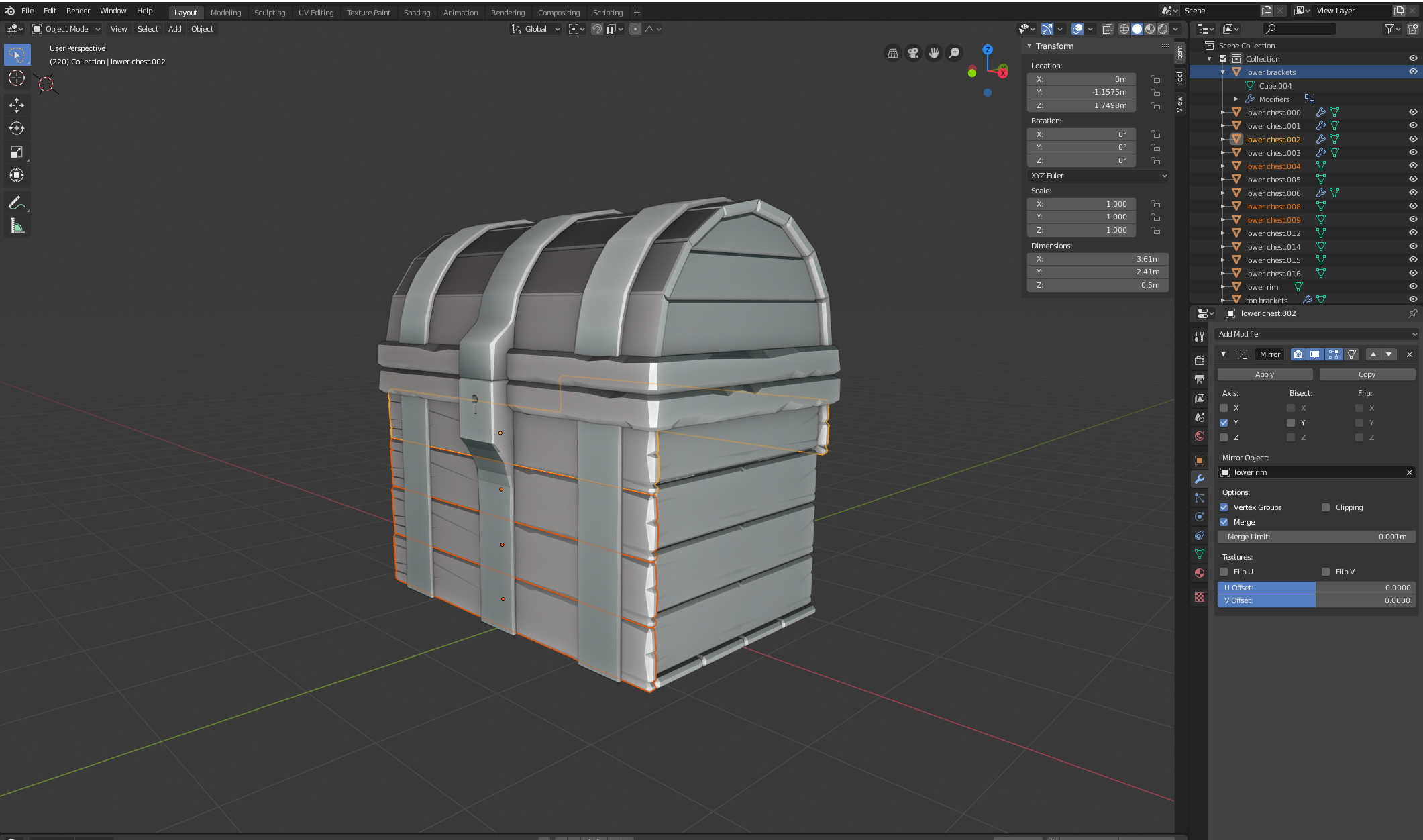
Applying Modifier Link
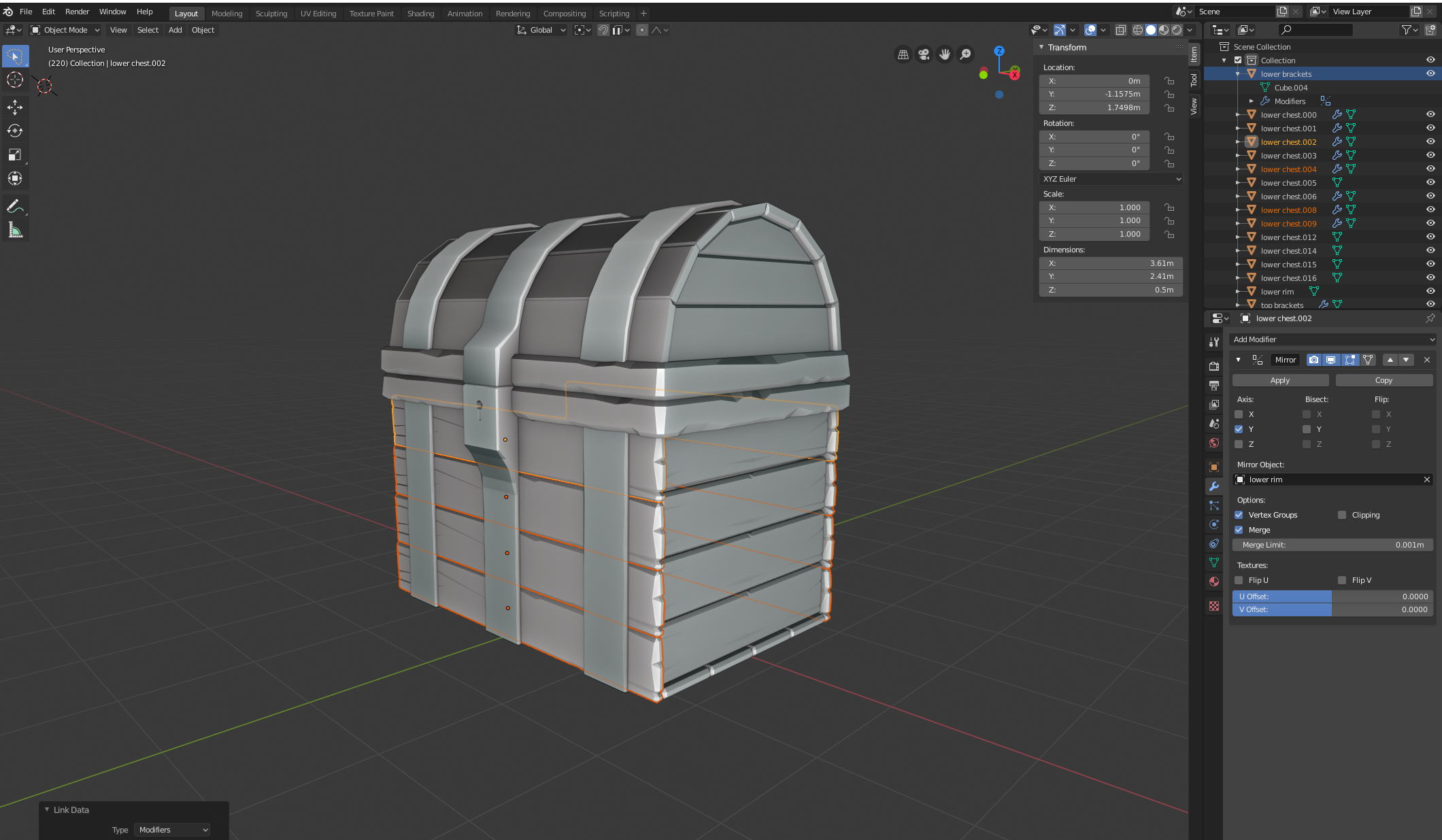
Rotating the bottom plank 180 degrees on the X axis
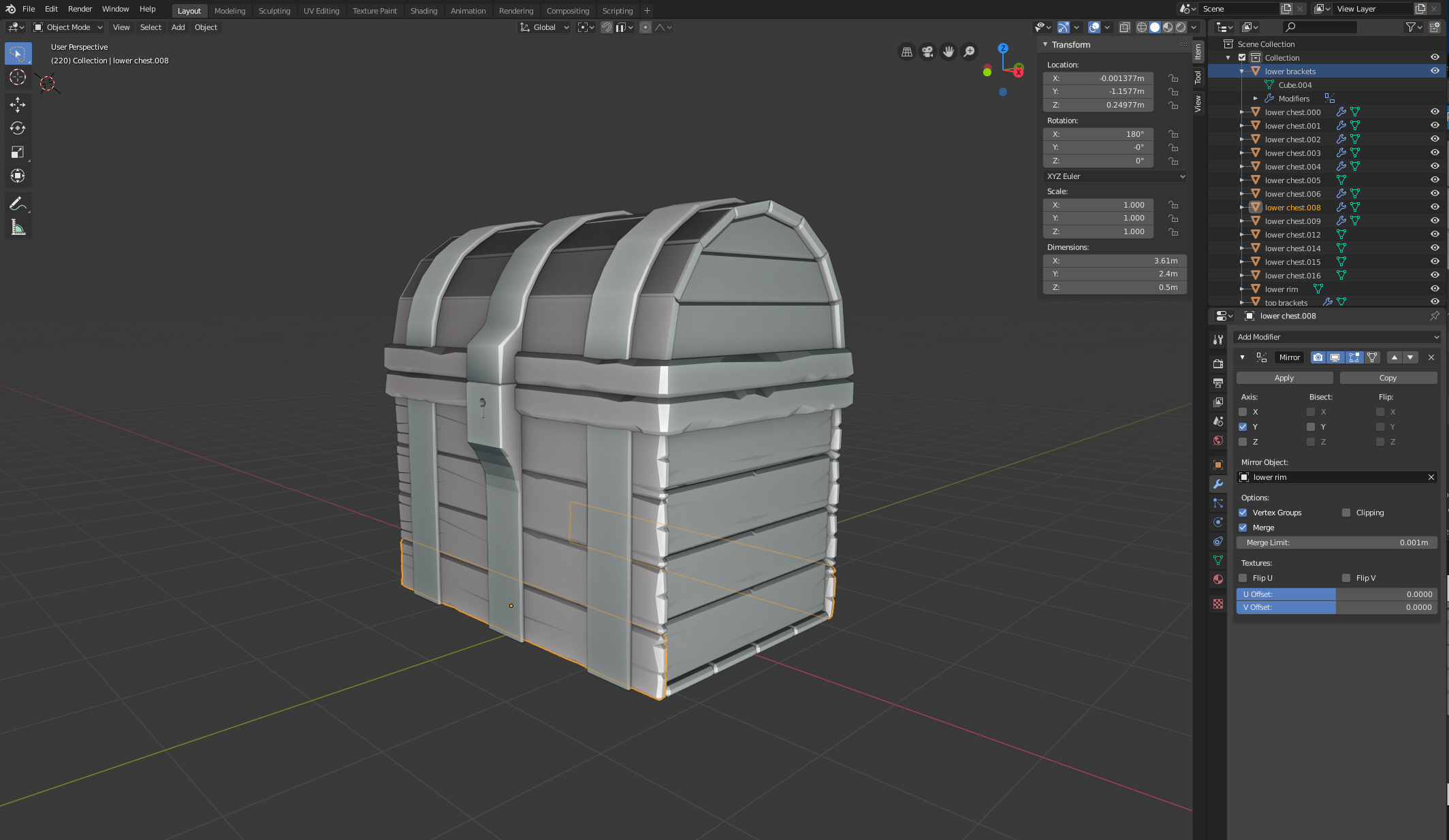
With the bottom plank still selected, pressing Tab to enter Edit mode
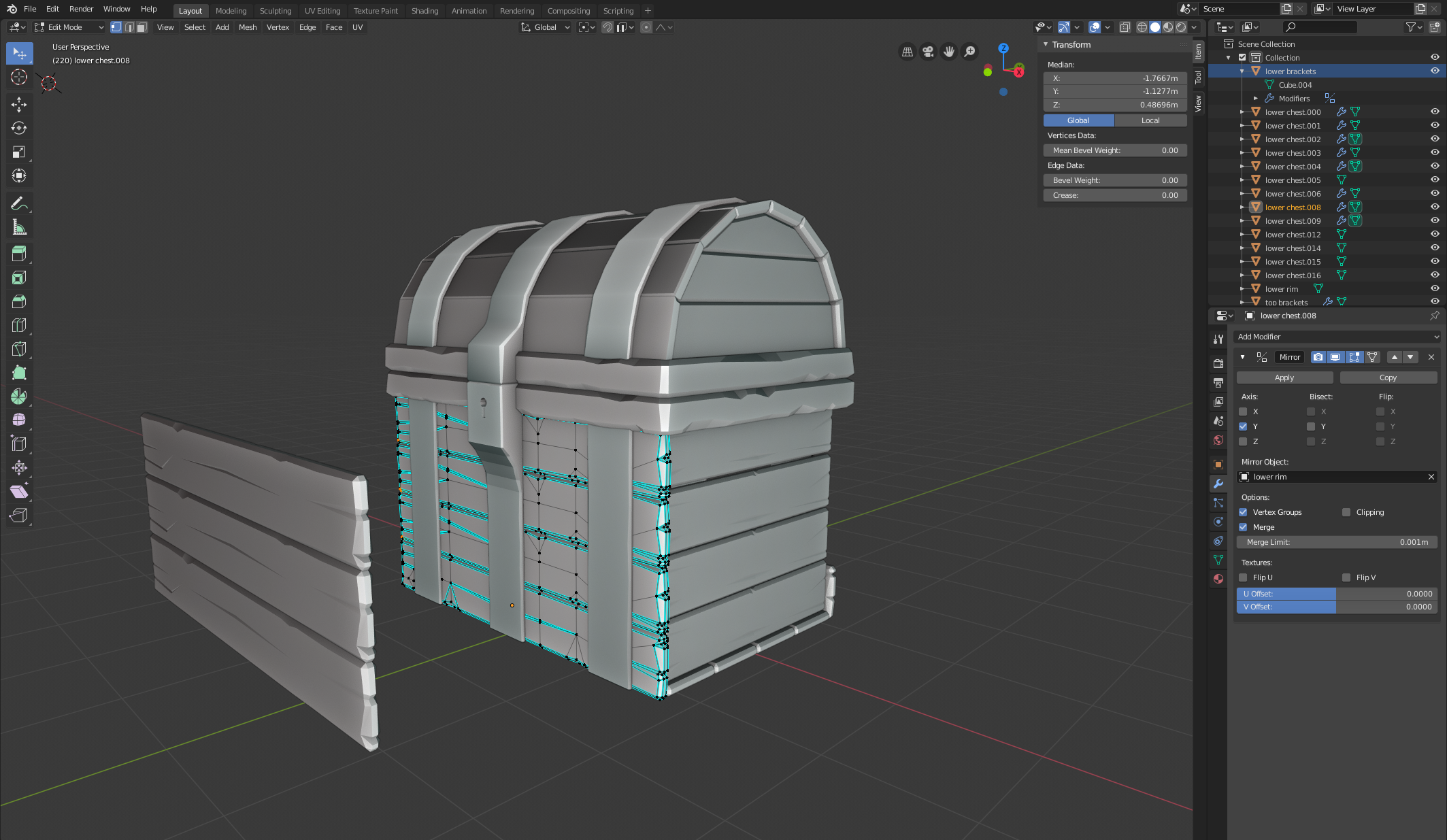 August 1, 2019 at 10:03 am #49275
@amazinglarry4tw Well, I get the same strange behaviour.
I must confess, that I never used Linking, because I was afraid of it;)
It could be that we shouldn’t worry about the Edit Mode strangeness?
Maybe we should summon the Master.
@theluthier Kent, what is going on here?
August 1, 2019 at 12:51 pm #49276@spikeyxxx Part of me is glad it’s not just me hahah… but I was hoping I was doing something wrong that was easily fixed. I wonder if it’s a weird Blender bug with 2.8? And yeah, hopefully it doesn’t matter in Edit mode, and I could continue without future repercussions… but I’m nervous about getting to a point where it’s not fixable when trying to unwrap UV’s or something else. Hopefully we can get some clarification of what’s going on here. Thanks again for your help!
August 1, 2019 at 1:00 pm #49277@amazinglarry4tw It actually could be a weird 2.80 bug.
I’ve tried this in 2.79 and it seemed to behave as expected.
Strange things…
August 2, 2019 at 6:11 am #49278@spikeyxxx Looks like it is – I submitted it to Blender and it looks like we got some confirmation. The case is here: https://developer.blender.org/T68097
Hopefully it’s resolved soon. Thanks again for taking the time to look into it!
August 2, 2019 at 6:16 am #49279@amazinglarry4tw Great, you think it’s you and it drives you crazy…and then it’s just a bug;)
September 26, 2019 at 5:10 am #49280It’s a relief to know I’m not the only one having this problem, I tried the your solution, but it clears the rotation and soon as you add the rotation back it starts that flipping in edit mode again, it seems to be a bug with mirror modifier and the ‘individual’ rotation of the linked objects. So the only way is to make all the objects single user then use a mirror modifier.
ps: Sometimes your work around works and sometimes it doesn’t, but thanks for keeping in the loop and letting me know.October 14, 2019 at 10:28 am #49281single user solved it for me, thanks
-
AuthorPosts


- The topic ‘Mirrored linked objects flip in Edit mode vs Object mode’ is closed to new replies.