Course Library
Learning Paths
Free Courses
Learn Blender 3D in the way that’s right for you.
Inner Circle
Where members share progress and help each other learn.
›
The Commons
A free Blender community open to artists of all skill levels.
Forum Archive › Mirror Rig
How do you create that mirror rig on 16:18
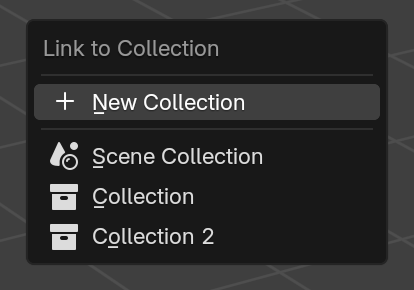
If with an object selected, instead of the usual M to move to a collection you press Shift + M you’ll get the linked menu for that, that way you can have one object existing in two collections at the same time:
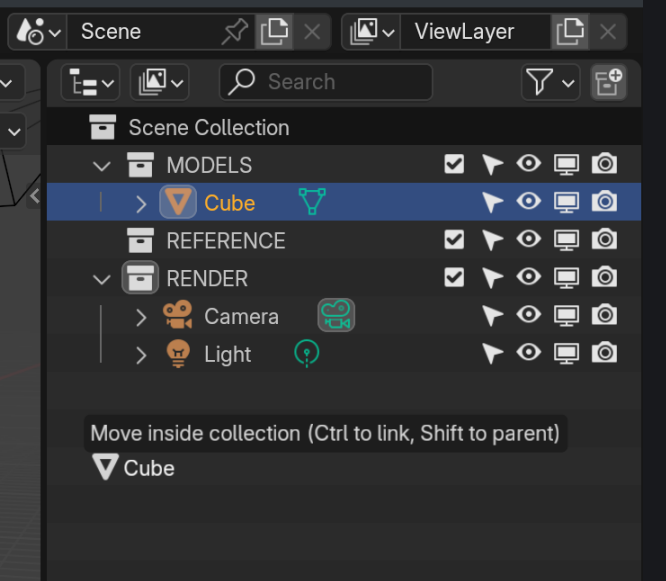
Or you can hold CTRL and Drag&Drop it while in the Outliner to make a Linked Copy.
Thanks, everyone. I know how to create collections, just my brain froze for some reason 🙂

.