Min and Max Unavailable in Mapping Node

Forum Archive Min and Max Unavailable in Mapping Node

Viewing 5 posts - 1 through 5 (of 5 total)
  • Author
    Posts
  • #11100
    anim8ball
    Participant

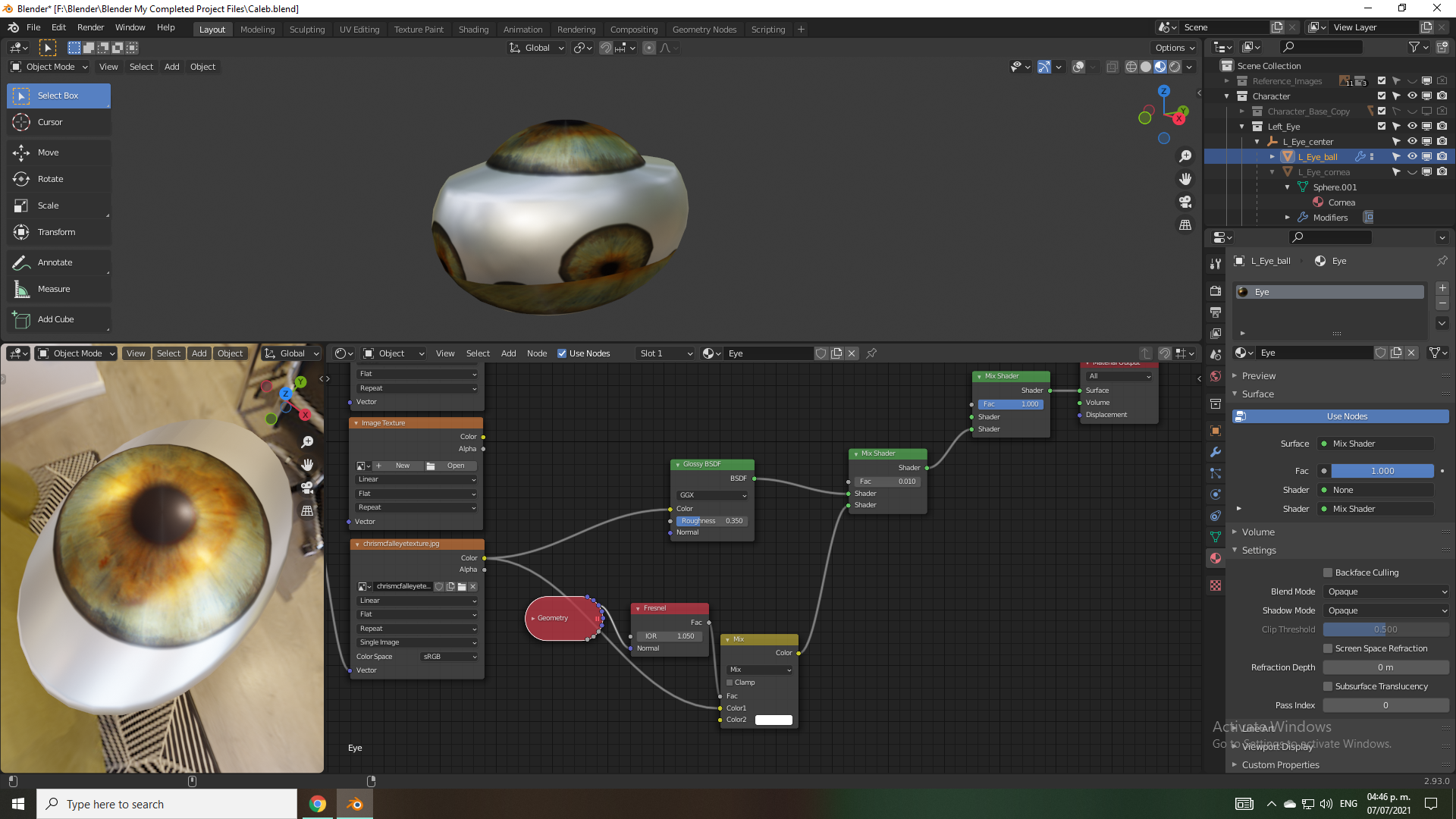
      Hi! I’m using Blender 2.81 for this tutorial, and when I got to the point where you got rid of the texture duplicates using the Mapping Node, I found that the Min and Max options were removed in 2.8. Is there another way around this so I can achieve the same result? Thanks!

      #52306
      spikeyxxx
      Participant

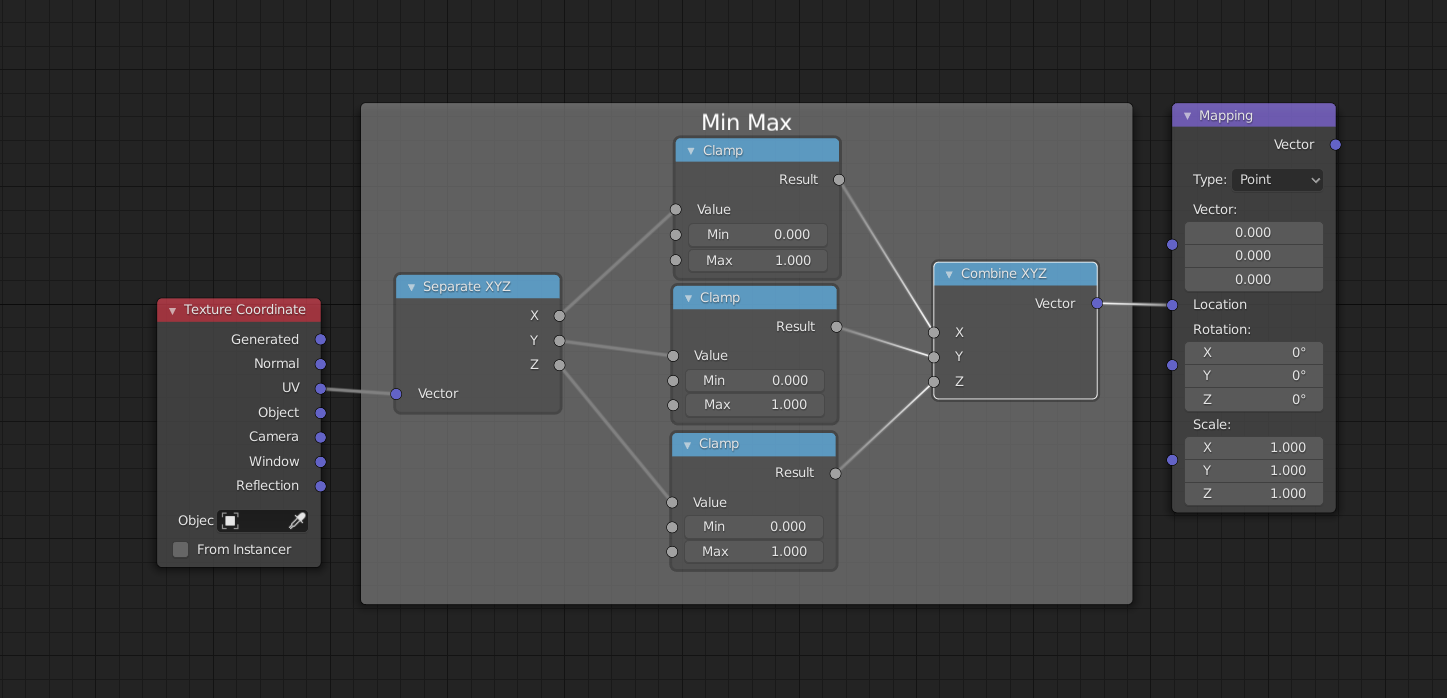
        Hi anim8ball, you could add a few nodes like this for instance:

        #52307
        David Soares
        Participant

          Thx, Spikeyxxx, very helpful.

          For the anisotropy i googled an option for anisotropy use  in Eevee rendering.

          Geometry to Tangent to colormix. But not sure what the benefits are of anisotropy in this eye shader.

          #52308
          spikeyxxx
          Participant

            @donsoarese I agree, that  anisotropy doesn’t make sense on an iris, but that’s the freedom you have as an artist.

            Just watched this part and he doesn’t explain why he uses it either; he just likes the effect 😉

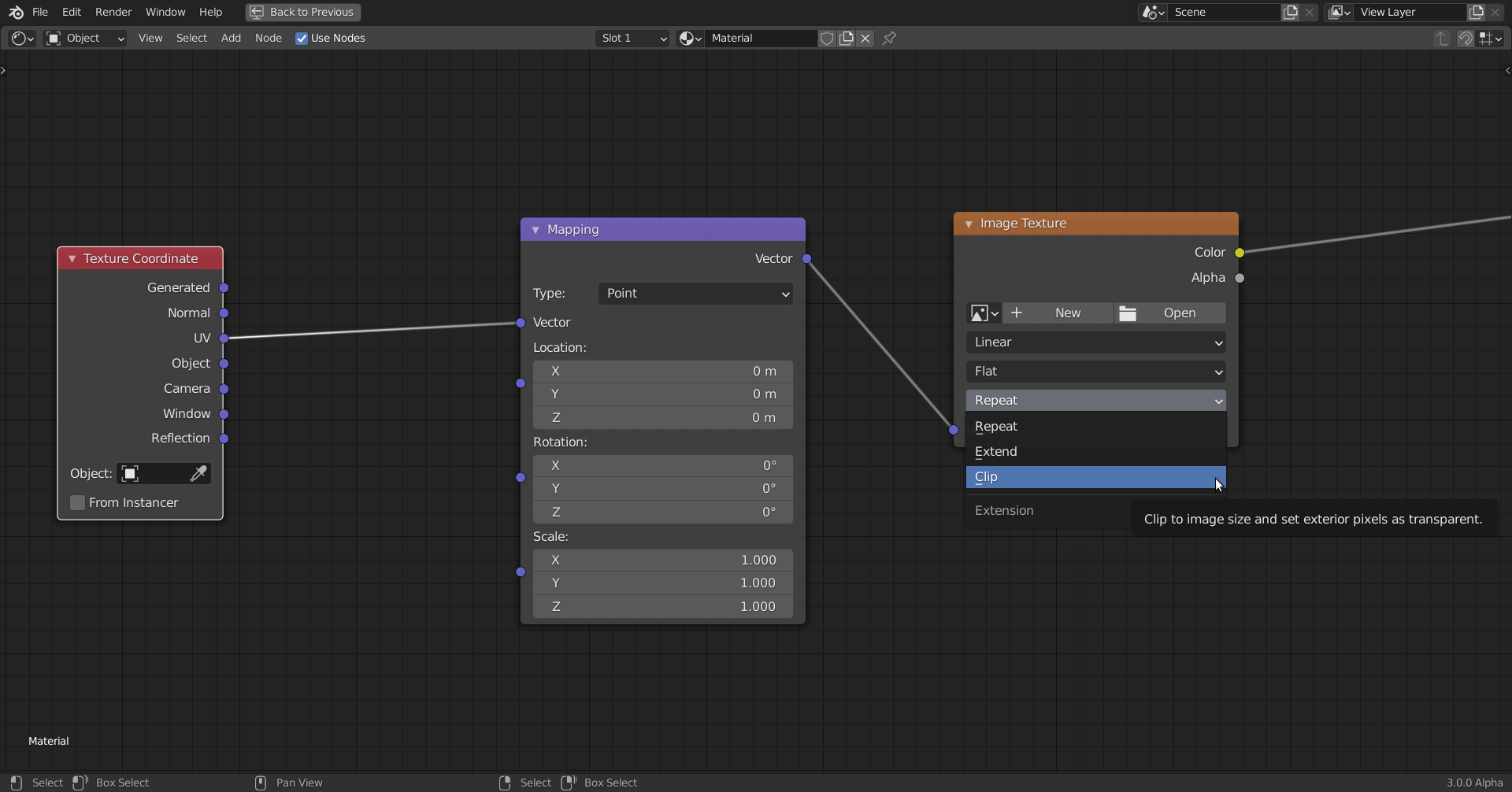
            But now I see why he used the Min and Max of the Mapping Node and the same thing can be done now in the Image Texture Node:

            This seems a bit easier than my first suggestiion, at least in cases like this. In general, when using other values for Min and Max, you’ll need to use the method with the Clamp Nodes…(there are other ways, but they get more complicated…)

            #52309
            David Soares
            Participant

              Ok, merci!!, i ll try this option.

            Viewing 5 posts - 1 through 5 (of 5 total)
            • The topic ‘Min and Max Unavailable in Mapping Node’ is closed to new replies.