Mesh Baking Issue

Forum Archive Mesh Baking Issue

Viewing 7 posts - 1 through 7 (of 7 total)
  • Author
    Posts
  • #18745
    Janus Burri
    Participant

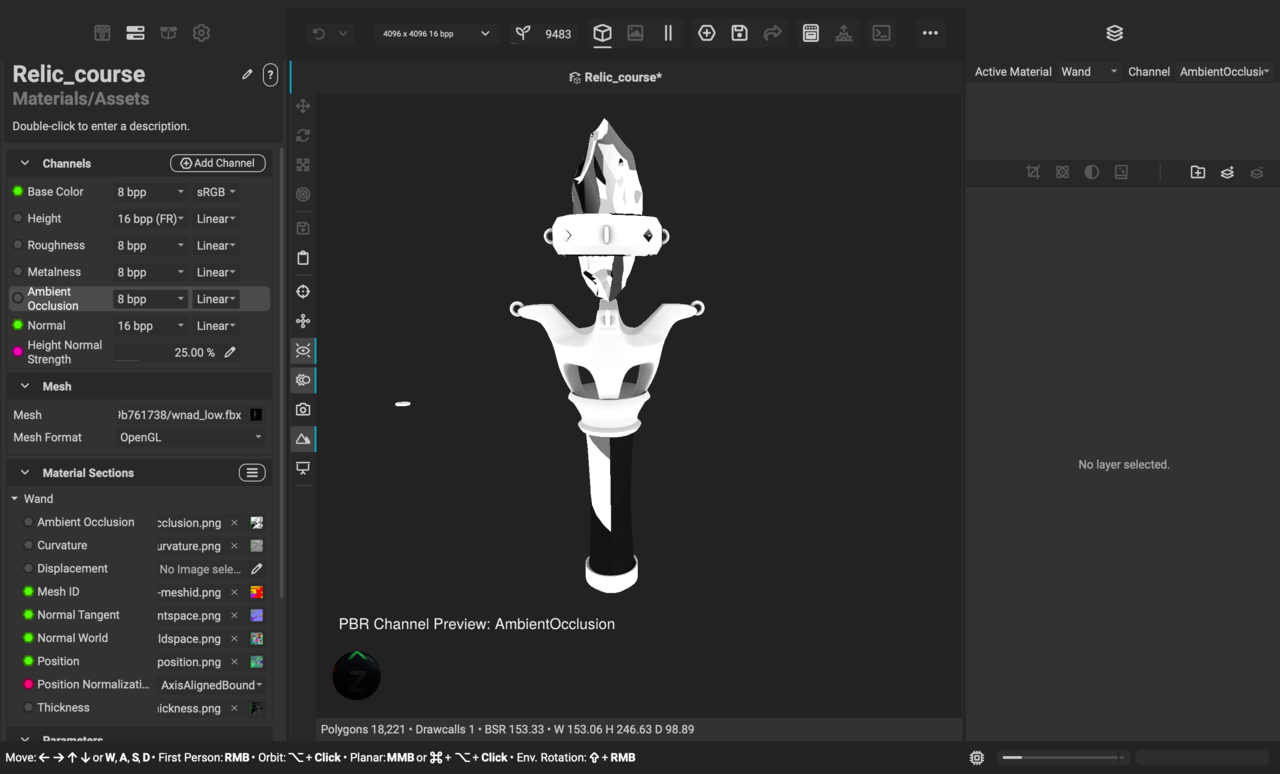
      So, I’ve spent hours trying to fix this by now, but have to admit I need support. 

      After mesh baking the high/low models in InstaMat, this is what ends up after baking. I’ve tried fixing scales, UV maps etc. I hope there is a smarter person out there that might point out what I’m missing here. Been following every step closely. 

      The crystal is not my biggest concern, but the handle. 

      #89416
      Janus Burri
      Participant

        -14 kl. 22.37.18.png

        #89417
        Omar Domenech
        Participant

          Baking is convoluted, so much can go wrong. Perhaps it’s better if you upload your blend file so we can take a look. Remember to pack your resources in the blend file if you need it and upload to Google Drive or Drop Box and post the link here. 

          #89418
          Adrian Bellworthy
          Participant

            Can you go back to Blender and share a screenshot of the UV’s with all the objects selected in edit mode.
            I’m confident that is where the issue lies, however it is hard to be precise without further investigation.
            It could be a number of things..
            Like incorrect object was selected when baking, incorrectly scaled object, etc..
            Anything you already tried will need to be re-baked and re-exported.

            #89419
            Janus Burri
            Participant
              #89420
              Adrian Bellworthy
              Participant

                Thanks!
                Currently troubleshooting on Discord.

                #89421
                Adrian Bellworthy
                Participant

                  Here is an outline of what I found and posted on Discord…

                  You mentioned checking scales, if you changed any, a re-unwrap and re-export is required to fix the issue when importing to InstaMat.

                  Check your Normals too.

                  The UV’s show no obvious error, however it looks like you have mixed up the mid poly backups and the low poly models.
                  Move the mid poly objects to the low poly collection and the corresponding objects to the mid poly backup collection.

                  Remember: After making changes in Blender you will need to re-unwrap and re-export before going back to InstaMat and re-importing.

                  let me know if this fixes your issues.

                Viewing 7 posts - 1 through 7 (of 7 total)
                • The topic ‘Mesh Baking Issue’ is closed to new replies.