
Melting Text Tutorial Liquid Domain Issue
Forum Archive › Melting Text Tutorial Liquid Domain Issue
- This topic has 15 replies, 3 voices, and was last updated 3 years, 3 months ago by
Aleksandra Talacha.
-
AuthorPosts
-
May 2, 2023 at 3:15 pm #16303
I’ve been trying to follow the tutorial with a melting text.
I’m quite a new user of Blender and I’m really struggling with an issue at 12:02 of the video.
After hitting ‘Bake All’ my fluid domain still remains as a solid shape instead of disappearing like in the video.
I’ve tried to recreate the whole file from scratch but the problem is there.
I’ve attached some screenshots of my scene and settings.
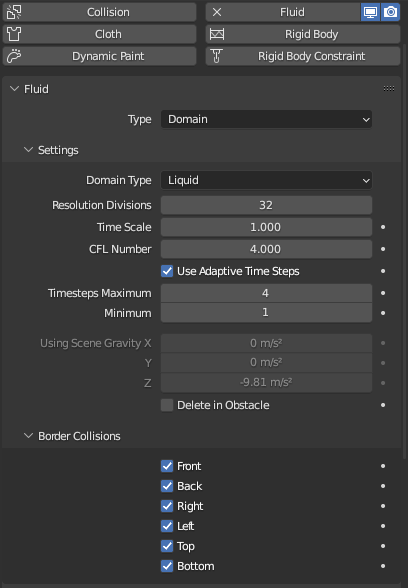
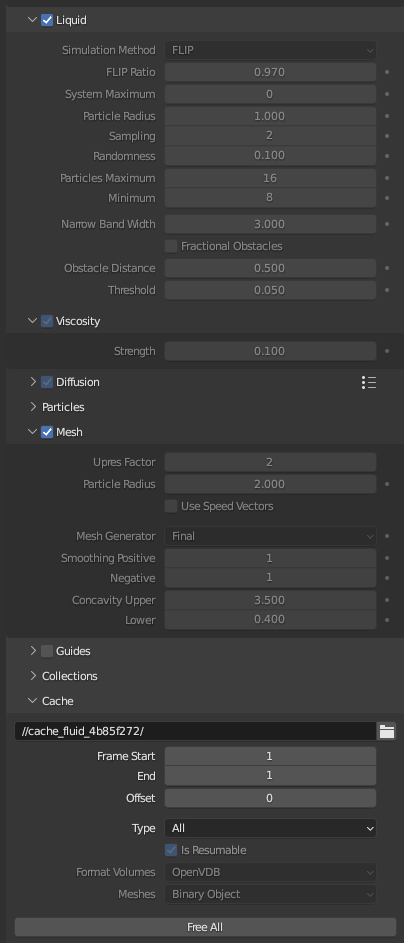
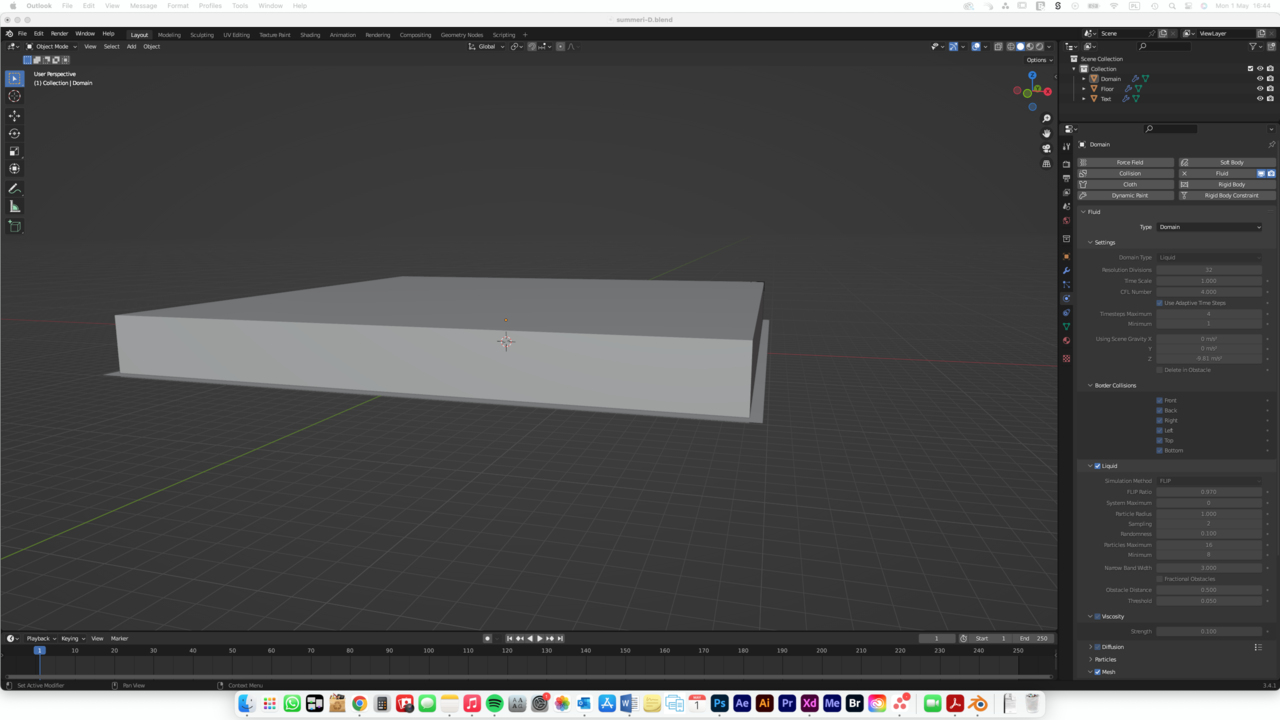
Are you able to help please?
I have no idea what I’ve done wrong.
Thanks so much for your help in advance.
Aleks
May 2, 2023 at 8:24 pm #78911I would try to free all, turn off the viscosity, then bake again see how it turns out
May 2, 2023 at 8:27 pm #78912and if it is too liquid just rebake with viscosity values lower then 0.1
May 3, 2023 at 1:02 am #78913Hi Aleksandra @Aleks T ,
I can’t see anything wrong with your Settings from your screenshots…
Could you upload your .blend file (to dropbox, Googledrive, or any filesharing service you like) and post a link here?
May 3, 2023 at 2:20 am #78914Thanks for a very quick reply! I tried the viscosity and no change. Here is the link to the .blend file: https://we.tl/t-j8q36k1ZU9 Thanks!
May 3, 2023 at 2:36 am #78915Hi, thanks for the file Aleksandra,
It’s a classical problem, you didn’t Apply the Scale of your Domain.
Free the Bake, CTRL+A > Apply > Scale, Bake again.
For good measures, I’d Apply the Scale of the Text Object as well, although I don’t think that makes much difference here.
May 3, 2023 at 2:55 am #78916Omg that’s perfect! Thank you so much, this helped with the issue. Do I need to apply the scale to all the elements (domain, floor, text) every time I build a scene? What does it do?
May 3, 2023 at 3:35 am #78917It is good practice to (almost) always Apply the Scale (the only exceptions I can think of, is when you are using a Texture with Object Coordinates, then you need to be aware of what you are doing…,or if you have linked Objects that you want to have different sizes (Scale))
In this case, the Domain is the only one that is really important. When Baking, the Domain takes the shape of the Text Mesh, but because the Domain was Scaled, that fluid is being scaled up by the same amount, making it so huge that it filled the whole Cube that has become the Domain borders, so it looks like nothing happened….
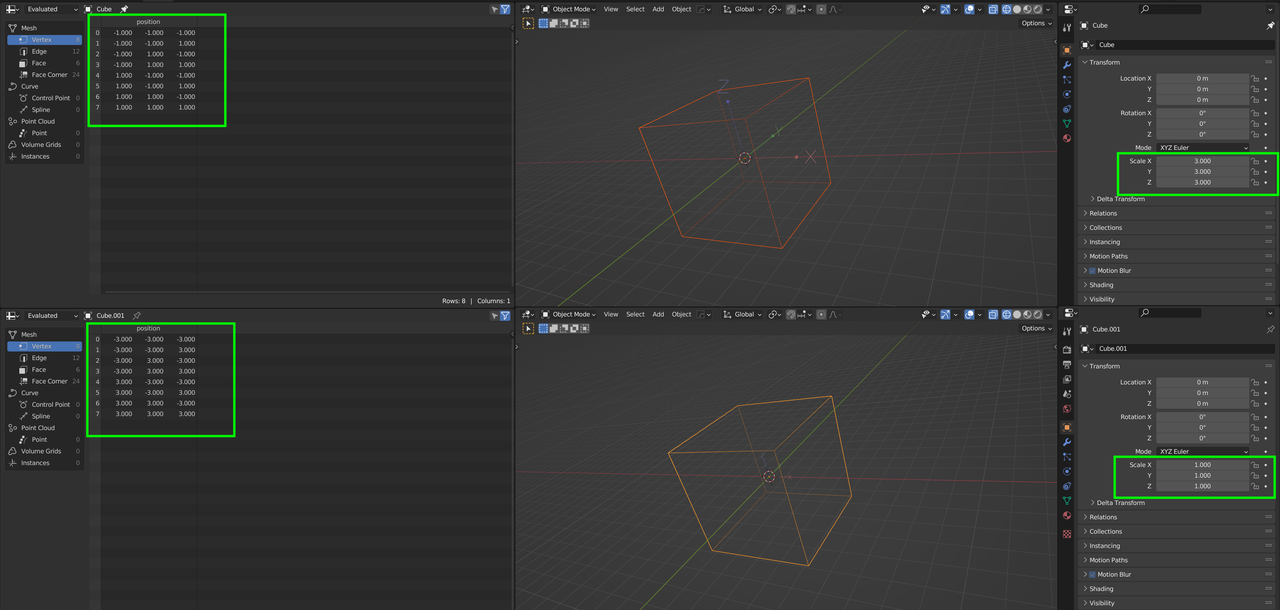
Each Object has its own Coordinate System and Scaling something in Object Mode, scales that Coordinate System. Scaling in Edit Mode, changes the position (coordinates) of the Vertices in that Coordinate System. Applying the Scale, after having Scaled in Object Mode, has the same effect as Scaling in Edit Mode; the Object’s Coordinate System is being reset and the Vertices’ coordinates are being changed, so that the Mesh looks the same after Applying the Scale, as before Applying the Scale.
It’s not easy to explain this in text, but I hope you get a ‘feeling’ for what is happening. No need to understand it completely (yet).
May 3, 2023 at 3:52 am #78918In an image, two Cubes that are visually the same; pay attention to their respective Coordinate Systems that are drawn in:
 May 6, 2023 at 10:36 am #78919
Thank you so much for your advice and all the explanation! That was extremely helpful.
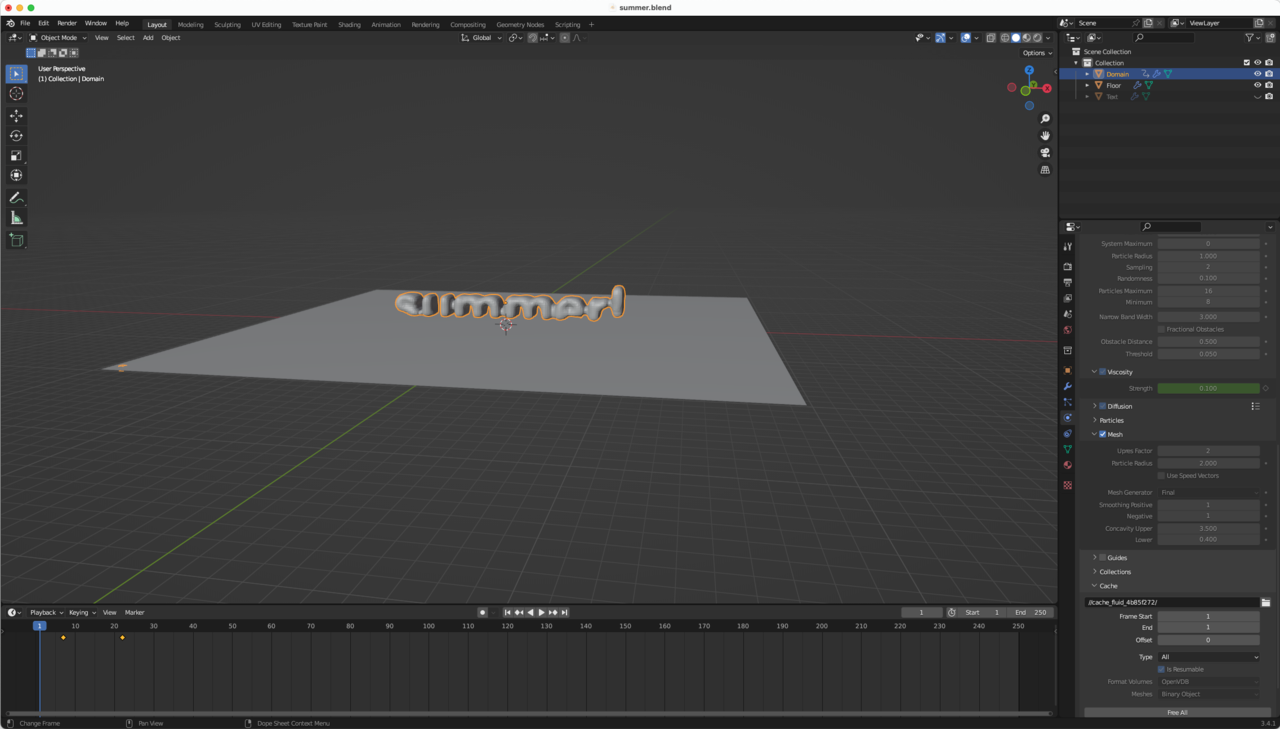
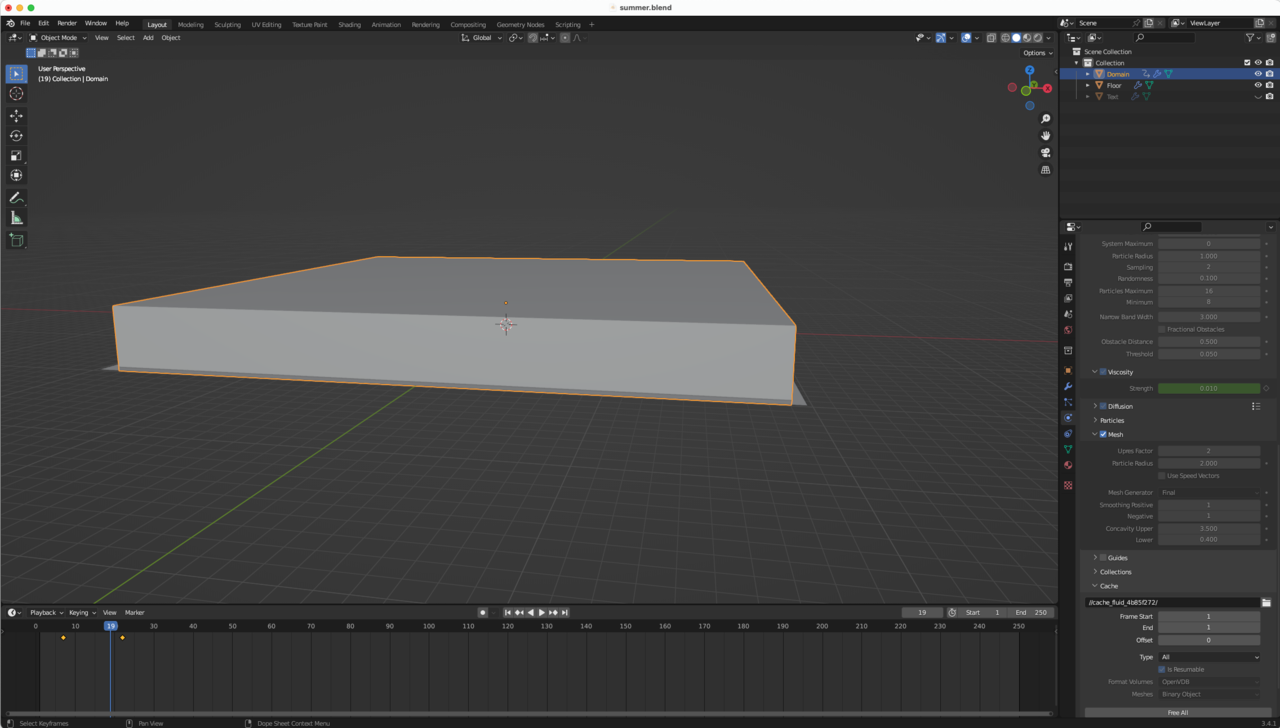
May 6, 2023 at 11:58 am #78920Oh no, I have another issue with the melting animation now.
When I keyframed viscosity the domain doesn’t disappear.
I applied the scale and baked all, I don’t have any other ideas what to do.
The action is being explained at 14:51 of same tutorial:
Maybe you have an idea what’s wrong?
Screens attached and file https://we.tl/t-U00icTlfu8 here.
 May 6, 2023 at 12:16 pm #78921
Hi Aleksandra,
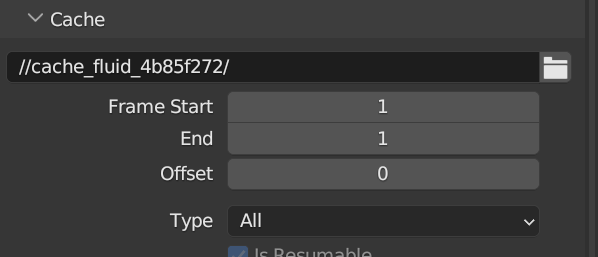
It’s probably because you are only baking Frame 1 of the Simulation:
 May 6, 2023 at 3:01 pm #78922
Thank you again, that worked!
May 8, 2023 at 12:49 pm #78923My last question (hopefully) is about rendering.
After going to Render/Render Animation, the pngs that I’m getting show the liquid on the solid 3D text layer.
I’m not sure why is it visible there, since I can’t see it in my project scene.
Are you able to help again?
Is there any good settings/tips for rendering in general that you could share?

Thank you so much!
May 8, 2023 at 1:54 pm #78924Hi Aleksandra,
That’s another ‘classic’:
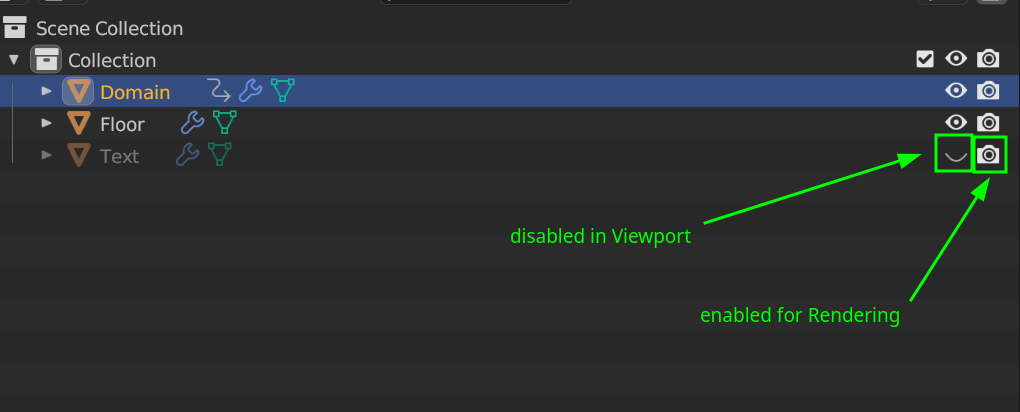
you have the text ‘hidden’ in the 3D Viewport, but it still is being rendered:
The other question about render settings is more difficult to answer; it really depends a lot on your scene and also on your hardware.
-
AuthorPosts


- The topic ‘Melting Text Tutorial Liquid Domain Issue’ is closed to new replies.