Material Alpha Rendering Question

Forum Archive Material Alpha Rendering Question

Viewing 12 posts - 1 through 12 (of 12 total)
  • Author
    Posts
  • #17776
    Austin Dunham
    Participant

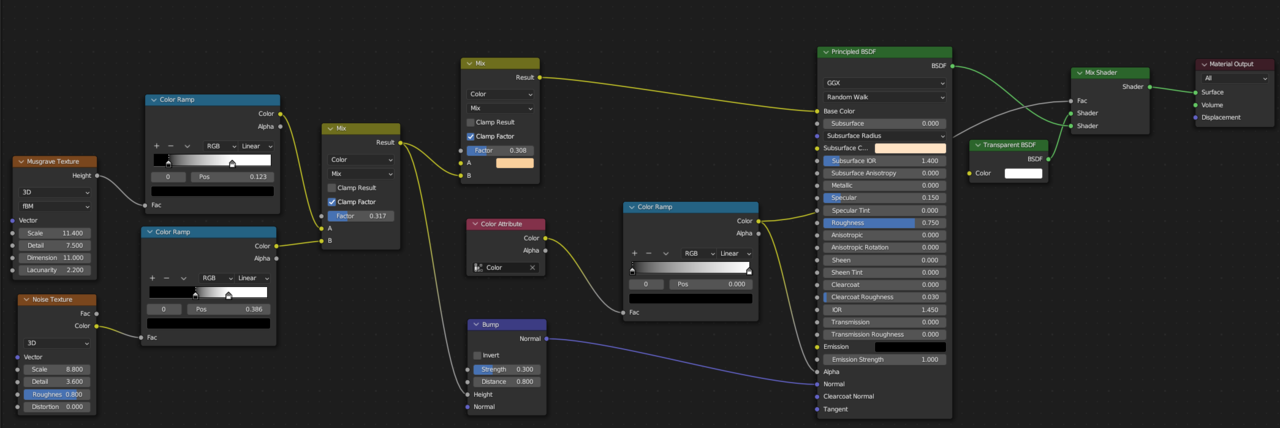
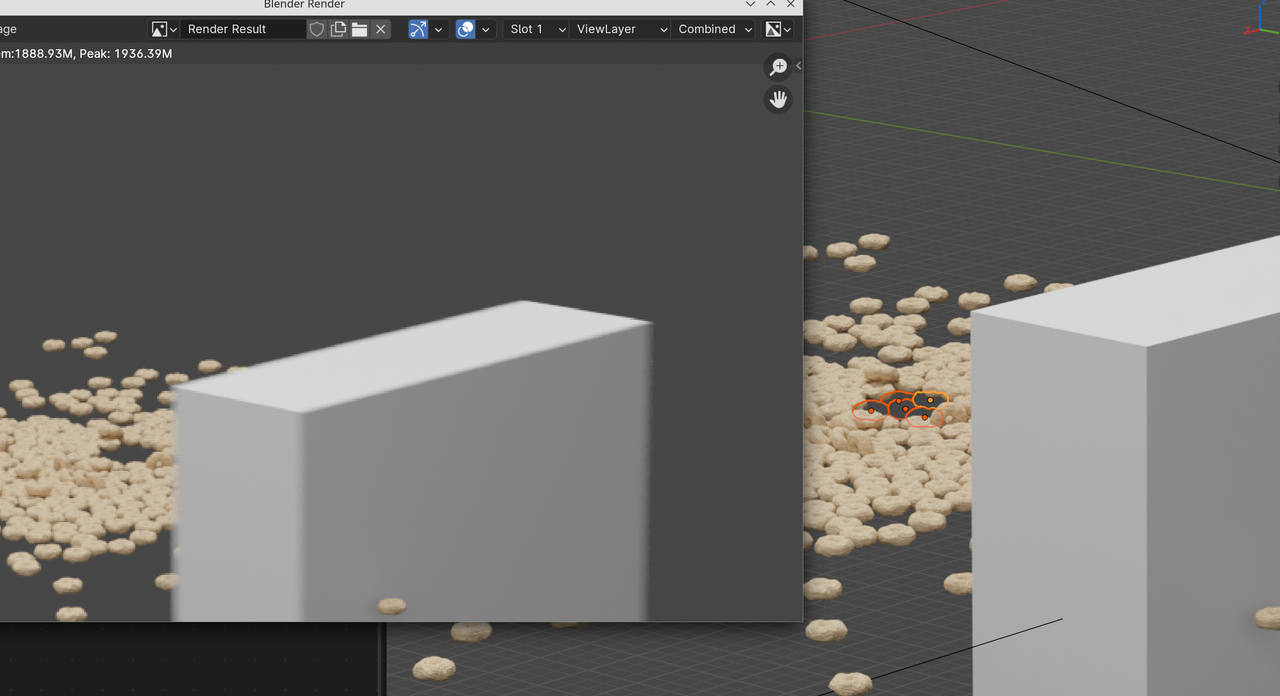
      I have a material I’m using that’s supposed to have an alpha layer on it that’s triggered by a vertex color, allowing the object to disappear.

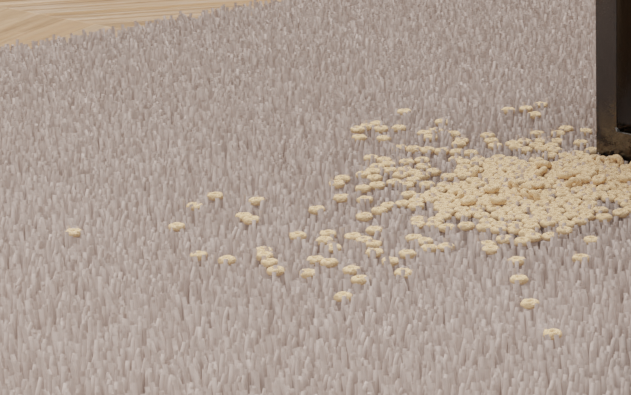
      It works in material preview, or Eevee and/or Cycles render preview, but not when rendering.

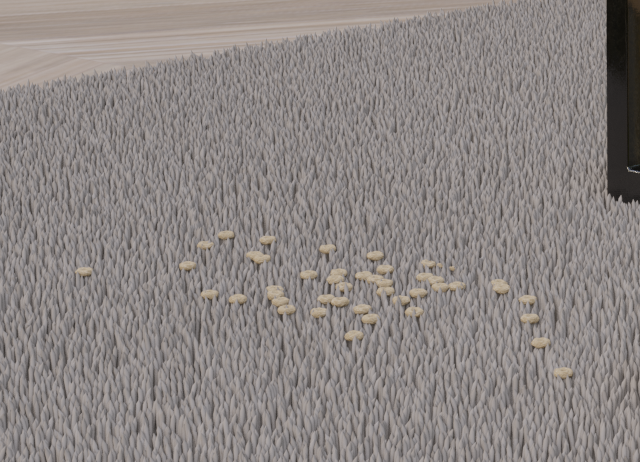
      The first shot with less Cheerios is what it’s supposed to look like.

      I added the transparency and mix shader, but those didn’t help. Just taking the BSDF all by itself into the output works the same.

      Working:

      024-04-07 210256.png

      Render NOT working:

      024-04-07 210241.png

      The Material:

      024-04-07 210824.png

      Thanks!

      #85311
      Martin Bergwerf
      Participant

        Hi @wardred ,

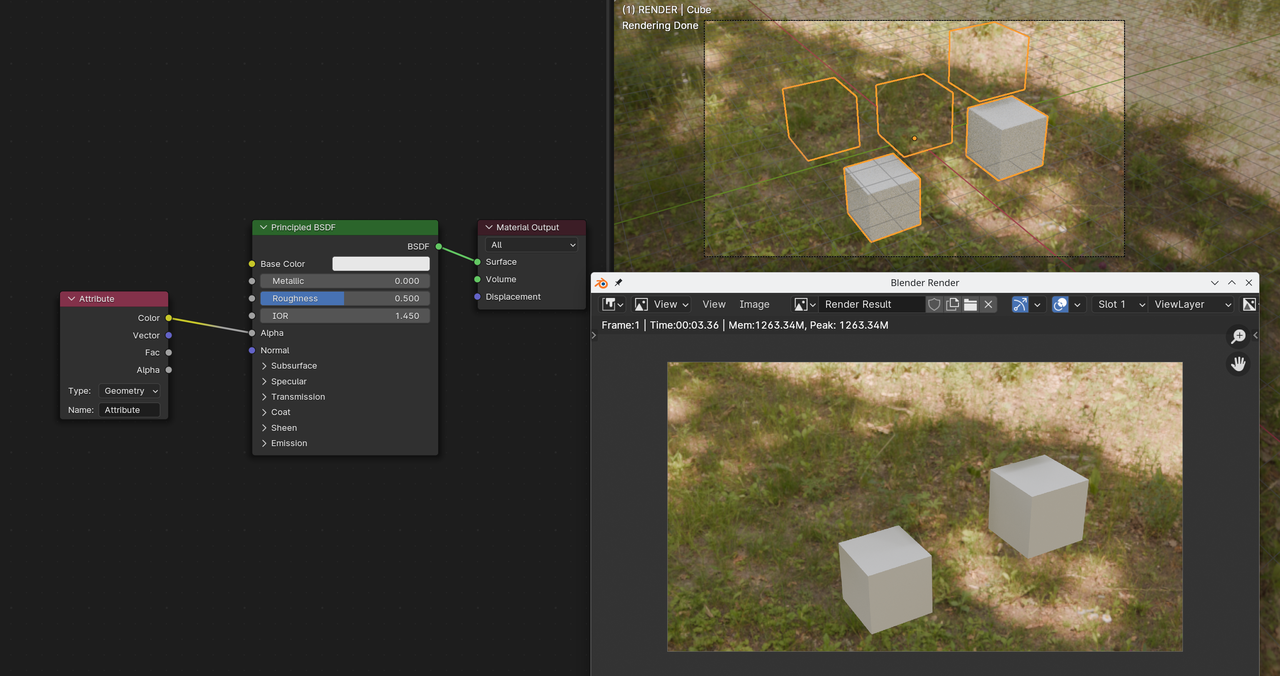
        I can’t see from the screenshots, why that wouldn’t work. A small test seems to confirm that this should work as intended:

        Alpha_01.png

        If you are willing to post a link to your .blend, we can see if we can find the cause of this…

        #85312
        Adrian Bellworthy
        Participant

          Looking at the images I agree with Spikey, I don’t see why this is not working as intended.

          #85313
          Omar Domenech
          Participant

            Perhaps it’s the good old something in the Outliner that is turned off from view but not on render time or vice versa?

            #85314
            Austin Dunham
            Participant

              Thank you Martin, Adrian, Omar for looking.

              I’ll have to see what I can do about providing the file. . . unfortunately I cannot provide the original.  It has the client’s product in it, as well as the house I’ve purchased and linked in, but cannot share.

              I should be able to provide something close that has the Cheerios, and the “Cheerio destructor”.

              #85315
              Omar Domenech
              Participant

                You can delete everything that you shouldn’t share and everything that is of no consequence and just leave the important and troubling parts and then share the file.

                #85316
                Austin Dunham
                Participant

                  We’ll try this again.

                  CGCookie has been eating my replies.

                  Here is the link.

                  You’ll have to select all the cheerios objects, “delete all bakes”, and probably grab them, start to move them but press ESC before the move is complete, then bake everything again.

                  In the physics tab.

                  That gets the vertex paints right.

                  In material preview or render preview I get what I expect.

                  The render view has all the Cheerios.

                  Edit: Hey, the post worked!

                  I just want to say thanks again for everyone looking at it!

                  Edit 2: I’m really going to miss having my own static I.P. when I move.

                  I don’t know if it makes a difference, but this was done in Blender 3.6.

                  #85317
                  Martin Bergwerf
                  Participant

                    Hi Austin,

                    I couldn’t open your file in 3.6 (at least, there were too many broken Library Links and the scene ended up being empty), but it did open in 4.1 (still some broken Links, but now there were Cheerios (and more…)!

                    So…the problem is, that you have different Subsurf Levels for Viewport and Render 🤯

                    I remember Kent talking about this at one point; something like the Vertex Paint using the Viewport Level…can’t remember exactly. But setting the Render Level to 1 fixed it. So then I tried setting both Levels to 2 and hurray!

                    Here I have fixed it for a few Cheerios, changing the Viewport Level to 2 and Deleted Bakes, just to show that it works:

                    Cheerios_01.png

                    #85318
                    Omar Domenech
                    Participant

                      Nice Sherlockian work Martin, it’s one of those very specific situations where one would never imagine it to be so.

                      #85319
                      Austin Dunham
                      Participant

                        Martin,

                           That’s amazing, thank you!  I don’t know if I would’ve tracked that down.

                        #85320
                        Adrian Bellworthy
                        Participant

                          It’s definitely not something that you would expect to have any relevance.
                          Good job Spikey.

                          #85321
                          Austin Dunham
                          Participant

                            I just wanted to let everybody know that that was definitely it.

                            My systems have been busy rendering out this project, and I didn’t get a chance to test this out right away, but when I did do it, that resolved the problem.

                            Thanks Spikey!

                          Viewing 12 posts - 1 through 12 (of 12 total)
                          • The topic ‘Material Alpha Rendering Question’ is closed to new replies.