Continuing working on my little robot personal project.
I wanted to use texture painting to make the can label look less pristine than the initial one I created is and I currently have the label material set up to use the image and then reposition it rotationally using a mapping node, so the image is lined up the way I want it to be. This looks exactly right in layout mode, in UV editing mode, and in the shader editor.
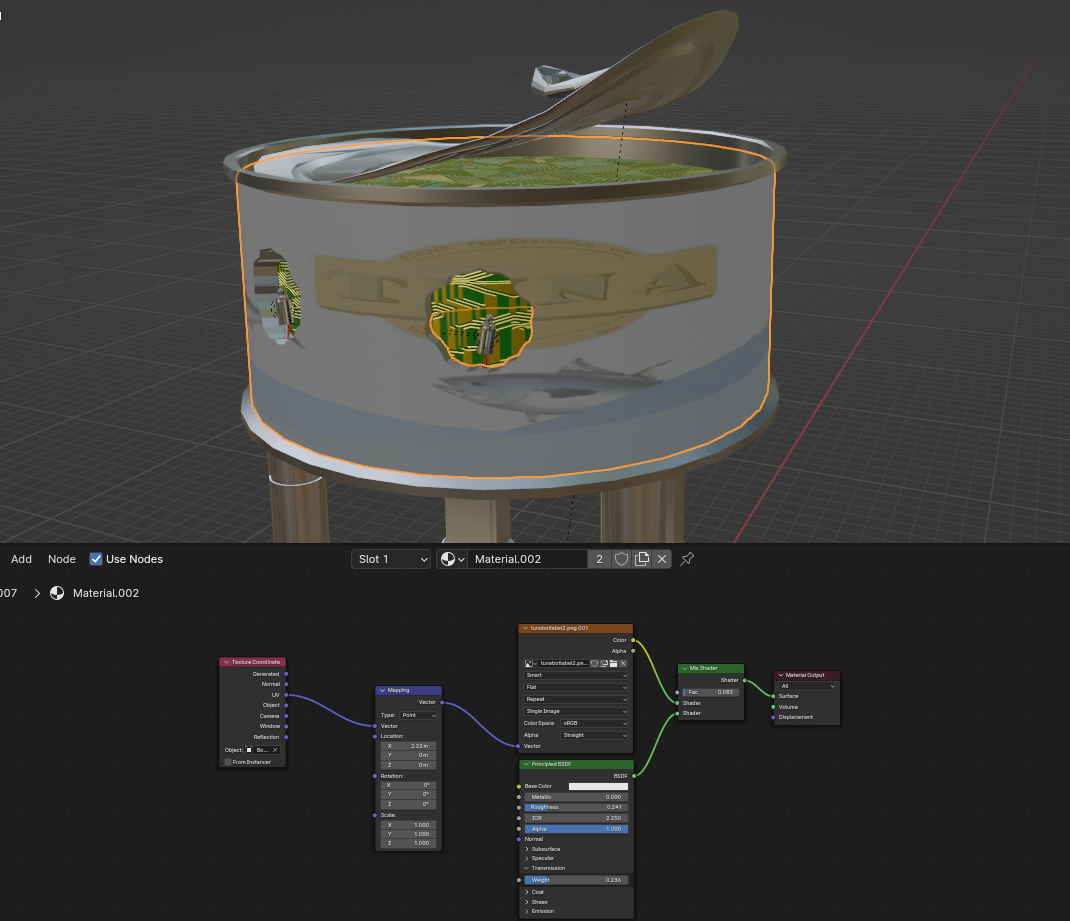
But when I switch over to texture painting mode to paint on it, it’s not facing the right way?
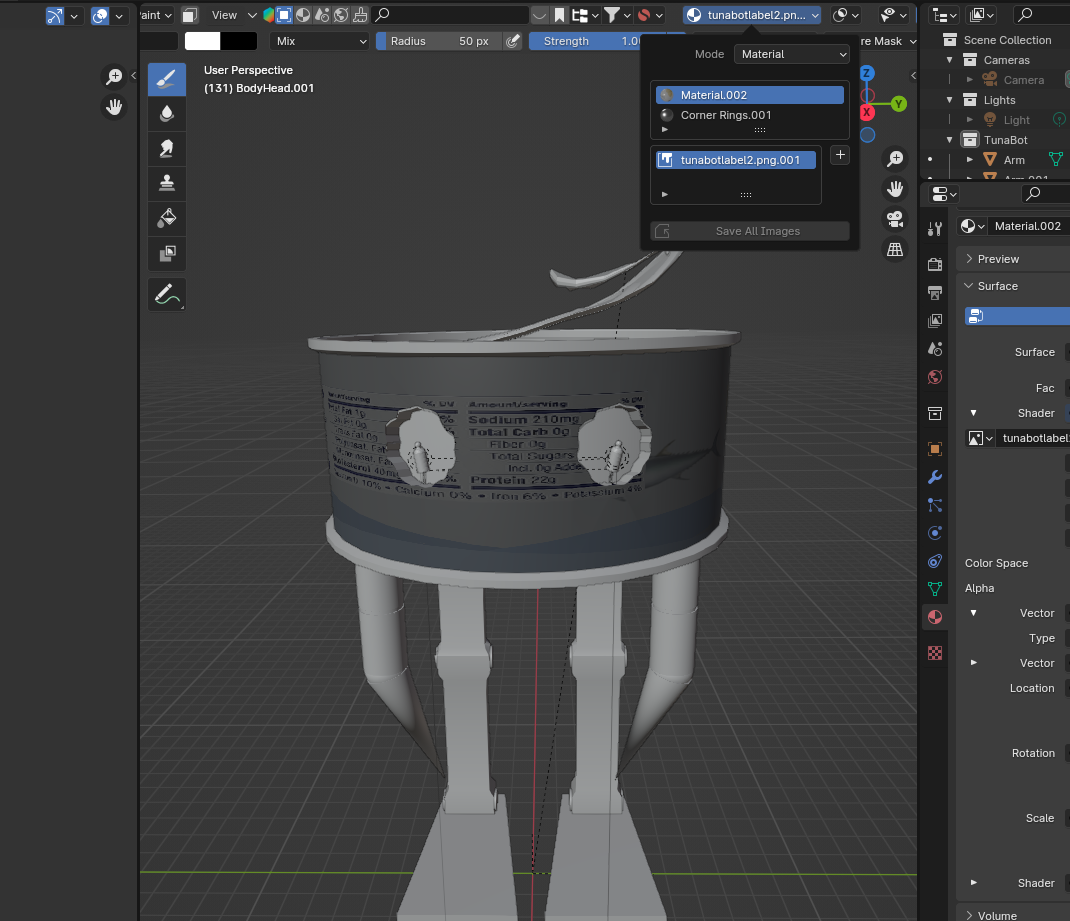
The vector node doesn’t seem to be applying in this mode, even though it does in every other one? Is there a way to make the mapping node work here too so I can paint in texture paint mode and have it on the right area and not showing up like the mapping node isn’t there at all? Do I need to do the texture repositioning in some other way than using a mapping node?

.


