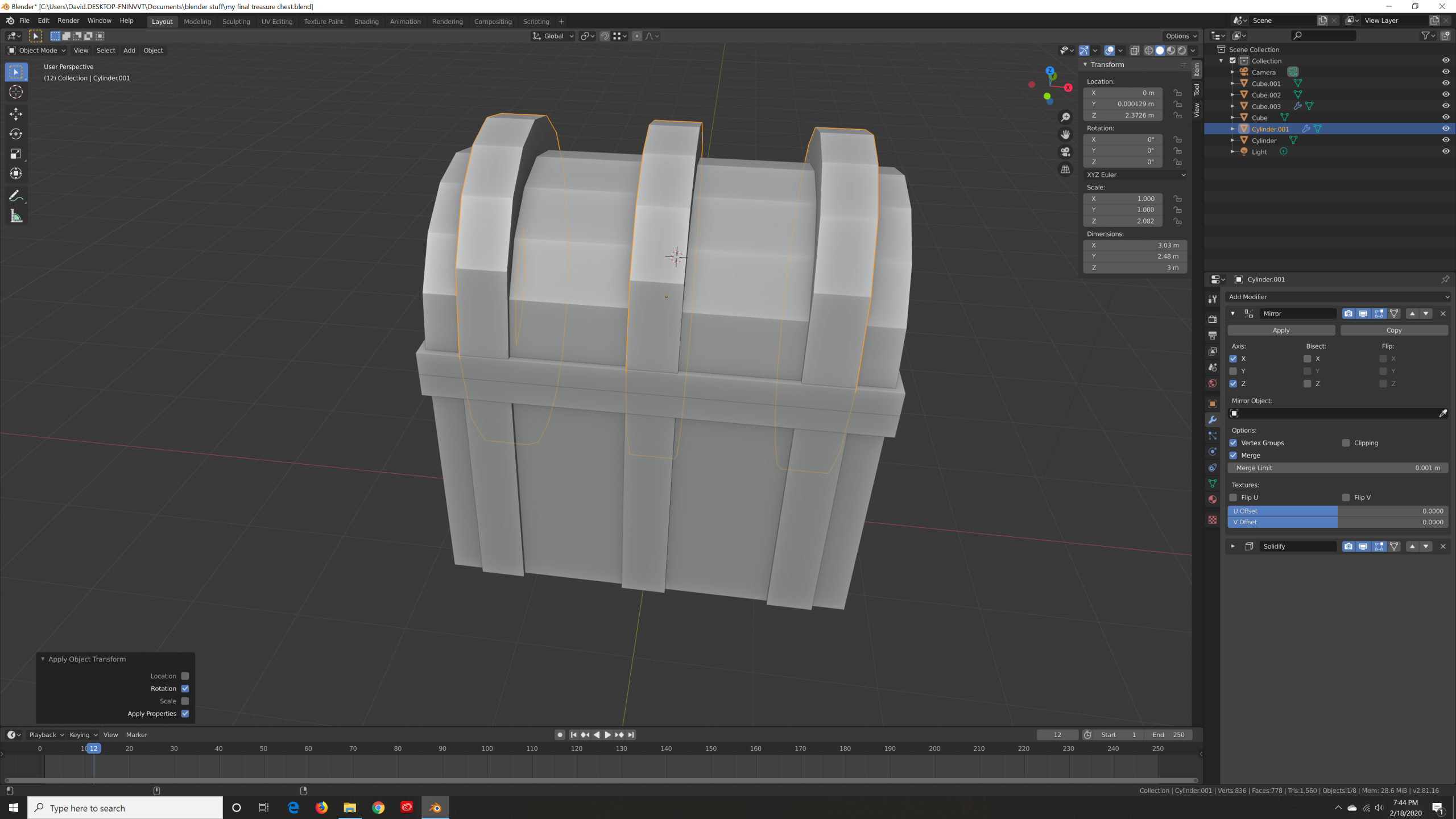
making the metal pieces to the top of treasure chest

Forum Archive making the metal pieces to the top of treasure chest

Viewing 7 posts - 1 through 7 (of 7 total)
  • Author
    Posts
  • #11328
    patdoc
    Participant

      when i go into object mode to apply the rotation (by hitting cntrl A)  the Bracket lengthen in the z axis. why is this happening

      #53070
      Shawn Blanch
      Participant

        Hey @patdoc Before you apply your rotation or scale or transform location, go into ‘object mode’ then open up the Sidebar by hitting the ‘N’ key on the keyboard. Go to the ‘ITEM’ tab and take a look at your object’s transform Location, Rotation, and Scale (or it is in the Object Data on the Properties section to the right).
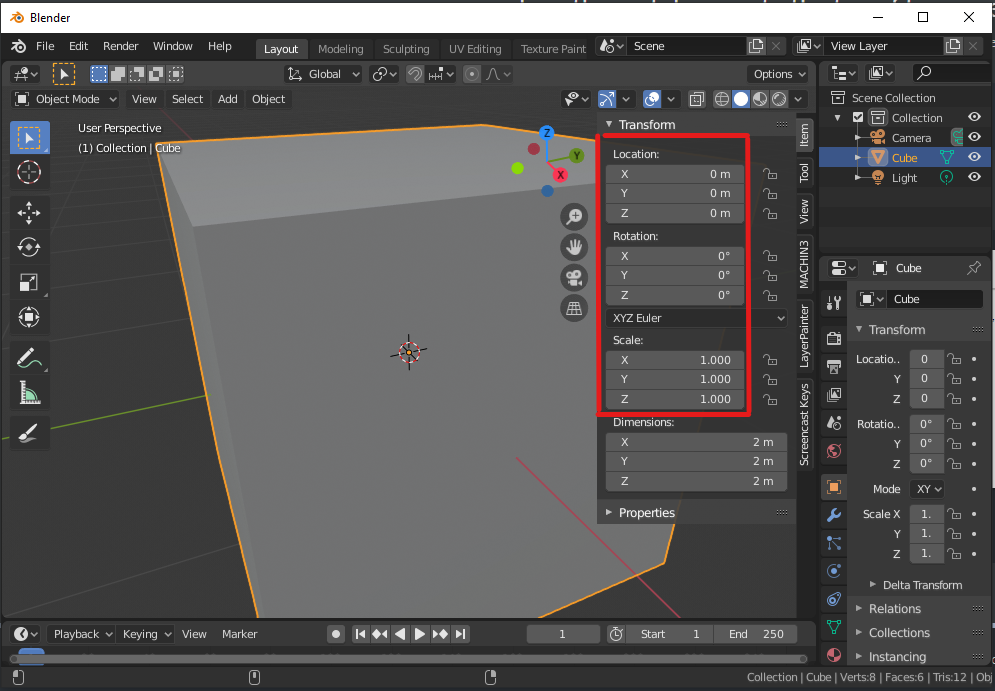
        The scale should typically be 1 for X/Y/Z, and the location and rotation should typically be 0 for X/Y/Z.

        If they are not and you have a modifier active but not applied (such as mirror modifier) then you will get such unexpected behavior.

        You can apply the modifiers before applying the rotation and hopefully that should stop affecting your object.

        Hopefully that helps. If not then post a screen shot showing the active modifiers and the SideBar panel ‘Item’ tab to show your object before and after the applied rotation. Perhaps we can see more of the issue.

        #53071
        Kent Trammell
        Participant

          Thanks for being so helpful recently @blanchsb 🙇

          #53072
          patdoc
          Participant

            Should I apply the mirror modifier right now. Once it’s applied I’m not sure if I can undo it

            #53073
            Kent Trammell
            Participant

              @patdoc Technically I maintain the mirror modifier through the next video. BUT with this structure, even if you apply the mirror you could re-institute the mirror modifier after the fact. Simply delete one half of what you want to mirror and add the modifier.

              #53074
              Shawn Blanch
              Participant

                @patdoc   To add to @theluthier you will eventually find that using a mirror modifier, applying it to do some stuff and then deleting 1/2, and then adding the mirror modifier again is actually a workflow that overcomes some interesting challenges that would otherwise take up a lot of time.

                i have seen that workflow used in a few tutorial videos. It helps overcome some challenges like when you need to do some work at the “mirror line“ and so forth. And there are other uses as well.

                i’ve found myself doing it recently on some of my projects.

                #53075
                patdoc
                Participant

                  I’m going to start this project again then get back to you

                Viewing 7 posts - 1 through 7 (of 7 total)
                • The topic ‘making the metal pieces to the top of treasure chest’ is closed to new replies.