Making Quads on beveled corners

Forum Archive Making Quads on beveled corners

Viewing 6 posts - 1 through 6 (of 6 total)
  • Author
    Posts
  • #21107
    Collin Jensen
    Participant

      Hello everyone!

      In the context of subdivision modelling, I know it’s important to keep quads everywhere (there are apparently some exceptions) so that it subdivides nicely without causing pinching. With that in mind, beveling edges can quickly cause a triangle or n-gon to appear. My question can be summarized with this picture:
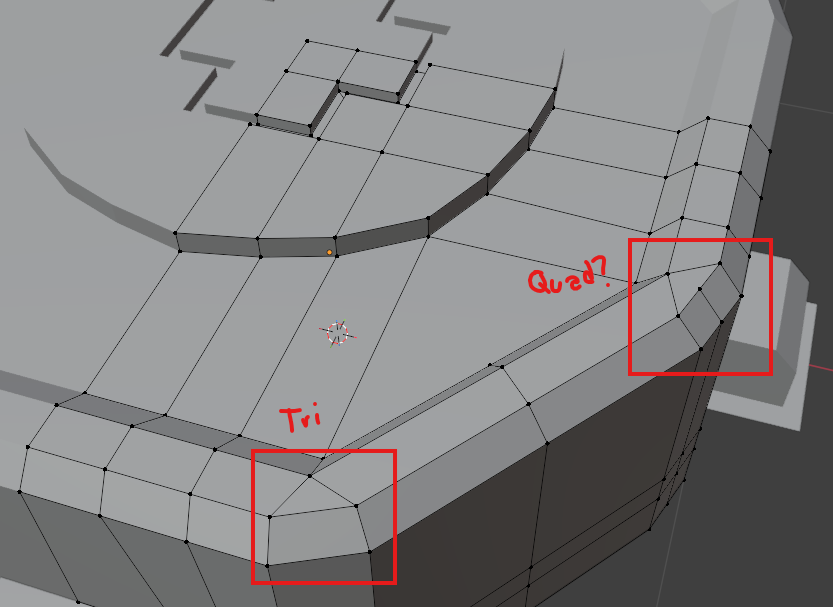

      Adding the loop cut in the Quad? corner technically creates a shape with 4 sides. Does that mean it’s a quad that supports subdivision modelling?

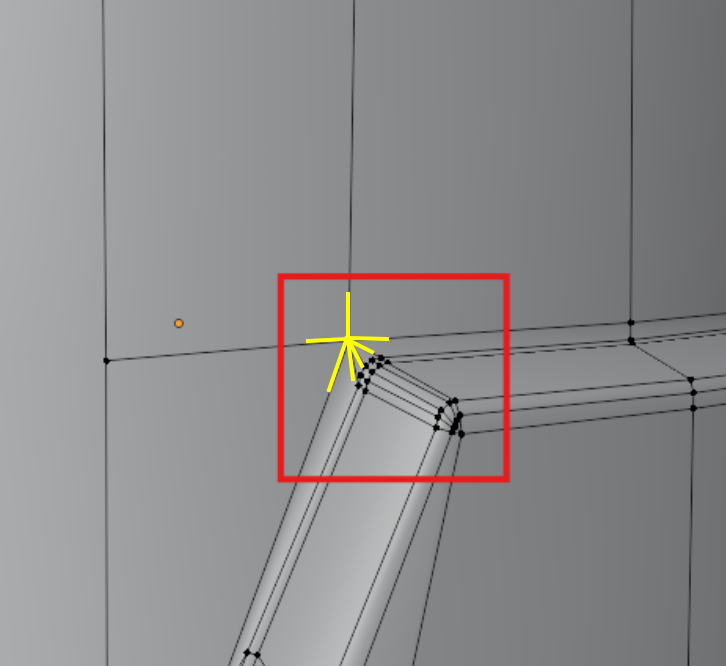
      The reason I question it, is on this helmet model I made a while back, I used a similar trick on the corners of his visor:
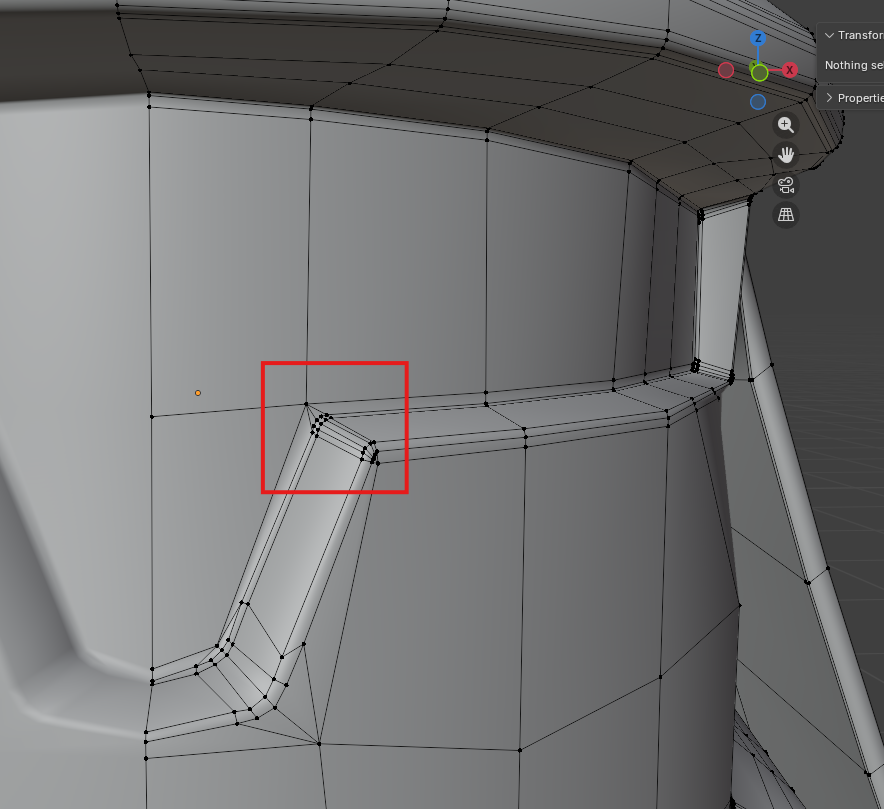
      With these “quads” on the corner, the subdivision modifier that comes afterward results in pinching, easiest to see when we add the visor material:
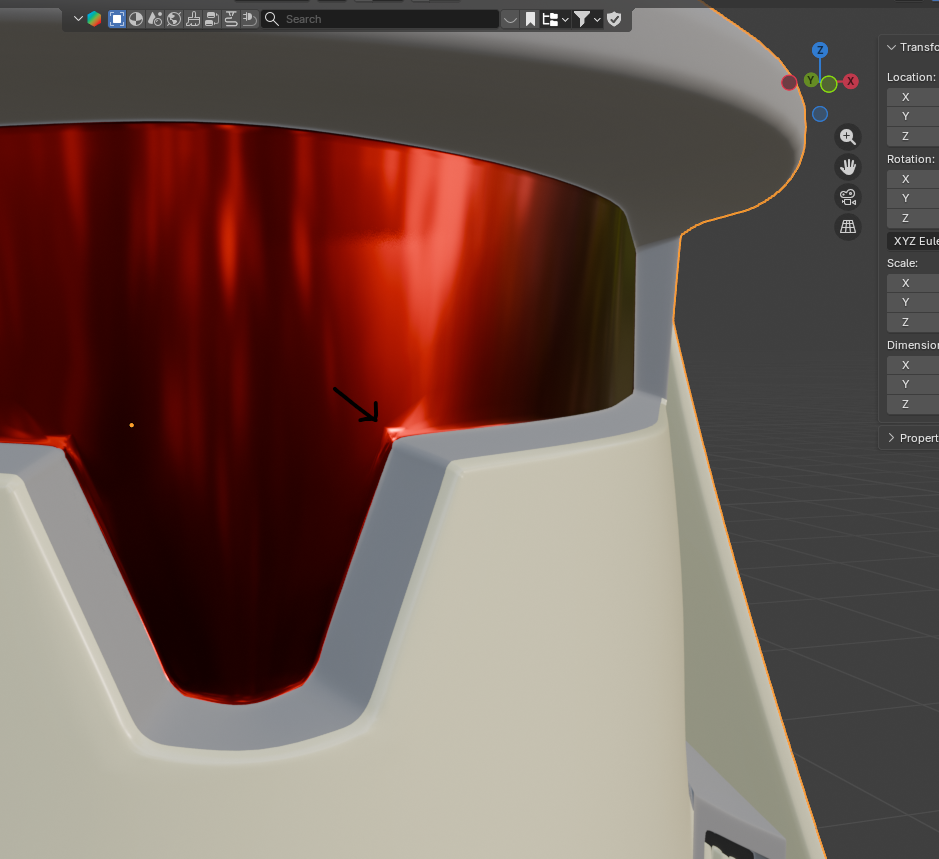
      How do I properly layout a bevel like this to make it look nice without adding a hundred loop cuts around the model?

      #98454
      Omar Domenech
      Participant

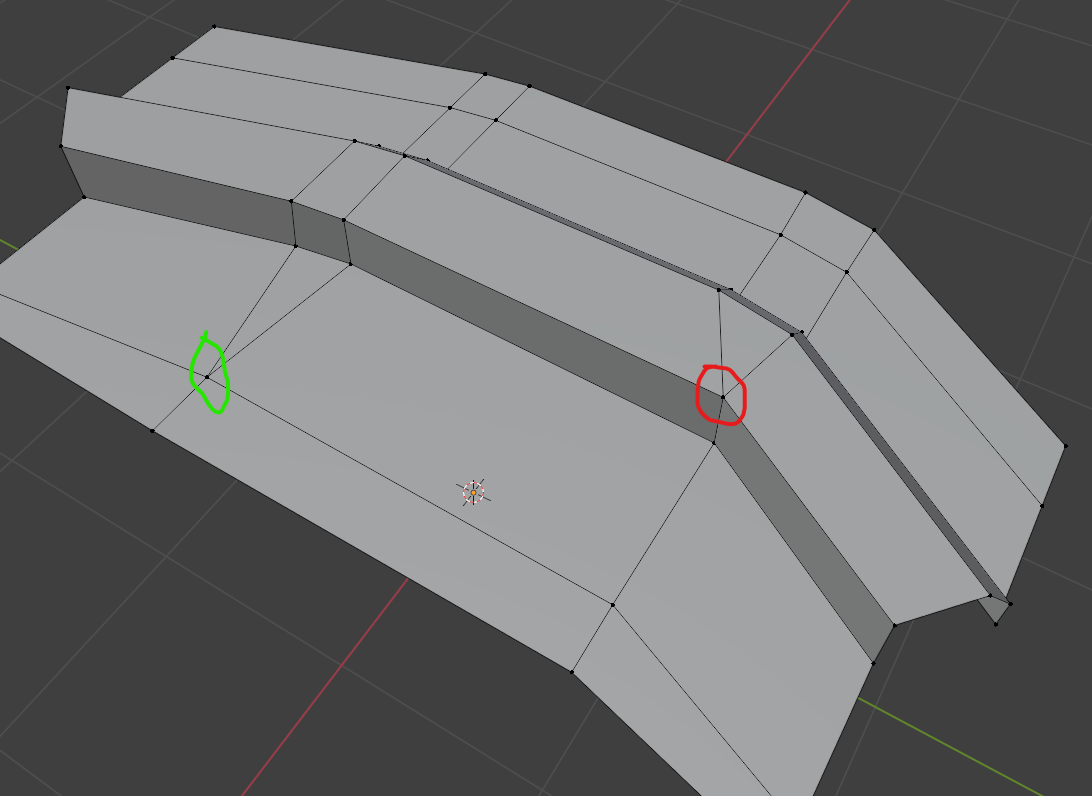
        Yeah no no, that is totally how it shouldn’t be. You have to leave the triangles in the flat part. Like this: (red bad, green good)

        Topo.png

        #98455
        Omar Domenech
        Participant

          If it’s in the flat part, then it’s ok. You can re-arrange the topology so your edges reach the flat part with quads and then you bite and close with a triangle in where is flat. You can have Ngons and triangles in flat areas without an issue. 

          #98456
          Martin Bergwerf
          Participant

            Actually, the fact that you have a 7-sided Pole, is more of a problem for the Subdiv Modeling, especially on a curved Surface:

            Pole_00.png

            For Subdiv, you will need more or less regular (not stretched) Faces (mostly Quads) and the occasional 3-, or 5-sided Pole are acceptable (in the correct places), if they can’t be avoided, but 6- and more-sided Poles should (and always can) be avoided at all costs.

            #98457
            Charles
            Participant

              Yes it’s still a quad as long as it has 4 vertices, even if it looks like a triangle. Be careful doing this on the edges of things tho. 
              As above the pinching is simply down to too many vertices and the corresponding pole that’s formed. You only need the centre and outer edges on the corner in the last screenshot. You’d be left with triangles but on the flat parts and can probably get away with them there if you don’t want or don’t know how to resolve them further. The other thing to experiment with is using weighted bevels and bevel modifier as part of your Sub-D model workflow.

              #98458
              Martin Bergwerf
              Participant

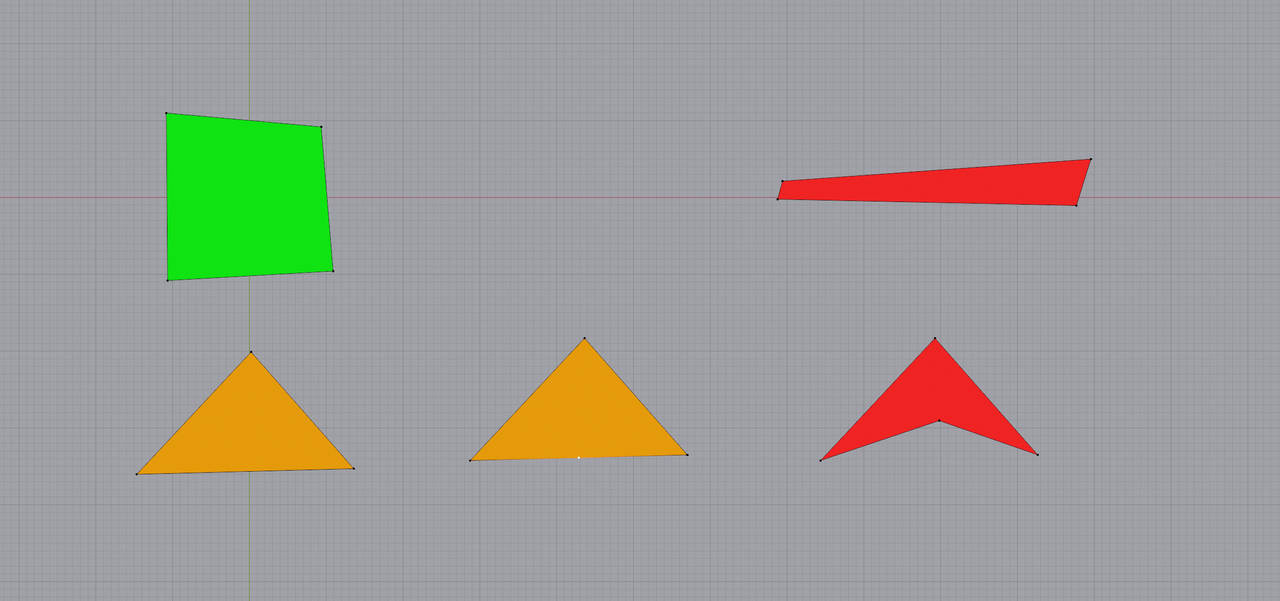
                Just a picture….some Quads (and 1 Triangle):

                Subdiv_00.png

                Green is good, red is bad, orange is in between (when using Subdiv)..

                Of course, there is a lot more to it, but as a starting guide, it’s okay.

              Viewing 6 posts - 1 through 6 (of 6 total)
              • The topic ‘Making Quads on beveled corners’ is closed to new replies.