
Locked Track constraint doesn’t lock expected axis

Forum Archive Locked Track constraint doesn’t lock expected axis

Viewing 5 posts - 1 through 5 (of 5 total)
  • Author
    Posts
  • #17744
    dorpeer91
    Participant

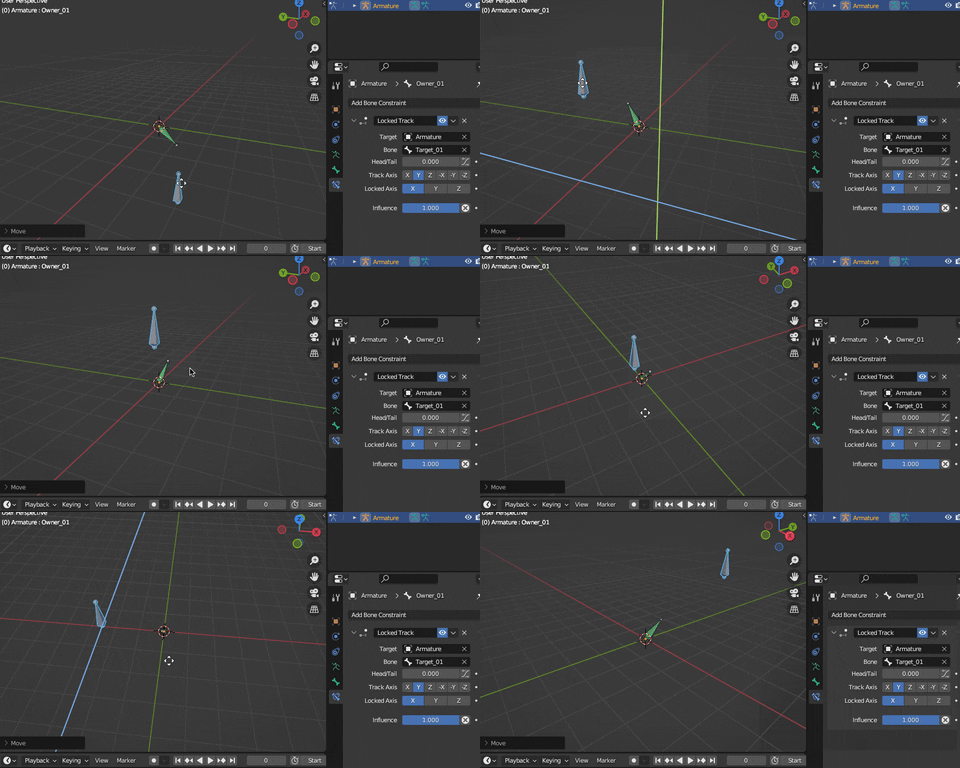
      Just like in the tutorial, I selected Y track axis and X locked axis, but it seems that the Owner’s locked axis is the World X axis and not its own local X axis. Any ideas why?

      #85152
      Omar Domenech
      Participant

        By owner you mean Wayne in the tutorial? But I don’t understand the question, sounds arbitrary the axis you want to lock or not, world or local, it can be the Y as well as the X. All the possibilities are open.

        #85153
        Martin Bergwerf
        Participant

          Are you sure that the Bone’s X-Axis is not aligned with the Global X-Axis?

          You can enable the Axes in the Viewport Display of the Armature.

          #85154
          dorpeer91
          Participant

            OK, solved it! Inside edit mode – I made sure that the Owner bone (The bone who has the Locked Track constraint) – has its axes aligned with the world axes (Meaning the bone’s local Y is the same as the world’s Y, the local Z is the same as the world’s Z etc.) Then once I applied the Locked track it behaved as expected (Rotating around its Z axis, having the local Y axis pointing towards the Target bone)

            Hope my question (and solution) are clearer now.

            #85155
            Wayne Dixon
            Participant

              Glad you got it sorted Dorpeer.

              @Omar – yes the owner in this case is the owner of the constraint.  (it’s constraint terminology)

            Viewing 5 posts - 1 through 5 (of 5 total)
            • The topic ‘Locked Track constraint doesn’t lock expected axis’ is closed to new replies.