Lock is partly untextured and looks different

Forum Archive Lock is partly untextured and looks different

Viewing 14 posts - 1 through 14 (of 14 total)
  • Author
    Posts
  • #11389
    joekay
    Participant

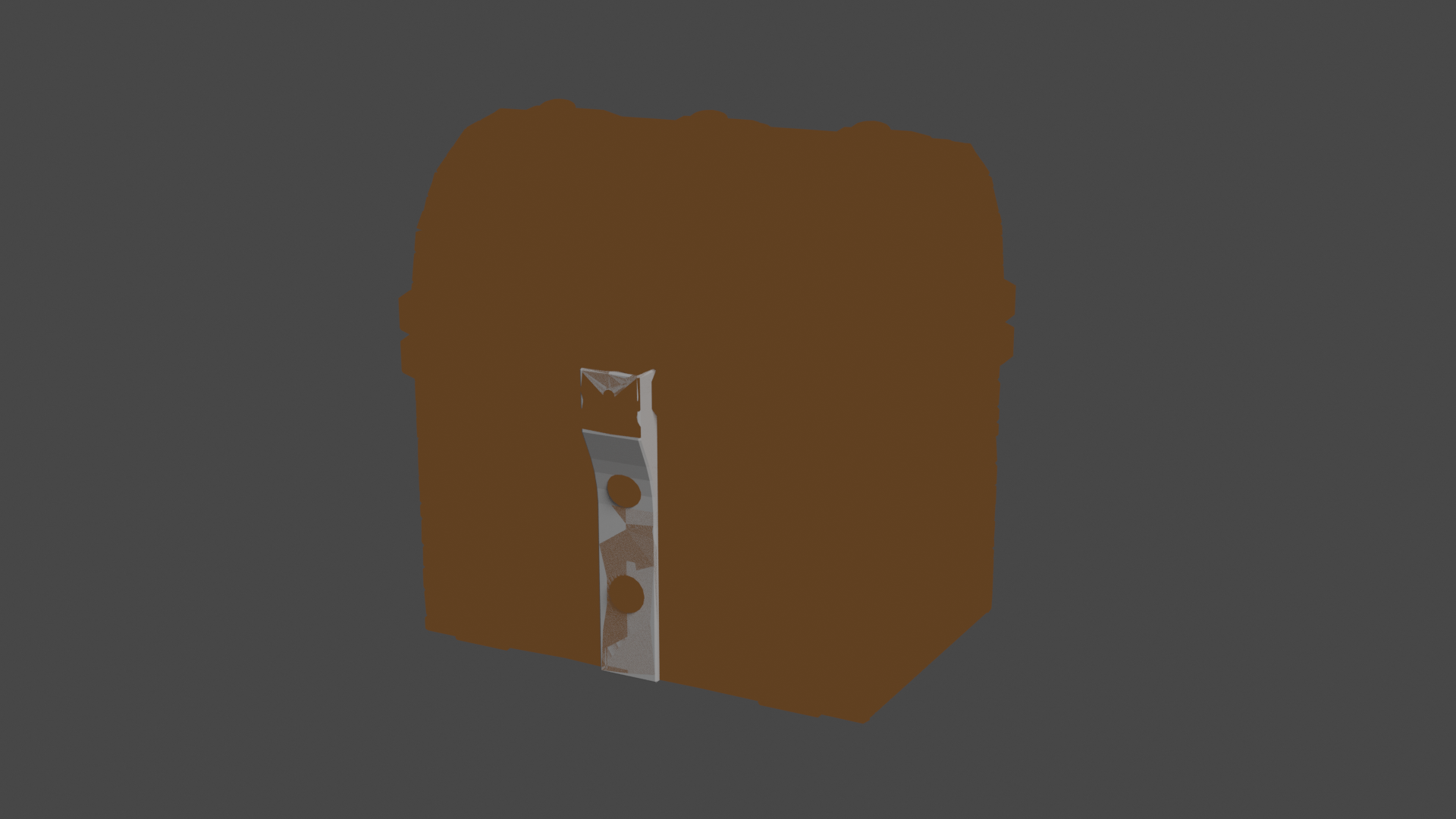
      What’s wrong with it and how do i fix it?

      #53241
      spikeyxxx
      Participant

        I’m not sure what you want, but you have to be very careful with what keys you press, because many are hotkeys and you might end up doing things you don’t want.

        For instance you are at the last frame of the animation (Frame 250) and I bet you didn’t do that on purpose;)

        So, are you aware that you are in Local View? Numpad / toggles Local View on and off, or go to View > Local View > Toggle Local View.

        If something is missing in Edit Mode, maybe you hid it with H. Alt H un-hides (shows) everything….

        #53242
        joekay
        Participant

          Thank you for the reply. I edited my question to make it more clear. In the viewport it looks normal, and nothing is hidden. Why does it look like this when rendering?

          #53243
          spikeyxxx
          Participant

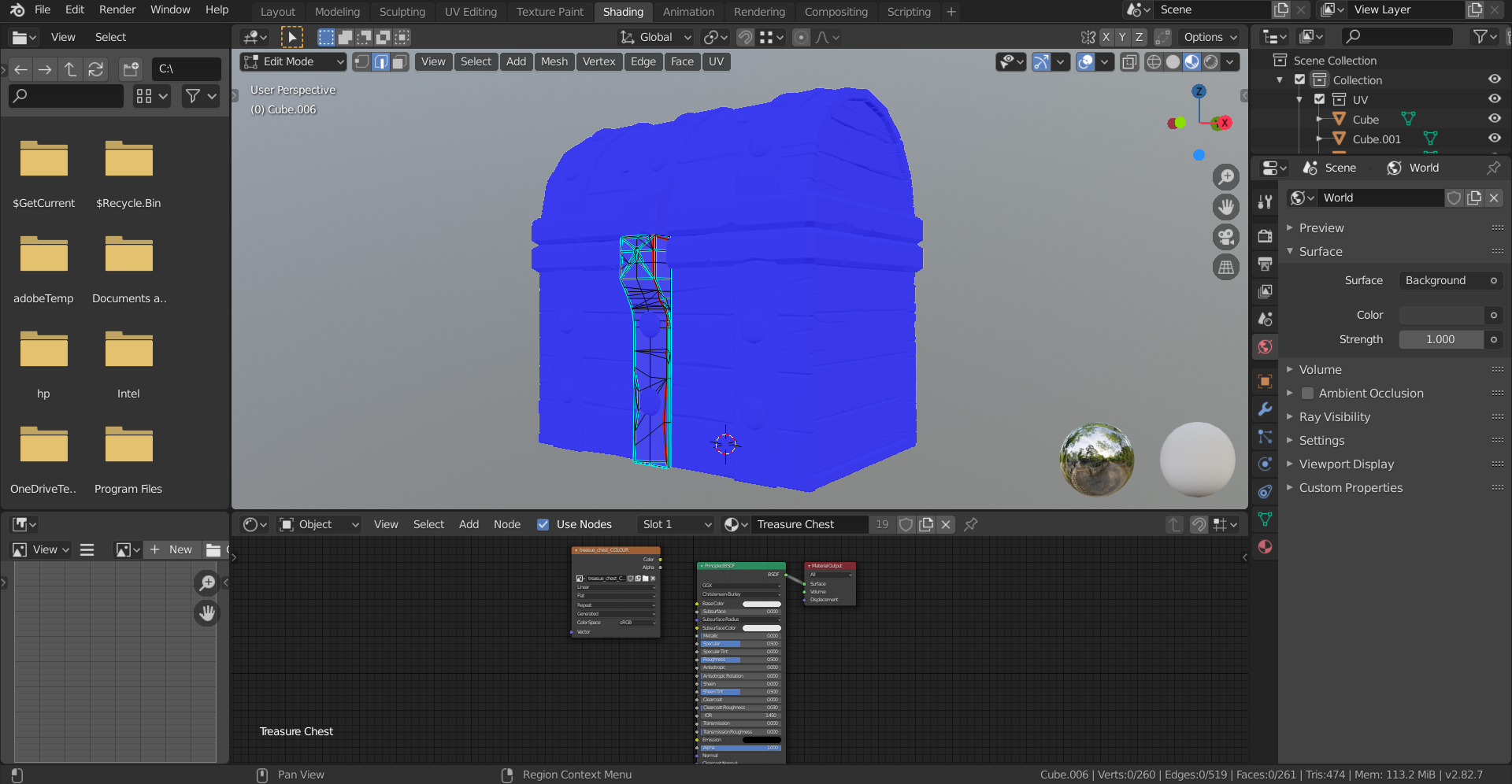
            Could you post a screenshot of the whole interface (not the render), with the Shader Editor open, the 3D View , with the lock selected in Edit Mode. And in the Viewport Overlays, under Geometry, select Face Orientation.

            Not sure if I’ll be able to see what’s wrong, but it’s worth a try;)

            #53244
            joekay
            Participant

              Here it is

              #53245
              spikeyxxx
              Participant

                O.k. First of all, your chest Color is not connected to the Principled BSDF.

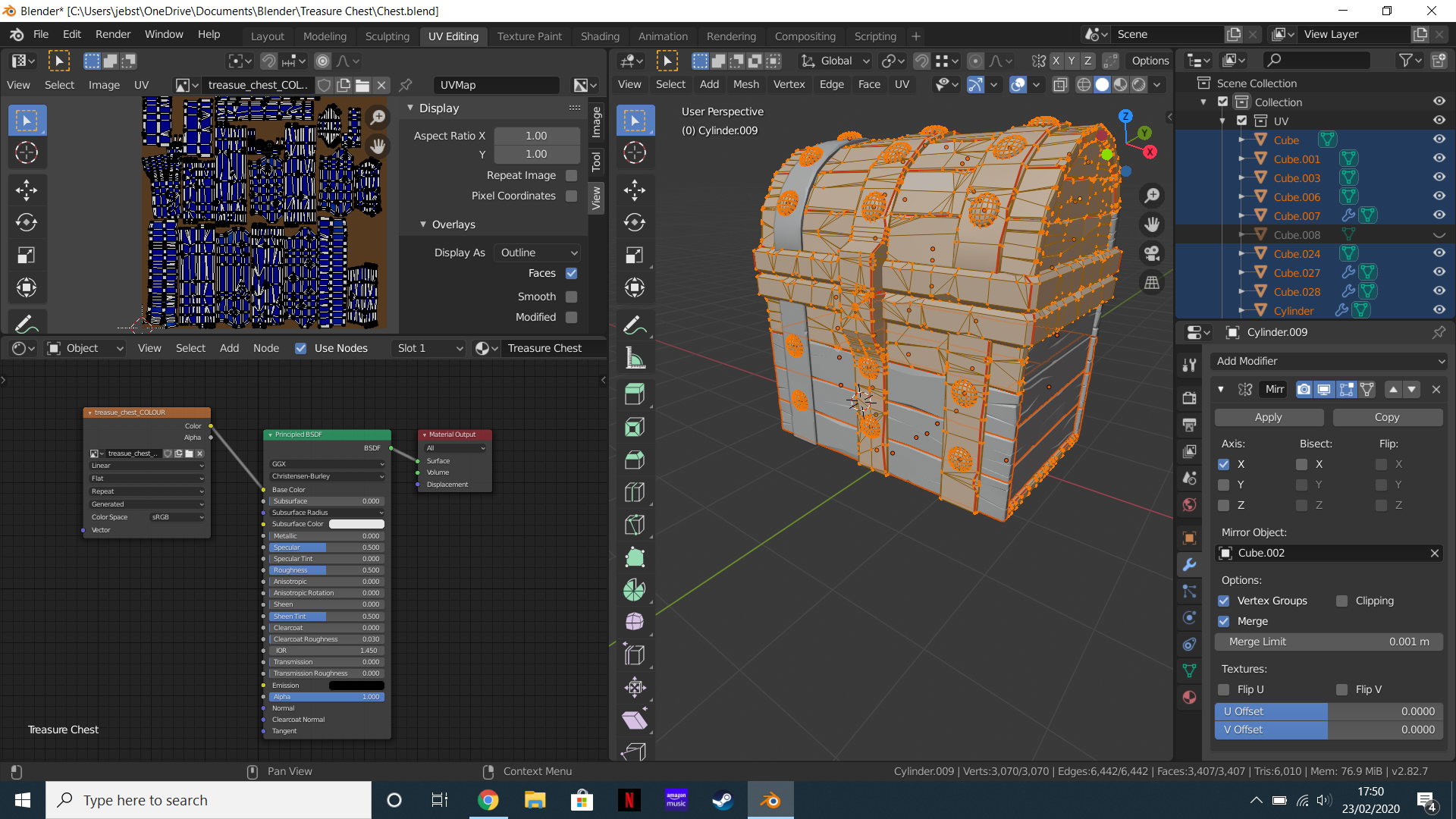
                Let’s try this:  in Object Mode select everything, go into Edit Mode and select everything and make sure you have the UV Editor open. Also make the Outliner (where the Collections and stuff are) larger. You can get rid of the Face Orientation now.

                #53246
                joekay
                Participant

                  Okay I’ve done that. Do you need me to screenshot it?

                  #53247
                  spikeyxxx
                  Participant

                    Yes please. Sorry that I wasn’t clear about that;)

                    #53248
                    joekay
                    Participant

                      Done

                      #53249
                      spikeyxxx
                      Participant

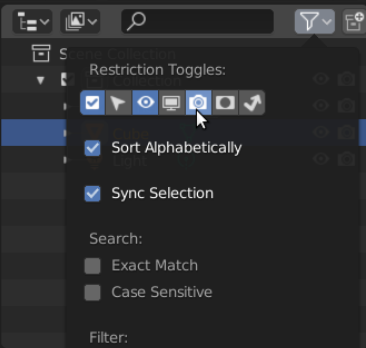
                        What is Cube.008? It is not visible in the viewport, but might still render. Enable the render icon (camera) in the Outliner, so you can see when something is rendered and when not:

                        #53250
                        joekay
                        Participant

                          Oh it’s just the start of a new lock seeing as I assumed the current one is broken so i decided to start a new one. I haven’t rendered since I added it in

                          #53251
                          spikeyxxx
                          Participant

                            Are you sure there is nothing else where the lock is? It looks like two objects in more or less the same place are being rendered.

                            (Do I understand correctly that you’d expect that render to be completely brown?)

                            #53252
                            joekay
                            Participant

                              I’ll double check but I’m sure there isn’t. If not I’ll try again. Thank you for your help

                              #53253
                              spikeyxxx
                              Participant

                                If you can’t get it to work, you can upload your .blend to Dropbox or some other cloud service and post a link here.

                              Viewing 14 posts - 1 through 14 (of 14 total)
                              • The topic ‘Lock is partly untextured and looks different’ is closed to new replies.