
Line Art modifier in Blender 4.2 issue
Forum Archive › Line Art modifier in Blender 4.2 issue
- This topic has 15 replies, 5 voices, and was last updated 2 years, 1 month ago by
Martin Bergwerf.
-
AuthorPosts
-
July 30, 2024 at 8:20 am #18372
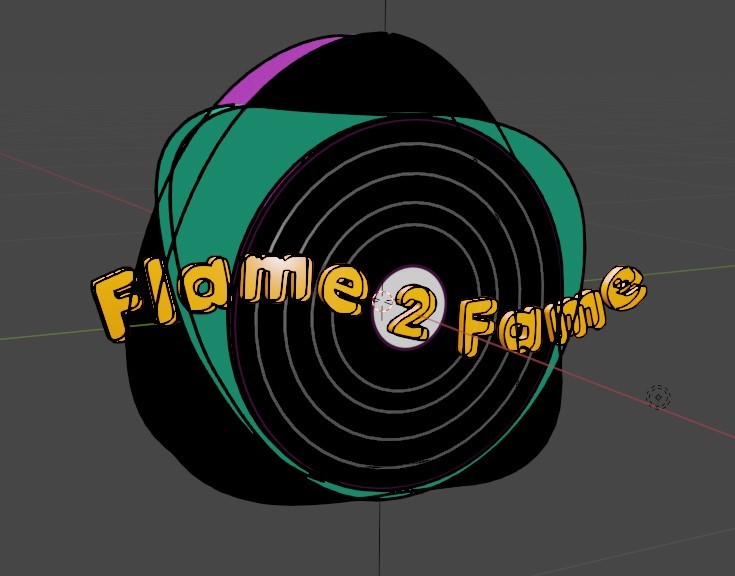
I want to make a cartoon style logo for my music studio. But when I add the Line Art modifier to objects in the program, the lines of objects behind show through the objects in front. Can you help me to fix this?
 July 30, 2024 at 9:14 am #87742
I think this is usually a stupid answer, but maybe the documentation will help you a little.
https://docs.blender.org/manual/en/latest/grease_pencil/modifiers/generate/line_art.html
Have you tested the occlusion and intersection functions from the modifier yet?
If not, it seems like you could use face mark filtering. Then you can set the edges manually but i have no idea either, the topic is new to me. i just want to helpJuly 30, 2024 at 9:23 am #87743No, that’s not stupid! Your answer is very reasonable, I will try to search in the official manual…
July 30, 2024 at 9:24 am #87744Paul will know better, but I think it has something to do with the layers? There is a setting somewhere, just have to enable it? Or is it masking out parts? Dangs I have to scout some of the videos for a refresher, but probably Paul will answer before it. I’ll still search some of the videos, I’m curious to see the answer. It’s these courses by the way:
https://cgcookie.com/courses/grease-pencil-basics-an-introduction-to-blender-s-grease-pencil
https://cgcookie.com/courses/panels-create-a-comic-book-with-grease-pencil-in-blender
July 30, 2024 at 10:01 am #87745I’m watching these two courses. Maybe I’ll find the information there. Thank you!
It seems to me that it is possible to somehow mask the lines that are not visible through the camera, but I don’t know how yet.July 30, 2024 at 10:21 am #87746The problem is that I use the Grease Pencil modifier on 3D objects and therefore do not have full control over the parameters.
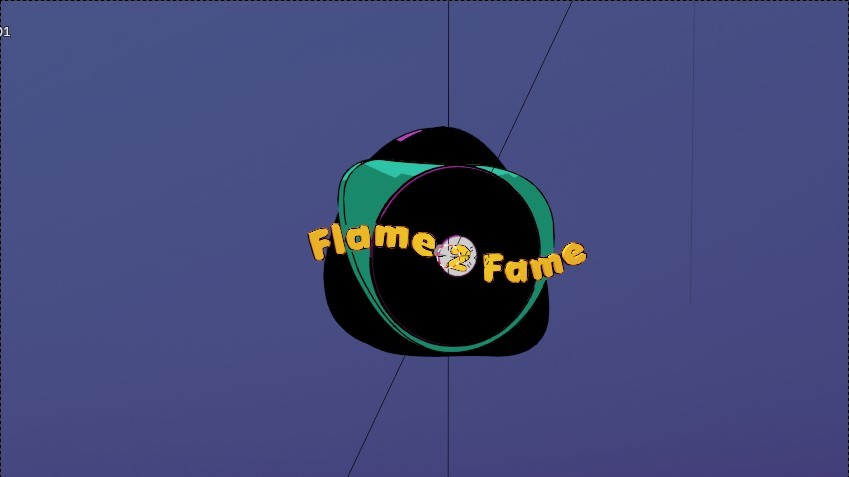
July 31, 2024 at 5:27 am #87747Well, I found maybe not ideal, but working solution. I applied all the Line Art modifiers and then switched to 2D Animation Mode and erased some lines with Erazer Tool.
 August 2, 2024 at 1:22 am #87748
Hi Dmitry, here to help. I’m curious as to how you are adding this modifier? I have come across this issue before, but there are alot of settings which could ignore backface culling, for example. It also helps to have an active camera in your scene, as the line-art is determined on a camera to project what is seen and what is occluded.
My recommendation would be to delete that grease pencil object altogether and start over like this:
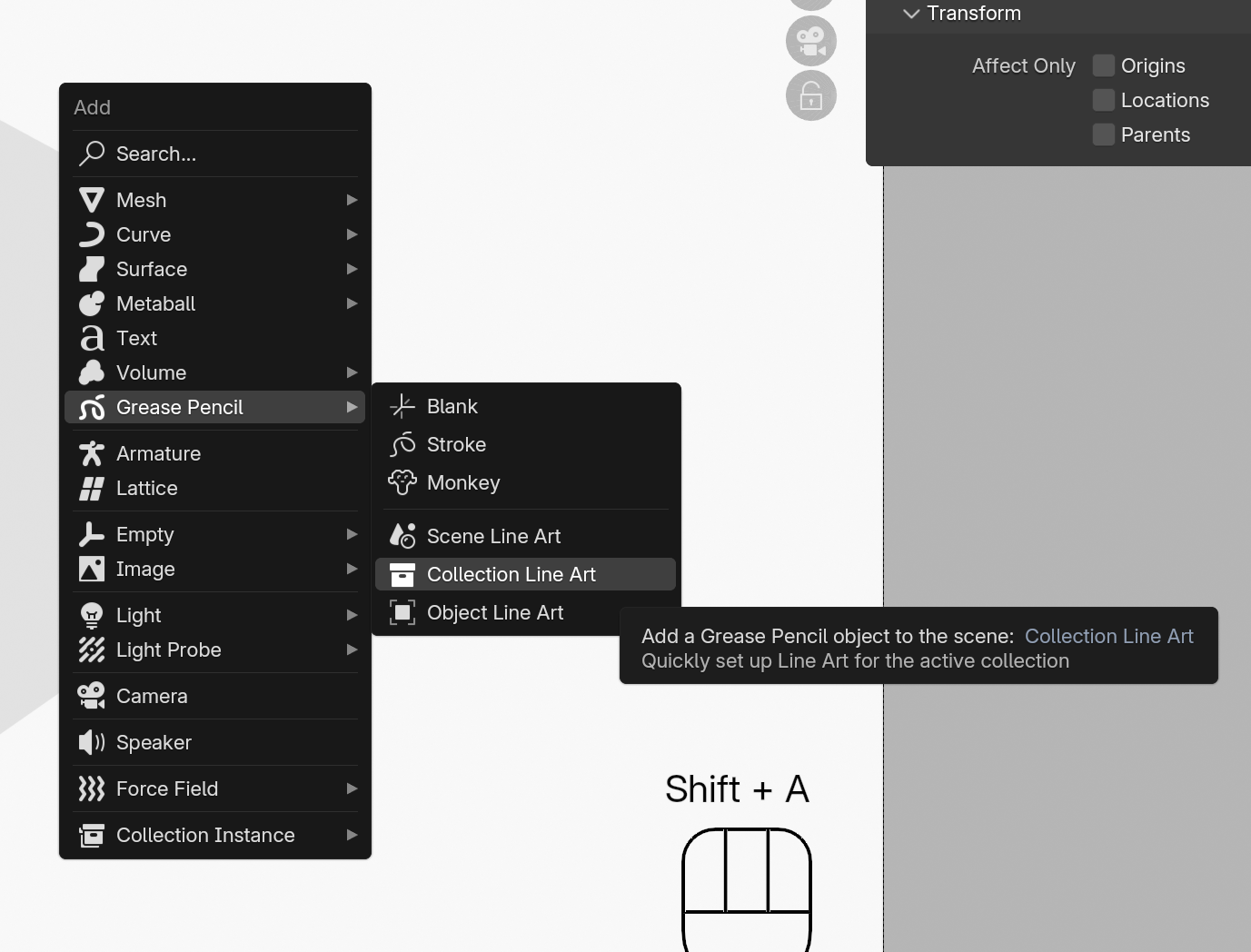
Is your group of objects in a collection? Or are these the only objects in a scene? Shift-A to bring up your Add menu. Choose “Grease Pencil Object” and select either Scene Line Art, Collection Line Art, or Object Line Art (these can be changed later, so don’t worry too much, but try and choose the option that best suits your needs).
This will generate a new Grease Pencil Object called “Line Art” with a new Black stroke material and a single Layer called “Lines”
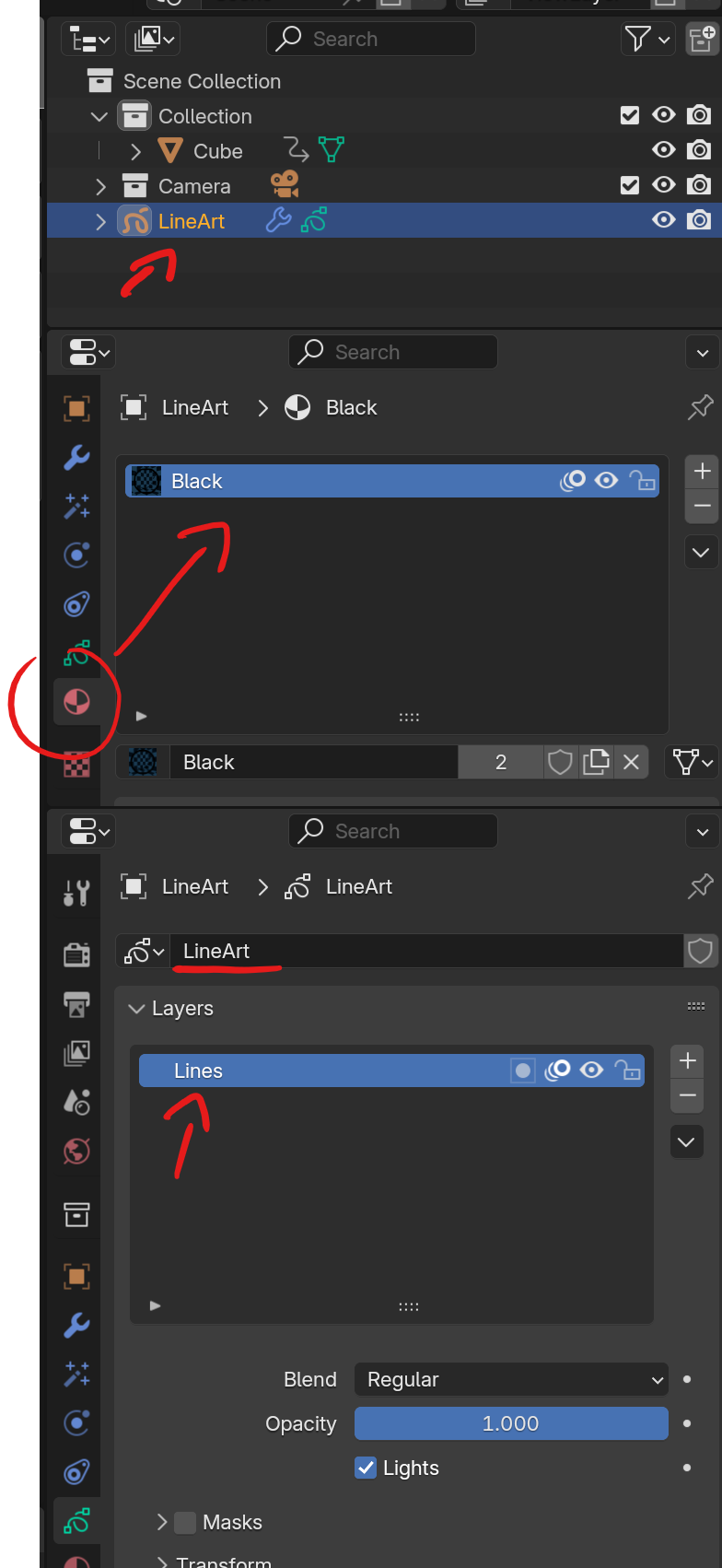
Thew type you chose will determine the Source Type in the Line Art modifier – you can switch this to another Source Type here. It will determine which layer you’re influencing, and which material you are using. All lines should only show what is facing the active camera.
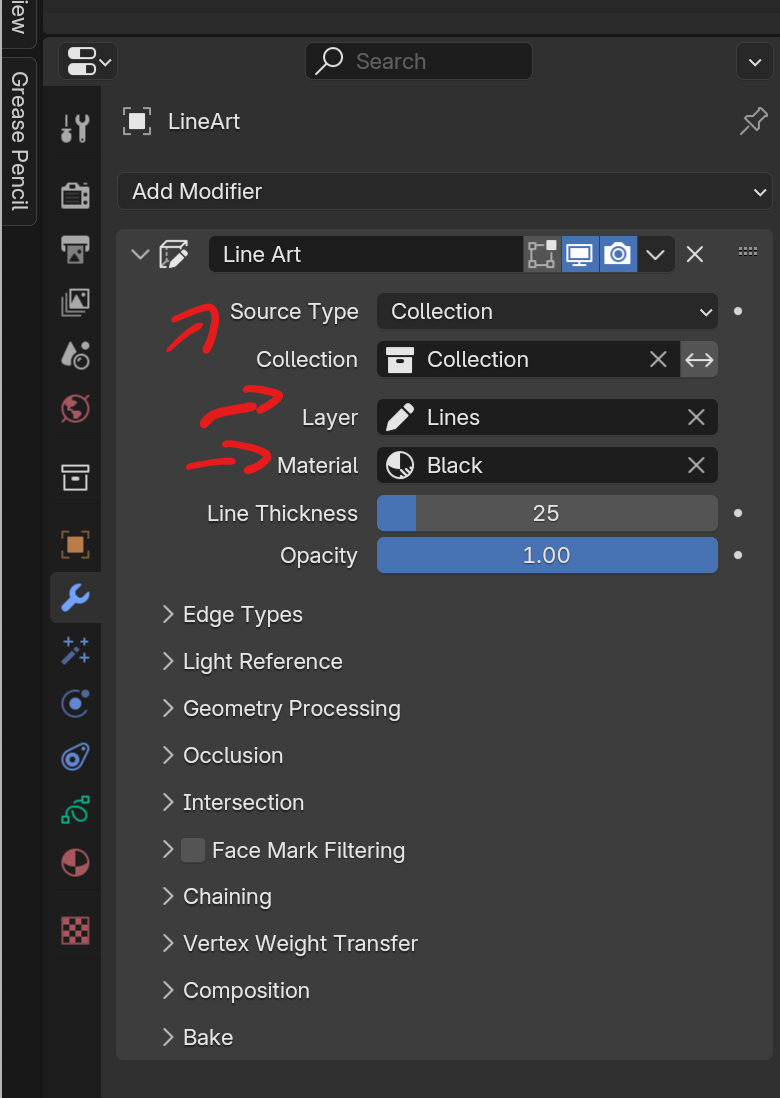
Try going through these steps and let me know if the issue persists?
August 2, 2024 at 3:12 pm #87749Hi Paul! Thank you for responding!
This logo consists of 4 different parts including the one with letters. I didn’t apply Grease Pencil’s Line Art Modifiers to the whole scene, because I want to animate those 4 parts differently later.
I added the Line Art modifiers the way you suggested.
But I noticed that then, in the process, I copied the asset just in case, before adding modifiers. And I also had a camera copied that I found on the hidden layer. Could this have caused the issue to appear? And if so, how do you make one of them active if you have two or more cameras?
By the way I bought your Blender Core Skills the Ultimate Blender Basics Bundle from Humble Bundle, and it helps me a lot to learn Blender better!
August 2, 2024 at 8:06 pm #87750In this case, I would put all the logo assets into a collection, and change the line art source type to “Collection” – leave the camera outside of that. The Line Art Modifier does look for your active camera, but if you switch to another camera (Select Camera, hit CTRL-0), it won’t automatically update. You can “force” it to update by toggling into another mode (eg: edit mode) and toggling back, and it should update to generate the lines as seen from the camera you’re looking through – this will also happen if you switch active camera, save your file and re-open.
August 5, 2024 at 11:00 am #87751Sorry for the late response! I was outside the city on weekends. I finished the animation and am pretty happy with the result. But there is one more problem. The thing is that the resulting animation is displayed in the animation tab, but it is not displayed in the render tab. I tend to think that these bugs are related to the fact that I am using the latest version of Blender 4.2, which is not stable.
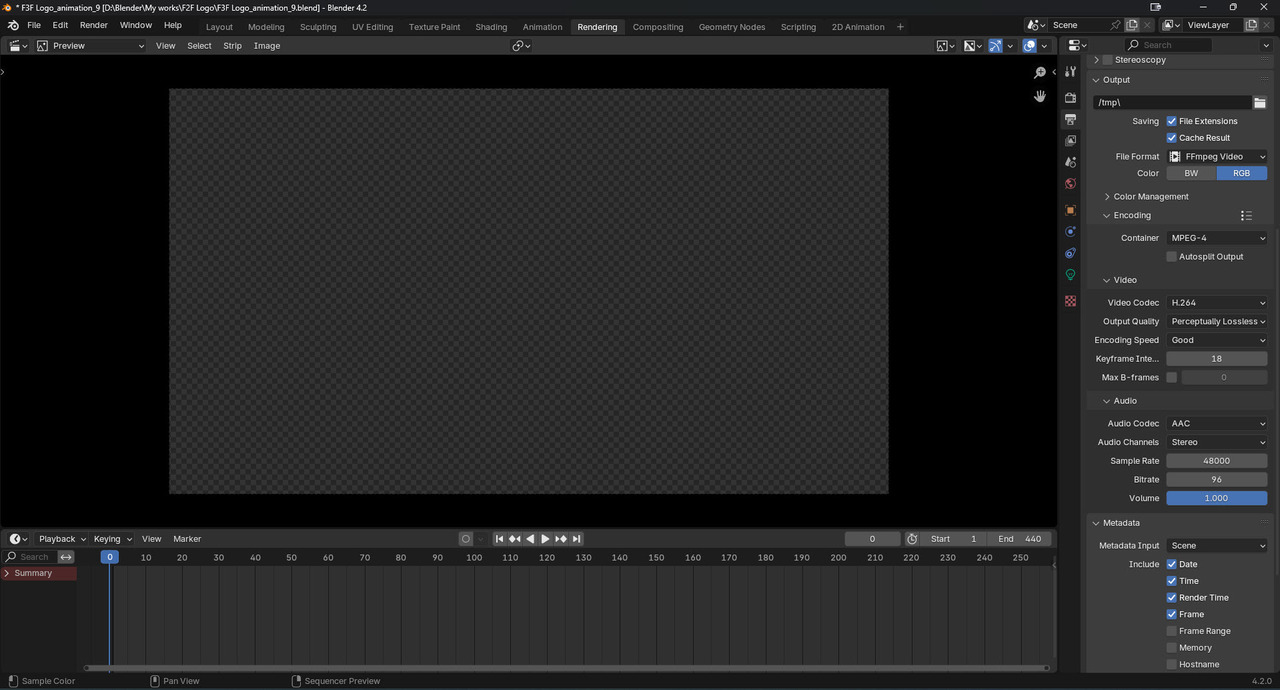 August 5, 2024 at 11:10 am #87752
Hi Dmitry @Wishmasta ,
I am not a GP expert, but your Screenshot shows an Animation from 1 to 440, but you are at Frame 0….
August 5, 2024 at 12:11 pm #87753My bad! Here is screenshot at frame 101.
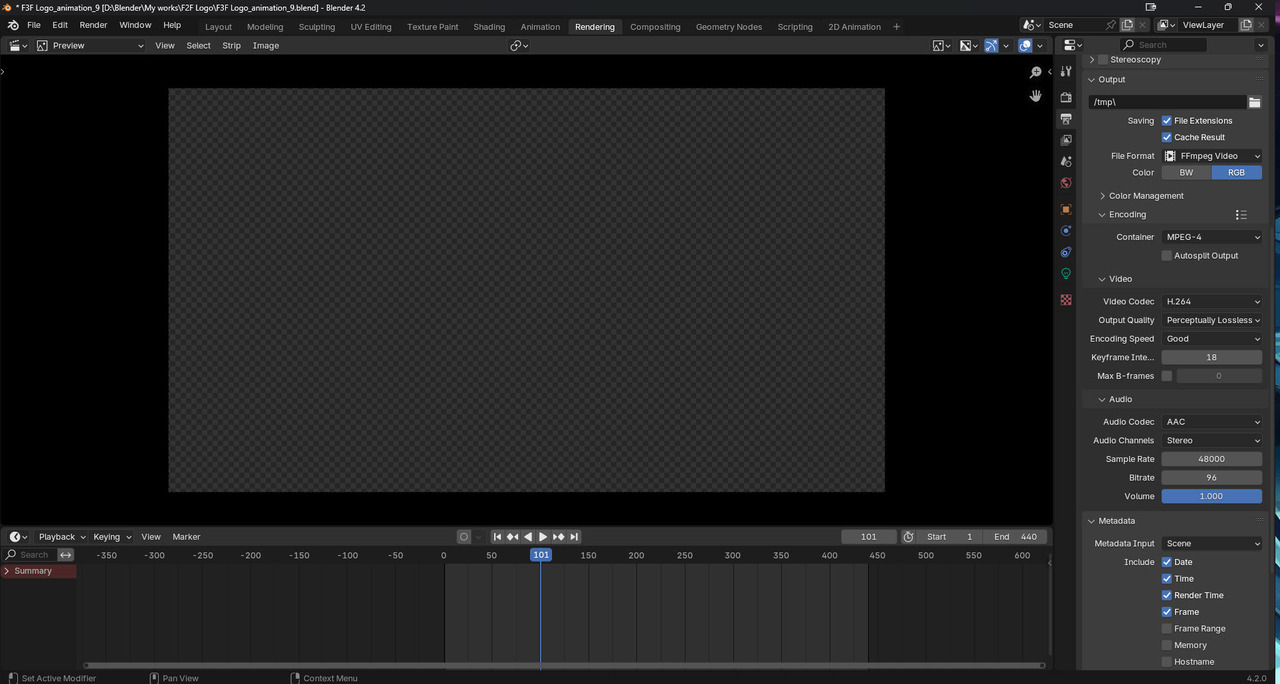 August 5, 2024 at 12:34 pm #87754
Hm, I don’t know what you’re doing exactly…but I wouldn’t immediately decide it’s a bug (although that is of course possible…)
That is not the default Rendering Workspace…you have a Timeline and a VSE Preview…so I wonder, what is in the VSE (Sequencer)?
August 6, 2024 at 11:32 am #87755Hi!
There was a strange bug with camera caption, but now I fixed it, and my animation is finished! Thanks to everyone who answered in this topic! You helped me a lot!!! Here is the link to the final render https://odysee.com/@flame2fame_music:3/Logo_Intro_Animation:1?r=2w1ctfbdHh8XGWd7GmstG66Uxad8KC93
Best regards to all of you, Guys!!!
-
AuthorPosts


- The topic ‘Line Art modifier in Blender 4.2 issue’ is closed to new replies.