“Large Bump” Musgrave: range needs to be remapped?

Forum Archive “Large Bump” Musgrave: range needs to be remapped?

Viewing 6 posts - 1 through 6 (of 6 total)
  • Author
    Posts
  • #15435
    Kevin Mather
    Participant

      It seems that the second Musgrave used for the “large bump” displacement would have a range -1 … +1, like the first. The first Musgrave was remapped 0 … 1. Should the second one be mapped similarly before using in bump? Jonathan added, then removed [@8:10], a multiply because it seemed like surfaces were behaving strangely. Maybe the negative Musgrave values were doing this?

      #75477
      Omar Domenech
      Participant

        Probably it had something to do with the values. But in the end, I guess it’s the sin as artists that we tend to focus more on the visual and aesthetics and worry less about math, relativity, blackholes and revelations. Yet if you get to the math beneath, you are a better equipped artist because of it. I am the fist to commit the sin of just sliding stuff left and right and just eyeball it and see what changes.

        #75478
        Martin Bergwerf
        Participant

          Hey @techworker1 ,

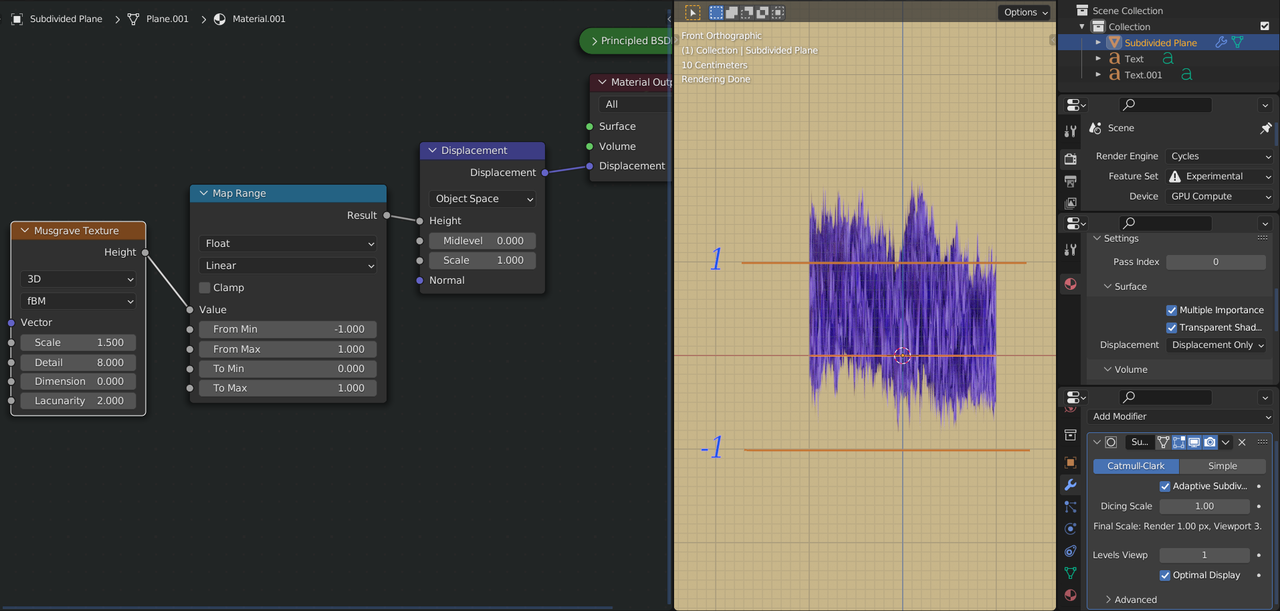
          here’s a tip; if you use something like the following setup:

          Visualize.png

          you can see the output of a Texture, or in this case the output of the Texture after it went through the Map Range Node.

          You’ll find that the Musgrave Texture can actually output values outside the [-1, 1] range!

          See the effects of the Map Range in real displacement.

          Can be used in many situations, where you don’t know what is happening with the values.

          Hopefully, in the future, there will be something like the Spreadsheet, for Shader Nodes, but untill then…

          #75479
          Martin Bergwerf
          Participant

            …and yes, you are right, those darker areas were caused by the negative values of the Musgrave.

            #75480
            Kevin Mather
            Participant

              Thanks @dostovel . As a retired programmer, my thinking is often very skewed (in the opposite direction from an artist).  :/

              Thanks @spikeyxxx I have always wanted a way to see things like that. 

              #75481
              Martin Bergwerf
              Participant

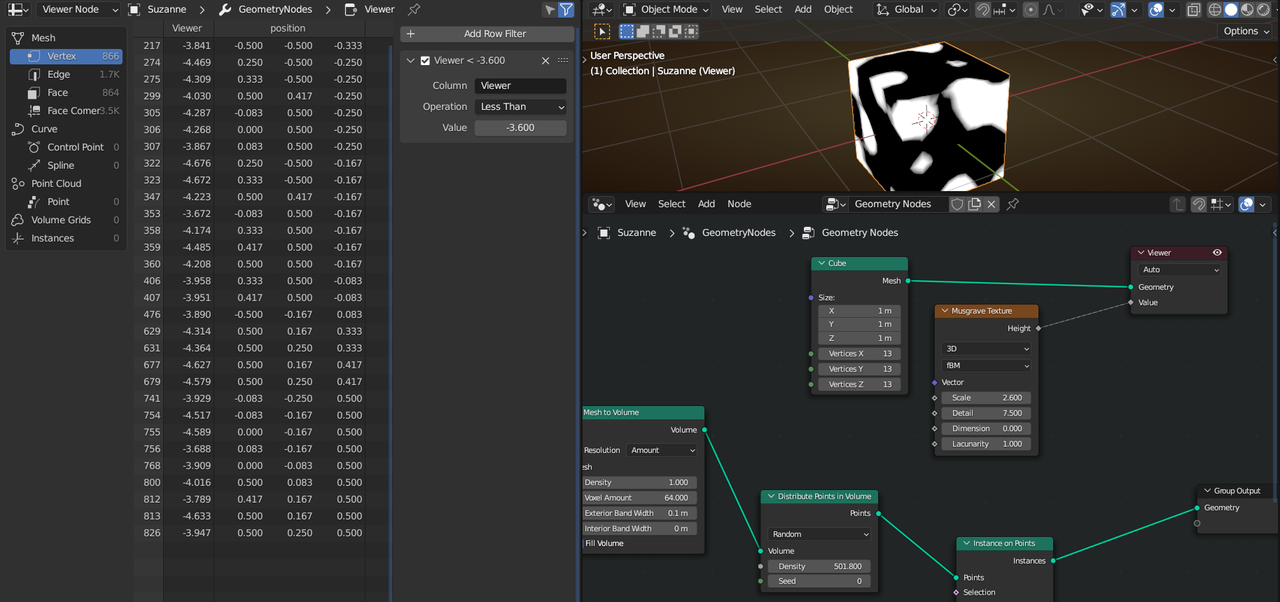
                There is another way; as a lot of Nodes from the Shader Editor are available in GN, you could already use the Spreadsheet to get the exact Values:

                Musgrave_Values.png

                (This is 3.4, in 3.3  the result from the Viewer Node is not yet visible in the 3D View, but the spreadsheet is the same.)

              Viewing 6 posts - 1 through 6 (of 6 total)
              • The topic ‘“Large Bump” Musgrave: range needs to be remapped?’ is closed to new replies.