
Keys and commands on Apple

Forum Archive Keys and commands on Apple

Viewing 4 posts - 1 through 4 (of 4 total)
  • Author
    Posts
  • #15324
    Joluvian
    Participant

      Hello guys!

      I’m understanding you use a PC, in my case I’m in a MAC, so I don’t find many of your shortcuts.

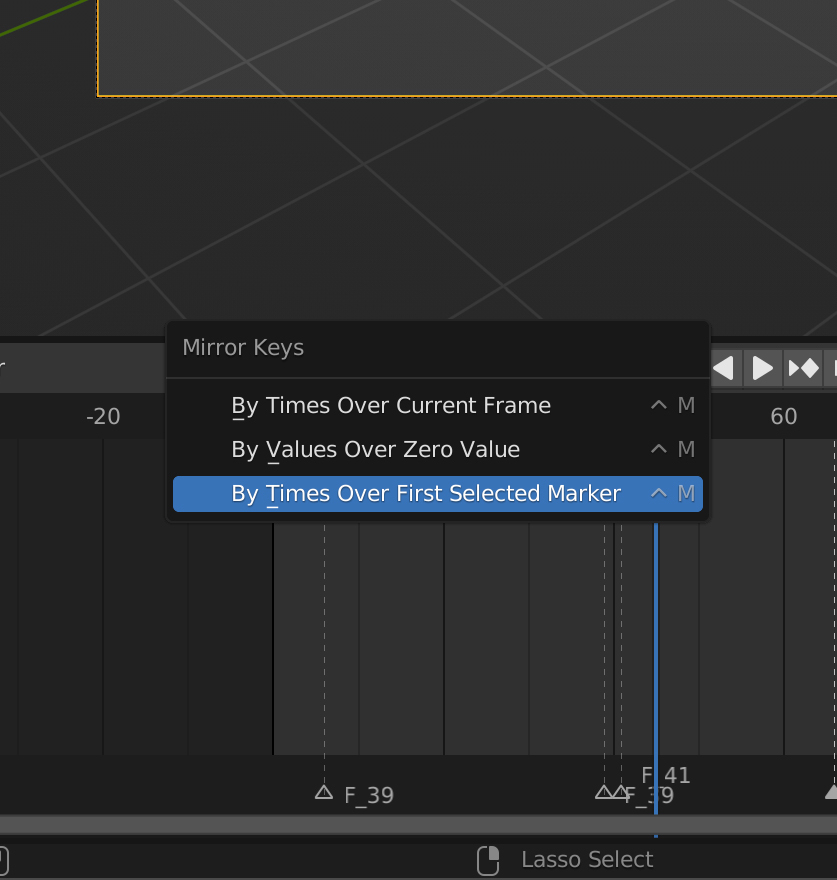
      For example I don’t have the Home or End button. I can’t rename the the Markers as you do, every time I press the Ctrl M the next menu appear

      Do you have any MAC short cuts list for this? Thanks in advance

      #74956
      Joluvian
      Participant

        Screenshot-2022-07-19-at-23.24.59.jpg

        #74957
        Wayne Dixon
        Participant

          Hi Joluvian,
          This shortcut has changed in the most recent version of Blender for consistency with the other areas of the software.
          You now rename (everything) with F2 in Blender.

          But you still need to make sure your cursor is over the little black strip or it will try to rename the object(or bone) you have selected.

          Hopefully that all makes sense.

          #74958
          Joluvian
          Participant

            Thank you so much!!!

          Viewing 4 posts - 1 through 4 (of 4 total)
          • The topic ‘Keys and commands on Apple’ is closed to new replies.