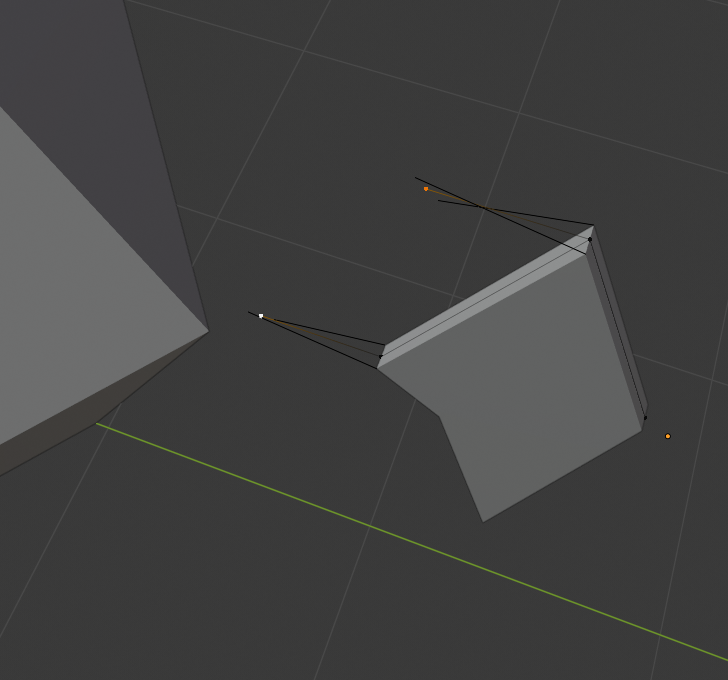
Hi Vanda, Jonathan already told you how to solve this, but let me try to explain what (I think) you did to cause this (like I said, it’s just a guess, but quite a good one as guesses go…).
You selected one of those two vertices and pressed E to extrude, but then you noticed that you had only one vertex selected, so you right-clicked (or pressed Esc) to cancel that. Then you SHIFT selected the other vertex and pressed E again.
But what you cancelled was not the extrusion, but the moving of the first selected vertex.
Exaggerated:
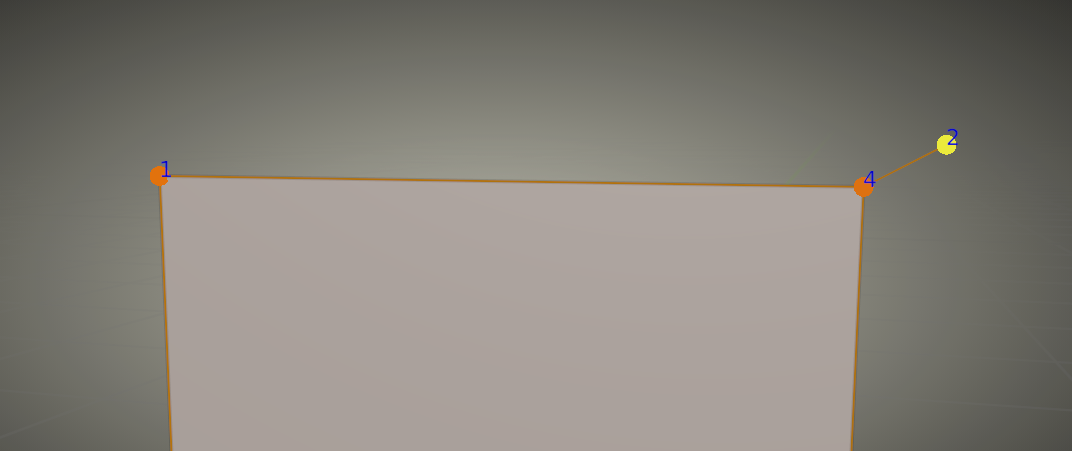
You extruded vertex 4, then cancelled the movement of the ecxtruded vertex, so vertex 2 is at the same place as no. 4, but no. 2 is selected, no. 4 is not! Now you SHIFT select no. 1 and extrude again, but vertex 2 and 1 are not (directly) connected, so you extrude two single vertices, in stead of the edge, that you were expecting.
This looks extremely weird, because of the Solidify Modifier, but that’s it.

.