Issue with bevel

Forum Archive Issue with bevel

Viewing 8 posts - 1 through 8 (of 8 total)
  • Author
    Posts
  • #18848
    Elyna M
    Participant

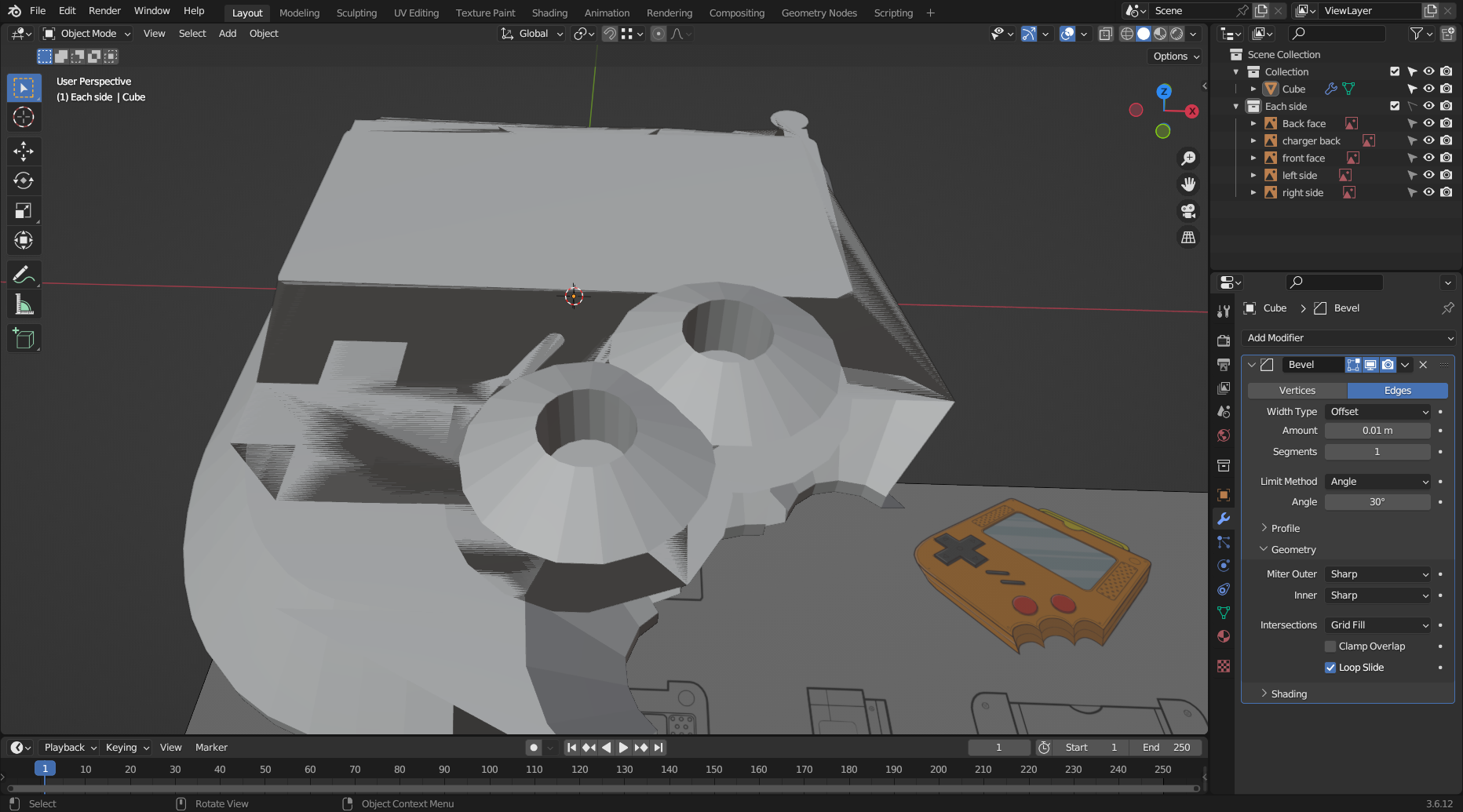
      Hello, I turned off “clamp overlap” and this is the lowest it’ll go when I bevel.. I am confused because on the video it shows once he lowered the amount it was less chaotic. If that makes sense.. feedback pls 🙁 

      #89873
      Martin Bergwerf
      Participant

        Hi Eyna,

        The Bevel Amount you have is simply too large for the Model. You are using 0.01m, or 1 cm on a model, that is, if I remember correctly, just about 3cm in Z.

        Jonathan Lampel is using cm as Unit (as mentioned in Lesson 1), so he has 0.01cm.

        #89874
        Omar Domenech
        Participant

          Yes as Martin says, real world scale matters inside the 3D software. If you put a 1 centimeter bevel on a building size object, it will barely be noticeable. You need need super high values for super big objects for things to be visible. In your case you have a tiny object and you have big numbers on your bevel, that is why the bevel looks so big compared to your very small object. It gets even worst if you forgot to apply the scale. 

          #89875
          Elyna M
          Participant

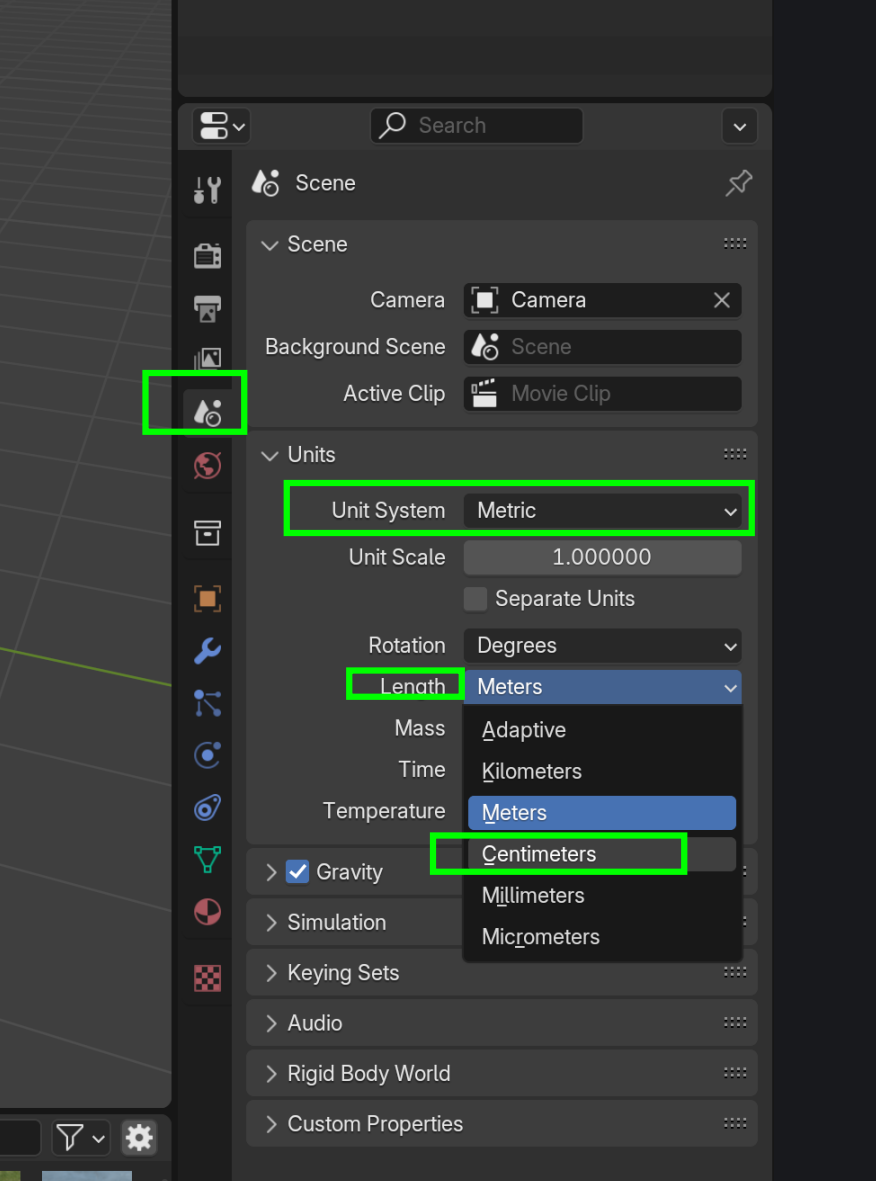
            Okay I understand now, thank you for your fast response. Is there a way I can change the unit to centimeters? Or do I have to restart from the beginning. 

            #89876
            Martin Bergwerf
            Participant

              Hi Elyna,

              Sure, you can change it in the Scene Settings here:

              Units.png,

              ….or, alternatively, you can simply write 0.0001m for 0.01cm.

              #89877
              Omar Domenech
              Participant

                You can change it. It’s a bit tricky to mess with units and change stuff, so I’d recommend re-watching the lesson where JL sets the units, which is lesson 1. You are not far from starting, so if you feel things have gotten out of hand, you can start over, it’s always a great idea. 

                #89878
                Elyna M
                Participant

                  Thank you guys so much for helping me out with this!!

                  #89879
                  Randall Buchmann
                  Participant

                    In late, but as said above do NOT be afraid to start over. If you’re early in the process, it’s far easier than trying to repair something like what you showed in the screenshot. Consider that a learning or trial run.

                    Another good thing to do is save after every lesson and use a different filename every time. Then if one lesson gets fouled up somehow, you can go back a step rather than to the start. I know Blender has version saving, but I’m too much of a n00b to know how that works yet so I just use the old school method.

                    Think of it like mountain climbing. You go up a step, then fix yourself to that position before planning the next ascent. That way, if you foul up one step you won’t end up falling all the way back to the bottom!

                  Viewing 8 posts - 1 through 8 (of 8 total)
                  • The topic ‘Issue with bevel’ is closed to new replies.