Is_Random color attribute

Forum Archive Is_Random color attribute

Viewing 6 posts - 1 through 6 (of 6 total)
  • Author
    Posts
  • #16104
    Tj sherry
    Participant

      I have noticed that when adding a color attribute the selection menu sometimes has the option of select color and not present in other cases. In this case it’s not there and I would like to change the color, is there another way I can get to change the color?

      #78168
      Tj sherry
      Participant

        So I’ve come to realize that It can easily be set in vertex paint mode.

        #78169
        Martin Bergwerf
        Participant

          Hi @Tj ,

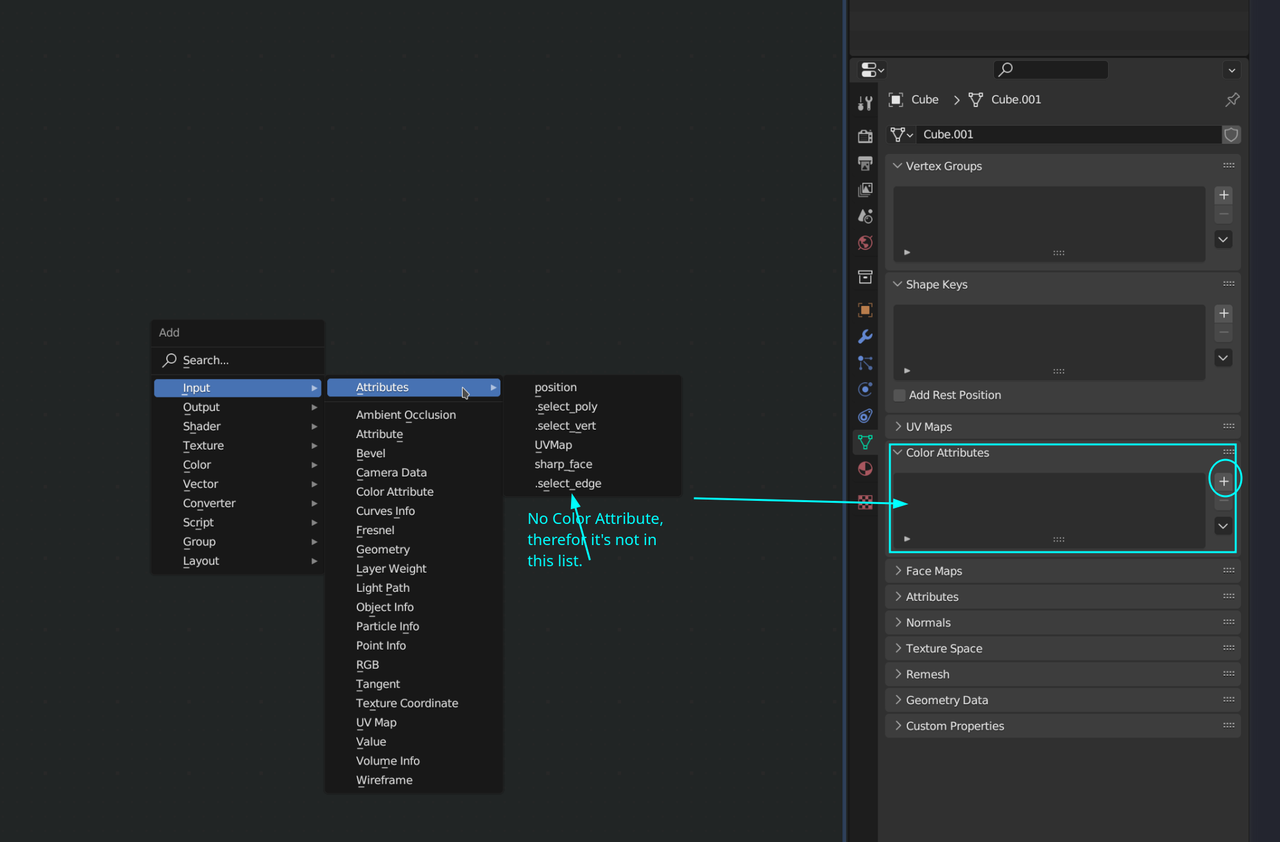
          do you mean this:

          Color-Attribute.png

          (Don’t mind all the extra options that you probably don’t have, this is 3.6; a future Blender.)

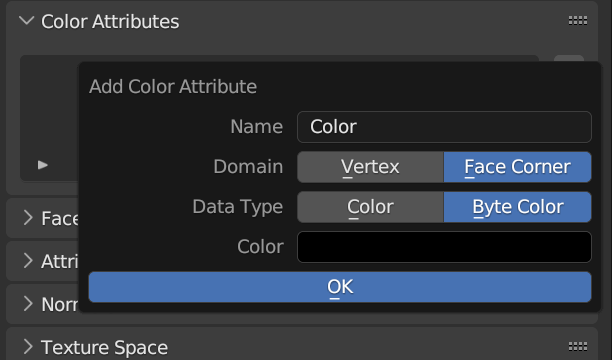
          You have to have a Color Attribute in order to get that option in the dropdown list; click the + and choose:

          or-Attribute_Add.png

          #78170
          Martin Bergwerf
          Participant

            Or create it in Vertex Paint like you did.

            #78171
            Tj sherry
            Participant

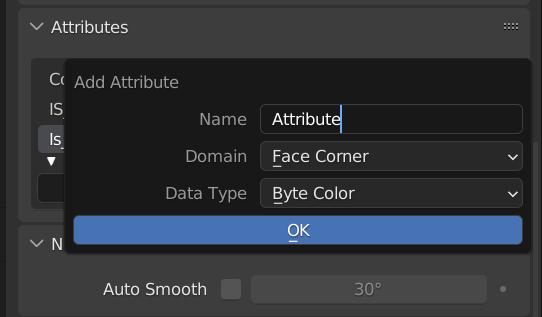
               Screenshot (201).png

              I get this but sometimes it appears with the default color change option like in your screenshot.

              #78172
              Martin Bergwerf
              Participant

                Yes, there are two places: Attributes (where your screenshot is) and Color Attributes. Attributes has a few more options, but if you choose a color Data Type, it will appear (and can be added) in both places.

              Viewing 6 posts - 1 through 6 (of 6 total)
              • The topic ‘Is_Random color attribute’ is closed to new replies.