Is this weird and worrying, or…? Just my computer/Blender acting up?

Forum Archive Is this weird and worrying, or…? Just my computer/Blender acting up?

Viewing 5 posts - 1 through 5 (of 5 total)
  • Author
    Posts
  • #14716
    Tomas Engström
    Participant

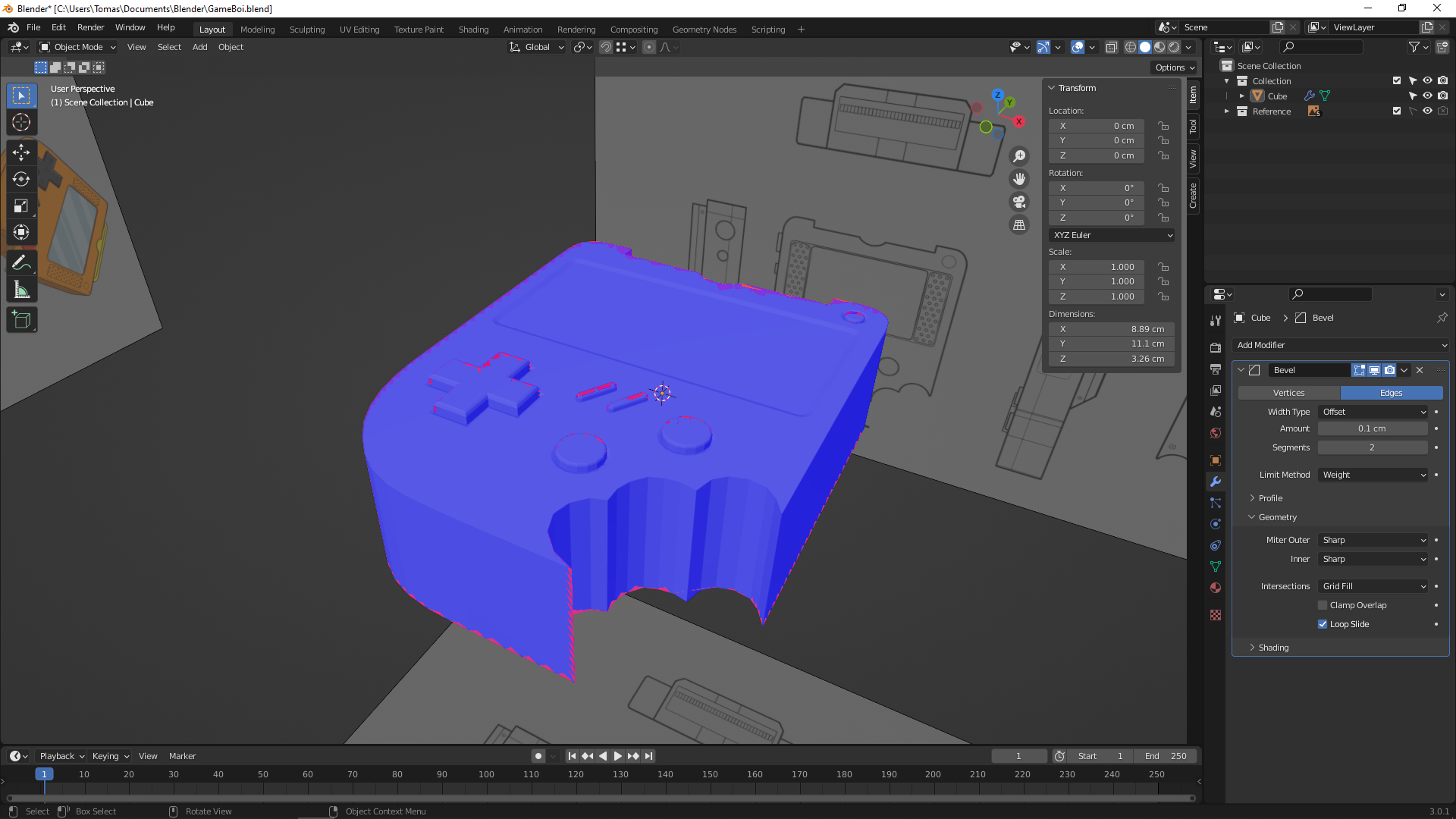
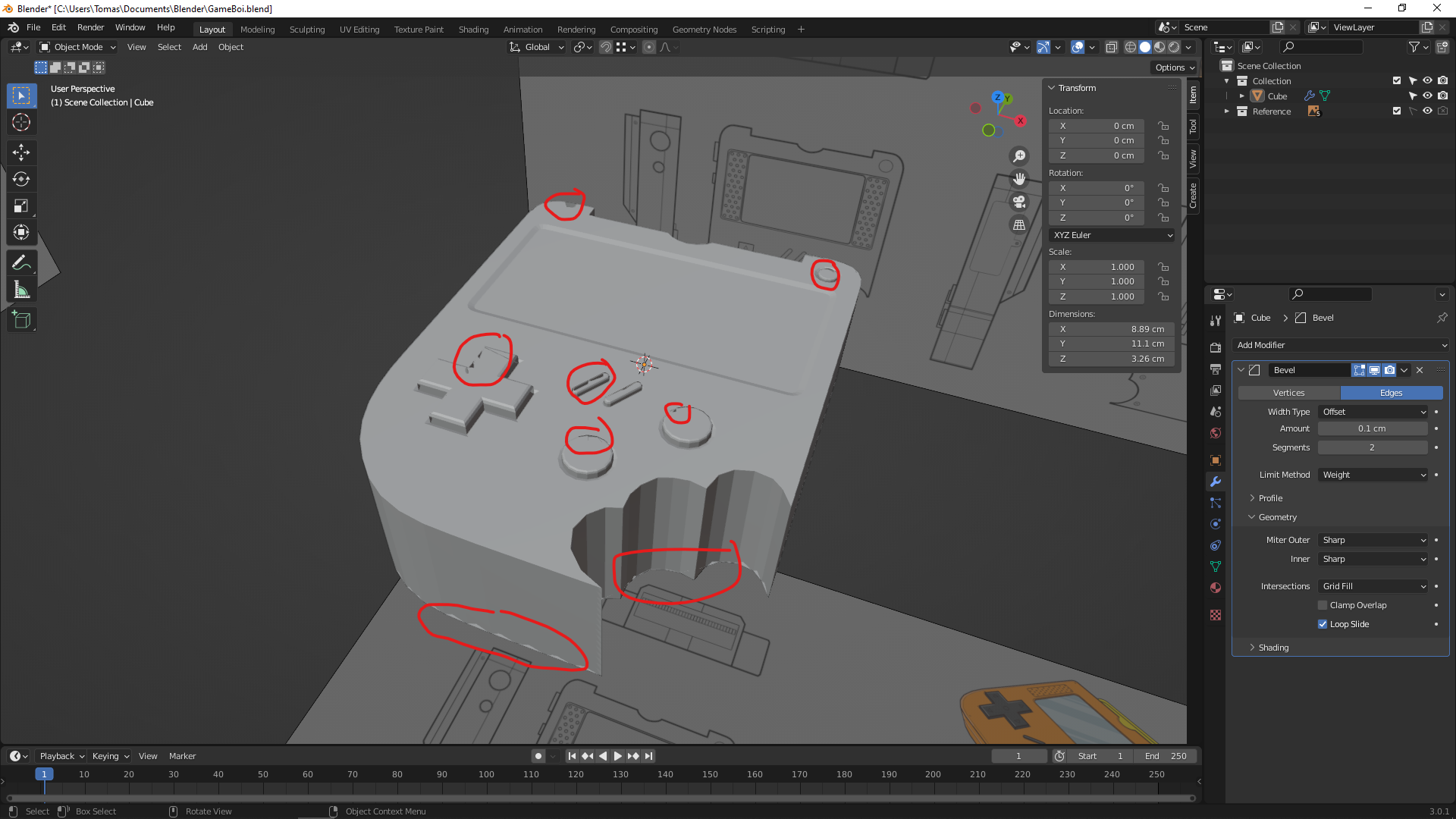
      Should I be worried about these graphical glitches, or…? I mean everything just looks so perfect and smooth/sharp in the video, compared to here :/ I’m hoping that it’s just “a thing” going on here on my side because of my computer or gfx card, especially since I get a clean render result!

      Here’s the view with Face Orientation turned on:

      #72287
      Jonathan Lampel
      Participant

        That is strange! So, there are no overlapping faces, double vertices, or any of the usual culprits? Does it still happen with the bevel modifier off? I can look at the file if you’d like and see if it happens on my end as well, but it does look like it could be a graphics card glitch. 

        #72288
        spikeyxxx
        Participant

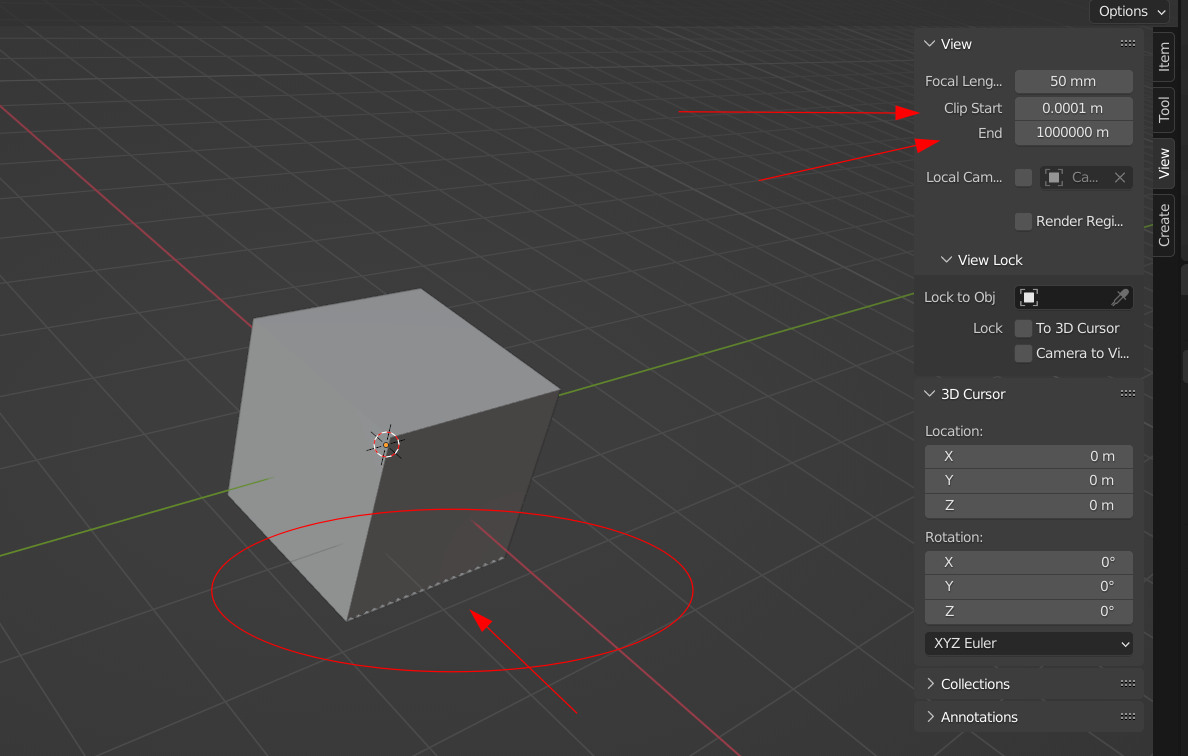
          You might wanna check your Viewport Clipping Settings:

          If they are too far apart, you can get glitches like this.

          This is due to rounding. The accuracy of numbers is fixed and if you’d have 1000 different values for a numberbetween 0 and 1 (0.357 for instance) then 1 meter would be divided into 1 mm ‘pieces’, but 1 km would be ‘cut into meter pieces.

          This is a clumsy and vague explanation, but I hope you get a feeling for why this happens. This is not just Blender related, but CG in general.

          #72289
          Tomas Engström
          Participant

            You were right on with this one!! As soon as I changed the Clip Start to 1cm instead of 0.0001 then the glitches went away! THANK YOU!

            #72290
            Tomas Engström
            Participant

              Nothing, no! That’s the first thing I checked – both overlapping faces, double vertices AND I even turned off beveling in viewport!

              spikey down here was much correct about the Viewport Clipping Settings though!! I changed that and now everything looks good!

            Viewing 5 posts - 1 through 5 (of 5 total)
            • The topic ‘Is this weird and worrying, or…? Just my computer/Blender acting up?’ is closed to new replies.