inset problem

Forum Archive inset problem

Viewing 8 posts - 1 through 8 (of 8 total)
  • Author
    Posts
  • #19144
    abdirahman farah
    Participant

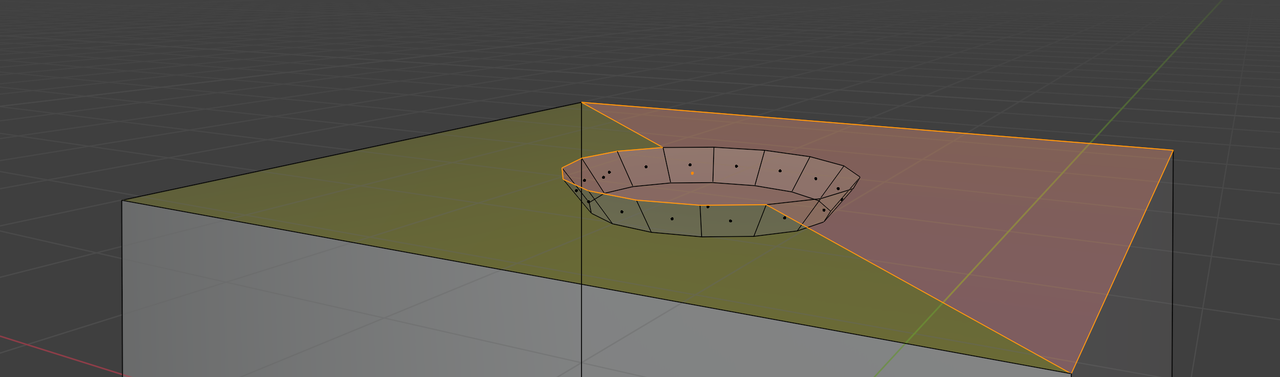
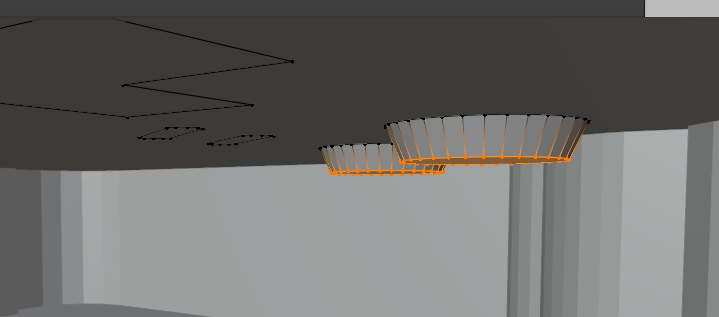
      hello again, when i inset a face of an object that is on another object’s surface then move it towards the Z direction it disappears, it goes through the object’s surface.

      i took screenshots but i couldn’t submit them to the question so please tell me how to submit the screenshots or answer me if you got my point.

      BJJ

      thanks.

      #91037
      Sascha Feider
      Participant

        You can click on this icon above the text area to add images.

        024-11-13 220953.jpg

        After you click it a side window will open where you can drop your image to upload and then select to attach to your question.

        #91038
        Martin Bergwerf
        Participant

          Hi Farah @biijeeyjeey ,

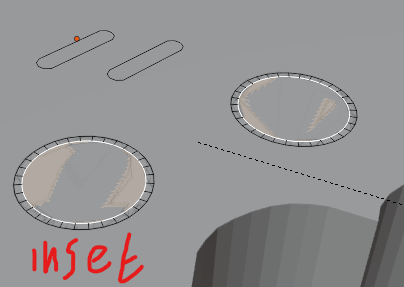
          If I understand it correctly, you have Filled your Faces incorrectly and now, if you Move your Isetted Circle down in Z, it ‘hides’ below another Face. It’s a bit hard to explain, but maybe this picture helps:

          Inset.png

          And there is a known limitation, with the Site, where you can’t add an image in the first post in a thread, asked directly under a Lesson. If you answer yourself, you can add images, like Sascha pointed out.

          #91039
          abdirahman farah
          Participant

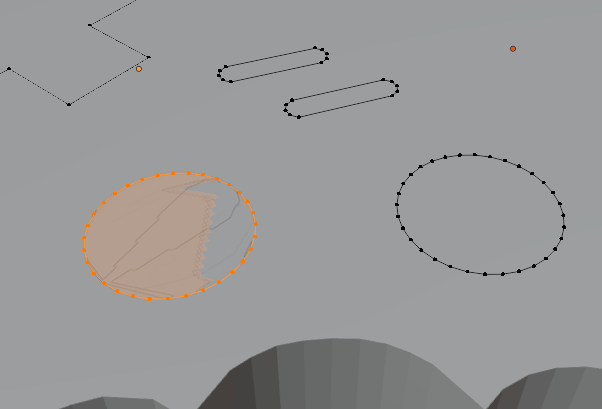
            if i fill the vertices it becomes like this, kinda mirror.

            fill.png


            if i inset 

            inset 2.png

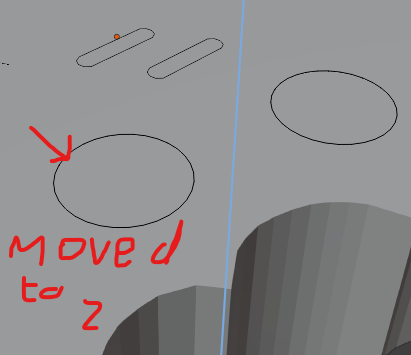
            but when i try to move it to the Z axis the face disappeares

            move 2.png

            and if u look inside the object or the console, you see it gone through the surface

            through.png

            so, what;s the problem and how do i solve it…?

            #91040
            Martin Bergwerf
            Participant

              The problem is what I told you.

              You have overlapping Faces. It’ll be best, if you Delete all the top Faces and Fill them again, this time paying more attention to what you are actually Filling. What you have Selected before pressing F, is really important!

              Re-watch that part of the video, so you get it right this time.

              #91041
              Omar Domenech
              Participant

                I agree with Martin, a re-watch is a good idea, even more so it’s to start from scratch. When things start feeling too complex, it’s always best to take a step back. When re-watching you’ll get more speed and after making the mistakes, the solutions will appear much more obvious. Also remember Press Start is not so beginner friendly, there’s always the Blender Basics for that:

                https://cgcookie.com/courses/blender-basics-an-introduction-to-blender-4-x

                #91042
                Martin Bergwerf
                Participant

                  Also, I just noticed, your Circles and D-pad and Buttons are Added in Object Mode, they are separate Objects than the Console. This is never going to work. Delete them in Object Mode, Select the Console, switch to Edit Mode and then Add those Circles and other buttons again, so they are part of the same Object as the console. Follow the Tutorial.

                  #91043
                  abdirahman farah
                  Participant

                    yes that’s right they’re seperate objects.

                    i understand now thanks teachers a lot.

                  Viewing 8 posts - 1 through 8 (of 8 total)
                  • The topic ‘inset problem’ is closed to new replies.