Inset Issue

Forum Archive Inset Issue

Viewing 11 posts - 1 through 11 (of 11 total)
  • Author
    Posts
  • #16788
    Juan H Arredondo
    Participant

      At 8:00 I selected the faces and tried to inset but the top section and bottom section inset in their own square. Not all together. Please Help

      #80879
      Omar Domenech
      Participant

        Can you put a screenshot so we can see, there might be different things going on there depending on how your model is. 

        #80880
        Tom Fransson
        Participant

          Hi Juan,

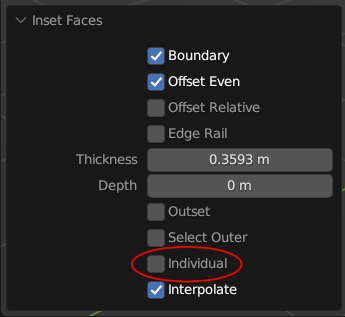
          If I count correctly your selection should have 18 faces. Then after the inset make sure that you have the same checkboxes checked as JL in that inset pop up down to the left. Hope that helps

          #80881
          Martin Bergwerf
          Participant

            Hi Juan @jartx98 ,

            The first time you press ‘I’, it starts the Inset, the second (third, fourth,…) time, ‘I’ toggles between Region (what you want here) and Individual (what you are getting, if I understand you correctly).

            #80882
            Martin Bergwerf
            Participant

              I.png

              #80883
              Adrian Bellworthy
              Participant

                As above…
                You can also toggle the Individual option in the ‘Adjust Last Operation‘ window.

                AdjLastOp_Ind.png

                #80884
                Fran Marin
                Participant

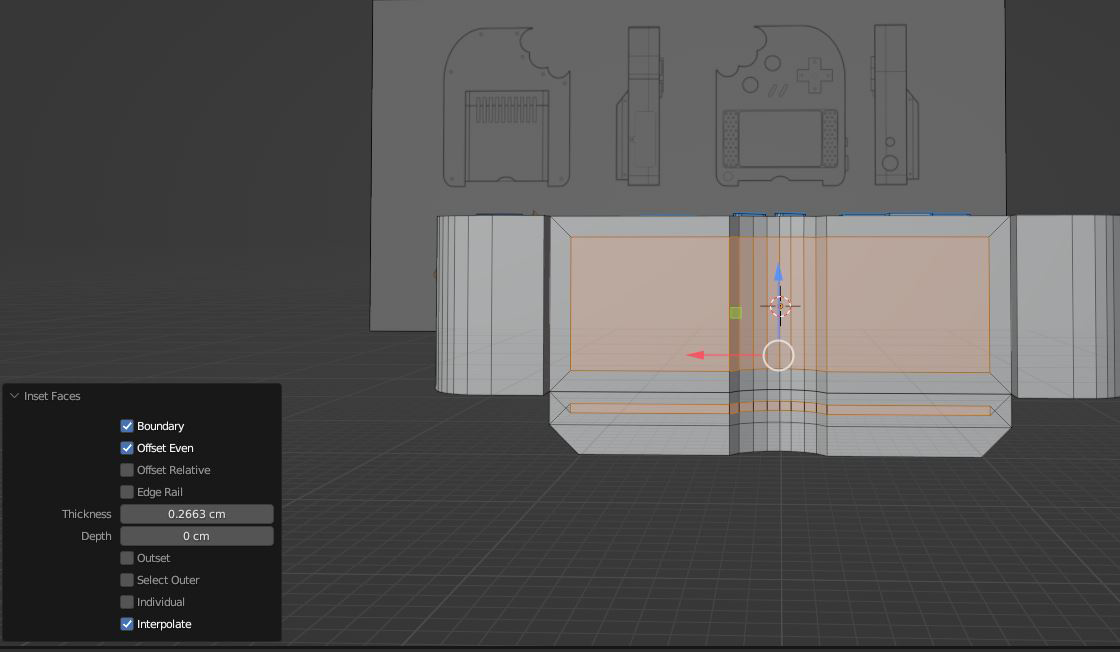
                  i am getting the same issue. Have tried all the suggested checks , individual is off. Here is a screenshot showing how it is insetting as two separate facesinset.png

                  #80885
                  Martin Bergwerf
                  Participant

                    Hi Fran @Makiton ,

                    Thanks for adding a screenshot!

                    That is indeed not Individual, but in two pieces as you say…my guess is, that it Insets that way, because the top and bottom part are really two pieces.

                    So before Insetting, select everything (A) and then M > Merge > By Distance. (For good measure follow it with SHIFT+N, to fix possible inconsistent Normals.)

                    #80886
                    Fran Marin
                    Participant

                      Thank you Martin, your suggestion did indeed fix this. 

                      #80887
                      Tom Fransson
                      Participant

                        Yea, doubles in 3D modeling can be like a double fault in tennis. With that said your explanation was a perfect serve ace Martin. Well played! 🙂

                        #80888
                        Adrian Bellworthy
                        Participant

                          To get two or more, faces to inset as one individual, they do need to be adjacent faces. If it doesn’t work as intended the usual culprit is double vertices.

                        Viewing 11 posts - 1 through 11 (of 11 total)
                        • The topic ‘Inset Issue’ is closed to new replies.