Course Library
Learning Paths
Free Courses
Learn Blender 3D in the way that’s right for you.
Inner Circle
Where members share progress and help each other learn.
›
The Commons
A free Blender community open to artists of all skill levels.
Forum Archive › In Active Tools in the Toolbar, you ‘switch to edit mode’ when using the lasso select tool. How?
You selected edit mode but I didn’t see the cursor point to a menu or see any hotkey combo. As a relative novice coming back to CGCookie and more used to 2.79, it would really help to know things like this form the beginning.
Thanks
He pressed Tab in order to switch to Edit Mode
Like shanr said.
(Should be familiar, because that was already the hotkey in 2.79…)
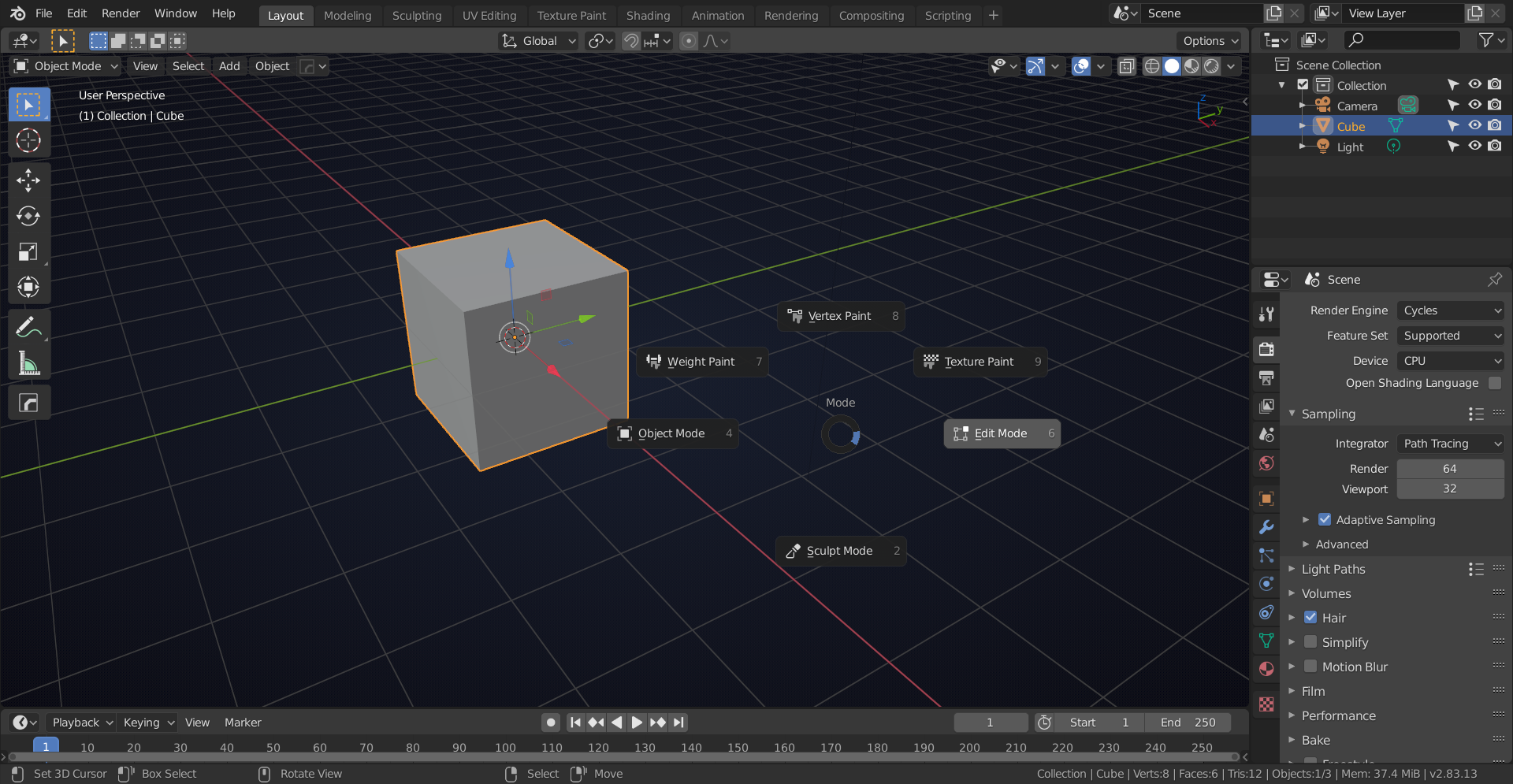
If you press CTRL+TAB you get a pie menu like this:
My thanks both of you. Also realised the mode list is now at the top left too.
Feels like a very steep re-learning curve at the moment so your help is appreciated.
The cookie community is here to help when we can.