Image Texture a Plane with the Solidify modifier – Flip Text (Blender 5.0.1)

Forum Archive Image Texture a Plane with the Solidify modifier – Flip Text (Blender 5.0.1)

Viewing 7 posts - 1 through 7 (of 7 total)
  • Author
    Posts
  • #21288
    Carlos
    Participant

      Hi guys, hope you are all doing well.

      I am creating some real life objects as entertainment and to practice, right now I was creating this Bambu Smooth PEI Plate:


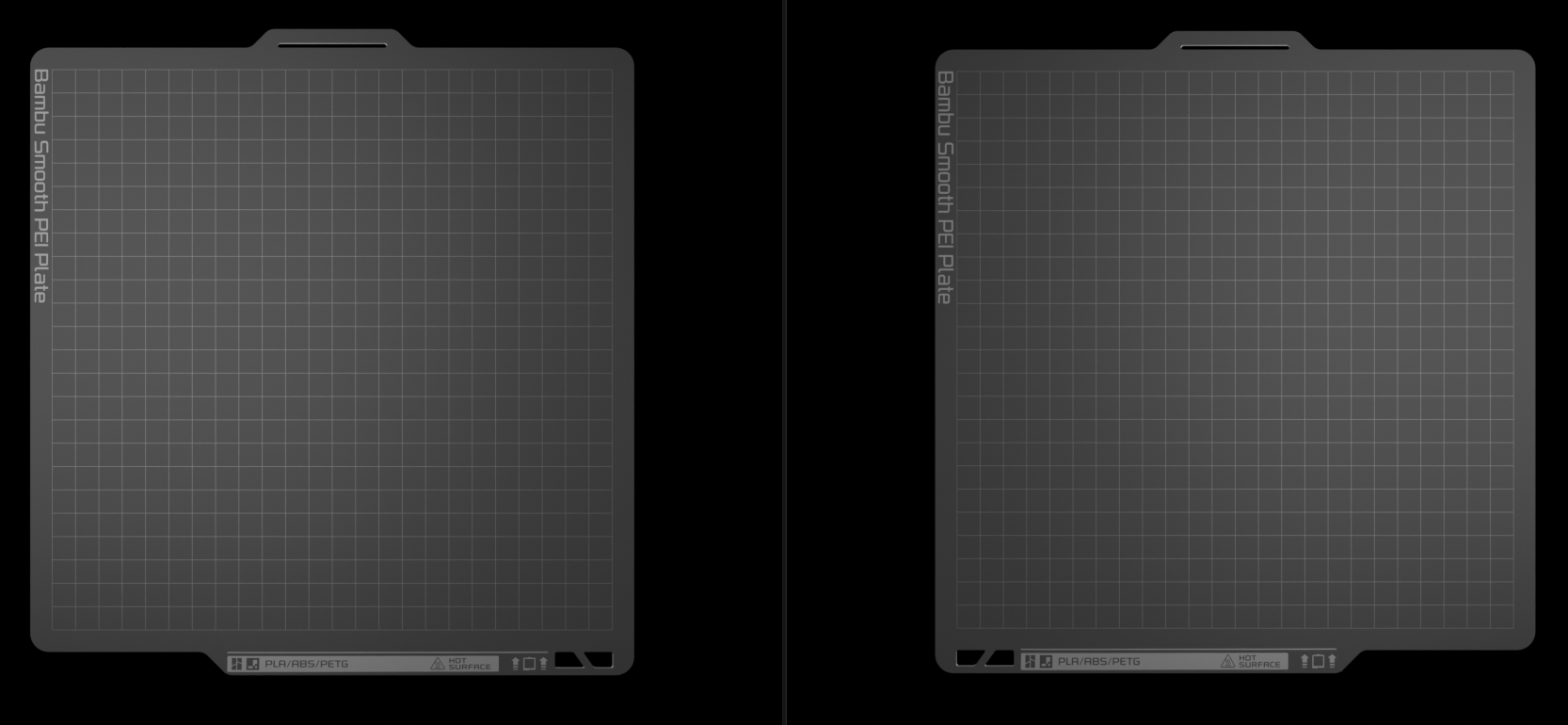
      Which is a simple plane with some cutouts and some seams for UV unwrapping:


      On the modifiers I have:

      1. Bevel (Vertices based on weight)
      2. Solidify 1mm
      3. Smooth By Angle

      The Image texture I am using is:

      Now the issue, if I flip the model, the other side of the plate looks like this 🙂


      The text is wrong.

      My question: Is it possible to make it work without having to apply the modifiers and move/flip the bottom faces in the UV editor?
      I googled a bit and found a cool thing in the shader editor:


      However, this doesn’t seem to work if I have the solidify modifier active:


      I tried using the normal/true normal of the geometry and comparing if the Z is greater than .5, but this breaks as soon as I rotate the object. I thought, maybe if I make it a child of an empty, the normal will stay fixed (using the local axis?? IDK), but it didn’t work, as soon as I rotate the empty the same issue happens.

      Any tip would be welcome, If there’s no workaround I’ll just apply the modifiers.

      Thanks in advance.

      #99332
      Martin Bergwerf
      Participant

        Hi Carlos,

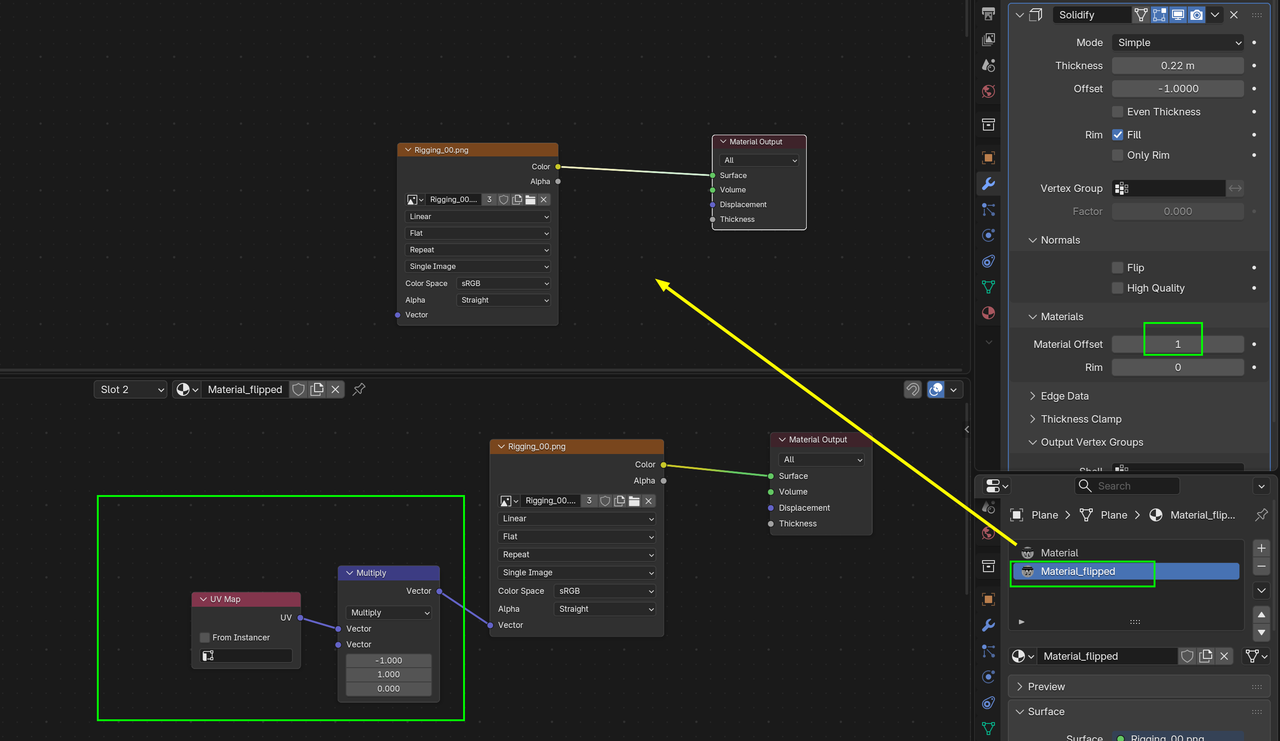
        A possibility is, to give the back a different Material, for instance like this:

        Solidify-flip.png

        #99333
        Omar Domenech
        Participant

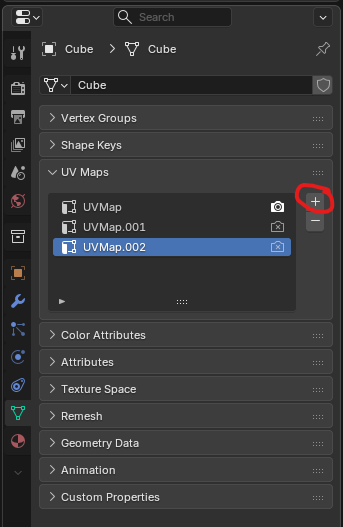
          Same as Martin, you can have two materials and UV two sets of different UV layouts that you can lay independent from one another. That way you can have a material and UV set up for one side and a different UV setup and material for the other. 

          UV Maps.png

          #99334
          Carlos
          Participant

            Thank you both, I am going to try these out right now.

            Have a great weekend!

            #99335
            Carlos
            Participant

              Done 🙂 thx again.

              First time using multiple UV Maps, had to use the UV Map in the shader node editor to pick each one for each material.

              #99336
              Carlos
              Participant

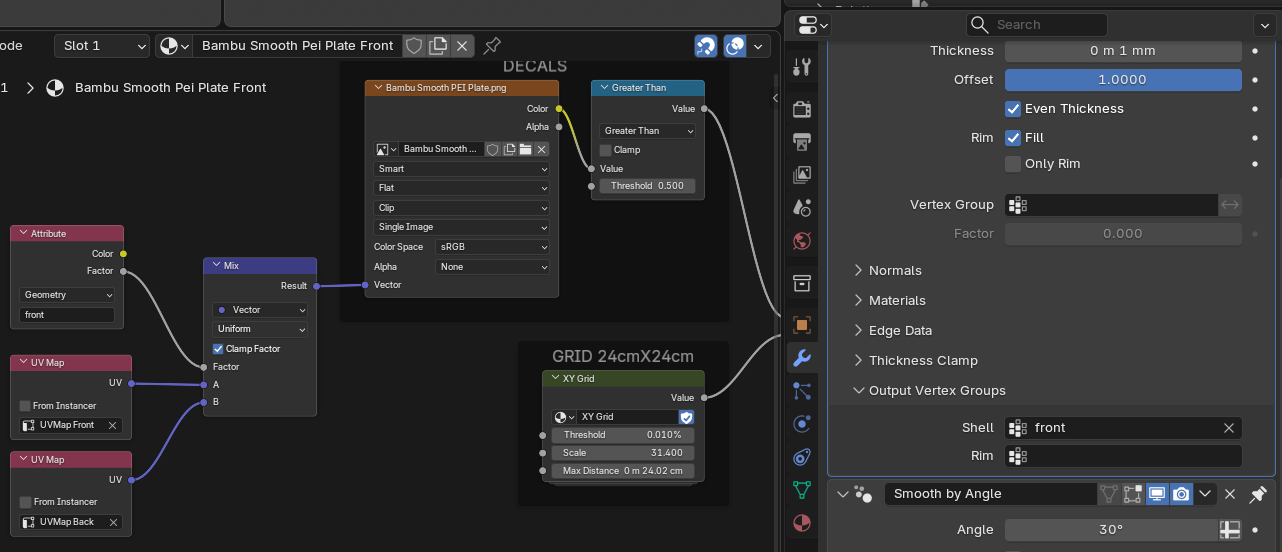
                I had no idea about the options that the solidify modifier offers, with this other one “output vertex groups” I can do it with 1 material:

                #99337
                Martin Bergwerf
                Participant

                  Ooooh,

                  I never used that one….interesting!

                Viewing 7 posts - 1 through 7 (of 7 total)
                • The topic ‘Image Texture a Plane with the Solidify modifier – Flip Text (Blender 5.0.1)’ is closed to new replies.