I can’t see the Mesh Projected Mask

Forum Archive I can’t see the Mesh Projected Mask

Viewing 13 posts - 1 through 13 (of 13 total)
  • Author
    Posts
  • #20961
    Sergio Garcia
    Participant

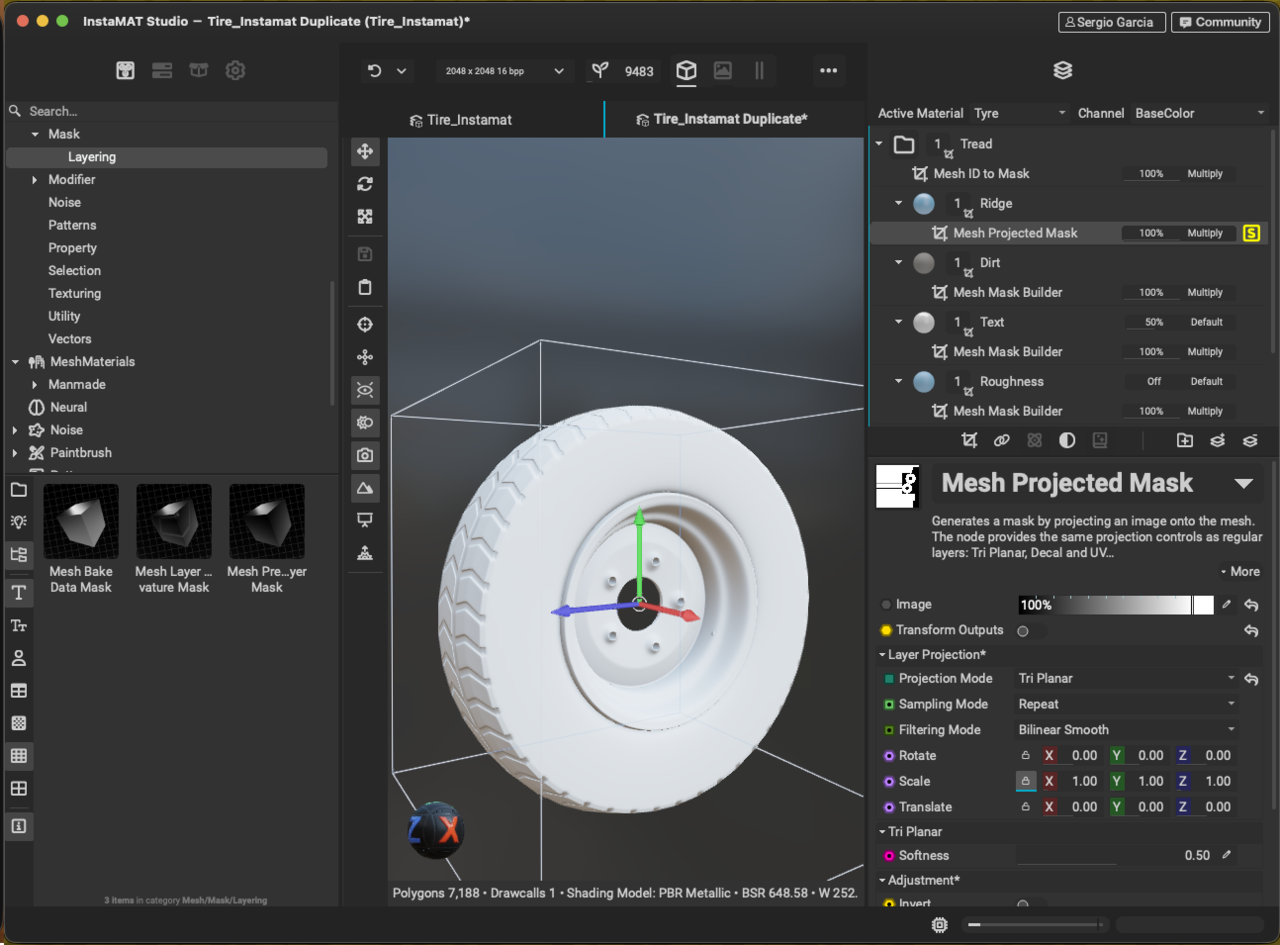
      I cannot see the Mesh Projected Mask. My screen looks a bit different. Is there something I am doing wrong? 1-04 at 13.06.52.png

      #97758
      Chunck Trafagander
      Participant

        Hey there, 

        So if you change the “Projection Mode” under the “Layer Projection” header to “Decal”, and then try to change the Image that the mask is using, are you able to notice any difference on your model?

        #97759
        Sergio Garcia
        Participant

          Nope, nothing shows. It’s like not visible or not working at all. It doesn’t show the Seed option either.

          #97760
          Chunck Trafagander
          Participant

            So the UI will be slightly different as this was recorded with an older version of InstaMAT, thus why you likely won’t be able to see the Seed option. 

            What channels do you have visible on the Ridge layer? I know I have you turn off everything except for the Height and AO. Perhaps if you turn the colour channel back on for now, this can help us troubleshoot to see what is going on. As well, if you hover your mouse over the mask layer and press “S”, you can solo that layer and visualize what the mask is actually doing. That may be a good place for us to start. 🙂

            #97761
            Sergio Garcia
            Participant

              1-04 at 14.14.45.png

              #97762
              Sergio Garcia
              Participant

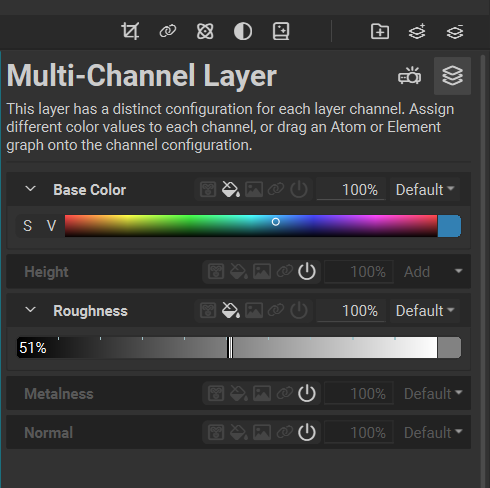
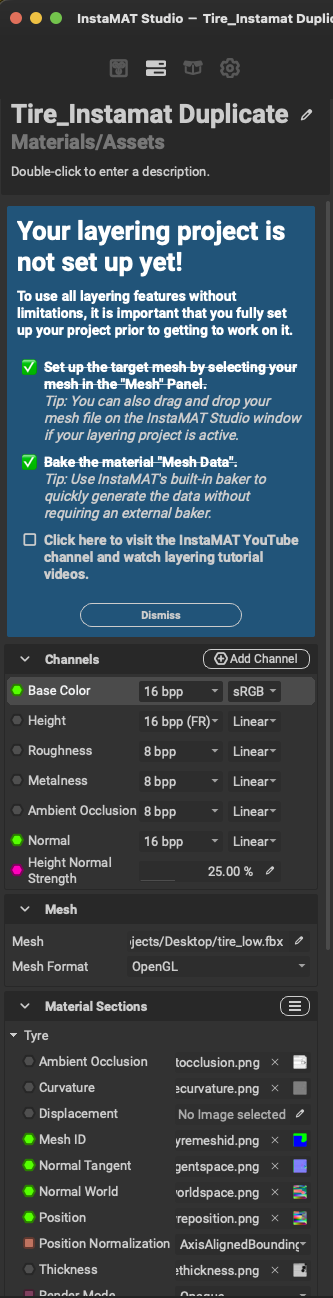
                Is this something that could be affecting the project?

                1-04 at 14.18.23.png

                #97763
                Sergio Garcia
                Participant

                  I started bringing it fresh back in Instamat. I noticed that the Aircap never came along. It is missing from the model, mmm…

                  #97764
                  Chunck Trafagander
                  Participant

                    So in your first image, the reason the mask now appears to be affecting everything is because in the Image slot, it has been set to a uniform value of white (100%). This essentially means that the model is being filled with the mask entirely since there is no variation in the mask. 

                    You will want to set it to another image of some type, like the Ring texture that we use in the lesson. 
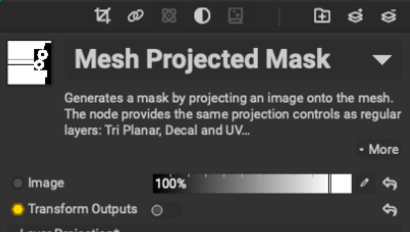
                    As for the Layering Project tutorial, it likely shouldn’t be anything that is conflicting with what you are trying to do! You should be able to dismiss it if you find it is impeding on your UI, but there will be no effect otherwise.

                    Sometimes a fresh working file is all you really need for things to start working properly again! If you are already starting anew, just keep in mind some of these troubleshooting options for when you get back to this part of the lesson, and perhaps can even try it early to make sure there’s no surprises. 🙂

                    #97765
                    Sergio Garcia
                    Participant

                      Now that I did it again an encounter other problems as well, I managed to overcome all these and now it working. I don’t know what I did. It seems like I did the same things, but now it works. I have to say, and I might not be right as it is the first day that I use this software, that it feels a bit glitchy. Some problems I just fixed them by repeating them again same way and that time round it worked. Weird. Thanks for your help anyway. 

                      #97766
                      Chunck Trafagander
                      Participant

                        Well all is well that ends well I suppose, haha. Happy to help, I am glad that it ultimately got resolved! 😀

                        #97767
                        Sergio Garcia
                        Participant

                          There you go,

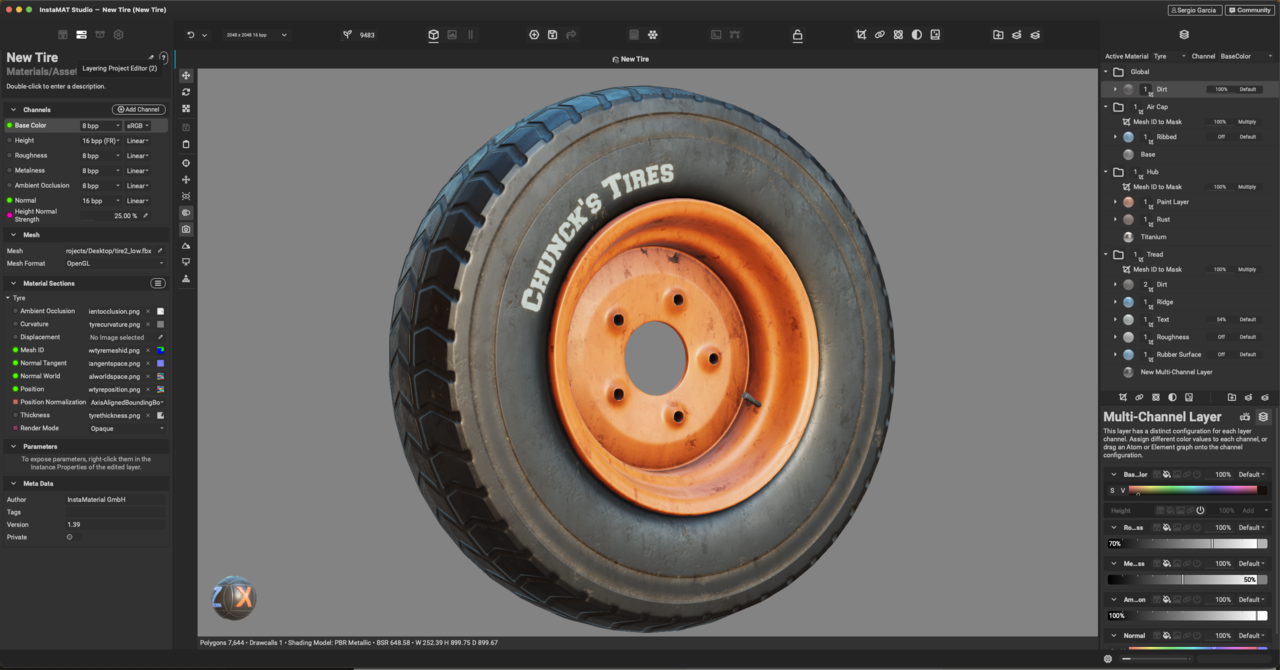
                          I couldn’t get any closer. The chips and scratches on the hub would work at all as per your settings, so I decided to move on… What do you thing so far?

                          1-04 at 17.45.15.png

                          #97768
                          Charles
                          Participant

                            Aside from the American spelling it looks pretty good to me. I’m keen to learn a better texturing workflow than Blenders own 

                            #97769
                            Chunck Trafagander
                            Participant

                              Fantastic job Sergio, your render looks wonderful! Despite the issues, I’m stoked you’ve been able to get something as pleasing as this. InstaMAT should only get easier from here on out! 😀 

                            Viewing 13 posts - 1 through 13 (of 13 total)
                            • The topic ‘I can’t see the Mesh Projected Mask’ is closed to new replies.