
I cannot beval the slots
Forum Archive › I cannot beval the slots
- This topic has 18 replies, 7 voices, and was last updated 3 years, 7 months ago by
Omar Domenech.
-
AuthorPosts
-
January 1, 2023 at 12:23 am #15803
I have read the answers to this question and I checked my Verts, they are all merged by distances and it said 0 Verts merged which means it did not need any. I checked all my normals and it showed all blue and I use the Alt+N just to make sure. No matter what i do, those slots will not bevel
January 1, 2023 at 8:00 am #76975Are you using normal means to bevel or the bevel weight? (Press N to bring the item/tool/view sidebar)
If so, then double check if you applied scale.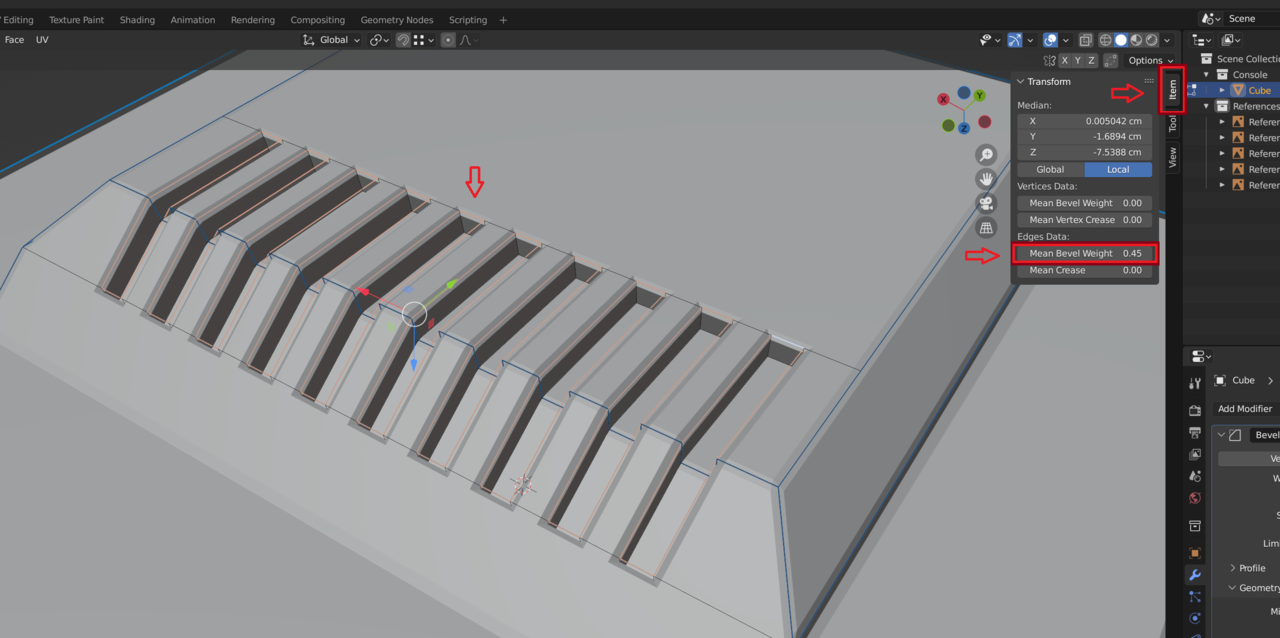 January 1, 2023 at 1:38 pm #76976
Yeah the scale is the most important, check it’s applied. Because your object can have the scale all messed up and your Bevel be tiny compared to the object and it’s not showing up because you can even see it since it’s so disproportionate compared to the sizes.
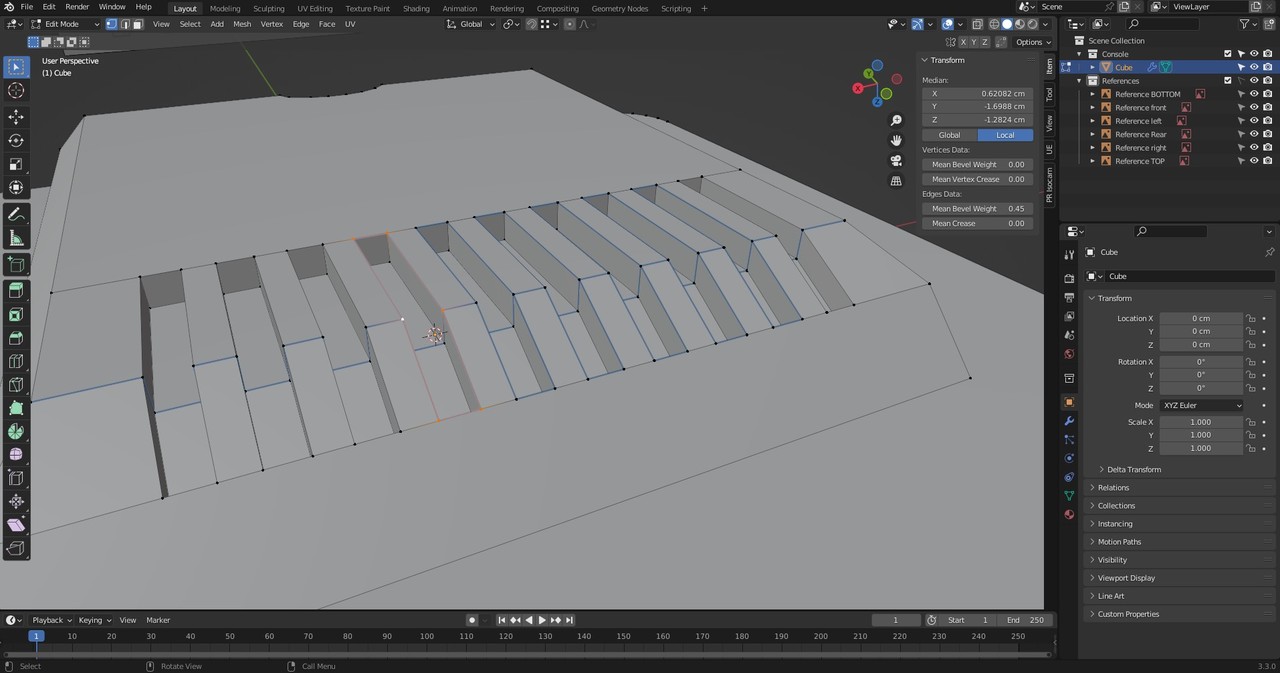
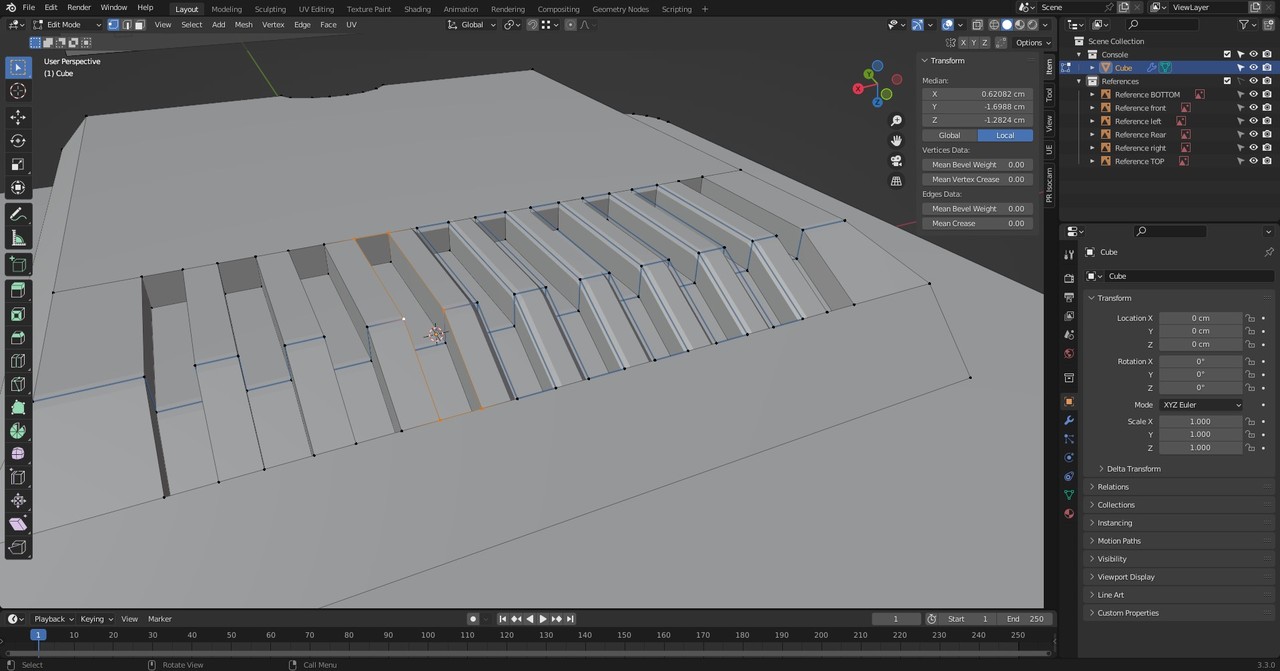
January 9, 2023 at 1:31 am #76977I am also having the same issue. When i try to bevel them one at a time it works until all of a sudden poof. they break when a reach a one of the slots. They wont all bevel a the same time. Im trying 0.4 as value on the Edge Data mean bevel weight or 0.45
 January 9, 2023 at 4:00 am #76978
Hi @deathjdstn and @FrixTheBlenderNoob ,
If you are still having problems and care to share your .blend file (post a link here, using something like GoogleDrive or Dropbox or so), I (or someone else) will have a look at what is causing this (not necessarily one and the same thing in both cases).
January 9, 2023 at 6:04 am #76979@FrixTheBlenderNoob , your screenshots show you are using vertex select, try using edge select as in the lesson.
Using vertex select also selects unwanted edges in between.January 9, 2023 at 11:57 pm #76980A link to my onedrive project folder
https://1drv.ms/u/s!ArvMjznIHWvbhZR9ksNP35tbBfzIUg?e=K7UpEx
I tried both vertex and edge select and it did not work.
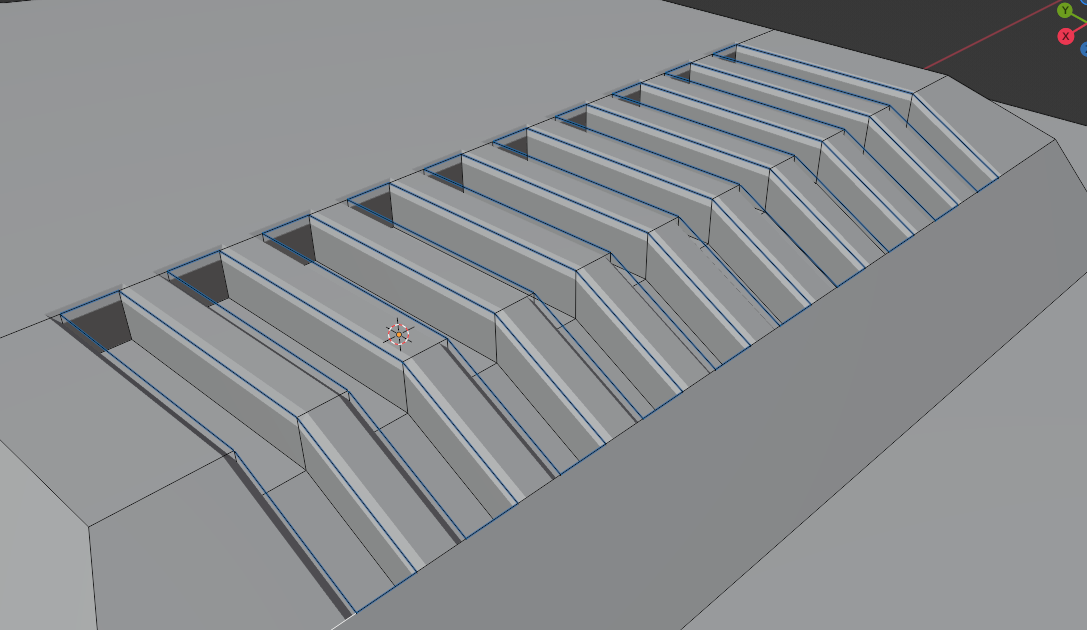
January 10, 2023 at 12:48 am #76981I disabled clamp overlap and now it works but not for one of the sides. As you can see the it doesnt bevel the buttom edges. I can’t find any duplicate vertices.
 January 10, 2023 at 2:16 am #76982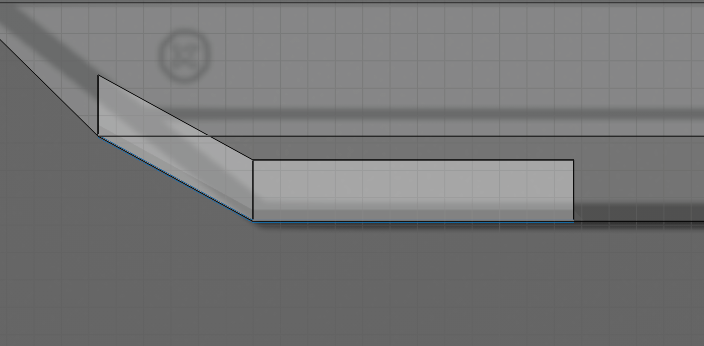
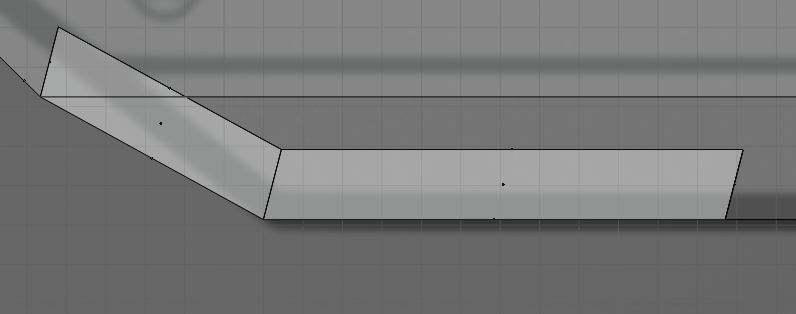
I even did the slots again cause i extruded along the global Z axis unlike the video. But that didnt fix the issue either.
January 10, 2023 at 3:45 am #76983Hi Frederik @FrixTheBlenderNoob ,
The problem seems to be the Angle here:
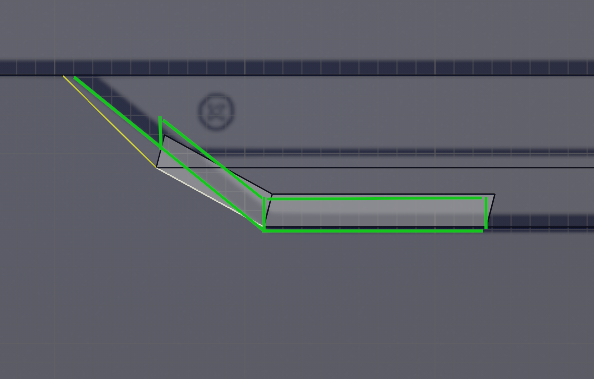
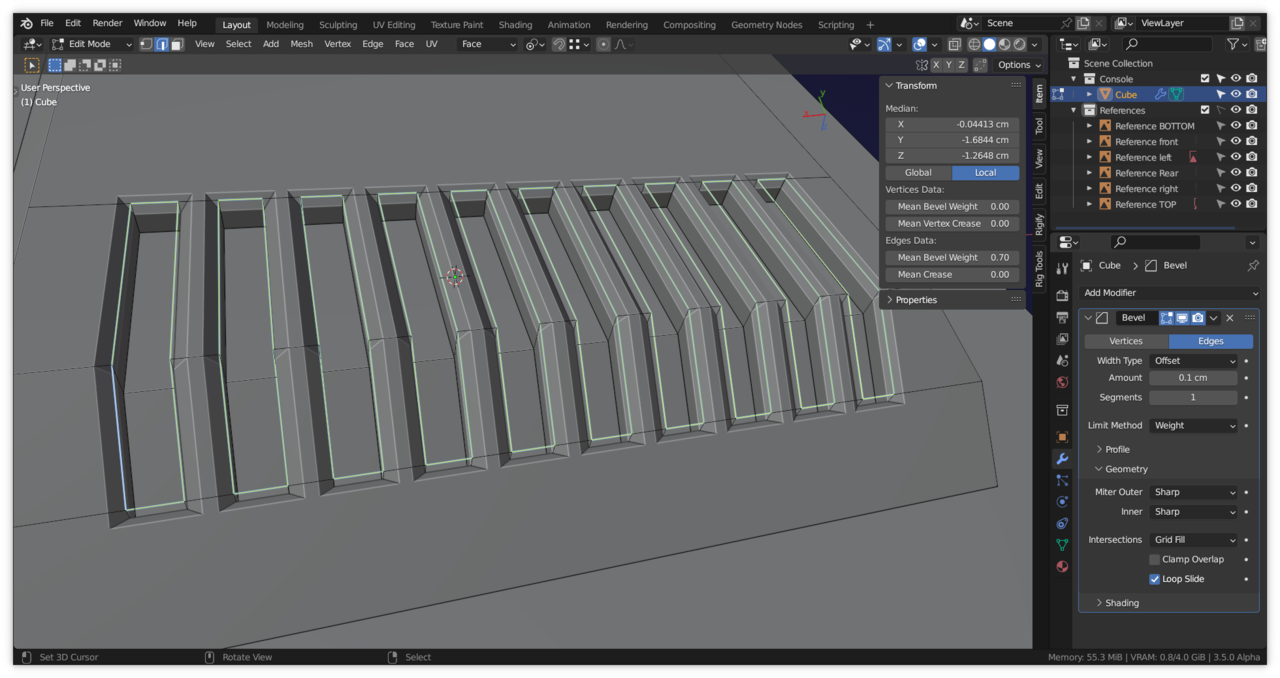
I also made those insets go straight up for good measure, but I don’t know if that is actually necessary.
The result:
 January 10, 2023 at 4:17 am #76984
And to get those Faces straight, you can for instance:
Select these 4 Vertices, F to fill them with a (temporary) Face and make a new Transform Orientation:
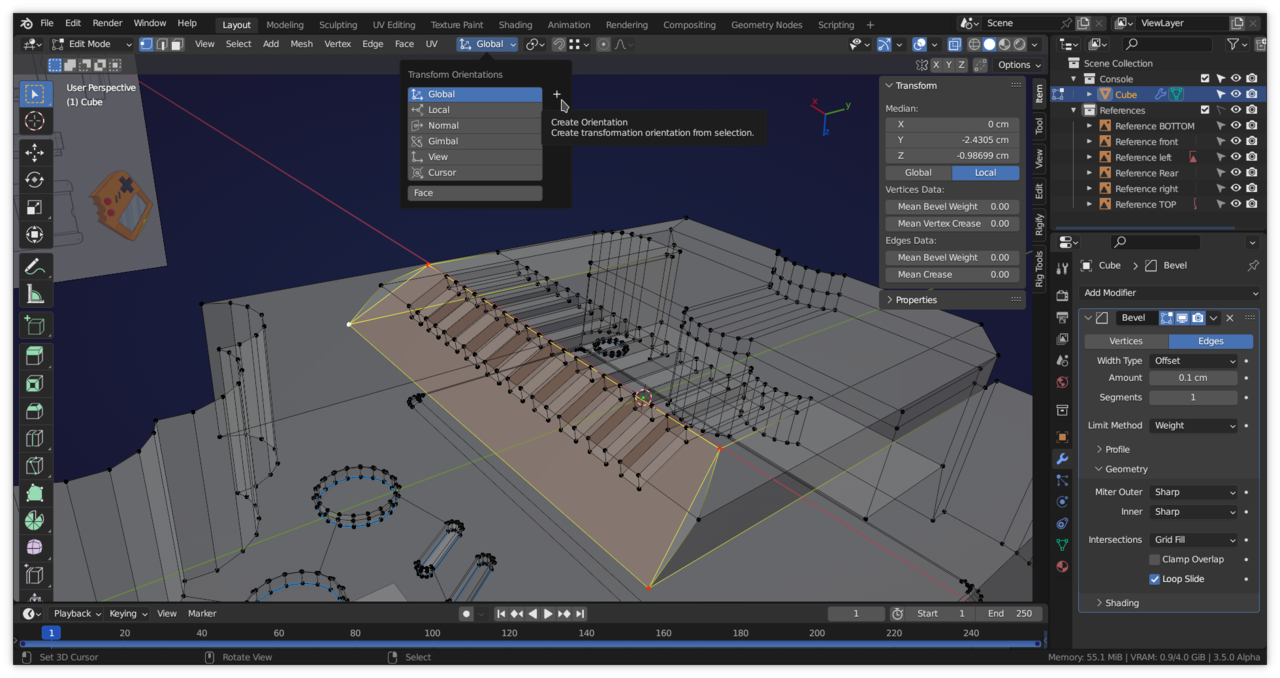
After making the new Orientation, you can Delete that Face (Blender will remember the Orientation).
Select these Faces and make a relevant Vertex the Active one, for instance this corner Vert (and use Active Element as Pivot Point):
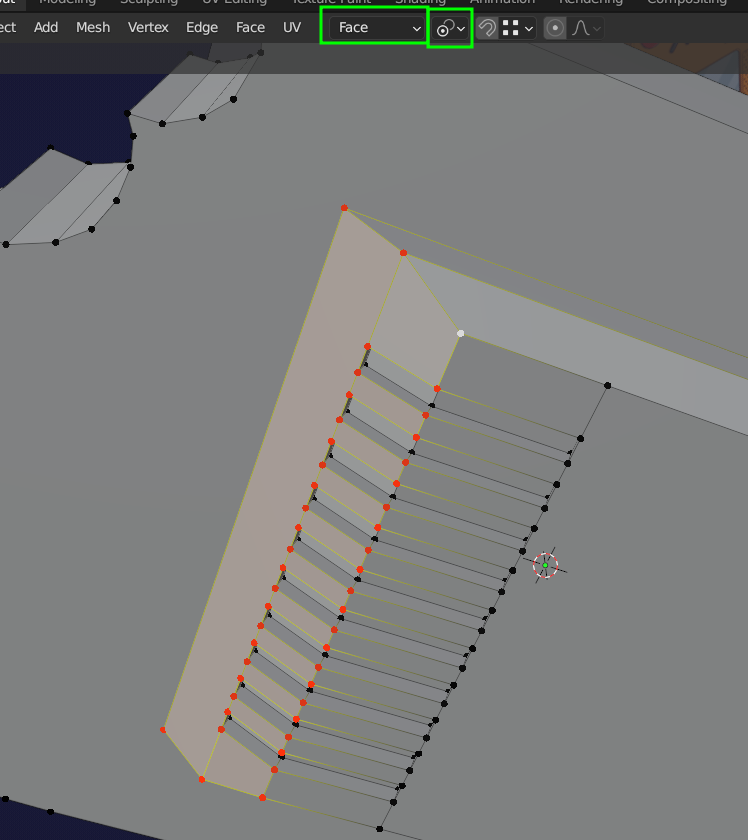
Then S, Z, 0.
You’ll still have to fix those insets, but I’m sure you are able to do that.
January 10, 2023 at 7:16 am #76985Remember, most of the time is easier to start again than to keep fixing old problems. You’ll get faster and develop a sense on how to avoid the pitfalls you’ll likely encounter later on.
January 10, 2023 at 10:52 am #76986@FrixTheBlenderNoob , if you disabled clamp overlap, you probably have double verts.
If you have already tried merge by distance, and got zero deleted. Try again, and this time in the Adjust Last Operation window increase the merge distance from the default 0.0001, try 0.001. Keep an eye on the whole mesh, in case you go to high and remove verts you want to keep
January 26, 2023 at 12:41 pm #76987I am having the same issue here. Tried to merge and check face orientation, everything seemed to be alright. https://drive.google.com/file/d/1cfbBYCWpr31tNftpDbAXBasO_1Iu8Qj9/view?usp=sharing this is my project, please help me :’)
January 26, 2023 at 1:03 pm #76988Hi Enrico @Sir Pegassi ,
What exactly is your problem? Beveling seems to work just fine in your file:
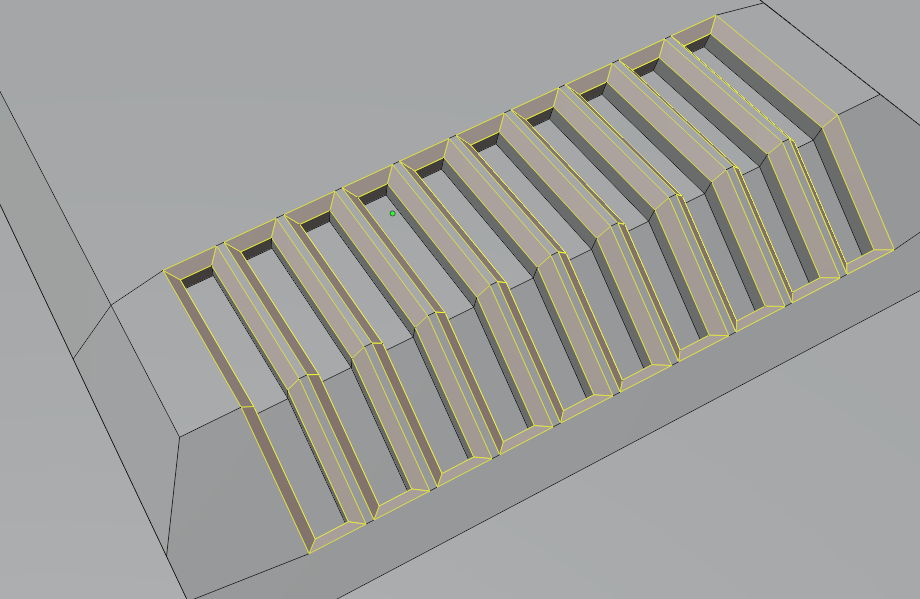
-
AuthorPosts


- The topic ‘I cannot beval the slots’ is closed to new replies.