[HUMAN] Strange artifact when multires levels are increased

Forum Archive [HUMAN] Strange artifact when multires levels are increased

Viewing 9 posts - 1 through 9 (of 9 total)
  • Author
    Posts
  • #19921
    coyo
    Participant

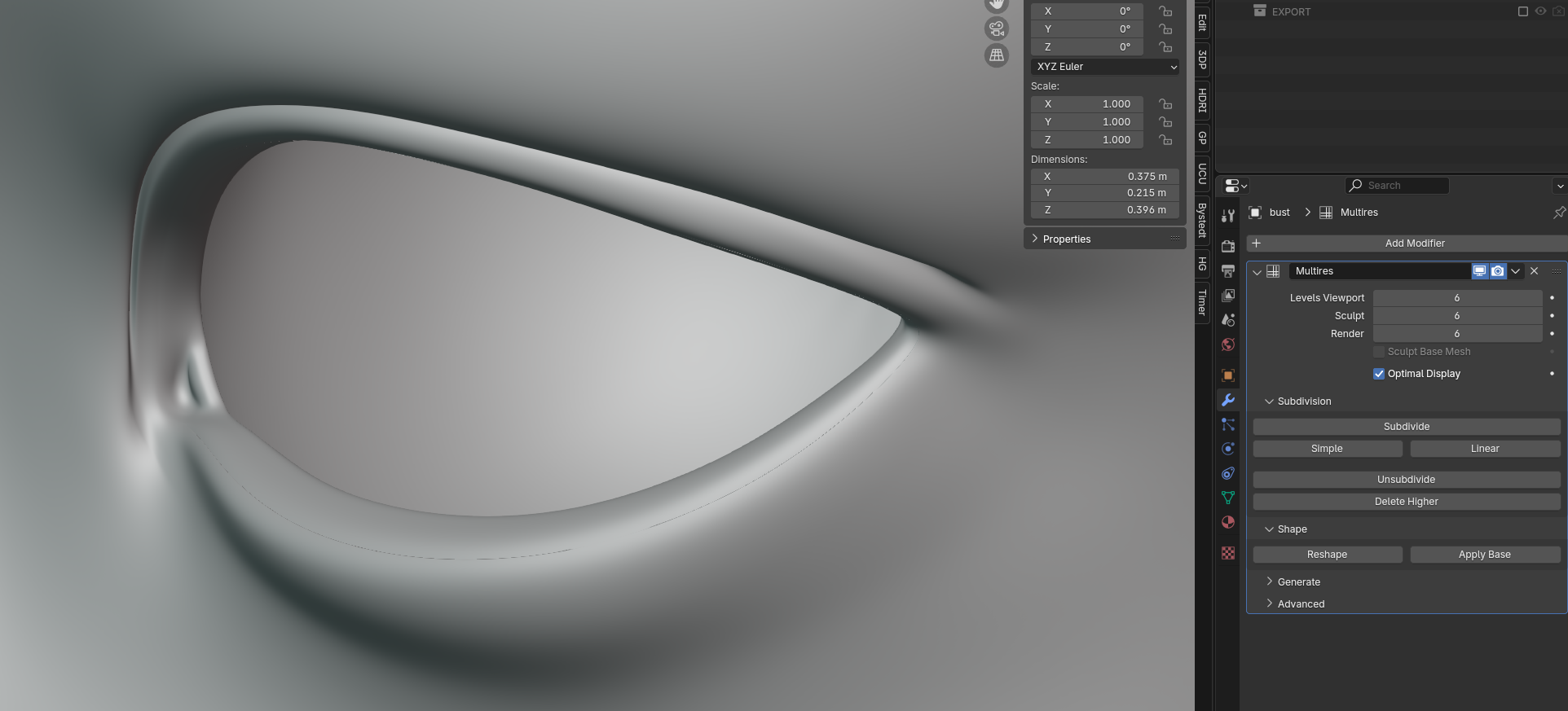
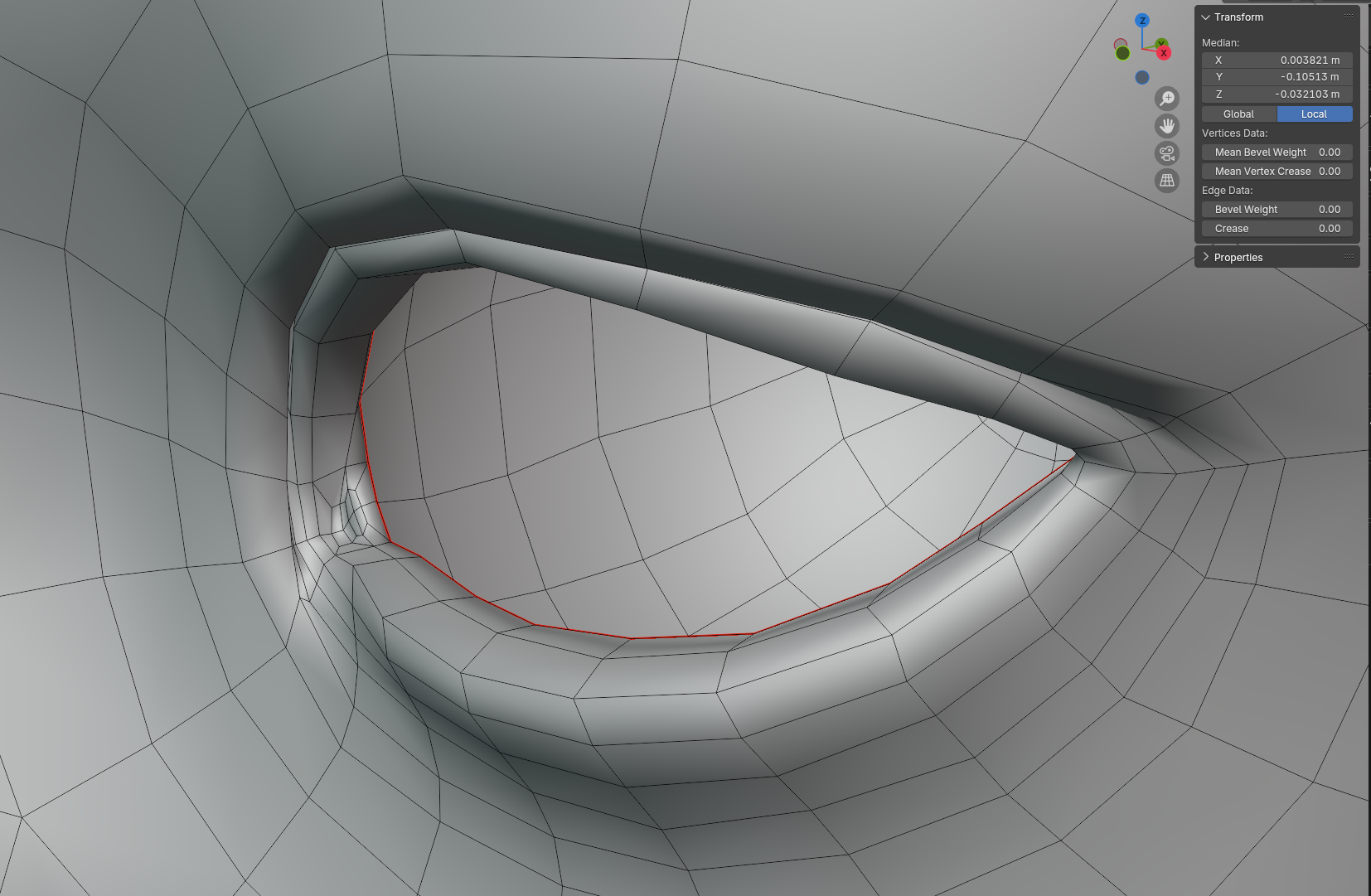
      I am getting a strange crease on a loop around the eyes when I increase multires levels on my mesh. At one point I did have this particular edge set to crease but have since removed it. I have tried checking the usual suspects, double verts, overlapping faces…no luck.

      It starts showing up when multires levels hit 3+

      #93972
      Martin Bergwerf
      Participant

        Hm, I don’t know. Care to share the file @coyohti ?

        #93973
        Omar Domenech
        Participant

          I think I’ve seen that when I have a rogue edge. Have you tried deleting those faces and see if a floating edge is left there? 

          #93974
          Dwayne Savage
          Participant

            I can only think of 3 things.

            1. In edit mode select each edges and make sure that the edge crease is 0 on each edge. Also make sure that mean vertex crease is also 0.

            2. Normals: 2 different methods. 
                      A) Go to properties editor->Mesh data tab->Geometry data panel->If the button says Clear custom split normal instead of Add custom split normal. Note: If you did any custom normals work it will remove it all.
                     B) Select the edges and press alt+n->Reset vectors. Note: sometimes this doesn’t work. The workaround that usually forces it to work is with the offending edges selected press Alt+L, then press M and move mouse around shading will go crazy since all the selected split normals will point towards the mouse. Then left click to confirm. then do the alt+n->Reset vectors. 

            3. In edit mode press P->Loose parts. Tab to object mode, select the head, and press H to hide. Then check to see if there is any other objects that shouldn’t be there. 

            ***Edit***

            Thought of a 4th, but not sure if that would give this problem, but just incase. Goto wire frame or x-ray mode and click select->select by trait->select inside faces. If anything gets selected. x->only faces. You may have to go thru and clean up edges afterward too. 

            #93975
            coyo
            Participant

              Hey all! I’m catching up on suggestions. In the meantime here’s a portion of the model in question. Increase to multires to start seeing the artifact…

              Google Drive Link

              #93976
              coyo
              Participant

                @dillenbata3 and Omar – Aha! Some things I hadn’t thought about! I thought Merge by Distance would eliminate rogue edges but yeah, that could very well be the case. I haven’t worked on this file in awhile and I would bet that at some point I beveled that loop and maybe left some stray geo. I will try your suggestions!

                EDIT: Tried suggestions and still no love. It really seems to be extra edges I can’t seem to track down. If I delete faces and bridge edges or dissolve the  loop and add a new one things go even crazier. This one is a real puzzle!

                #93977
                Omar Domenech
                Participant

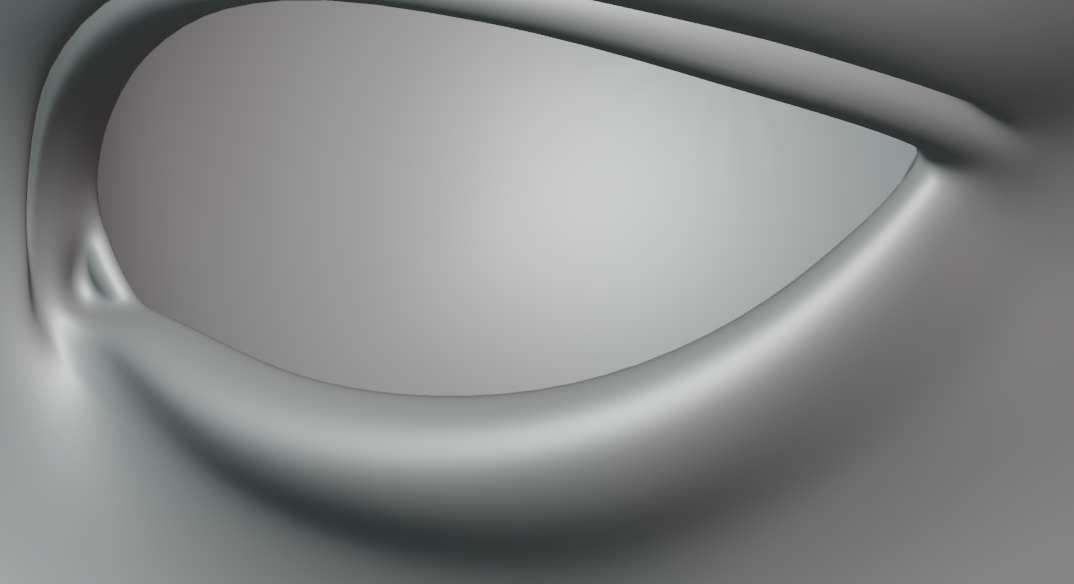
                  It may be a Blender version thing, I can’t get that no matter what I do, I don’t get the strange crease. 

                  Eye.png

                  Try opening the file on a different version of Blender. 

                  #93978
                  Dwayne Savage
                  Participant

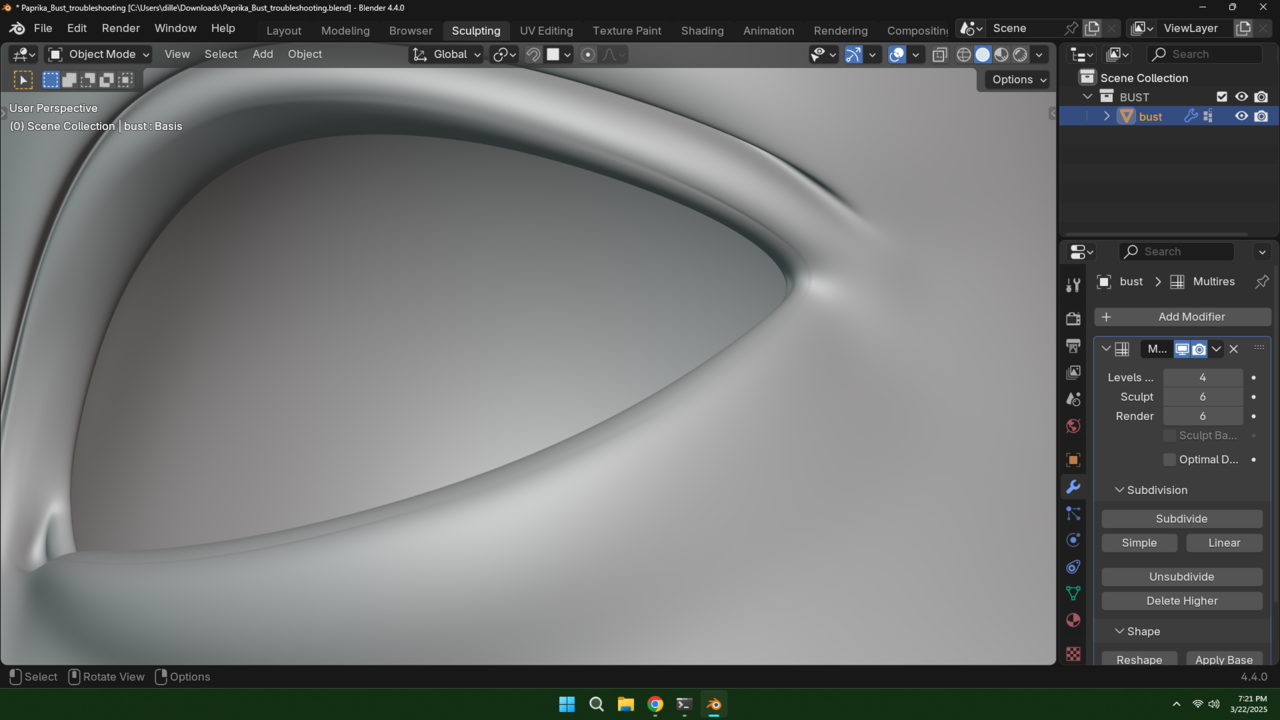
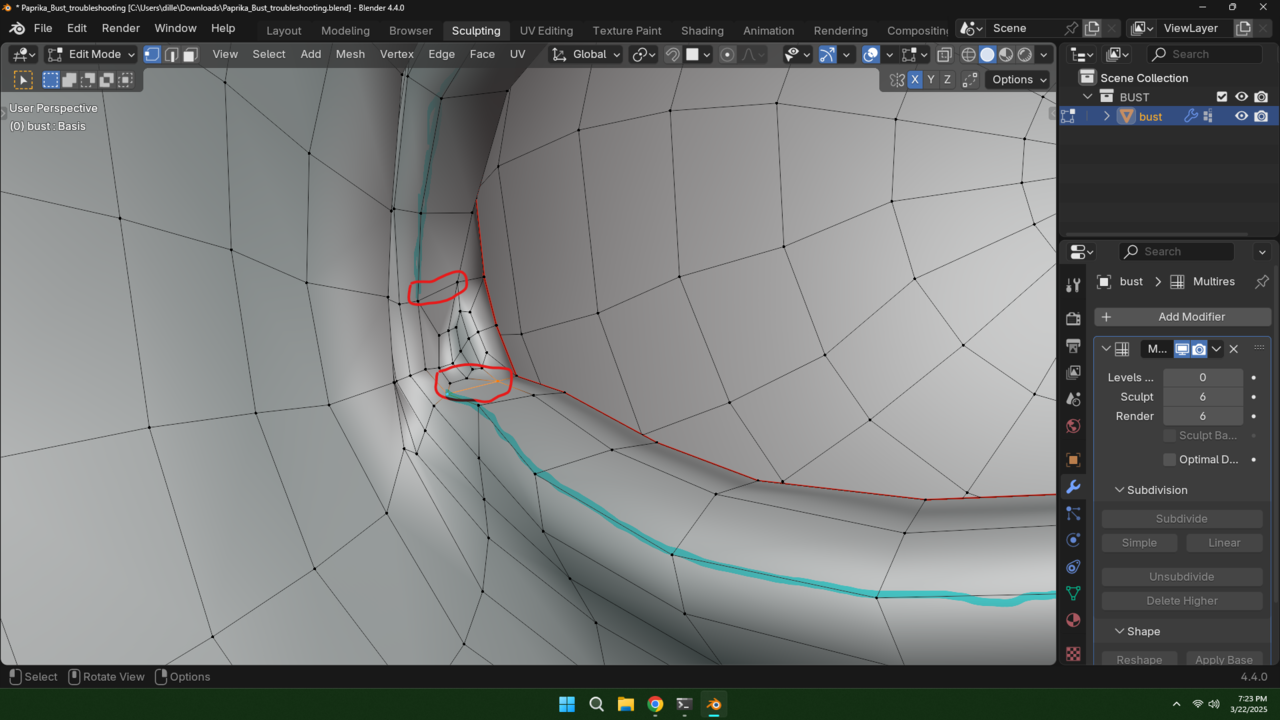
                    Good news and bad news from what I can figure out. Bad news is you loose any sculpting data on the higher levels. Good news is you can go to level 3 and delete higher than that. It for some reason, I’m guessing the crease you use to have, is folding in on the area between the 2 poles. You only see it on the bottom lid but it goes all the way around.

                    025-03-22 192108.png

                    The 4 poles I circled in red. The edge I’m guessing had the crease I highlighted in bleu. It is this blue highlighted edge That is folding inwards starting at level 4. 

                    025-03-22 192339.png

                    #93979
                    coyo
                    Participant

                      @dillenbata3 Aha! Great catch! Thank you so much! Fortunately I hadn’t done any high res sculpting yet. Seeing this gives me more reason to go back and redo some of the topology. I noticed some other weirdness (a six-pole right under the nose!? what was I thinking) while I was doing my own troubleshooting.

                      I think I might separate the eye caruncle from the rest of the mesh for more control. There’s just a lot going on in that area already what with the epicanthal fold.

                      Thanks for the help, everyone~!

                    Viewing 9 posts - 1 through 9 (of 9 total)
                    • The topic ‘[HUMAN] Strange artifact when multires levels are increased’ is closed to new replies.