How would I create two stripes on the column, one top and one bottom?

Forum Archive How would I create two stripes on the column, one top and one bottom?

Viewing 9 posts - 1 through 9 (of 9 total)
  • Author
    Posts
  • #18225
    Paul Whidborne
    Participant

      I’ve tried copying the steps and I’ve now got to a point where I have two mix shaders, one stripes the top and one stripes the bottom, however only one mix shader can be put in the material output at a time. Is there a node that will combine both mix shaders to input into the material output?

      #87069
      Adrian Bellworthy
      Participant

        Yes.. 
        A mix shader node.
        Add another mix shader node and plug the two you already have into the third and the third into the output node.

        #87070
        Martin Bergwerf
        Participant

          Hi Paul,

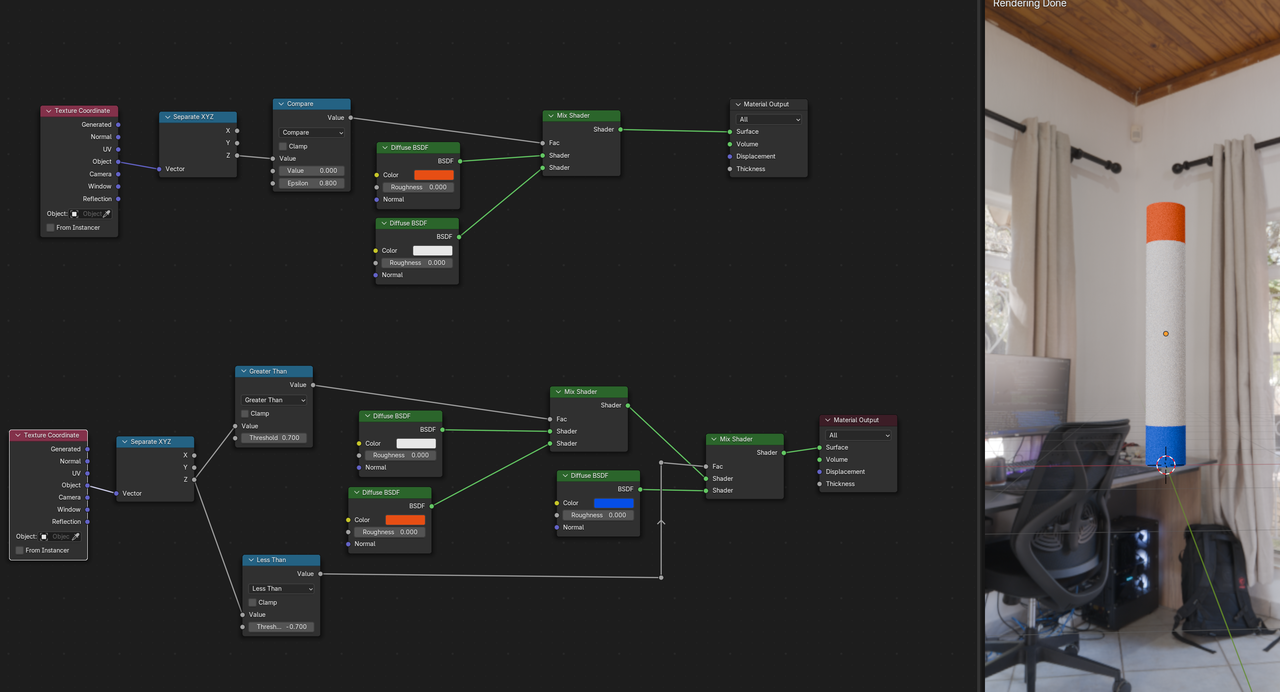
          There are many ways to do this. Here are two examples, the top one has both stripes the same color, so you can use one Mix Shader. the bottom one is what you are thinking of:

          Pillar_01.png

          #87071
          Paul Whidborne
          Participant

            Thanks both, really appreciated. 

            #87072
            Paul Whidborne
            Participant

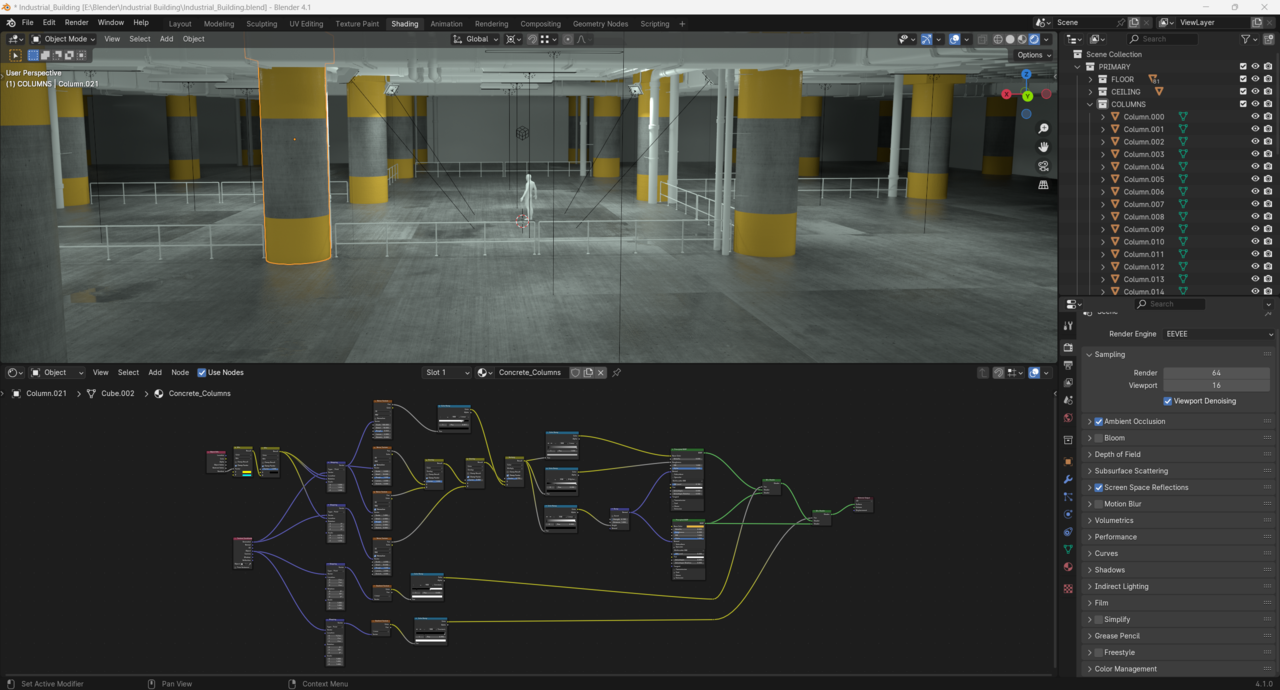
              So, using a third mixed shader did give the two stripes but it halved all the original values so I ended up with a dull colour and a lot less reflective.

              I’ve now managed to get to this point using Spikey’s diagram but the lower stripe has now lost its reflection (not a biggy as the lower one wouldn’t get as much light) as the BSDF is only going into the top shader. 

              Do I need to make a separate BSDF for the lower stripe?
              024-06-27 151749.png

              #87073
              Martin Bergwerf
              Participant

                It’s hard to see for me in the screenshot, but I’d either use two BSDF’s with one Mix Shader, or three BSDF’s with two Mix Shaders.

                Not sure if that is causing your problem though.

                #87074
                Paul Whidborne
                Participant

                  Thanks Spikey,

                  I’m Still not the best at this side of things tbh but have found this tutorial really helpful and clear to follow.  It’s just me always wanting to take things one step further as I learn from trying things out for myself.  

                  I’ll try adding the third BSDF when I get back from the school run.  Really appreciate the guidance. 

                  Regards

                  #87075
                  Adrian Bellworthy
                  Participant

                    You have a roughness value in the top BSDF, for the concrete, which is mixed with the stripe in the first mix, then its mixing again with the second BSDF.
                    This is what is causing the roughness mix up.
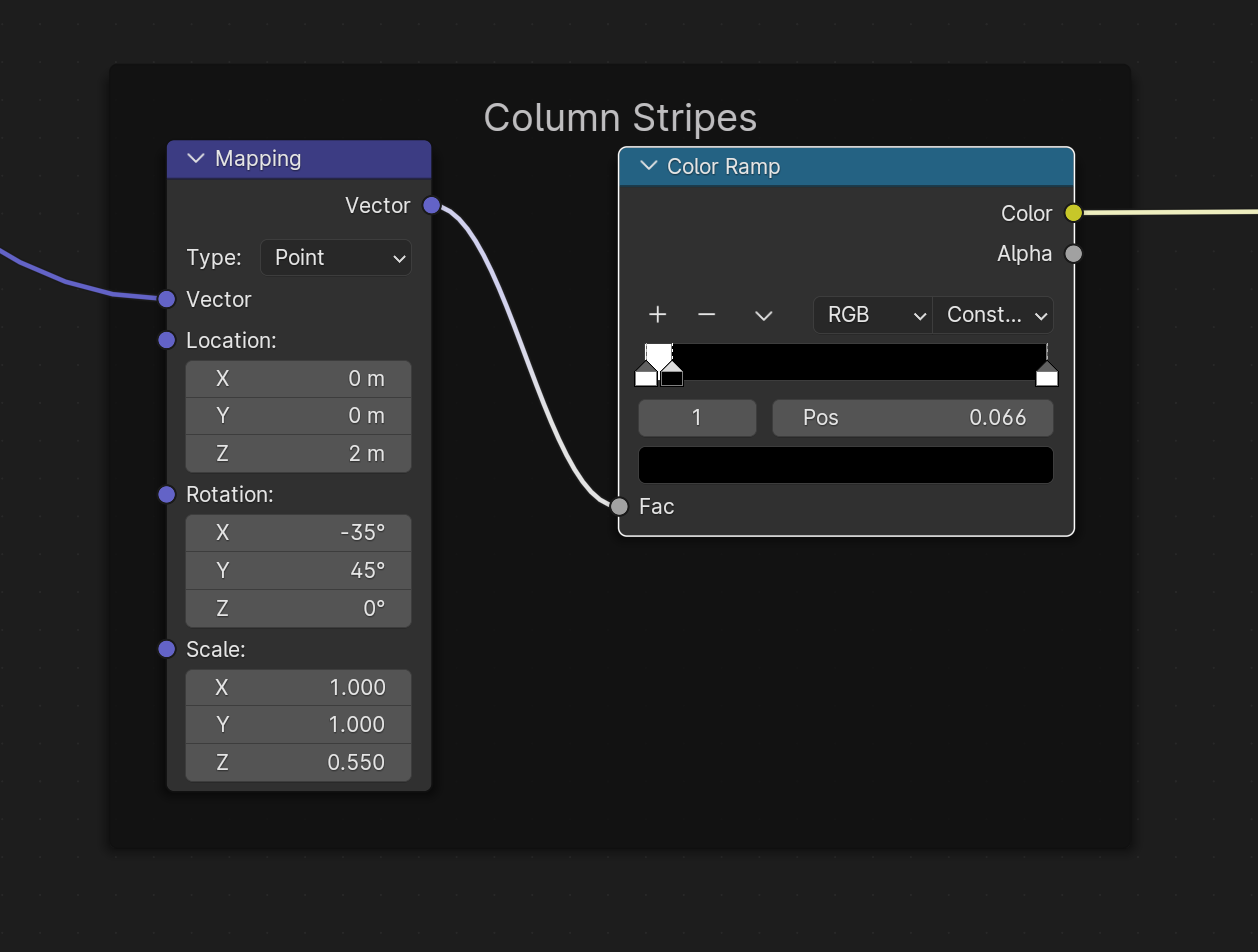
                    Three BSDF’s or a color ramp with three flags for stripe / concrete / stripe into one mix as the factor.

                    #87076
                    Paul Whidborne
                    Participant

                      Hi Adrian, the last suggestion worked really well.  Thank you so much.

                      I had tried using the 3 flags earlier but because I had the Gradient Texture still attached between the Mapping Node and Color Ramp it was only letting me do one half of the column (or one half of the gradient basically).   

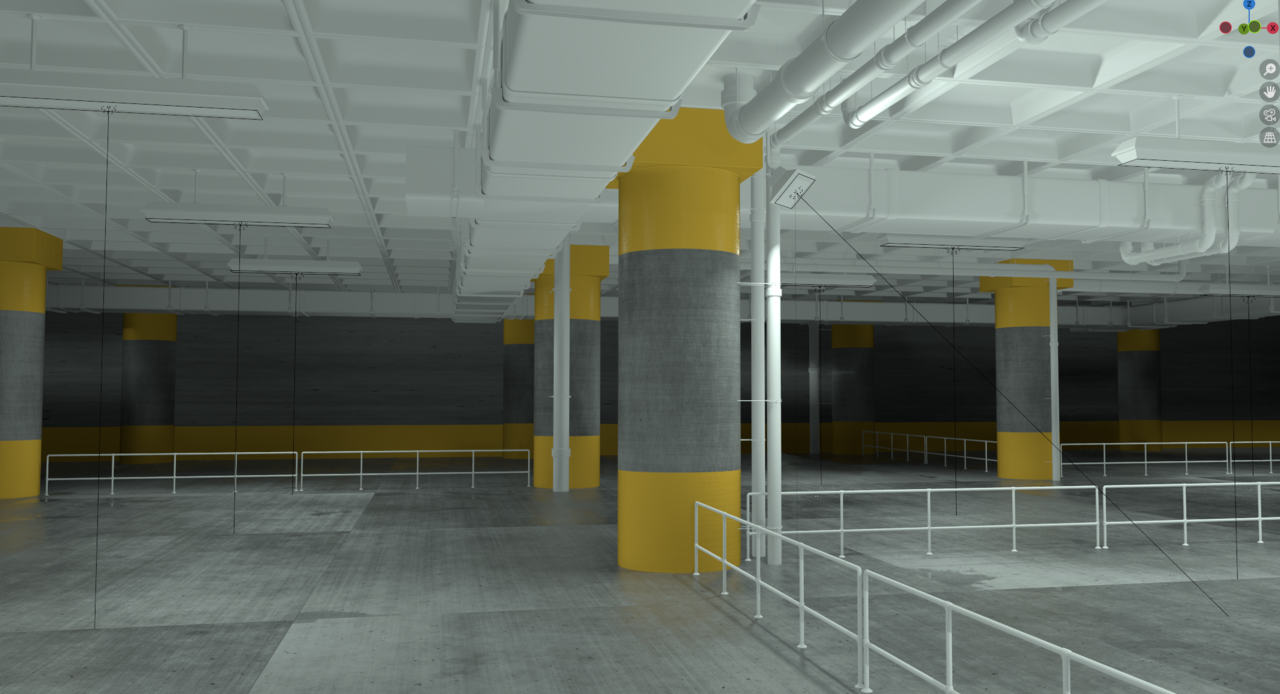
                      As soon as I removed the gradient Texture it allowed me to color ramp across the entire column.  It did mean I had to tweak the mapping values to get the right angle and scale again but I’ve now got a great result and less nodes than I had previously used to achieve it.

                      024-06-27 184750.png

                      024-06-27 185218.png

                    Viewing 9 posts - 1 through 9 (of 9 total)
                    • The topic ‘How would I create two stripes on the column, one top and one bottom?’ is closed to new replies.