How to Warp a Procedural Texture?

Forum Archive How to Warp a Procedural Texture?

Viewing 6 posts - 1 through 6 (of 6 total)
  • Author
    Posts
  • #19645
    Tim Brennan
    Participant

      020425_013315_PM.jpg

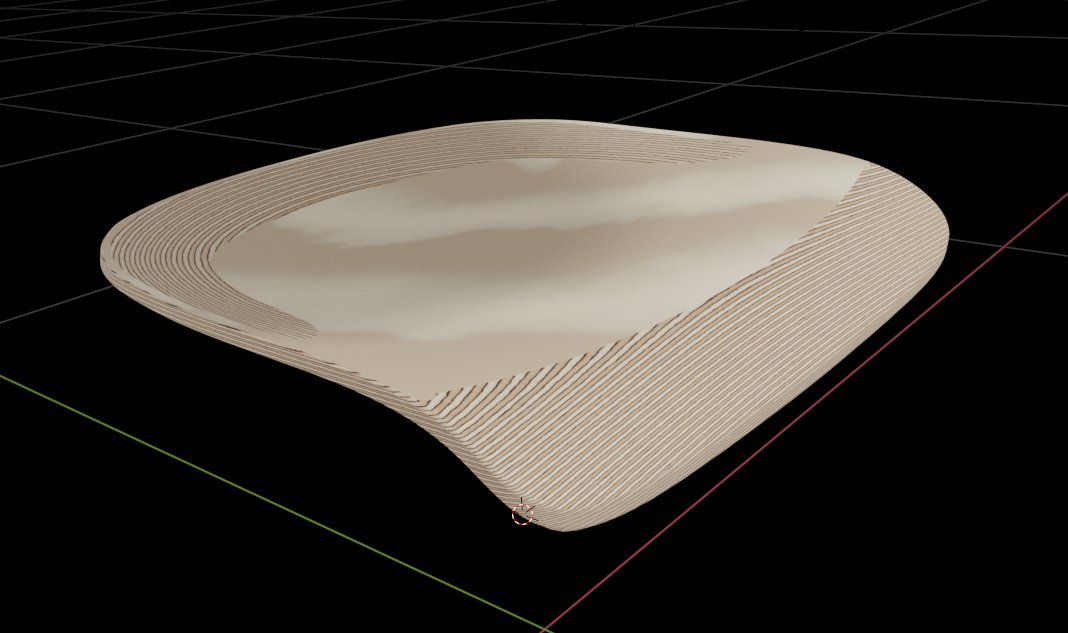
      I have created a plywood seat and applied a procedural texture – see link and image.

      However, I need the layers of ply to only show on the edges. Is there a simple way to correct this?

      https://drive.google.com/open?id=10Eg9tcNdiHIJo4MXHj1uVBbQpop-qgFh&usp=drive_fs

      #92991
      Martin Bergwerf
      Participant

        Hi Tim @beetle ,

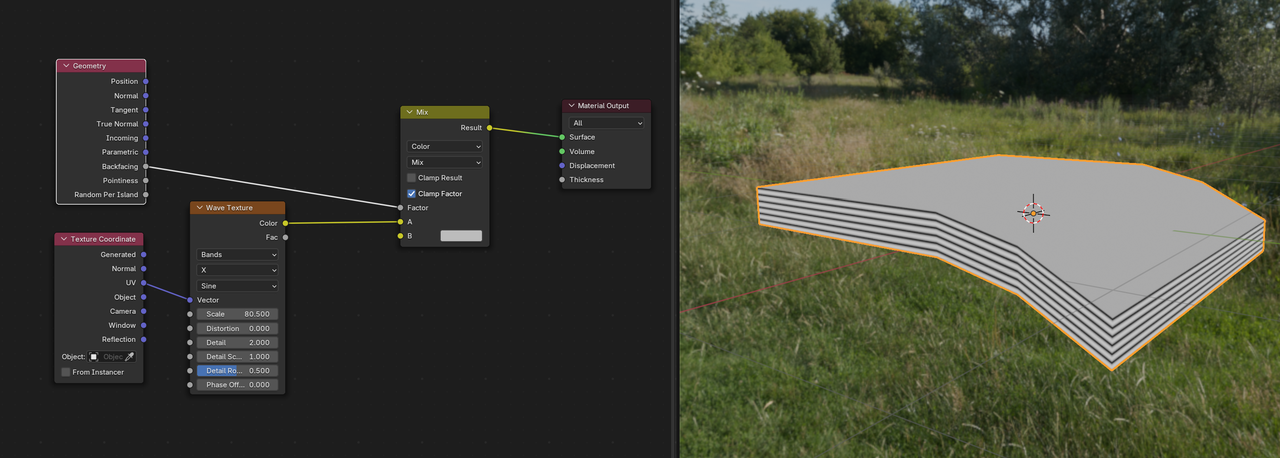
        I think you’ll have to use UV Coordinates for this to work and then separate the sides from the rest. For instance:

        Plywood.png

        (The Link says Access Denied btw.)

        #92992
        Tim Brennan
        Participant

          Thanks. I fixed the link now.

          Forgive me, but UV coordinates are my weakness in Blender. I am very capable in other parts of the software though. Is there a good tutorial to get me up to speed.

          #92993
          Martin Bergwerf
          Participant

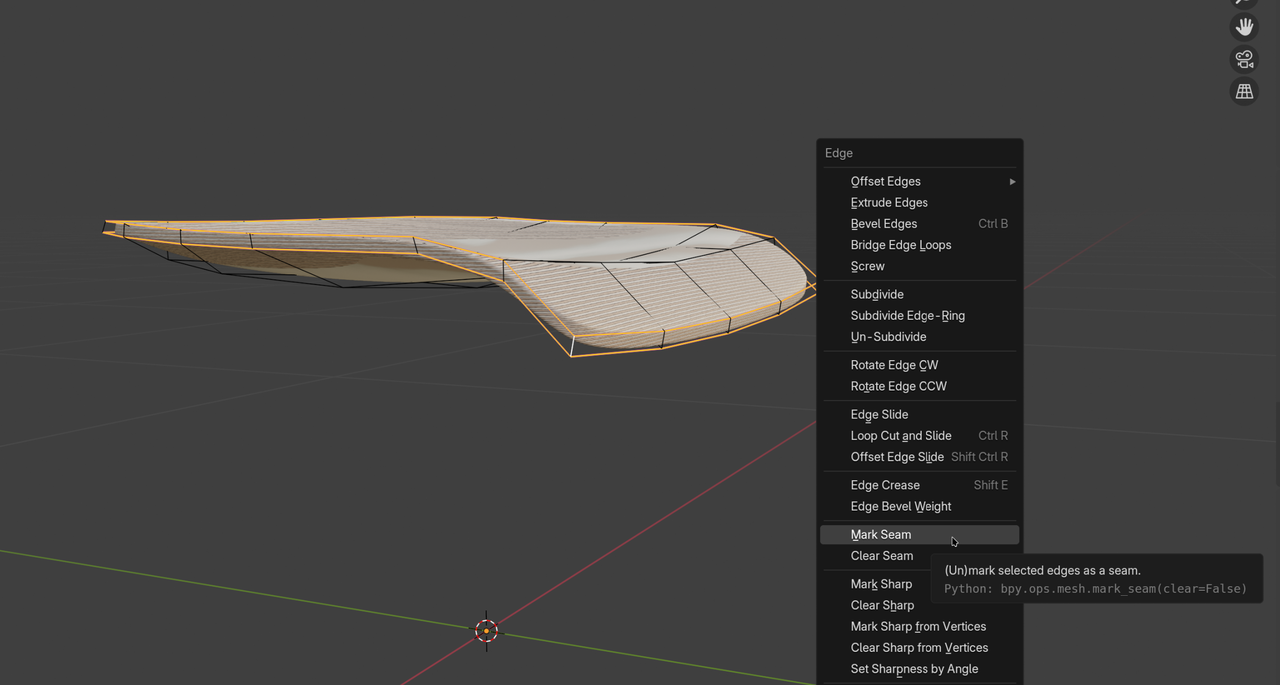
            It’s an easy Unwrap, because the seat is just a modified cube:Seat_00.png

            The Creased Edges and one ‘vertical’ one (doesn’t matter which) should be Marked as Seams (CTRL+E). Then Unwrap and Straighten out the side UV’s.

            I’d recommend the Fundamentals of Texturing, to get up to speed with UV’s.

            There’s two of them, both are good; the CORE one is a bit shorter and uses Blender 4.2.

            It’ll probably be easiest to then make two separate Materials for the sides and top/bottom, because a mask would be quite challenging to make in a case like this.

            #92994
            Tim Brennan
            Participant
              #92995
              Martin Bergwerf
              Participant

                HI Tim,

                I’m afraid that won’t work in your case.

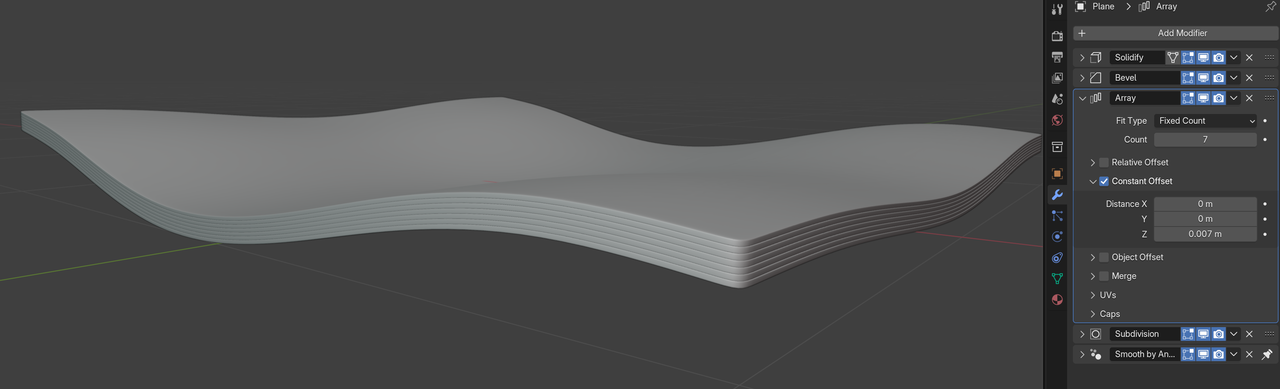
                UV’s are definitely the easiest way to go, I believe. An alternative, would be to make the layers separately:

                Seat_01.png

                Apply the Modifiers up til the Array and assign two Materials…

              Viewing 6 posts - 1 through 6 (of 6 total)
              • The topic ‘How to Warp a Procedural Texture?’ is closed to new replies.