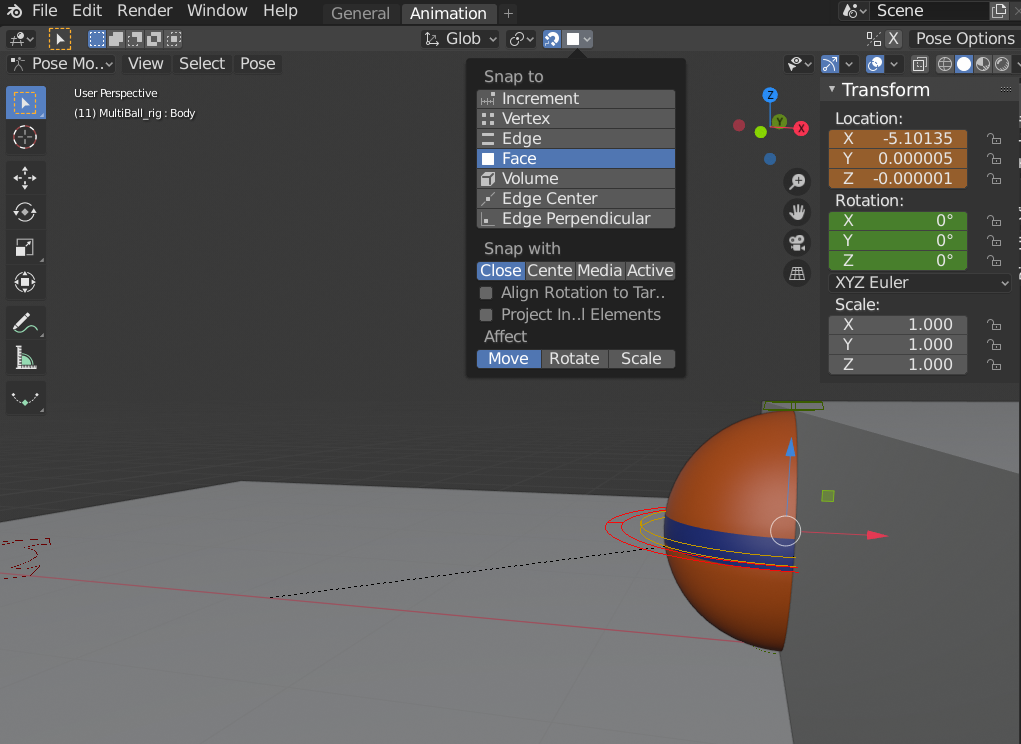
That is perfect for objects like meshes that don’t need to be animated.
But when you’re animating, the mesh is controlled by the Armature.
And the Armature is an Object with a whole bunch of controls inside that object (bones). You want to be snapping the bones rather than the actual object….which is possible to do.
You can snap the bones but the head of the bone will need to be at the point you want to snap to. Which isn’t the case in a lot of situations. Plus you need to make sure you control the rotation if snapping too. By that I mean, it could spin around on a weird angle to get to the snapped position, so if you’ve animated it and keyed it, this could flip all sorts of ways in order to get to that orientation. (I hope that makes sense – I’ve probably made it more difficult to understand haha)
If you can avoid snapping for a simple situation (like hitting a wall), then that’s the quickest and best option.
If you do need to snap to specific point in space, don’t forget that you can position the 3d cursor and then snap the bone to that (location) and then control the rotation yourself.
In the Crane Arm Lift lesson there’s a bit of snapping going on. Although there’s easier ways to do what I’ve done in that video these days. I think that is part of the Body Mechanics and Work Flow course. But the main gist is that you copy the rotation and location and then paste it.
I hope that has actually helped Shawn, but now when I read it back, I think I might have made it clear as mud haha.
(sorry if that’s the case)

.