How to extrude four edges?

Forum Archive How to extrude four edges?

Viewing 15 posts - 1 through 15 (of 18 total)
  • Author
    Posts
  • #17081

    Hi!

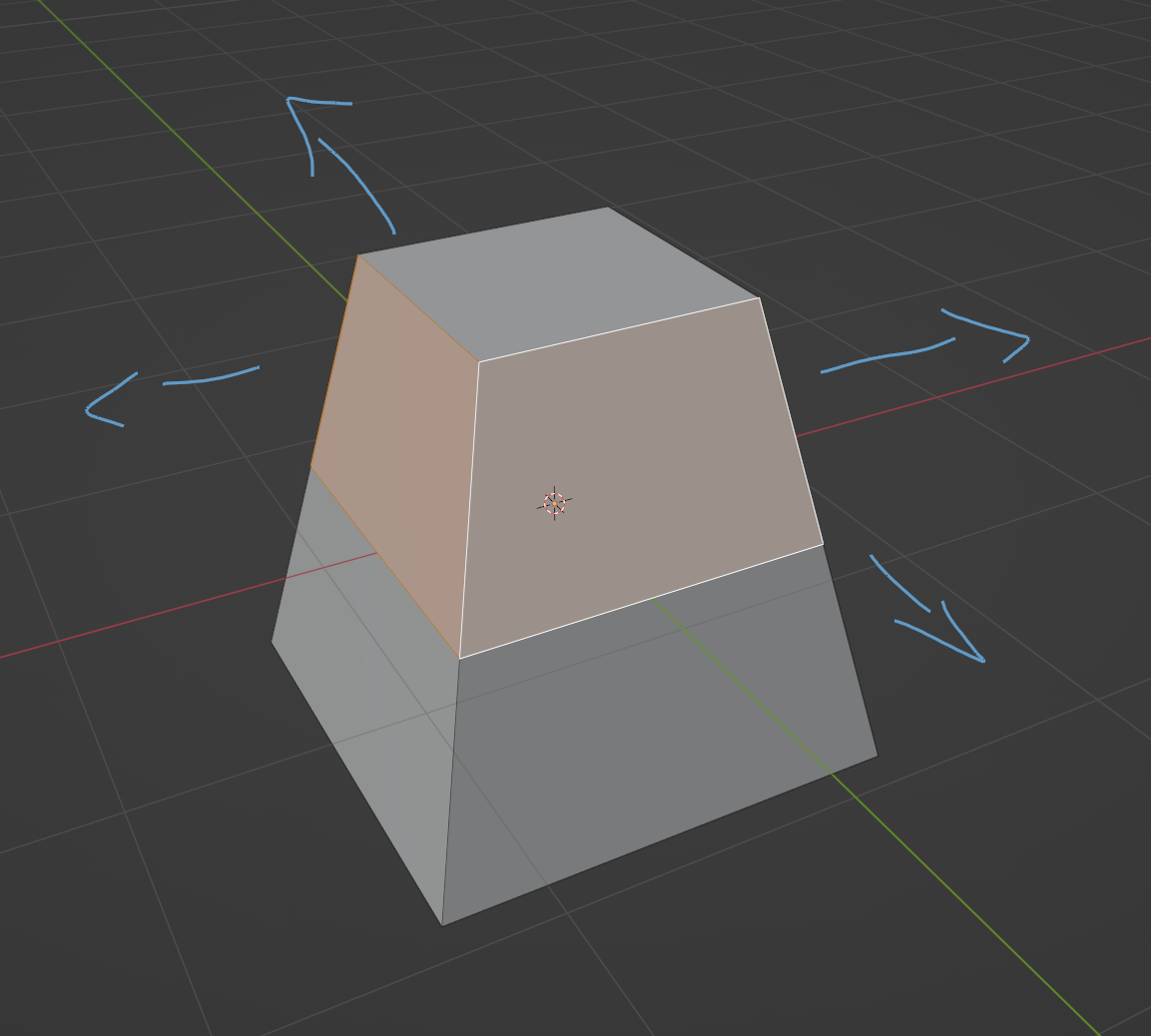
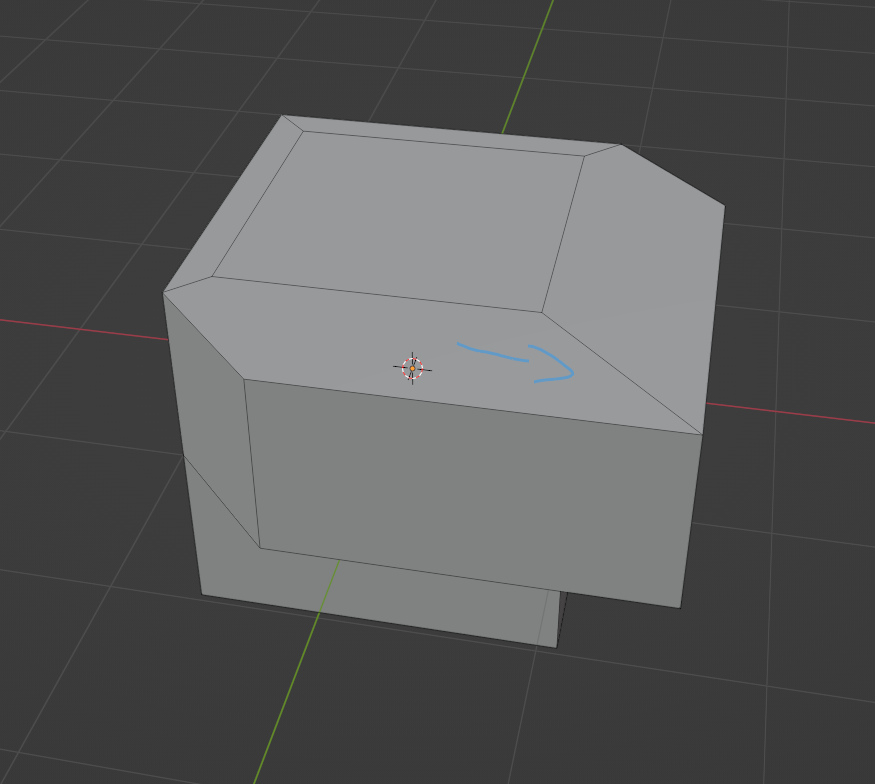
    Does anyone know how to extrude all these four edges so that they are connected to each other and flat at the top? So not along normals but in x and y directions.

    Thanks 🙂

    blendercopy.png

    #82222
    Martin Bergwerf
    Participant

      Hi student @546_student ,

      That is easy; E(xtrude), S(cale), SHIFT+Z (not in the Z direction). No need to press Enter in between.

      #82223

      Thanks! 🙂

      #82224
      Omar Domenech
      Participant

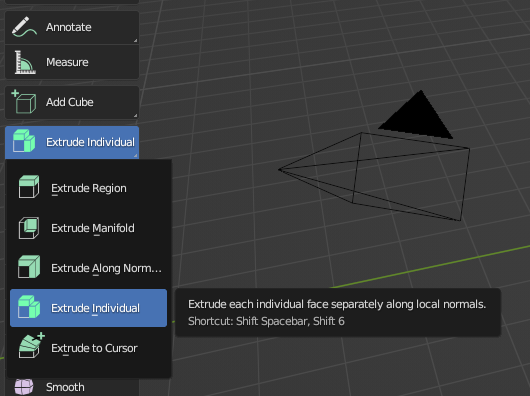
        You could also extrude individual 

        trude Individual.png

        #82225

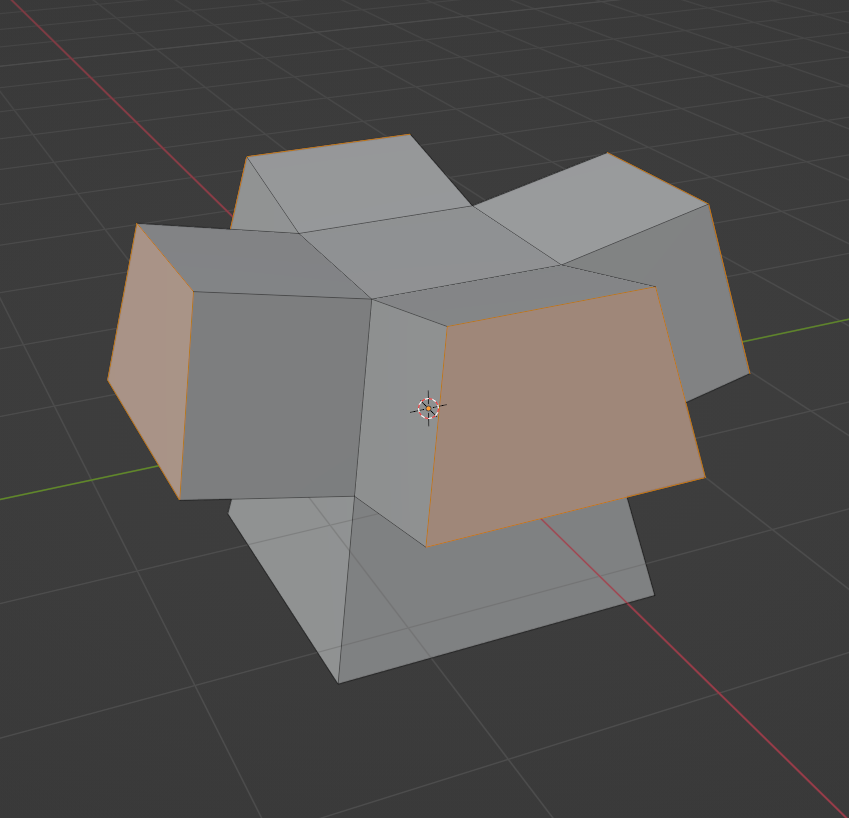
        Is there a way to extrude individual and have them connected at the edges?

        Uten navn.png

        I also tried the extrude manifold option that I thought would work, but I can’t figure out how to do that with all four.

        #82226
        Omar Domenech
        Participant

          I can’t picture that in my head, connected at the edges I mean. Can you post a screenshot of the final result you mean by that please.

          #82227

          Sure, no problem, I can try 🙂

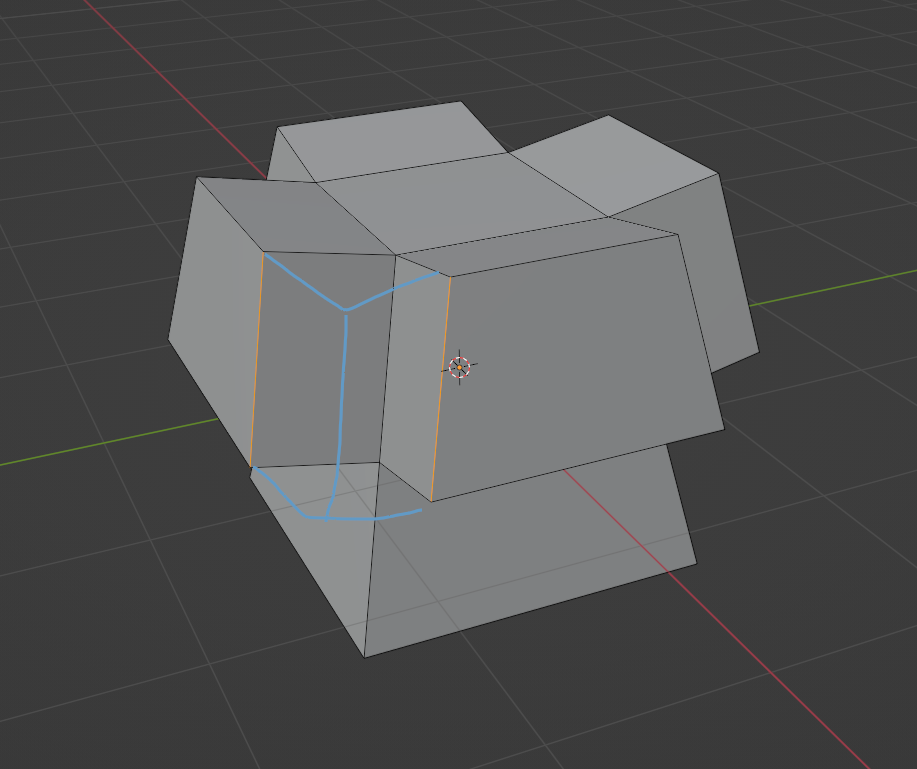
          I mean like that the edges (orange) is connected. I tried using manifold but don’t know how to use manifold on all four. Did this make sense?

          It’s not a problem if it’s a square box, but when the polygons are not straight, like in the first picture.

          eredgesconnected.png

          edgesblendr.png

          #82228
          Omar Domenech
          Participant

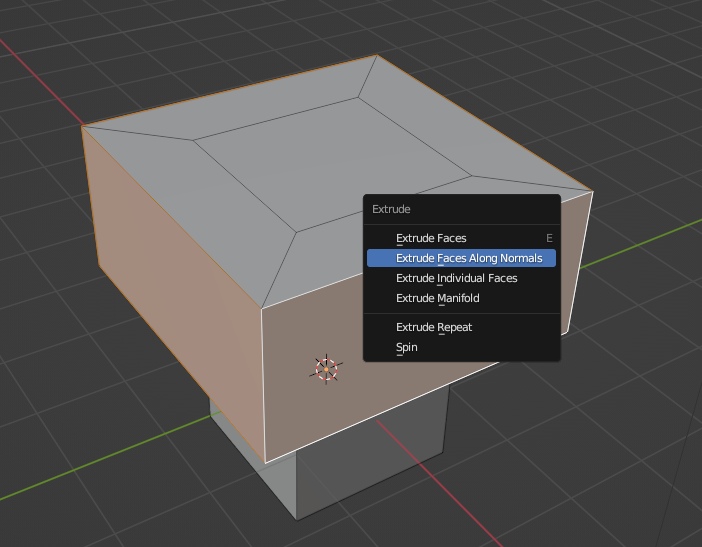
            Ah yes, in Edit Mode you can ALT+E to extrude along normals:

            ALT-E.png

            #82229

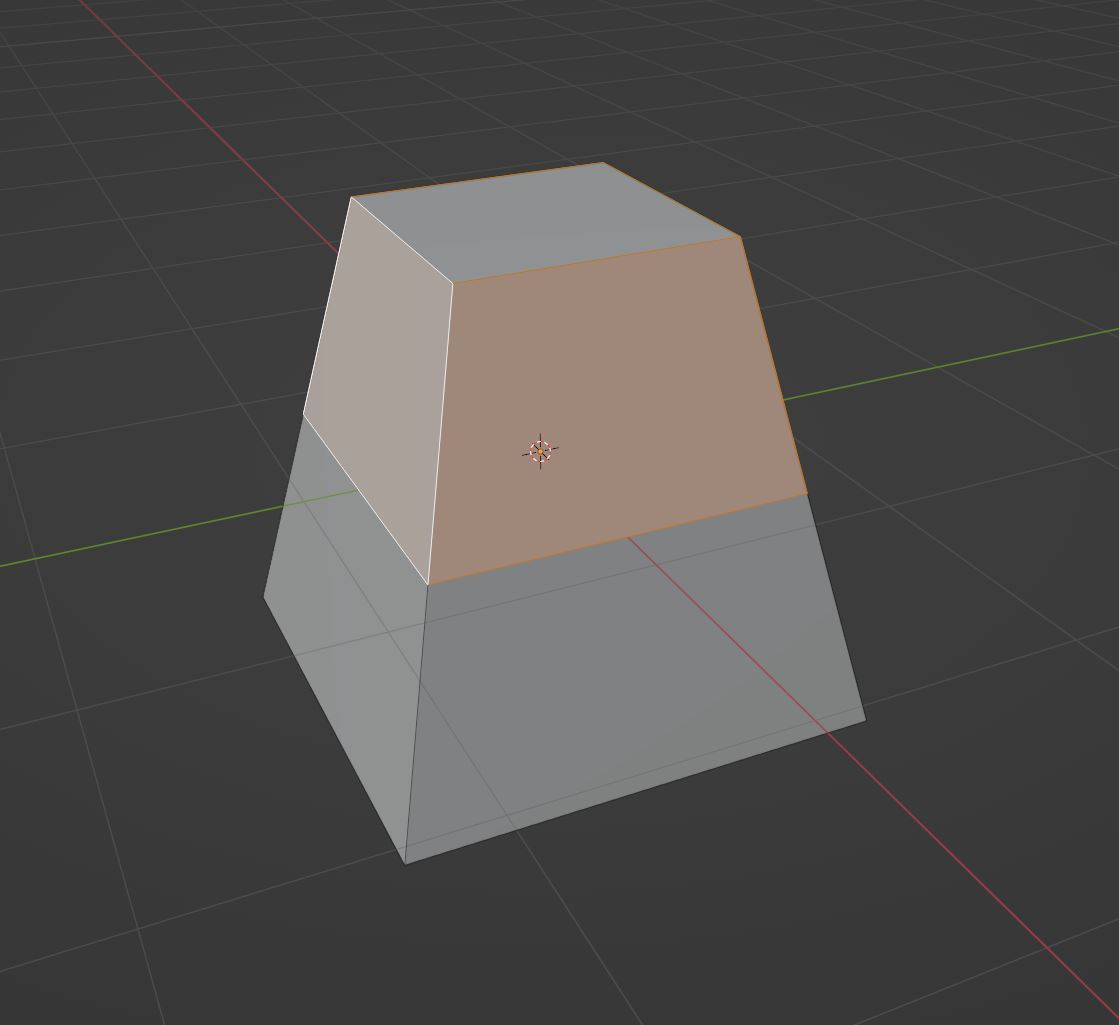
            But that only works if the polygons are 90 degrees, right? And not on a model like this (picture)? Then I have to use the E, S + Shift Z that Martin Bergwerf mentioned earlier, cause that works for that type of model.

            Hope I’m not misunderstanding you 🙂

            copy1.png

            #82230
            Omar Domenech
            Participant

              Yeah since the normals in that situation are pointing up at an angle, the faces will follow that same trajectory, you’ll have to manually lower the faces. 

              #82231

              Ok, thanks for all your help!

              #82232
              Adrian Bellworthy
              Participant

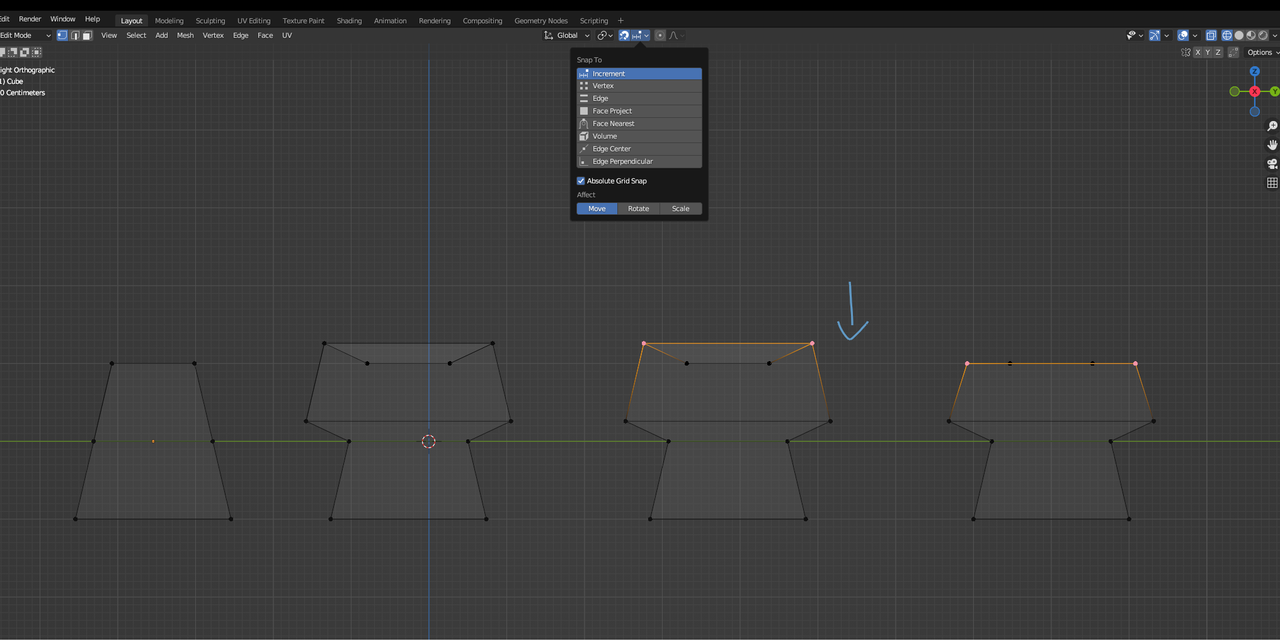
                You can use snapping to line them up as you intended.

                #82233

                Hi! 

                Can you tell me what you mean by that, please?

                #82234
                Omar Domenech
                Participant

                  He means that since extruding will make the vertices end up at an angle upwards, you can bring them down in Z and use snapping to snap to the other vertices and have them all on the same level.

                  #82235

                  So, like this?

                  blenrd.png

                Viewing 15 posts - 1 through 15 (of 18 total)
                • The topic ‘How to extrude four edges?’ is closed to new replies.