How to display Bevel Options in box in bottom left?

Forum Archive How to display Bevel Options in box in bottom left?

Viewing 3 posts - 1 through 3 (of 3 total)
  • Author
    Posts
  • #13591
    tomkatilius
    Participant

      Hey guys,

      When I try to bevel any edge with CTRL + B I do not get the pop up in the bottom left with the various bevel options as seen in the tutorial.

      Is there a setting to turn this feature on? I can’t seem to work it out!

      Thanks

      #63751
      spikeyxxx
      Participant

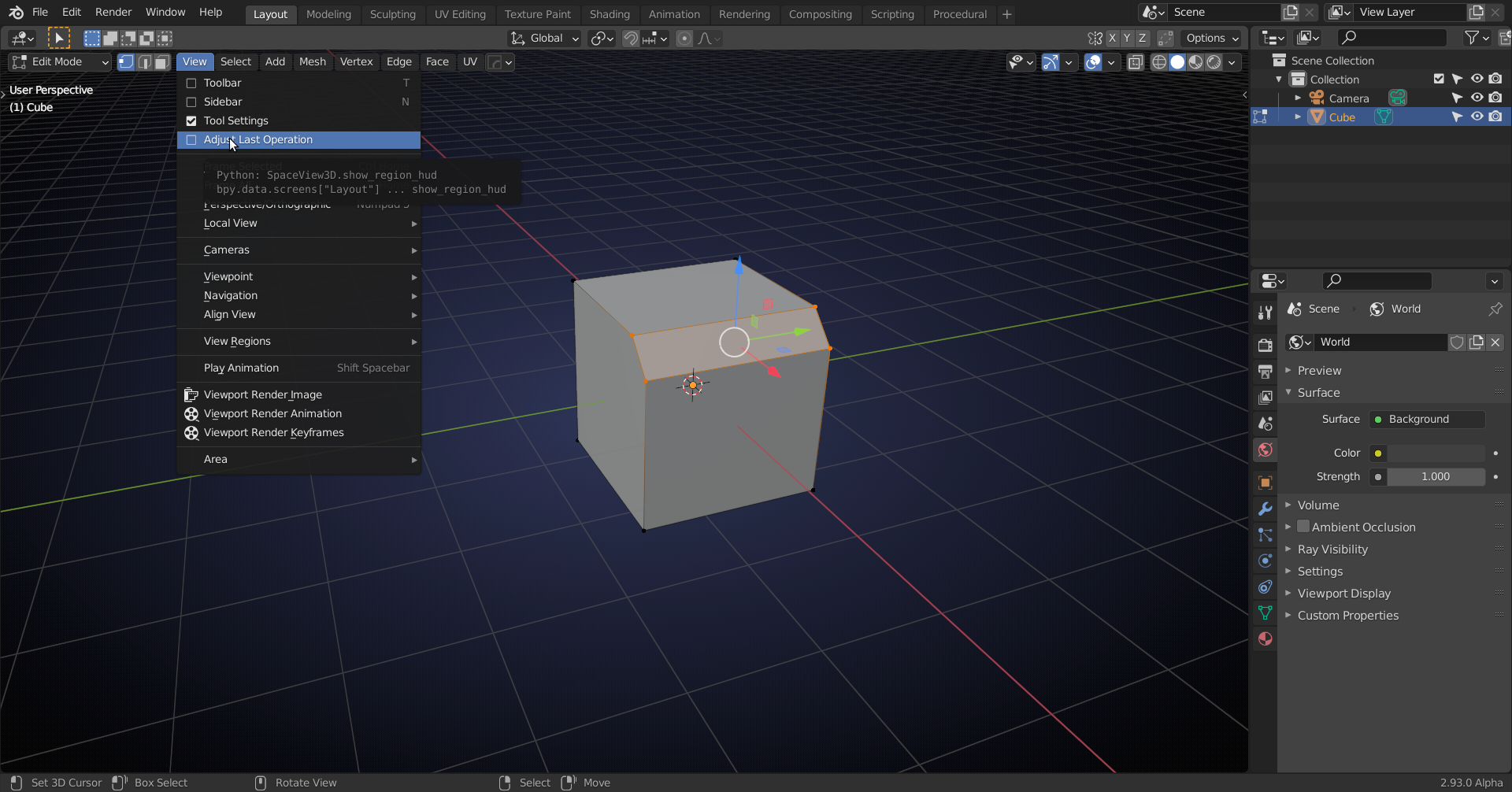
        If you see nothing at all, you might need to enable it here:

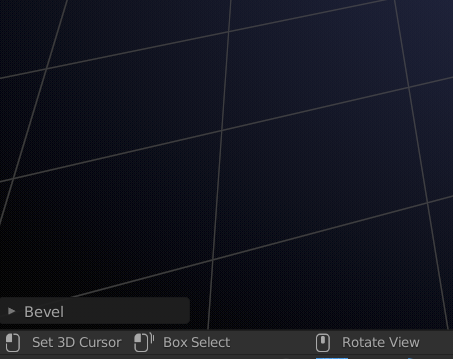
        Then you may need to ‘open’ the popup by clicking the little triangle:

        Alternatively, you can press F9 and it will appear opened where your Mouse pointer is. (That way you can make sure that it’s not in the way and you only use it when you need it,)

        #63752
        tomkatilius
        Participant

          Thank you so much!

          That sorted it out 🙂

        Viewing 3 posts - 1 through 3 (of 3 total)
        • The topic ‘How to display Bevel Options in box in bottom left?’ is closed to new replies.