How to create a video with a transparent background

Forum Archive How to create a video with a transparent background

Viewing 12 posts - 16 through 27 (of 27 total)
  • Author
    Posts
  • #92130
    Martin Bergwerf
    Participant

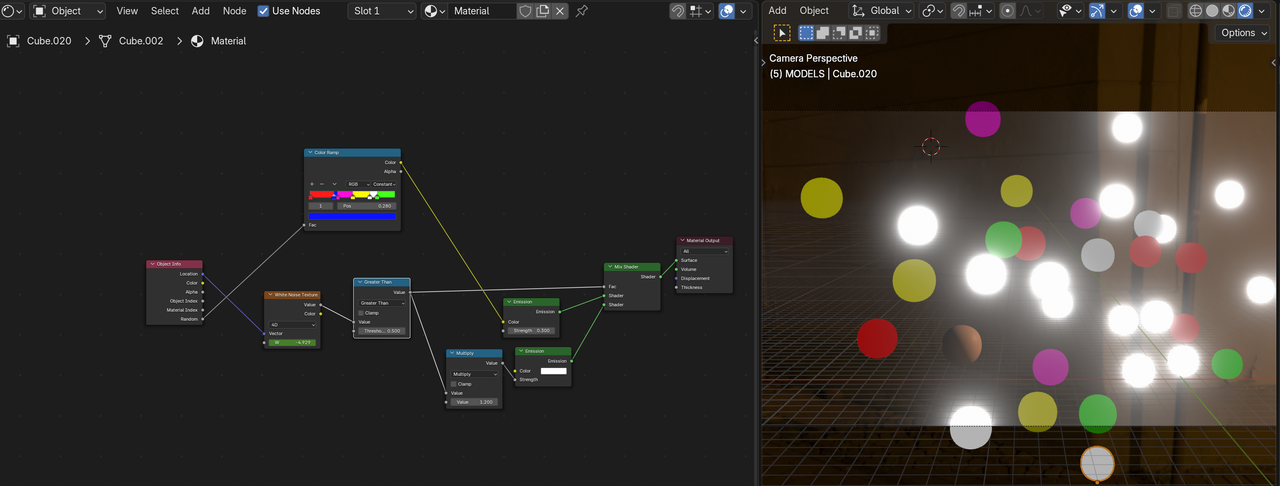
      If you use a Mix Shader, you can make the unlit lightbulbs any color and material you like (doesn’t have to be an Emission Shader):

      Lights_08.png

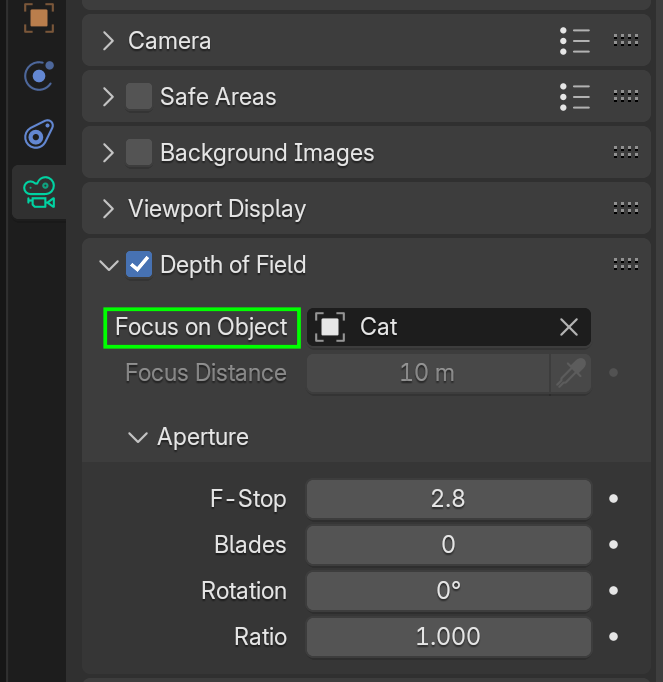
      You can use the cat, or an Empty at the location of the cat as the Focal Point:

      DOF.png

      #92131
      Marie Delagrave
      Participant

        I will try that for sure! Thanks! But now, I need a sandwich! 😆 (I don’t know where you are but for me, it’s lunch time.)

        #92132
        Marie Delagrave
        Participant

          Hum… I already had the focus on the cat. Should I change then the aperture??? 

          #92133
          Martin Bergwerf
          Participant

            Probably; the F-Stop makes a huge difference to how much is out of focus. Also, if the cat is the Focus Point, that means the cat’s Origin. an Empty can be placed easier to where the focus should be.

            #92134
            Marie Delagrave
            Participant

              (Sandwich eaten) I put an Empty but what helped the most is changing the aperture (from 2.8 to 13).

              #92135
              Marie Delagrave
              Participant

                May I ask… Do you know how I can slow down the movement of the camera (which follows a spiral) and then freeze it for a certain amount of time?

                #92136
                Martin Bergwerf
                Participant

                  That would probably be easiest done in the Graph Editor, or even just in the Dope Sheet (moving Keyframes further apart at certain times).

                  Handy Shortcut: E moves Keyframes at the right side of the 2D Cursor (in those Editors).

                  #92137
                  Marie Delagrave
                  Participant

                    Dope Sheet? (sigh) …That’s Chinese for me. 😢

                    #92138
                    Martin Bergwerf
                    Participant

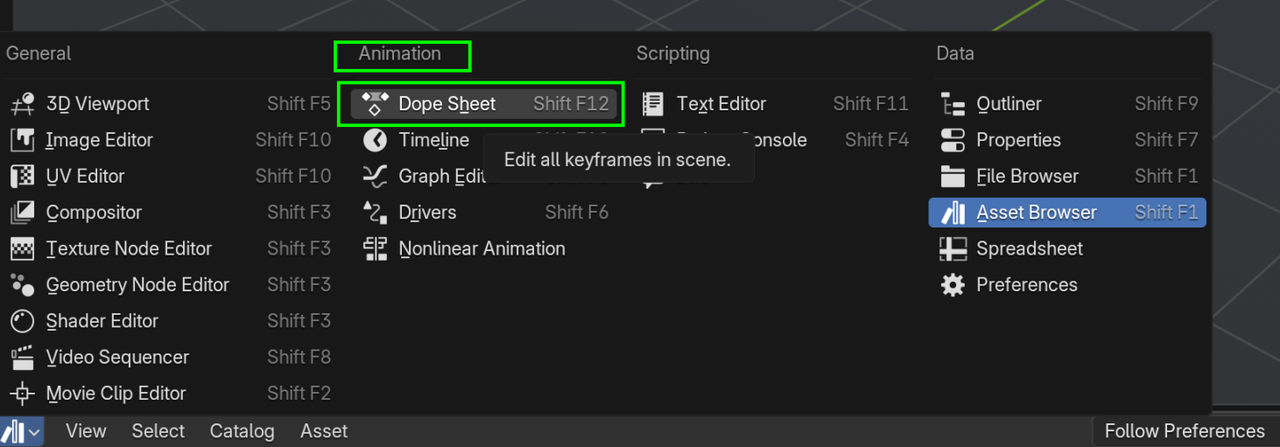
                      You can select it here:

                      Dope.png

                      It shows the Keyframes, but not all the curves/interpolations of the Graph Editor. It’s very sinmilar to the Timeline, but has a little bit more information.

                      #92139
                      Marie Delagrave
                      Participant

                        I’ll try that.

                        #92140
                        Martin Bergwerf
                        Participant

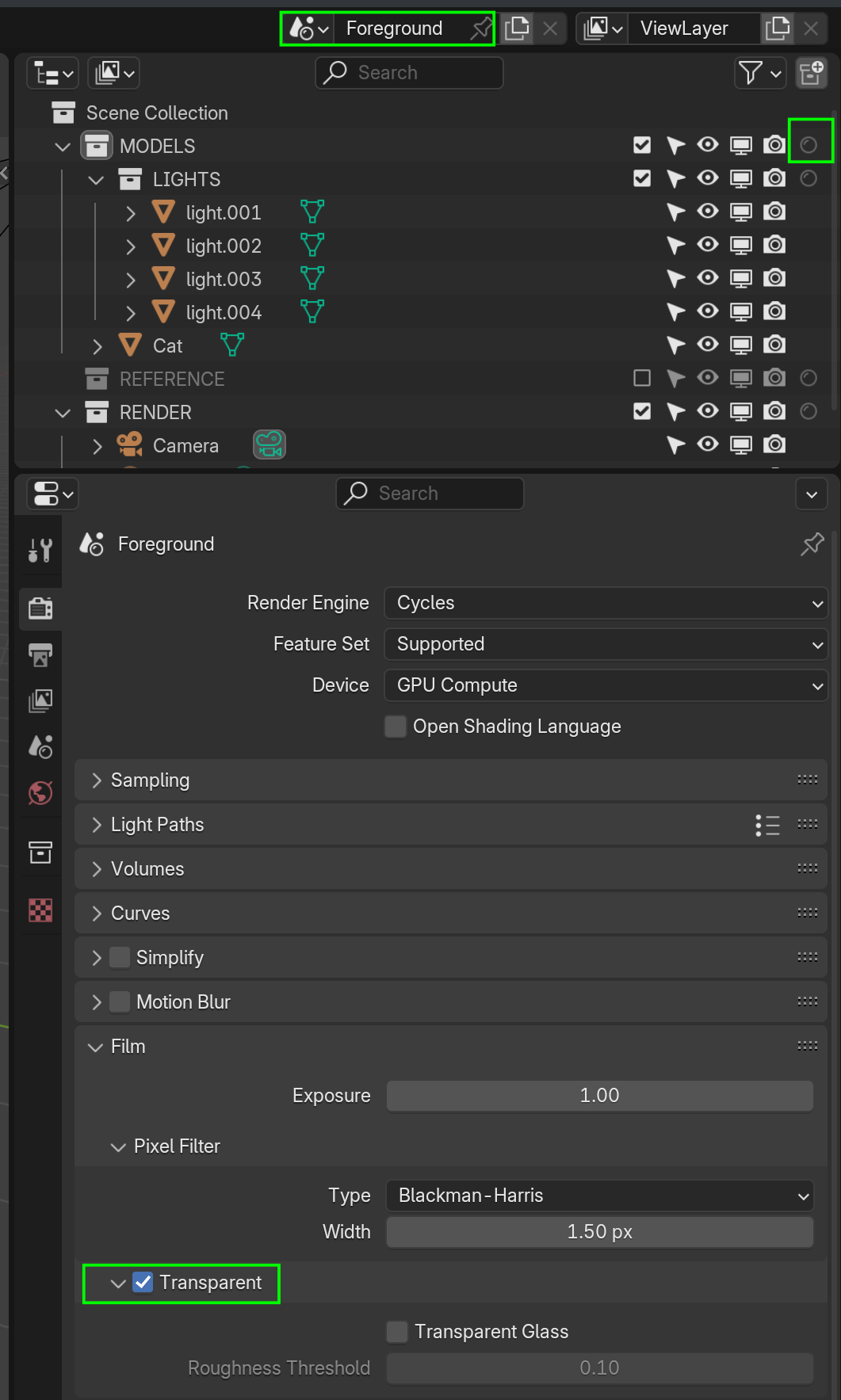
                          And just in case I will be away for today, here is sort of how I separated Foreground and Background; I used 2 Scenes, Foreground (Christmas Cat and Lights, for instance) has Transparent checked:

                          FG.png

                          The other Scene (start with Full Copy, to the right of the Scene name) has Transparent un-checked and all foreground elements (or the Collections that they are in) set to Hold Out (Filter if that doesn’t show up in the Outliner):

                          BG.png

                          I hope that is sort of clear 😉

                          #92141
                          Marie Delagrave
                          Participant

                            I will study that with attention. THANK YOU!

                          Viewing 12 posts - 16 through 27 (of 27 total)
                          • The topic ‘How to create a video with a transparent background’ is closed to new replies.